
JACKCHEN JC-65
JACKCHEN 2200W Electric Demolition Jack Hammer JC-65 Instruction Manual
Model: JC-65
1. Introduction
This manual provides essential information for the safe and efficient operation, maintenance, and troubleshooting of your JACKCHEN 2200W Electric Demolition Jack Hammer, model JC-65. Please read this manual thoroughly before initial use and retain it for future reference.
2. Important Safety Instructions
Always observe basic safety precautions to reduce the risk of fire, electric shock, and personal injury.
- Wear appropriate personal protective equipment (PPE) including safety glasses, hearing protection, gloves, and steel-toed boots.
- Ensure the work area is clear of obstructions and well-lit.
- Do not operate the tool in damp or wet conditions.
- Always disconnect the power supply before changing accessories or performing maintenance.
- Keep bystanders and children away from the operating area.
- Use both hands to operate the tool and maintain a firm grip.
- Avoid accidental starting. Ensure the switch is in the off-position before plugging in.
- Do not overreach. Maintain proper footing and balance at all times.
- Inspect the tool and accessories for damage before each use.
3. Product Components
The JACKCHEN JC-65 Demolition Jack Hammer comes with the following components:
- JACKCHEN 2200W Electric Demolition Jack Hammer (Model JC-65)
- 16" Bull Point Chisel
- 16" Flat Chisel
- D-shaped Chisel (U Chisel)
- Adjustable Auxiliary Handle
- Wrench
- Lubricant Bottle
- Safety Glasses
- Gloves
- Carrying Case

Figure 3.1: Main components of the JACKCHEN JC-65 Demolition Jack Hammer and accessories.

Figure 3.2: Dimensions of the JACKCHEN JC-65 Demolition Jack Hammer.
4. Setup and Assembly
4.1 Attaching the Auxiliary Handle
- Loosen the clamp on the auxiliary handle.
- Slide the handle onto the front barrel of the jack hammer.
- Adjust the handle to a comfortable and secure position for your grip.
- Tighten the clamp firmly to secure the handle.
4.2 Installing a Chisel
- Ensure the jack hammer is unplugged from the power source.
- Pull back the tool holder collar located at the front of the tool.
- Insert the desired chisel (e.g., bull point, flat, or D-shaped) into the hex shaft opening.
- Rotate the chisel slightly until it seats fully into the tool holder.
- Release the tool holder collar. The chisel should be securely locked in place. Pull on the chisel to confirm it is properly installed.

Figure 4.1: Detail of the 1-1/8" Hex Shaft tool holder for chisel installation.

Figure 4.2: Optimal accessories for various demolition tasks.
5. Operating Instructions
5.1 Pre-Operation Checklist
- Ensure all safety instructions have been read and understood.
- Verify that the chisel is correctly installed and secured.
- Check the power cord for any damage.
- Confirm the power source matches the tool's rated voltage (110V).
- Wear all required personal protective equipment.
5.2 Starting the Jack Hammer
- Plug the power cord into a suitable 110V outlet.
- Hold the jack hammer firmly with both hands, ensuring a stable stance.
- Position the chisel tip against the material to be broken.
- Press the power switch to start the tool.
5.3 Demolition Techniques
- Apply steady, downward pressure. Do not force the tool; allow its weight and impact action to do the work.
- For concrete, begin by creating pilot holes or cracks, then work to expand them.
- Angle the chisel to undercut the material, breaking it into smaller, manageable pieces.
- Periodically check the chisel for wear and replace if necessary.
- Take breaks to prevent overheating of the tool and operator fatigue.
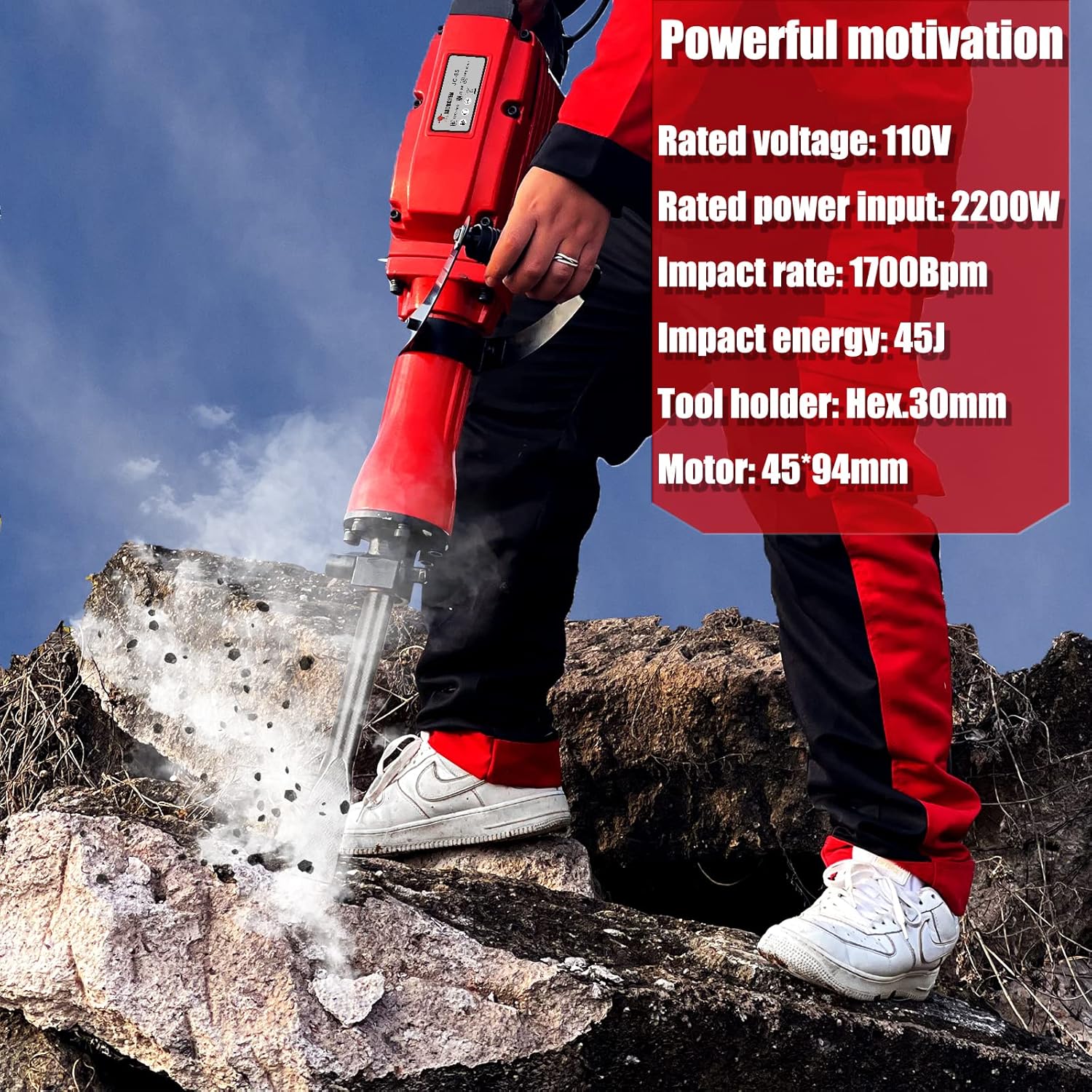
Figure 5.1: Proper operation of the jack hammer for breaking concrete.

Figure 5.2: The jack hammer is suitable for various applications including chipping, breaking blocks, bricks, and trenching.
Video 5.1: Demonstration of the XtremepowerUS 2200W Electric Jack Hammer in use, showcasing its power and adjustable handle. Note: This video is provided by a seller and demonstrates a similar product.
6. Maintenance
6.1 General Cleaning
- After each use, unplug the tool and clean the exterior with a damp cloth.
- Remove any debris from the ventilation openings to ensure proper airflow.
- Do not use harsh chemicals or abrasive cleaners.
6.2 Lubrication
- Regularly check the oil level and replenish as directed in the product specifications or by a qualified technician.
- Use only the recommended lubricant type.
6.3 Carbon Brush Replacement
Carbon brushes are wear items and should be inspected periodically. When they wear down, they need to be replaced to maintain motor performance. Refer to a qualified service technician for carbon brush replacement if you are not experienced with this procedure.
7. Troubleshooting
| Problem | Possible Cause | Solution |
|---|---|---|
| Tool does not start. | No power supply. Faulty power switch. Worn carbon brushes. | Check power outlet and cord. Contact service center. Replace carbon brushes. |
| Reduced impact force. | Low oil level. Worn chisel. Internal mechanical issue. | Check and replenish oil. Replace chisel. Contact service center. |
| Excessive vibration or noise. | Loose components. Damaged internal parts. | Check all fasteners. Contact service center. |
| Tool overheats. | Blocked ventilation. Prolonged heavy use. | Clean ventilation openings. Allow tool to cool down. |
8. Specifications
| Feature | Detail |
|---|---|
| Brand | JACKCHEN |
| Model Number | JC-65 |
| Rated Voltage | 110V |
| Rated Power Input | 2200W |
| Impact Rate | 1700 BPM |
| Impact Energy | 45J |
| Tool Holder | Hex. 30mm (1-1/8" Hex Shaft) |
| Item Weight | 13.6 kg (approx. 30 lbs) |
| Product Dimensions | 63.5 x 10.16 x 20.32 cm |
| Material | Plastic, Aluminum |
| Power Source | Corded Electric |
| Special Feature | Adjustable Handle |
9. Warranty and Support
For warranty information or technical support, please refer to the documentation included with your purchase or contact the manufacturer directly. Keep your purchase receipt as proof of purchase.
Ask a question about this manual
Ask about setup, troubleshooting, compatibility, parts, safety, or missing instructions. Manuals+ will review the question and use this page’s manual context to help answer it.