1. Introduction
This manual provides instructions for the proper use, setup, operation, and maintenance of your Howard Leight by Honeywell Impact Sport Bluetooth Earmuffs. These electronic earmuffs are designed to provide hearing protection while allowing for situational awareness and Bluetooth connectivity.

Image 1.1: Howard Leight Impact Sport Bluetooth Earmuffs, Metallic Rose Gold.
2. Safety Information
Proposition 65 Warning: This product may expose you to chemicals known to the State of California to cause cancer and birth defects or other reproductive harm.
Noise Reduction Rating (NRR)
The Howard Leight Impact Sport Bluetooth Earmuffs have a Noise Reduction Rating (NRR) of 21 dB. The NRR indicates the potential noise reduction provided by the hearing protector. Higher NRR values denote greater effectiveness.
Important: The actual noise reduction achieved may vary depending on proper fit and individual usage. Improper fit will reduce effectiveness and could result in hearing loss or injury.
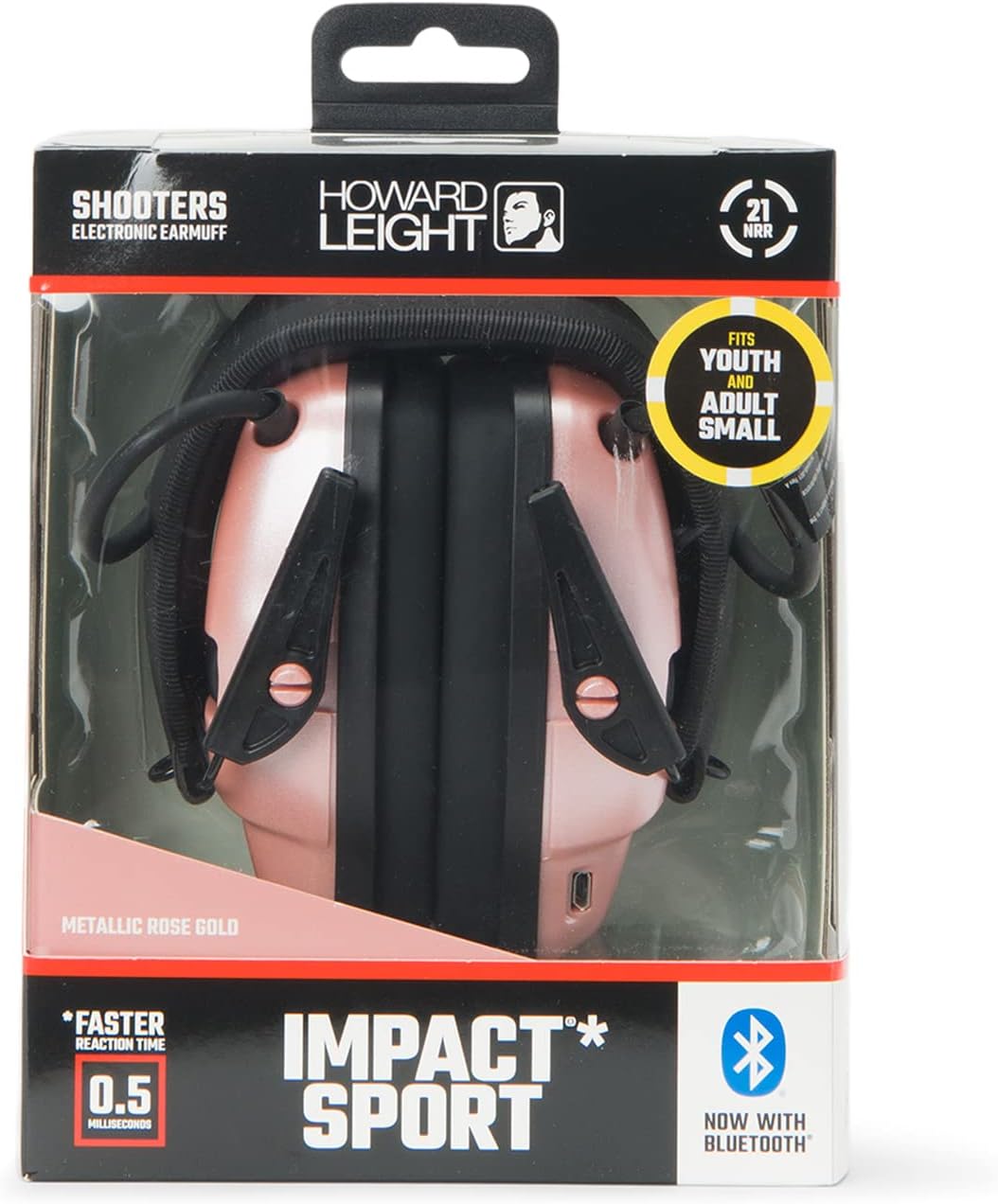
Image 2.1: Product packaging displaying NRR and fitting instructions.
General Safety Guidelines
- Always ensure the earmuffs are properly fitted to achieve the stated NRR.
- Avoid anything that impairs the seal of the earmuff cushions, as this will reduce noise reduction.
- Regularly inspect earmuffs for damage or wear. Replace worn components as necessary.
- The earmuffs feature a 0.5 millisecond reaction time to suppress impulse sounds like gunfire, protecting your hearing.
3. Package Contents
Verify that all items are present in the package:
- Howard Leight Impact Sport Bluetooth Earmuffs
- Rechargeable Lithium-Ion Battery (pre-installed or separate)
- Micro USB Charging Cable

Image 3.1: Earmuffs and Micro USB charging cable.
4. Setup
4.1 Charging the Battery
- Locate the Micro USB charging port on the earmuffs.
- Connect the Micro USB charging cable to the earmuffs and the other end to a compatible USB power source (e.g., computer USB port, wall adapter).
- Allow the earmuffs to charge fully before first use. The charging indicator light will change color or turn off when charging is complete.
4.2 Adjusting for Proper Fit
Proper fit is essential for optimal hearing protection and comfort.
- Pull the earcups outward and position them so that the cushions fully enclose the ears and seal tightly against the head.
- Adjust the height of each cup equally on both sides while holding the headband on the crown of your head. This creates a snug and comfortable fit.
- With earmuffs over both ears while in a noisy environment, push cushions towards your head. If there is a perceptible difference in the noise level, the earmuffs are likely not fitted properly. If proper fit is not obtained, repeat fitting instructions.

Image 4.1: Padded adjustable headband for a custom fit.
The earmuffs feature a slim, low-profile earcup design with Air Flow Control Technology to ensure clearance when shouldering a firearm.

Image 4.2: Recessed controls and rifle cutaway design for aiming.
5. Operating Instructions
5.1 Powering On/Off
Locate the power button on the earmuffs. Press and hold the power button for approximately 2-3 seconds to turn the unit on or off. An audible indicator or LED light will confirm the status.
5.2 Adjusting External Environment Volume
The earmuffs feature a separate volume control for amplifying ambient sounds. Use the dedicated volume dial to adjust the amplification level of external sounds. This allows for situational awareness, enhancing low-level frequencies like range commands and conversation.

Image 5.1: Bluetooth controls and separate volume controls for external environment and Bluetooth audio.
5.3 Bluetooth Pairing
To connect your earmuffs to a Bluetooth-enabled device:
- Ensure your mobile device's Bluetooth is enabled and set to scan for new devices.
- With the earmuffs powered off, hold the Multi-Function Button (MFB) on the earmuffs.
- Continue holding the MFB past the initial red light indicator until you see a blue light. This indicates the earmuffs are in pairing mode.
- Release the MFB.
- On your mobile device, select the Howard Leight Impact Sport Bluetooth from the list of available devices to complete the pairing process.

Image 5.2: Earmuffs ready for Bluetooth synchronization with a mobile device.
5.4 Bluetooth Features
- Audio Streaming: Stream audio from any Bluetooth-enabled device.
- Hands-Free Communication: Make and receive calls with clear voice quality.
- Separate Volume Controls: The earmuffs include separate volume controls for Bluetooth audio and external environment amplification, allowing independent adjustment.

Image 5.3: Key features of Bluetooth 5.0 connectivity.
5.5 Situational Awareness
The earmuffs feature 5X sound amplification to enhance low-level frequencies. Two high-gain, omni-directional microphones allow you to identify the source of sounds, while their recessed placement helps reduce wind noise.
6. Maintenance
6.1 Cleaning
- Wipe the exterior of the earmuffs with a damp cloth. Do not immerse in water.
- Avoid using harsh chemicals or abrasive cleaners.
- Ensure the charging port is free of dust and debris.
6.2 Replacing Ear Cushions
The earmuffs are designed with snap-in ear cushions for easy replacement. Regularly inspect ear cushions for wear, cracks, or hardening, as damaged cushions can compromise hearing protection. Replacement ear cushions are available from Howard Leight.
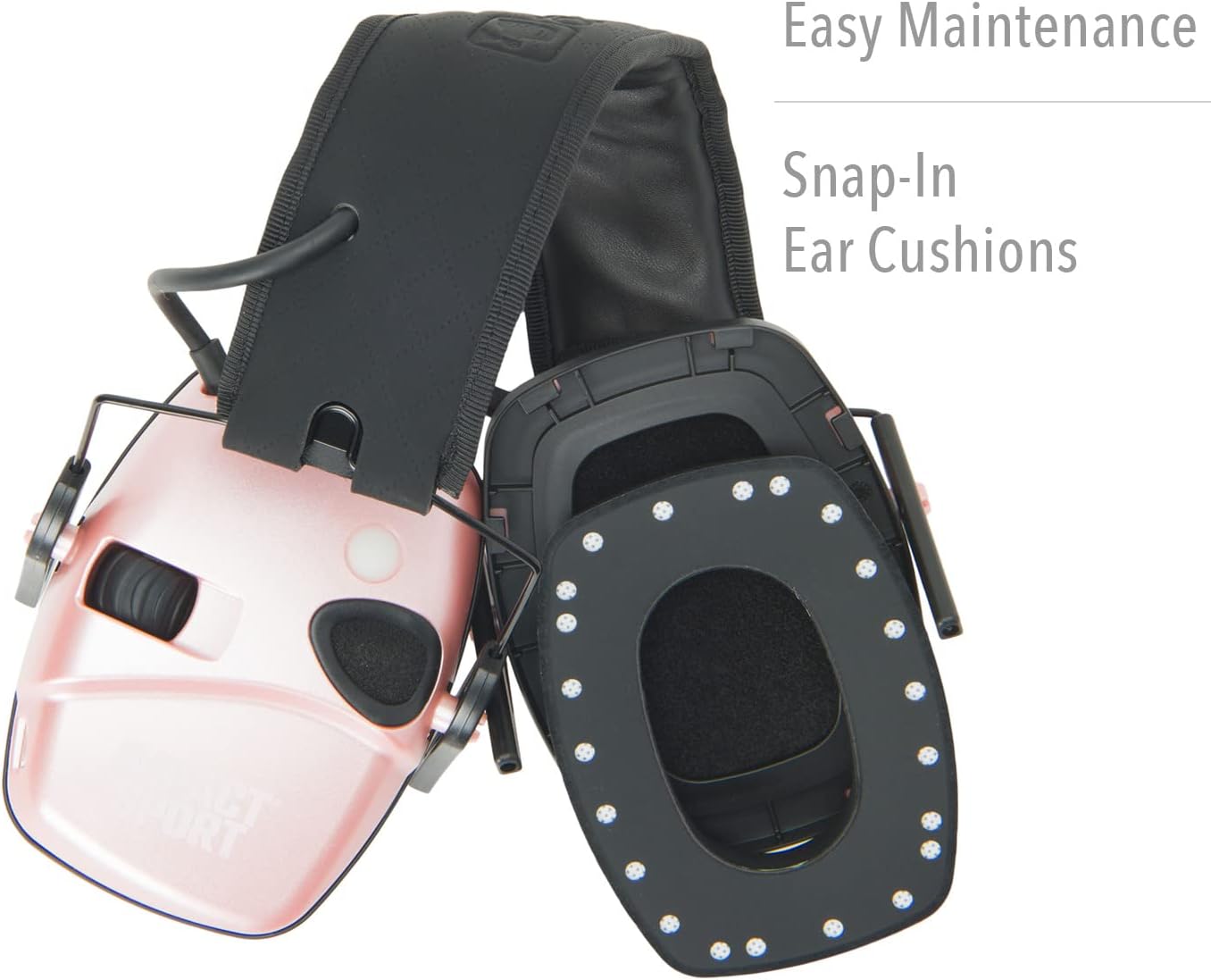
Image 6.1: Snap-in ear cushions for easy maintenance.
7. Troubleshooting
7.1 Bluetooth Pairing Issues
- Earmuffs not entering pairing mode: Ensure you hold the Multi-Function Button (MFB) until the blue light appears, not just the red light. The red light indicates power on, while the blue light indicates pairing mode.
- Device not finding earmuffs: Make sure the earmuffs are in pairing mode (blue light flashing) and your mobile device's Bluetooth is actively scanning. Try restarting both devices.
7.2 Comfort/Fit Issues
- Earmuffs feel too tight or uncomfortable: Ensure the headband is adjusted correctly. These earmuffs are designed for youth and adults with smaller head profiles. If discomfort persists, verify you have the appropriate size.
- Internal components rubbing against ear: Check for any wires or connectors inside the earcup that might be displaced. If present, gently reposition them if possible without damaging the unit.
7.3 Sound Issues
- No sound or low sound from external environment: Check the external environment volume dial. Ensure the earmuffs are powered on and the battery is charged.
- No sound from Bluetooth device: Ensure the earmuffs are successfully paired and the Bluetooth volume control is adjusted. Check the volume on your connected device.
8. Specifications
| Feature | Detail |
|---|---|
| Model Name | Impact Sport With Bluetooth |
| Part Number | R-02544 |
| Noise Reduction Rating (NRR) | 21 dB |
| Reaction Time | 0.5 Milliseconds |
| Sound Amplification | 5X |
| Microphones | 2 high-gain, omni-directional |
| Bluetooth Version | 5.0 |
| Battery Type | Rechargeable Lithium-Ion |
| Charging Port | Micro USB |
| Automatic Shut-off | After 4 hours |
| Item Weight | 0.43 Kilograms |
| Item Dimensions (LxWxH) | 8.75 x 4.5 x 9.13 inches |
9. Warranty and Support
For warranty information, technical support, or to purchase replacement parts, please contact Howard Leight customer service. Refer to the product packaging or the official Howard Leight website for the most current contact details.
You can visit the Howard Leight Shooting Sports store for additional resources: Howard Leight Store