
Introduction
This manual provides essential instructions for the safe operation and maintenance of your Pyle PSBV40BT Bluetooth Audio Soundbar. Please read this manual thoroughly before using the device and retain it for future reference.
Safety Instructions
- Do not expose the soundbar to rain or moisture.
- Do not block any ventilation openings.
- Ensure proper power supply voltage as indicated on the power adapter.
- Keep the soundbar away from heat sources such as radiators, heat registers, stoves, or other apparatus that produce heat.
- Use only attachments/accessories specified by the manufacturer.
- Unplug the soundbar during lightning storms or when unused for long periods.
Package Contents
Verify that all items are present in the package:
- Main Soundbar Unit
- Power Adapter
- Remote Control
- Coaxial Cable
- RCA Cable (Audio Cable)

Image: Contents of the Pyle PSBV40BT Soundbar package, showing the main unit, remote control, power adapter, coaxial cable, and RCA audio cable.
Product Overview
The Pyle PSBV40BT is a 2.1 channel soundbar designed to enhance your audio experience. It features multiple input options and Bluetooth connectivity for versatile use.
Front and Top Panel Controls
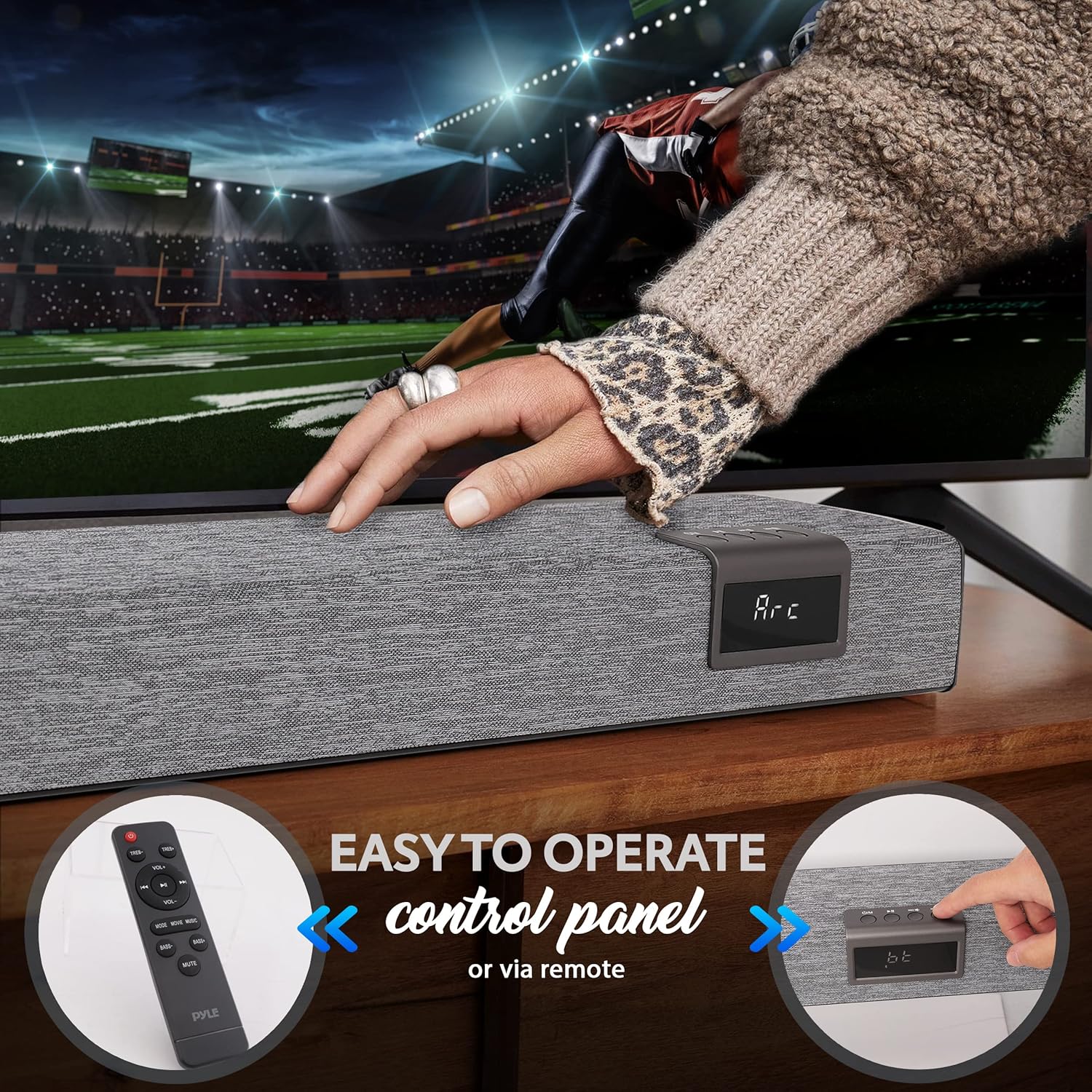
Image: The front of the Pyle PSBV40BT Soundbar showing the digital display and control buttons, alongside the included remote control.
- Power Button: Turns the soundbar on or off.
- Input/Mode Button: Switches between input sources (Bluetooth, Optical, HDMI ARC, AUX, USB/TF).
- Volume Up/Down Buttons: Adjusts the volume level.
- LED Display: Shows current input mode and volume level.
Rear Panel Connections

Image: Rear view of the Pyle PSBV40BT Soundbar, highlighting the various input ports: USB, AUX, Coaxial, Optical, and HDMI ARC.
- USB/TF Card Input: For playing audio files from USB drives or TF cards.
- AUX (3.5mm) Input: Connect external audio devices via a 3.5mm audio cable.
- COAXIAL Input: Connect to devices with a coaxial digital audio output.
- OPTICAL Input: Connect to devices with an optical digital audio output.
- HDMI ARC Input: Connect to a TV's HDMI ARC port for audio and control.
- DC IN: Power adapter connection port.
Setup
1. Placement
Place the soundbar on a stable, flat surface directly in front of your television. Ensure there are no obstructions blocking the soundbar's speakers or the remote control sensor.

Image: The Pyle PSBV40BT Soundbar positioned horizontally on a media console, directly beneath a television screen.
2. Power Connection
- Connect the power adapter to the DC IN port on the back of the soundbar.
- Plug the other end of the power adapter into a wall outlet.
3. Audio Connections
Choose one of the following connection methods based on your television or audio source:
- HDMI ARC (Recommended):
Connect an HDMI cable (not included) from the HDMI ARC port on the soundbar to the HDMI ARC port on your TV. This allows your TV remote to control the soundbar's volume and power.

Image: Detail of the HDMI ARC input port on the Pyle PSBV40BT Soundbar.
- Optical:
Connect an optical cable (not included) from the OPTICAL port on the soundbar to the optical digital audio output on your TV or other audio source. Ensure your TV's audio output is set to "PCM" if you experience no sound.
- Coaxial:
Connect the included coaxial cable from the COAXIAL port on the soundbar to the coaxial digital audio output on your TV or other audio source.
- AUX (3.5mm):
Connect the included RCA cable (or a 3.5mm to 3.5mm cable, not included) from the AUX port on the soundbar to the 3.5mm headphone jack or RCA audio output on your TV or audio source.
Operation
Power On/Off
Press the Power button on the soundbar or the remote control to turn the unit on or off.
Input Selection
Press the "Input" or "Mode" button on the soundbar or remote control repeatedly to cycle through the available input sources: Bluetooth (BT), Optical (OPT), HDMI ARC (ARC), AUX, USB/TF.
Volume Control
Use the Volume Up (+) and Volume Down (-) buttons on the soundbar or remote control to adjust the audio level.
Bluetooth Pairing
- Turn on the soundbar and select "BT" mode using the Input/Mode button. The LED display will show "BT" and flash, indicating it's in pairing mode.
- Enable Bluetooth on your mobile device (smartphone, tablet, etc.).
- Search for "PyleUSA" in your device's Bluetooth settings and select it to pair.
- Once paired, the "BT" indicator on the soundbar will stop flashing, and you can play audio from your device.

Image: A user holding a smartphone, demonstrating the process of connecting to the Pyle PSBV40BT Soundbar via Bluetooth for wireless audio streaming.
USB/TF Card Playback
Insert a USB drive or TF card (with MP3 audio files) into the corresponding port. The soundbar will automatically switch to USB/TF mode and begin playback. Use the remote control for playback functions (play/pause, skip tracks).
Remote Control Functions
The included remote control provides full functionality for the soundbar, including power, input selection, volume, mute, and playback controls for USB/TF and Bluetooth modes.
Maintenance
- Cleaning: Use a soft, dry cloth to clean the surface of the soundbar. Do not use liquid cleaners or abrasive materials.
- Storage: If storing the soundbar for an extended period, unplug it from the power outlet and store it in a cool, dry place.
Troubleshooting
| Problem | Possible Solution |
|---|---|
| No power | Ensure the power adapter is securely connected to the soundbar and a working power outlet. |
| No sound |
|
| Bluetooth pairing fails |
|
| Remote control not working |
|
Specifications
| Feature | Detail |
|---|---|
| Model | PSBV40BT |
| MAX Power | 60W |
| RMS Power | 30W |
| Drivers | (2) 3" Full-range, (2) 3" Subwoofer |
| Bluetooth Version | 5.0 |
| Bluetooth Network Name | PyleUSA |
| Wireless Range | 32.8 ft. |
| Inputs | 3.5mm AUX, Optical, USB/TF, HDMI ARC, Coaxial |
| Supported Media Files | MP3 Audio |
| Impedance | 4 Ohm |
| Frequency Response (Bass) | 20Hz-150Hz |
| Frequency Response (Soundbar) | 120Hz-20kHz |
| Product Dimensions (L x W x H) | 35.4'' x 2.4'' x 2.4'' inches |
| Item Weight | 9.08 lbs |
Warranty and Support
This Pyle PSBV40BT Soundbar comes with a limited warranty. For detailed warranty information, technical support, or service inquiries, please visit the official Pyle website or contact their customer service department.
Pyle Official Website: www.pyleusa.com


