
Introduction
This user manual provides comprehensive instructions for the installation, operation, and maintenance of your ENGiNDOT 1.8 Cubic Feet Home Safe. Please read this manual thoroughly before using the safe to ensure proper function and security.
The ENGiNDOT 50SA Home Safe is designed to provide secure storage for your valuables, including cash, jewelry, and important documents. It features a robust steel construction with live-locking bolts, concealed hinges, and a programmable digital keypad for enhanced security. The safe also includes a mute mode for discreet operation and pre-drilled holes for secure mounting.
Safety Information
- Always keep the emergency keys in a secure location away from the safe and out of reach of children. Do not store emergency keys inside the safe.
- Ensure the safe is installed on a stable, level surface or securely mounted to a wall/floor to prevent tipping.
- Do not expose the safe to extreme temperatures or humidity.
- Do not attempt to force the safe open if the digital keypad malfunctions. Use the emergency key.
- Replace batteries promptly when the low battery indicator appears to avoid being locked out.
- This safe is not fireproof or waterproof. Do not store items that require fire or water protection without additional protective measures.
Package Contents
Please verify that all items are present in the package:
- 1 x ENGiNDOT 1.8 Cubic Feet Large Home Safe
- 2 x Emergency Keys
- 1 x Protective Pad
- 1 x User Manual (this document)
- Mounting Hardware (screws)

Figure 1: Included Components of the ENGiNDOT Home Safe.
Setup
First Opening
Upon receiving your safe, it will be in a locked state. Use the emergency key to open it for the first time and install the batteries.
- Locate the emergency keyhole, usually concealed behind the keypad cover or a small plate.
- Insert one of the emergency keys and turn it counter-clockwise.
- While holding the key turned, rotate the knob clockwise to open the safe door.
Video 1: Demonstrates the initial opening of the ENGiNDOT safe using the emergency key.
Battery Installation
The safe requires 4 x AA batteries (not included) for the electronic keypad to function.
- With the safe door open, locate the battery compartment on the inside of the door.
- Open the battery cover and insert 4 AA batteries, ensuring correct polarity (+/-).
- Close the battery cover. The keypad should now be powered.
Mounting the Safe
The safe includes pre-drilled mounting holes and hardware for secure installation to a floor or wall.
- Choose a suitable location for the safe, ensuring it is stable and provides adequate support for the safe's weight.
- Mark the drilling points through the pre-drilled holes on the back or bottom of the safe onto the mounting surface.
- Drill pilot holes into the marked locations.
- Align the safe with the drilled holes and secure it using the provided mounting hardware. Ensure all screws are tightened firmly.

Figure 2: Instructions for mounting the safe to a wall or floor.
Operating Instructions
Setting the Master Code
The safe allows you to set a master code (up to 8 digits) for primary access.
- With the safe door open, press the reset button located on the inside of the door (usually near the battery compartment). The yellow light on the keypad will illuminate.
- Enter your desired master code (3-8 digits).
- Press the "#" key to confirm. The yellow light will flash, indicating successful programming.
- Test the new master code with the door open to ensure it works correctly before closing the safe.
Video 2: Guide on how to set the master code for your ENGiNDOT safe.
Setting the Guest Code
The safe also supports a guest code for secondary access, which can be changed independently of the master code.
- With the safe door open, press the "0" key twice. The yellow light on the keypad will illuminate.
- Enter your desired guest code (3-8 digits).
- Press the "#" key to confirm. The yellow light will flash, indicating successful programming.
- Test the new guest code with the door open.
Opening the Safe with Digital Keypad
To open the safe using the digital keypad:
- Enter your programmed master or guest code.
- The green light will illuminate, indicating the code is correct.
- Within 5 seconds, rotate the knob clockwise to open the safe door.

Figure 3: Safe Opening Methods.
Mute Mode Setting
You can enable or disable the keypad sound for discreet operation.
- To turn off the sound: Enter "*633" on the keypad.
- To turn on the sound: Enter "*66" on the keypad.
Video 3: Instructions for setting the safe to mute mode.
Warning Alarm System
The safe is equipped with an alarm system to deter unauthorized access.
- If an incorrect code is entered 3 consecutive times, the safe will activate an audible alarm and automatically lock the digital keypad for a short period.
- To stop the alarm and unlock the keypad, use the backup emergency key to open the safe, or remove and reinsert the batteries to power cycle the system.
Maintenance
- Keep the safe clean by wiping it with a soft, dry cloth. Avoid abrasive cleaners or solvents.
- Regularly check the battery level. Replace batteries when the red indicator light flashes or the keypad becomes unresponsive.
- Ensure the locking bolts and hinges are free from obstructions.
Troubleshooting
| Problem | Possible Cause | Solution |
|---|---|---|
| Safe does not open with code. | Incorrect code entered, low batteries, or keypad locked. | Re-enter code carefully. Replace batteries. Use emergency key if keypad is locked due to multiple incorrect entries. |
| Keypad is unresponsive. | Dead batteries. | Replace all 4 AA batteries. |
| Alarm sounds unexpectedly. | Multiple incorrect code entries. | Open with emergency key or power cycle by removing/reinserting batteries. |
| Door does not close properly. | Obstruction or misaligned bolts. | Check for any items blocking the door or bolts. Ensure the safe is on a level surface. |
Specifications
| Feature | Detail |
|---|---|
| Brand | ENGINDOT |
| Model Number | 50SA |
| Product Dimensions | 13"D x 13.8"W x 19.7"H |
| Capacity | 1.8 Cubic Feet |
| Lock Type | Electronic Keypad with Emergency Key |
| Color | Black |
| Material | Carbon Steel |
| Door Thickness | 8 Gauge |
| Bolts | 2 Round Live-locking Bolts |
| Power Source | 4 x AA Batteries (not included) |
| Weight | 32 Pounds |
| Special Features | Mute Mode, Warning Alarm System, Removable Shelf, Pre-drilled Mounting Holes |

Figure 4: Product Dimensions and Capacity.
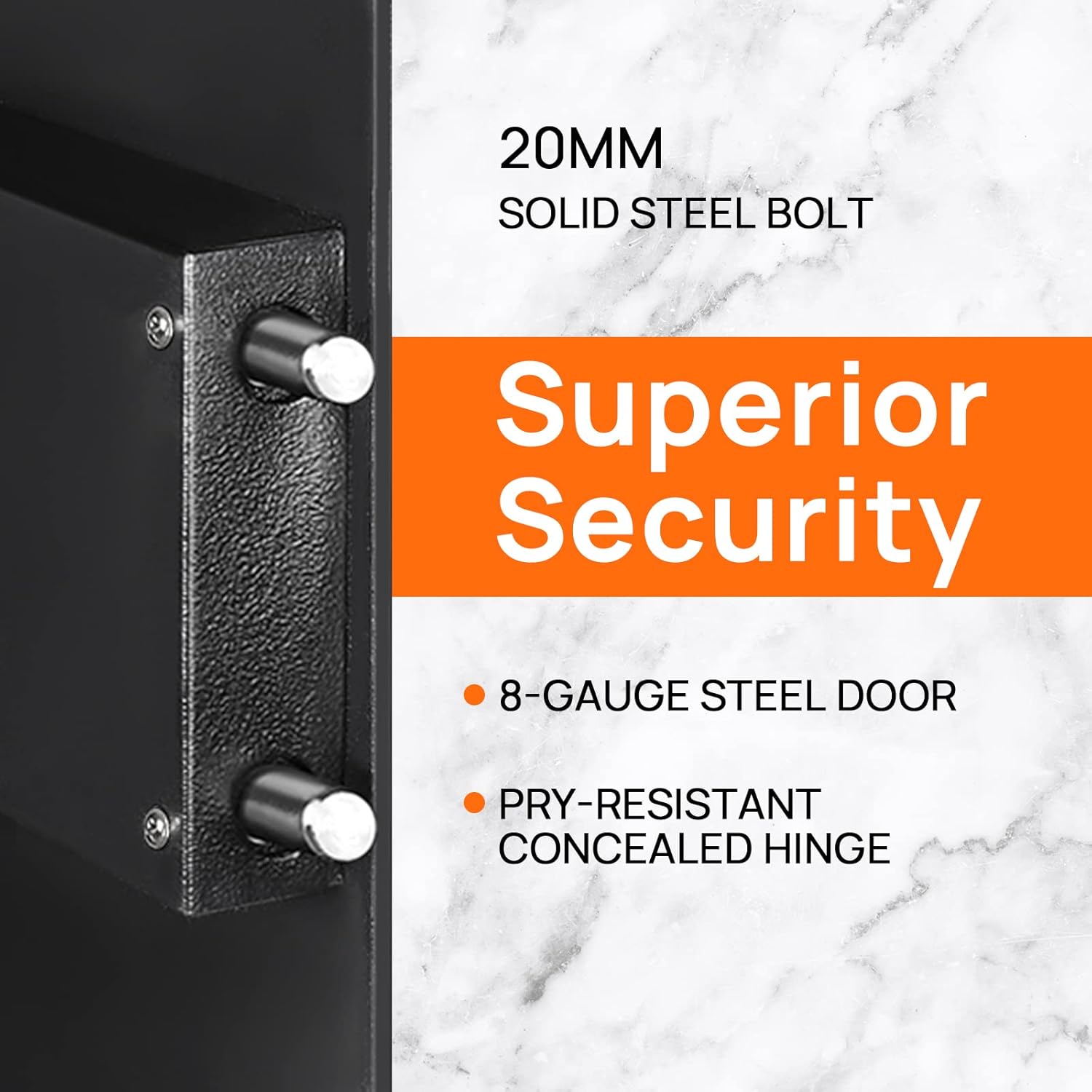
Figure 5: Key Security Features.

Figure 6: Interior Capacity and Removable Shelf.
Warranty and Support
ENGiNDOT products come with Worry-Free customer support. If you encounter any problems or have questions regarding your safe, please feel free to contact us. We are committed to responding within 24 hours to assist you.
For further assistance, please refer to the official ENGiNDOT website or contact their customer service directly.

