
Wekily S60-B
Wekily S60-B Bluetooth 5.1 Headphones User Manual
Model: S60-B
1. Introduction
Thank you for choosing the Wekily S60-B Bluetooth 5.1 Headphones. This manual provides detailed instructions for setting up, operating, and maintaining your new wireless earbuds. Please read this manual thoroughly before use to ensure optimal performance and longevity of your device.
2. Important Safety Information
- Do not disassemble or modify the product.
- Keep the device away from extreme temperatures, humidity, and corrosive substances.
- Avoid prolonged exposure to high volume levels to prevent hearing damage.
- Keep out of reach of children and pets.
- Dispose of the product responsibly according to local regulations.
3. Package Contents
Please check the package for the following items:
- Wekily S60-B Wireless Earbuds (Left and Right)
- Charging Case
- USB Charging Cable
- Eartips (S, M, L sizes)
- User Manual
4. Product Overview
The Wekily S60-B headphones feature advanced audio technology and a durable design for various activities.
4.1 Key Features
- Excellent Sound Quality: Graphene drivers and a polymer composite diaphragm enhance bass by up to 43%.
- Extended Playtime: Up to 8 hours per earbud charge, with the 2600mAh charging case providing an additional 100 hours.
- Bluetooth 5.1 Technology: Ensures low power consumption, fast transmission, and a stable connection up to 18 meters.
- Clear Calls: 4-microphone ENC (Environmental Noise Cancellation) technology combined with 10mm speakers for clear communication.
- IPX7 Waterproof: Nano-coating technology provides water and sweat resistance, suitable for daily use and workouts.
- Ergonomic Design: Lightweight (5.24g per earbud) and comfortable for extended wear.
4.2 Components
Familiarize yourself with the main components of your Wekily S60-B headphones.

Image: The Wekily S60-B wireless earbuds and their charging case, showcasing the overall design.

Image: An illustration highlighting the 10mm driver and 43% bass boost technology within the Wekily S60-B earbud.
5. Setup
5.1 Charging the Charging Case and Earbuds
Before first use, fully charge the charging case and earbuds.
- Connect the charging case to a USB power source using the provided USB cable.
- The LED display on the case will show the battery percentage.
- Place the earbuds into the charging case. They will automatically begin charging.
- The earbuds can play for 1 hour after charging for 10 minutes.

Image: The Wekily S60-B charging case with earbuds inside, displaying the 100-hour charging case capacity and 8-hour single earbud playtime.
5.2 Pairing with Your Device (One-Step Auto Pairing)
The S60-B earbuds feature automatic pairing for convenience.
- Ensure the earbuds are charged.
- Open the lid of the charging case. The earbuds will automatically enter pairing mode.
- On your device (smartphone, tablet, etc.), enable Bluetooth.
- Search for "S60" in the list of available Bluetooth devices and select it to connect.
- Once connected, the earbuds are ready for use.

Image: A visual representation of the one-step auto pairing process, showing the earbuds connecting to a smartphone by simply opening the charging case lid.
5.3 Wearing the Earbuds
For optimal sound quality and comfort, choose the correct eartip size and wear the earbuds properly.
- Select the eartips (S, M, L) that provide a snug and comfortable fit in your ear canal.
- Gently insert the earbud into your ear and rotate it slightly until it feels secure and comfortable.

Image: An illustration demonstrating the ergonomic design of the Wekily S60-B earbuds and the three included eartip sizes for a comfortable fit.
6. Operating Instructions
6.1 Touch Controls
The earbuds feature touch-sensitive controls for various functions.
| Function | Action |
|---|---|
| Play/Pause | Single tap on either earbud |
| Next Track | Double tap on the Right earbud |
| Previous Track | Double tap on the Left earbud |
| Volume Up | Triple tap on the Right earbud |
| Volume Down | Triple tap on the Left earbud |
| Answer/End Call | Single tap on either earbud |
| Reject Call | Press and hold either earbud for 2 seconds |
| Activate Voice Assistant | Press and hold either earbud for 3 seconds |
6.2 Making and Receiving Calls
The 4-microphone ENC noise reduction technology ensures clear calls even in noisy environments.

Image: A diagram illustrating the 4-microphone ENC (Environmental Noise Cancellation) technology within the Wekily S60-B earbud, showing Mic-1 for noise reduction and Mic-2 for voice collection.
6.3 Emergency Power Bank Function
The 2600mAh charging case can serve as an emergency power bank for your smartphone.
- Connect your smartphone to the charging case using a compatible USB cable (not included).
- The charging case will begin to charge your phone.
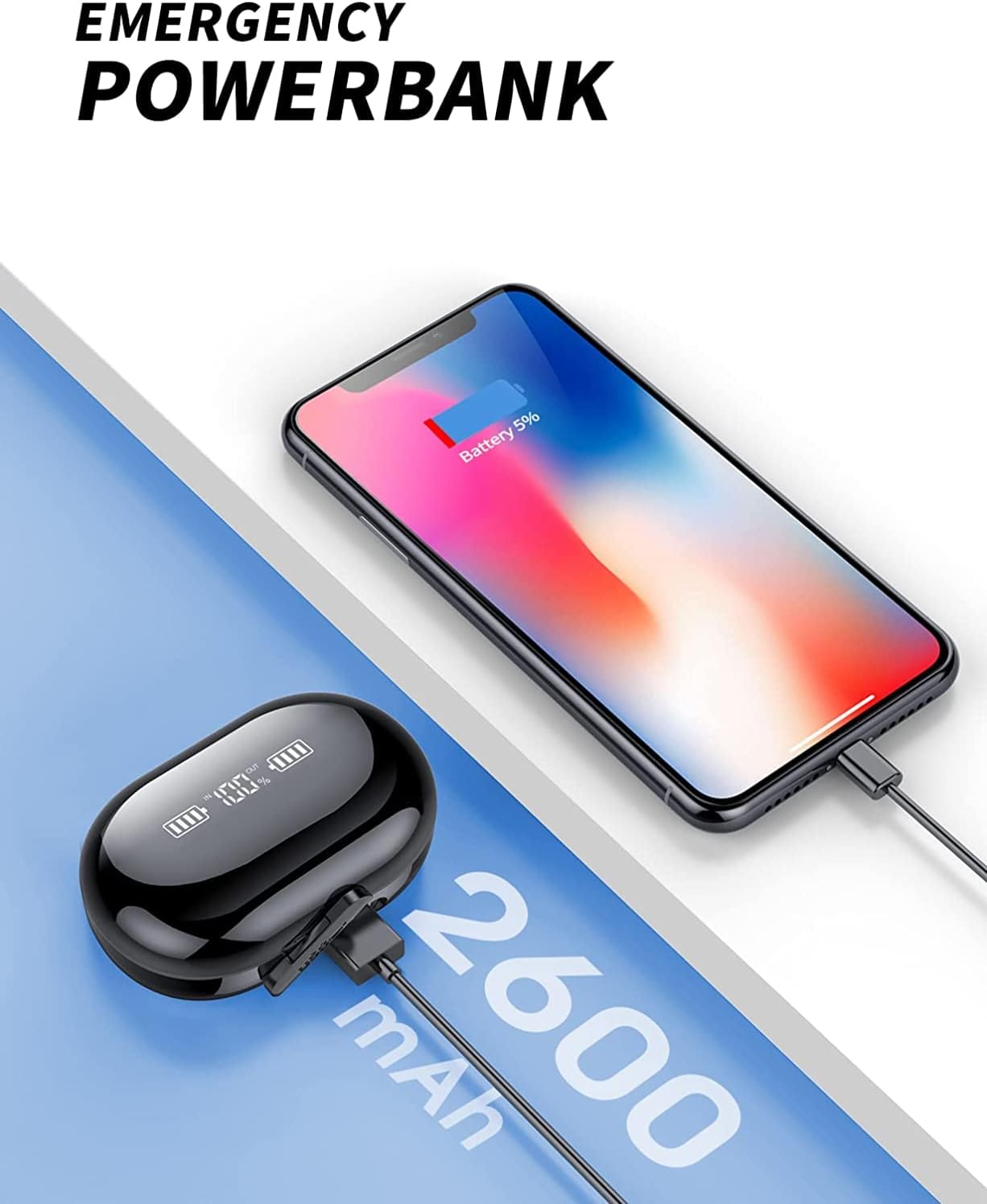
Image: The Wekily S60-B charging case connected to a smartphone, demonstrating its emergency power bank capability with its 2600mAh capacity.
7. Maintenance
7.1 Cleaning
- Wipe the earbuds and charging case with a soft, dry, lint-free cloth.
- Do not use harsh chemicals, cleaning solvents, or strong detergents.
- Regularly clean the eartips and charging contacts to ensure proper function.
7.2 Storage
- When not in use, store the earbuds in their charging case to protect them and keep them charged.
- Store the device in a cool, dry place, away from direct sunlight and extreme temperatures.
7.3 Water Resistance (IPX7)
The Wekily S60-B headphones are IPX7 waterproof, meaning they can withstand immersion in water up to 1 meter for 30 minutes. This makes them suitable for workouts and light rain. However, they are not designed for swimming or prolonged water exposure. Ensure the earbuds are dry before placing them back in the charging case to prevent damage.
8. Troubleshooting
| Problem | Possible Solution |
|---|---|
| Earbuds not pairing | Ensure earbuds are charged. Place them back in the case, close the lid, then open it again. Delete "S60" from your device's Bluetooth list and try pairing again. |
| Only one earbud working | Ensure both earbuds are charged. Try resetting the earbuds by placing them in the case, closing the lid, and then opening it. Re-pair with your device. |
| Poor sound quality | Check eartip fit. Ensure earbuds are clean. Move closer to your device to avoid interference. |
| Earbuds not charging | Ensure charging case is charged. Clean the charging contacts on both earbuds and the case. Ensure earbuds are correctly seated in the case. |
| Charging case not charging | Try a different USB cable and power adapter. Ensure the charging cable is securely connected. |
9. Specifications
| Feature | Specification |
|---|---|
| Model Name | S60-B |
| Bluetooth Version | 5.1 |
| Bluetooth Range | Up to 18 meters |
| Earbud Battery Life | Approximately 8 hours (single charge) |
| Charging Case Battery Capacity | 2600mAh (provides up to 100 hours additional playtime) |
| Quick Charge | 10 minutes charge for 1 hour playtime |
| Audio Driver Type | Dynamic Driver (10mm) |
| Water Resistance Level | IPX7 |
| Microphones | 4-Mic ENC Noise Reduction |
| Earbud Weight | 5.24g (each) |
| Control Method | Touch Control |
| Compatible Devices | Android/iOS/PC/TV |
| Product Dimensions | 1.36 x 0.81 x 0.9 inches |
| Item Weight | 1.76 ounces (total) |
10. Warranty and Support
10.1 Warranty Information
Wekily products are designed and manufactured to the highest quality standards. For specific warranty details, please refer to the warranty card included with your purchase or contact Wekily customer support.
10.2 Customer Support
If you encounter any issues or have questions regarding your Wekily S60-B headphones, please contact our customer support team. You can find contact information on the Wekily official website or through your purchase platform.
For EU and UK regulatory inquiries, please refer to the following representatives:

Image: Contact details for eVatmaster Consulting GmbH (EC REP) in Germany and EVATOSTCONSULTING LTD (UK REP) in Wales, UK, for regulatory matters.
Ask a question about this manual
Ask about setup, troubleshooting, compatibility, parts, safety, or missing instructions. Manuals+ will review the question and use this page’s manual context to help answer it.