
1. Introduction
Thank you for choosing the Diyife Digital Kitchen Scale. This high-precision scale is designed for accurate measurement of various ingredients and small items, offering a maximum capacity of 500g with 0.01g readability. This manual provides essential information for proper setup, operation, and maintenance to ensure optimal performance and longevity of your device.
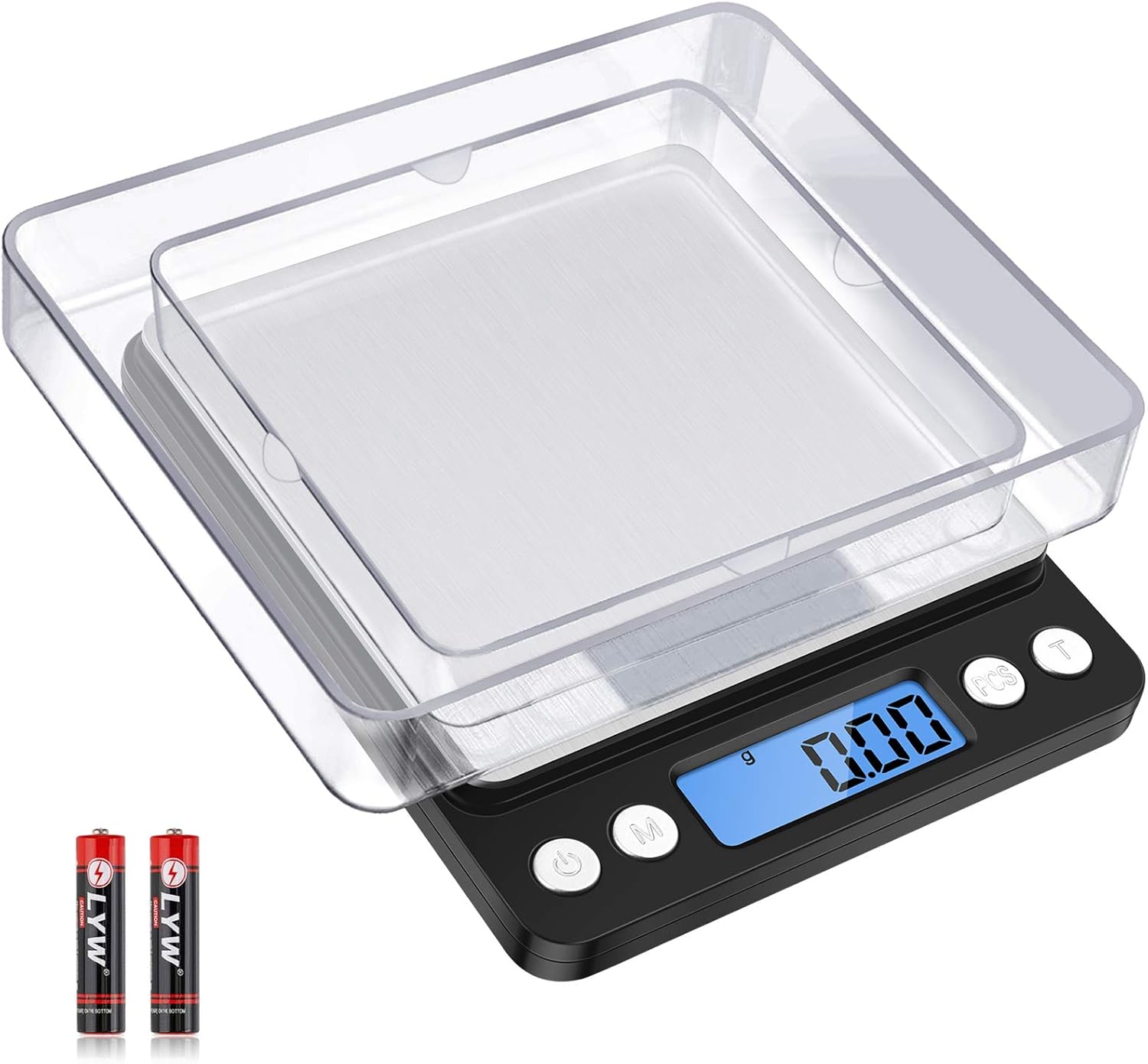
Image 1.1: The Diyife Digital Kitchen Scale, showcasing its compact design, stainless steel weighing platform, LCD display, control buttons, and included clear protective trays and AAA batteries.
2. Safety Information
- Before first use, remove the blue protective film from the scale surface.
- Always place the scale on a stable, windless, horizontal, and hard surface to ensure accurate readings. Avoid using it in areas with drafts or vibrations, as these can affect precision.
- Do not immerse the product in water or clean it with corrosive chemicals. Use a soft, damp cloth for cleaning.
- Keep the scale away from extreme temperatures and humidity.
- Avoid dropping or subjecting the scale to heavy impacts.
3. What's in the Box
Your Diyife Digital Kitchen Scale package includes:
- Diyife Digital Kitchen Scale (Model HBUSHMK4B)
- Two (2) Clear Trays (one large, one small)
- Two (2) AAA Batteries
- User Manual

Image 3.1: The complete contents of the product package, showing the digital scale, two transparent weighing trays, and the included AAA batteries.
4. Setup
4.1. Battery Installation
- Locate the battery compartment on the underside of the scale.
- Open the battery compartment cover.
- Insert the two (2) AAA batteries, ensuring correct polarity (+/-).
- Close the battery compartment cover securely.
4.2. Initial Placement
Place the scale on a flat, stable, and level surface. Ensure there are no drafts or vibrations that could interfere with accurate measurements.
5. Operating Instructions
5.1. Power On/Off
- To turn on: Press the ON/OFF button (
 ). The LCD display will light up and show "0.00g".
 - To turn off: Press and hold the ON/OFF button for a few seconds until the display turns off. The scale also features an automatic shut-off function.
5.2. Unit Conversion
Press the M (Mode) button to cycle through the available weighing units:
- Grams (g)
- Ounces (oz)
- Troy Ounces (ozt)
- Pennyweights (dwt)
- Grains (gn)
- Carats (ct)
Image 5.1: The scale's LCD screen displaying different measurement units (g, oz, ozt, dwt, gn, ct) available for selection.
5.3. Tare Function (Zeroing)
The Tare function allows you to subtract the weight of a container, so you can measure only the contents.
- Place an empty container (e.g., one of the included trays) on the weighing platform.
- Wait for the display to stabilize and show the container's weight.
- Press the T (Tare) button. The display will reset to "0.00g".
- Add your items to the container, and the scale will display only the net weight of the items.

Image 5.2: A visual guide demonstrating the use of the Tare function: 1. Placing a tray, 2. Pressing the 'T' button to zero, and 3. Placing an object to weigh its net amount.
5.4. PCS Function (Counting)
The PCS (Piece Counting System) function is useful for counting multiple small items of uniform weight.
- Turn on the scale and ensure it displays "0.00g".
- Press and hold the PCS button until "PCS" appears on the display, followed by a sample size (e.g., "25", "50", "75", "100").
- Press the M button to select your desired sample size (e.g., 25 pieces).
- Place the exact number of items corresponding to the selected sample size onto the platform.
- Press the PCS button again. The scale is now calibrated for counting.
- Add more items, and the display will show the total count.
5.5. Auto-Off Setting
The scale automatically turns off after a period of inactivity to conserve battery life. You can adjust this setting:
- With the scale turned on and displaying "0.00g", press and hold the M button.
- The display will show the current auto-off time (e.g., "60", "80", "120" seconds).
- Continue pressing the M button to cycle through the available options (60, 80, 120 seconds).
- Release the button when your desired auto-off time is displayed. The setting will be saved.
6. Product Features
- High Precision: Equipped with an ultra-high accuracy sensor, providing 0.01g readability for precise measurements up to 500g. Ideal for ingredients, jewelry, and other small items.
- Dual Trays: Includes one large and one small clear tray. These can be used for weighing items directly or as protective covers for the scale. The small tray fits on the scale surface, and the large tray covers the entire scale body for storage.
- Multi-Unit Conversion: Easily switch between 6 weighing units: grams (g), ounces (oz), troy ounces (ozt), pennyweights (dwt), grains (gn), and carats (ct).
- LCD Display with Backlight: Features a clear blue back-lit LCD screen for easy reading, even in low-light conditions.
- Compact and Portable: Minimalistic design with a smooth stainless steel surface. Its mini size (5.11 x 4.29 x 0.78 inches) makes it easy to carry and store, taking up minimal space.
- Additional Functions: Includes low battery power and overload alerts to ensure safe and continuous operation.

Image 6.1: An overview of the scale's main features, including tare, counting, high precision, stainless steel platform, dual trays, and battery inclusion.

Image 6.2: The compact dimensions of the scale (13.0cm/5.11in x 10.9cm/4.29in x 2.0cm/0.78in) are illustrated, along with examples of its diverse uses for cake, jewelry, coffee, and seasonings.
7. Specifications
| Feature | Detail |
|---|---|
| Brand | Diyife |
| Model Number | HBUSHMK4B |
| Color | Black |
| Display Type | LCD (Blue Back-lit) |
| Weight Limit | 500 Grams |
| Readout Accuracy | 0.01g |
| Weighing Units | g, oz, ozt, dwt, gn, ct |
| Form Factor | Mini |
| Material | Acrylonitrile Butadiene Styrene, Stainless Steel |
| Item Weight | 8.4 ounces |
| Package Dimensions | 6.26 x 5.04 x 1.26 inches |
| Batteries | 2 Lithium Ion batteries (included) |
| Auto-Off Options | 60, 80, 120 seconds |
8. Maintenance and Care
- Cleaning: Wipe the scale surface with a soft, damp cloth. Do not use abrasive cleaners or immerse the scale in water.
- Storage: Store the scale in a cool, dry place. Use the included trays to protect the weighing platform and display when not in use.
- Battery Replacement: Replace batteries when the low battery indicator appears on the display.

Image 8.1: A hand cleaning the stainless steel weighing surface of the scale, highlighting its easy-to-clean, anti-fingerprint design.
9. Troubleshooting
- Inaccurate Readings: Ensure the scale is on a flat, stable surface, free from drafts or vibrations. Recalibrate if necessary (refer to specific calibration instructions in the full manual if available).
- Display Not Turning On: Check if the batteries are correctly installed and have sufficient charge. Replace batteries if needed.
- "O-Ld" Error (Overload): The weight on the platform exceeds the maximum capacity (500g). Remove items immediately to prevent damage.
- "Lo" Error (Low Battery): Replace the batteries with new ones.
10. Warranty and Support
For warranty information, technical support, or further assistance, please refer to the contact details provided in your product packaging or visit the official Diyife website. Keep your purchase receipt as proof of purchase.