
1. Product Overview
The LitEnergy GGE04 is an ultra-thin, rechargeable LED light tracing pad designed for various artistic and technical applications. Its portable design and adjustable brightness make it a versatile tool for drawing, sketching, stenciling, and more.

2. Package Contents
- LitEnergy Rechargeable LED Light Tracing Pad (Model: GGE04)
- USB Cable
- Instruction Manual

3. Setup
3.1 Powering the Device
The LitEnergy GGE04 light pad can be powered in two ways: via its built-in rechargeable battery or directly via USB.
- Battery Mode: The light pad features a built-in Lithium-Ion battery (3300mAh capacity) that provides approximately 3.5 hours of wireless operation on a full charge.
- USB Mode: Connect the provided USB cable to the light pad's DC5V port and to a compatible USB power source (e.g., computer, wall adapter, power bank). The device can be used while charging.

3.2 Physical Placement
The ultra-thin design (8mm thickness) and lightweight nature (1.68 pounds) of the light pad allow for easy portability and comfortable use on various surfaces. Ensure the surface is stable and flat for optimal tracing results.

4. Operating Instructions
4.1 Power On/Off
Locate the touch-sensitive power button on the light pad. A single tap will turn the device on or off.
4.2 Adjusting Brightness
The light pad features stepless adjustable brightness. To adjust the light intensity, press and hold the power button. The brightness will gradually increase or decrease. Release the button when the desired brightness level is reached. The device will remember your last brightness setting for convenience.

4.3 Using the Light Pad for Tracing
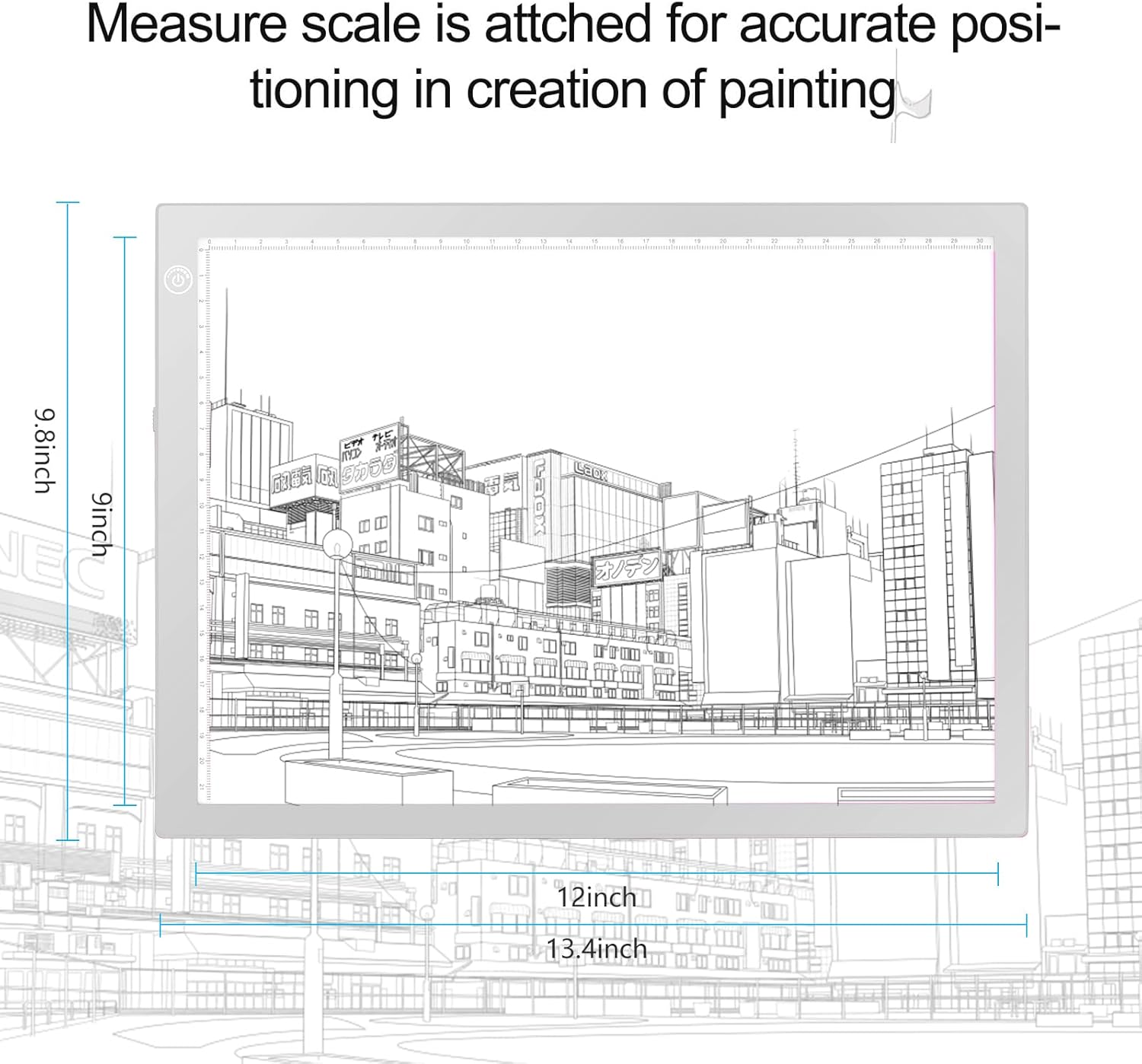
Place your original design or image on the light pad. Then, place your working paper (e.g., drawing paper, fabric) over the design. Adjust the brightness to ensure the underlying image is clearly visible through your working material. The integrated measurement scale (centimeters) on two sides of the light pad assists with accurate positioning and alignment.
4.4 Applications
The LitEnergy GGE04 is suitable for a wide range of activities, including:
- Drawing and Sketching
- Stenciling and 2D Animation
- Cartoon and Portrait Creation
- Tattoo Tracing
- Sewing, Quilting Projects, and Fabric Design
- X-ray Viewing
- Photograph and Slides Viewing
- Calligraphy, Embossing, and Scrapbooking

4.5 Official Product Video: Rechargeable Light Tracing Box
Video 1: Demonstrates the 10x15 inch rechargeable light tracing box in use, highlighting its features and portability. This video is provided by the seller, SammyLu Reviews.
5. Maintenance
5.1 Cleaning
To clean the light pad, gently wipe the acrylic surface with a soft, dry, or slightly damp cloth. Avoid using abrasive cleaners or solvents, as these may damage the surface.
5.2 Storage
Store the light pad in a dry, cool place away from direct sunlight and extreme temperatures. Protect the surface from scratches by storing it in its original packaging or a protective sleeve when not in use.
6. Troubleshooting
- Device does not turn on:
- Ensure the USB cable is securely connected to both the light pad and the power source.
- If using battery mode, ensure the battery is sufficiently charged. Connect to a USB power source to charge.
- Try a different USB cable or power adapter.
- Light intensity is not adjusting:
- Ensure you are pressing and holding the power button, not just tapping it, to activate the stepless dimming function.
- Uneven lighting:
- The light pad uses eyesight-protected LED technology with a high-quality acrylic panel for even light distribution. If lighting appears uneven, ensure the surface is clean and free of obstructions.
7. Specifications
| Feature | Detail |
|---|---|
| Model Name | GGE04 |
| Color | SILVER |
| Material | Acrylic |
| Power Source | DC5V |
| Light Source Type | Light Emitting Diode (LED) |
| Product Dimensions | 13.4"L x 9.8"W x 0.3"H |
| Item Thickness | 8 Millimeters |
| Brightness | 4000 Lux (Maximum) |
| Battery Type | 1 Lithium Ion battery (included) |
| Battery Capacity | 3300mAh |
| Full Electricity Available | 3.5 hours (approx.) |
| Item Weight | 1.68 pounds |
8. Warranty and Support
Specific warranty information and direct support contact details are not provided in the available product data. Please refer to the product packaging or the manufacturer's official website for the most up-to-date warranty terms and customer support options.