1. Introduction
Thank you for purchasing the Samsung Jet 90 Pet Cordless Vacuum Cleaner. This manual provides essential information for the safe and efficient operation, maintenance, and troubleshooting of your new appliance. Please read this manual thoroughly before using the vacuum cleaner and keep it for future reference.
2. Important Safety Information
Always follow basic safety precautions when using electrical appliances to reduce the risk of fire, electric shock, or injury.
- Do not operate the vacuum cleaner with a damaged cord or plug.
- Do not use the vacuum cleaner to pick up flammable or combustible liquids, such as gasoline, or use in areas where they may be present.
- Do not pick up anything that is burning or smoking, such as cigarettes, matches, or hot ashes.
- Keep hair, loose clothing, fingers, and all parts of body away from openings and moving parts.
- Use only as described in this manual. Use only manufacturer's recommended attachments.
- Turn off all controls before unplugging.
- Exercise extra care when cleaning on stairs.
- Do not use without dust bin and/or filters in place.
- Store the vacuum cleaner indoors in a cool, dry area.
3. Package Contents
Verify that all components are present in the package:
- Main Body (Motor and Dustbin Assembly)
- Telescopic Pipe
- Turbo Action Brush
- Pet Mini Brush
- Mini Brush
- Flexible Tool
- Long Crevice Tool
- Z-Station (Charging Stand)
- Battery Pack
- Power Adapter

This image displays the main vacuum unit, the telescopic pipe, the Turbo Action Brush, the Pet Mini Brush, the Mini Brush, the Flexible Tool, and the Long Crevice Tool, along with the Z-Station charging stand.

This image highlights the vacuum's dimensions (1136 mm height, 250 mm width, 215 mm depth) and labels the included accessories: Turbo Action Brush, Pet Mini Brush, Mini Brush, Flexible Tool, and Extendable Crevice Tool. It also shows the self-standing accessory holder.
4. Assembly
Follow these steps to assemble your vacuum cleaner:
- Attach the Telescopic Pipe: Insert the telescopic pipe into the main body until it clicks securely into place.
- Attach the Cleaning Head: Connect the desired cleaning head (e.g., Turbo Action Brush) to the bottom of the telescopic pipe until it clicks.
- Install the Battery: Slide the battery pack into the slot at the back of the main body until it locks.
- Set up the Z-Station: Place the Z-Station on a flat, stable surface. Connect the power adapter to the Z-Station and plug it into a wall outlet.
5. Charging the Battery
Before first use, fully charge the battery. The battery can be charged while attached to the vacuum cleaner on the Z-Station, or separately by placing it directly on the Z-Station's secondary charging port.
- Place the vacuum cleaner onto the Z-Station. The charging indicator on the display will illuminate.
- A full charge takes approximately 3.5 hours.
- The battery provides up to 60 minutes of runtime in minimum power mode without a motorized brush. Actual runtime may vary based on power mode and accessory usage.

This image shows the detachable battery pack, emphasizing its long-lasting capability of up to 60 minutes of runtime. The battery can be easily removed for charging or replacement.
6. Operation
6.1 Powering On/Off and Suction Modes
Press the Power button to turn the vacuum cleaner on or off. Use the '+' and '-' buttons on the digital display to adjust the suction power.
- MIN Mode: For light cleaning and maximum runtime.
- MID Mode: Standard cleaning for everyday dirt.
- MAX Mode: For powerful cleaning of stubborn dirt and debris.
- WET Mode: (If applicable with specific accessories) For wet cleaning tasks.
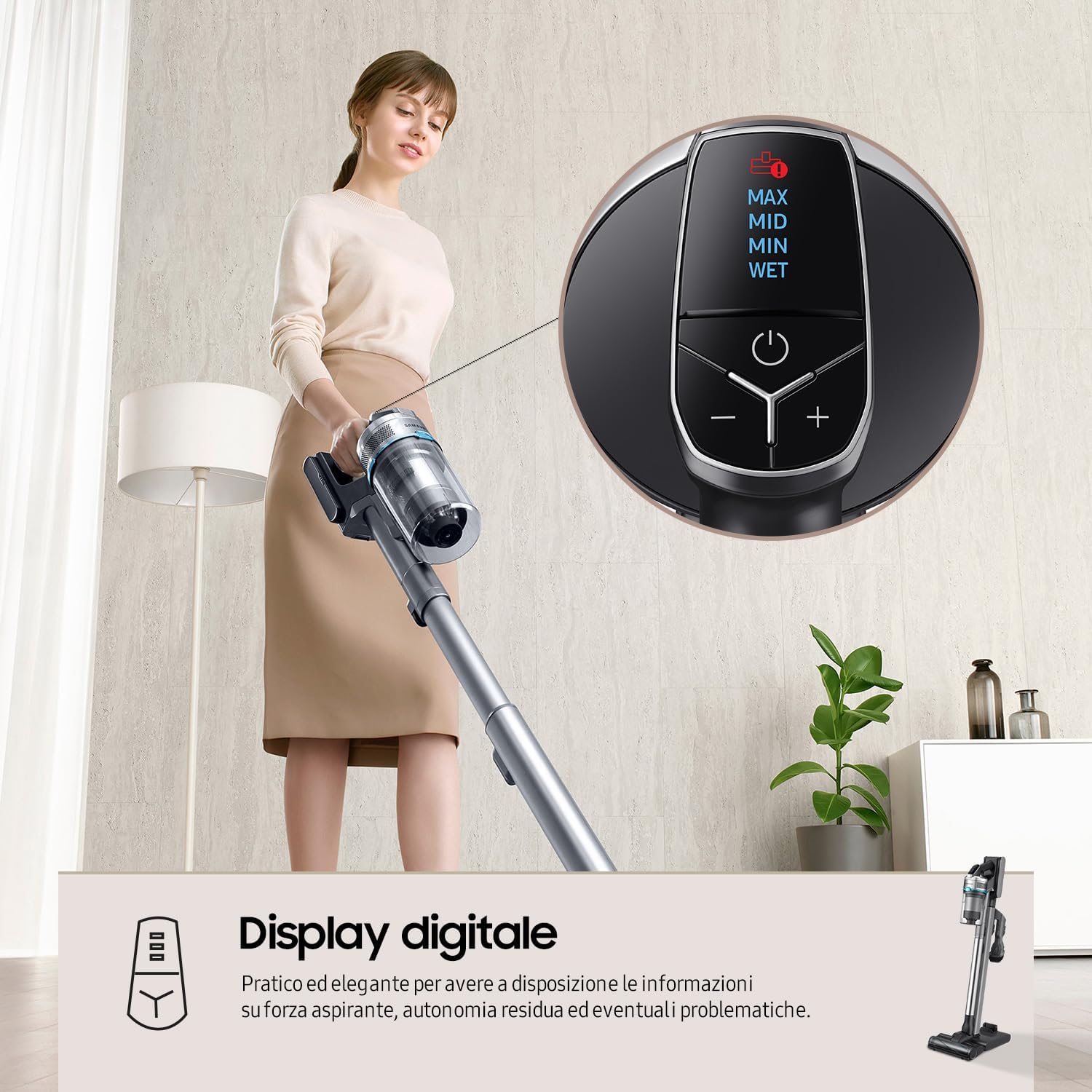
This image shows the top-mounted digital display, which provides real-time information on suction power (MAX, MID, MIN, WET), remaining battery life, and alerts for potential issues. The power button and '+' / '-' buttons for mode selection are clearly visible.
6.2 Suction Power
The Samsung Jet 90 Pet features a Digital Inverter Motor, providing up to 200W of suction power for thorough cleaning on various floor types. This diagram visually represents the strong airflow and suction power (up to 200W) generated by the vacuum's Digital Inverter Motor, designed for deep cleaning across all floor types.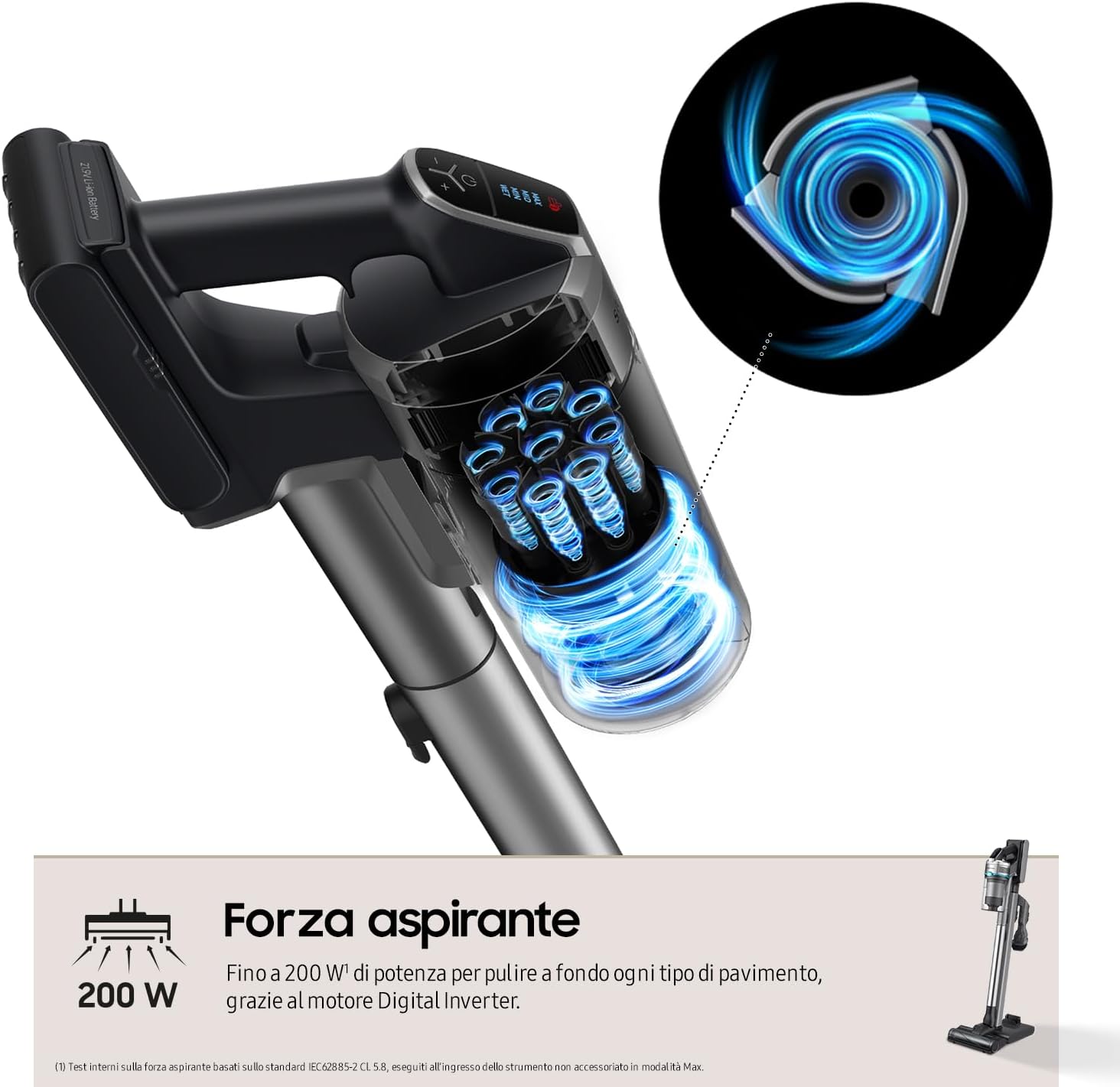
6.3 Using the Turbo Action Brush
The Turbo Action Brush is designed for effective cleaning on various surfaces, including parquet, marble, hard floors, and carpets. Its motorized bristles penetrate deep to remove dirt, hair, and fine dust.

This image demonstrates the versatility of the Turbo Action Brush on different floor types, including parquet, marble, hard surfaces, and carpets. It highlights the brush's ability to maintain even pressure for effective removal of dirt, hair, and dust.
7. Maintenance
Regular maintenance ensures optimal performance and extends the lifespan of your vacuum cleaner.
7.1 Emptying the Dustbin
Empty the dustbin after each use or when the MAX fill line is reached. To empty, detach the dustbin from the main body and open the lid to dispose of collected debris.
7.2 Cleaning the Filtration System
The Samsung Jet 90 Pet features a 5-level filtration system that captures up to 99.999% of dust and allergens. Regular cleaning of the filters is crucial.
- Cyclone System: Detach and clean the cyclone system regularly.
- Washable Filters: The grid filter, micro filter, and ultra-fine filter are washable. Rinse them under running water and ensure they are completely dry before reassembling.
- HEPA Filter: The HEPA filter should be cleaned periodically. Refer to the manual for specific cleaning instructions for the HEPA filter.

This diagram illustrates the five stages of the filtration system: 1. Cyclone, 2. Grid Filter, 3. Jet Cyclone, 4. Micro Filter, and 5. Ultra-fine Filter. This system is designed to trap up to 99.999% of dust and allergens, releasing clean air.
7.3 Cleaning the Brushes
Remove any tangled hair or debris from the Turbo Action Brush and other accessory brushes. Some brushes may have a removable roller for easier cleaning.
8. Troubleshooting
If you encounter issues with your vacuum cleaner, refer to the table below for common problems and solutions.
| Problem | Possible Cause | Solution |
|---|---|---|
| Vacuum does not turn on. | Battery is not charged or not properly inserted. | Charge the battery fully. Ensure the battery is securely inserted. |
| Low suction power. | Dustbin is full. Filters are clogged. Obstruction in the pipe or brush. | Empty the dustbin. Clean all filters. Check for and remove any blockages. |
| Brush not rotating. | Hair or debris tangled in the brush. Brush attachment not properly connected. | Clean the brush roller. Reattach the brush head securely. |
| Short runtime. | Battery not fully charged. Using MAX mode excessively. Battery degradation. | Ensure battery is fully charged. Use lower power modes when possible. Consider replacing the battery if it's old. |
If the problem persists after trying these solutions, please contact Samsung customer support.
9. Specifications
| Feature | Detail |
|---|---|
| Model Number | VS20R9042T2/ET |
| Brand | Samsung |
| Dimensions (W x H x D) | 25 x 113.6 x 21.5 cm (44.7 x 8.5 x 9.8 inches) |
| Weight | 2.8 kg (6.17 lbs) - Product weight, 5 kg (11 lbs) - Item weight (likely packaged) |
| Suction Power | Up to 200 W |
| Motor Type | Digital Inverter Motor |
| Battery Type | Lithium-ion (Removable) |
| Runtime | Up to 60 minutes (Min mode, non-motorized brush) |
| Filtration System | 5-level, including HEPA filter (captures 99.999% of dust) |
| Dustbin Capacity | Not explicitly stated, but implied by "bagless" |
| Charging Time | Approx. 3.5 hours |
| Special Features | Jet Cyclone System, Turbo Action Brush, Z-Station (Self-standing charging base), Digital Display |
10. Warranty and Support
For warranty information, please refer to the warranty card included with your product or visit the official Samsung website for your region. For technical support, spare parts, or service inquiries, please contact Samsung customer service.
You can find contact details and further support resources on the official Samsung website: www.samsung.com/support


