
1. Introduction
This manual provides essential instructions for the safe and efficient operation, maintenance, and care of your TOOGOOD 8.7" Commercial Electric Meat Slicer. Please read this manual thoroughly before initial use and retain it for future reference. Proper use and maintenance will ensure optimal performance and extend the lifespan of your appliance.

Image 1.1: The TOOGOOD 8.7" Commercial Electric Meat Slicer, shown with various sliced foods.
2. Safety Instructions
Your safety and the safety of others are paramount. Always follow basic safety precautions when using electrical appliances to reduce the risk of fire, electric shock, and personal injury.
- Read All Instructions: Familiarize yourself with the appliance and its operation before use.
- Electrical Safety: Ensure the power supply matches the voltage specified on the appliance. Always unplug the slicer from the outlet when not in use, before cleaning, or when assembling/disassembling parts.
- Sharp Blade: The blade is extremely sharp. Exercise extreme caution when handling, cleaning, or performing maintenance. Never touch the blade directly.
- Hand Protection: Always use the food pusher and wear cut-resistant gloves when handling the blade or cleaning the slicer.
- Stable Surface: Operate the slicer on a stable, level, and dry surface. The rubber feet are designed to provide stability during use.
- Supervision: Do not leave the slicer unattended while operating. Keep children and pets away from the appliance.
- Intended Use: Use the slicer only for its intended purpose of slicing semi-frozen meat, cheese, bread, vegetables, ham, and fruit. Do not attempt to slice bones or fully frozen items.
- Avoid Overloading: Do not force food into the blade. Allow the motor to maintain its speed. Continuous use is recommended for up to 2 hours.
- Damaged Cord/Plug: Do not operate any appliance with a damaged cord or plug, or after the appliance malfunctions or has been damaged in any manner.
3. Package Contents
Verify that all components are present upon unpacking:
- TOOGOOD 8.7" Commercial Electric Meat Slicer Unit
- Food Pusher
- Built-in Sharpening Stones (pre-installed)
- Instruction Manual
4. Setup
Follow these steps to prepare your slicer for first use:
- Unpack: Carefully remove all packaging materials and inspect the slicer for any damage.
- Placement: Place the slicer on a clean, dry, and stable countertop or work surface. Ensure there is adequate space around the unit for safe operation and ventilation.
- Stability: Confirm that the rubber feet are securely positioned on the surface to prevent movement during operation.
- Initial Cleaning: Before first use, clean all parts that will come into contact with food. Refer to the 'Cleaning and Maintenance' section for detailed instructions.
- Power Connection: Plug the power cord into a grounded electrical outlet.

Image 4.1: The slicer's rubber feet provide stability on the countertop.
5. Operating Instructions
This section details the steps for operating your TOOGOOD meat slicer.
- Adjust Thickness: Turn the thickness adjustment knob to select your desired slice thickness, ranging from 0.5 mm to 15 mm.
- Prepare Food: Place the food item (e.g., semi-frozen meat, cheese, bread) onto the food carriage. Ensure it is positioned securely against the back plate.
- Secure Food: Use the food pusher to hold the food firmly in place against the back plate and the blade guard. This ensures consistent slicing and protects your hands.
- Power On: Press the power switch to turn on the slicer. The 1/4 HP air-cooled copper motor will begin operating quietly.
- Slice: Gently push the food carriage back and forth, guiding the food towards the rotating blade. Apply even pressure with the food pusher.
- Collect Slices: Collect the sliced food from the receiving tray.
- Power Off: Once slicing is complete, turn off the power switch and unplug the appliance.

Image 5.1: The thickness adjustment dial allows precise control over slice thickness.
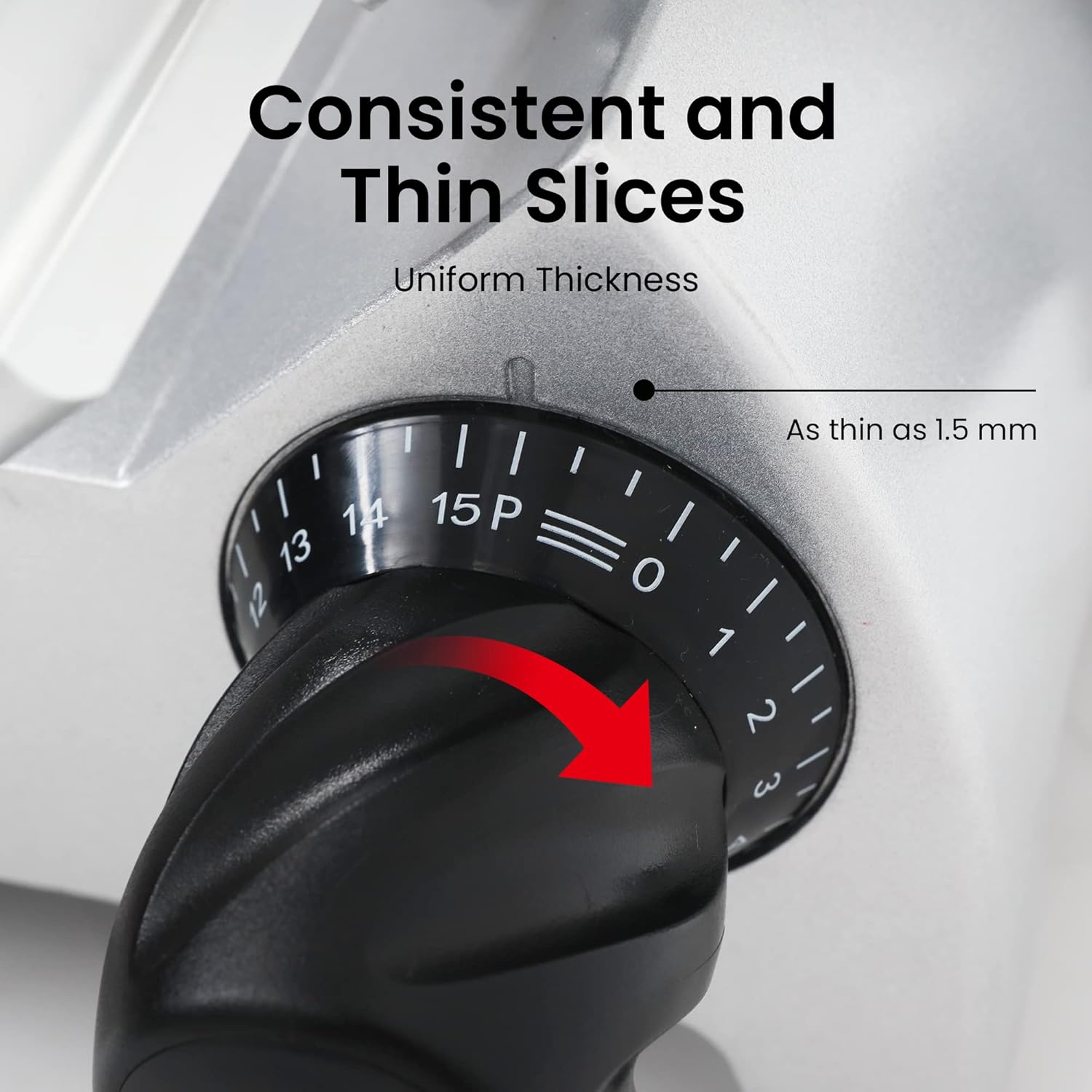
Image 5.2: The extended food pusher helps process larger food items safely.
The slicer is equipped with a 180W motor designed for continuous use up to 2 hours. Avoid exceeding this duration to prevent motor overheating.

Image 5.3: The 8.7" Italian Carbon Steel Blade is powered by a 1/4 HP, 180W pure copper motor for quick and precise cuts.
6. Cleaning and Maintenance
Regular cleaning and maintenance are crucial for hygiene and performance. Always unplug the slicer before cleaning.
- Unplug: Ensure the slicer is unplugged from the power outlet.
- Disassemble: Carefully remove the food carriage, food pusher, and blade guard. Consult the product diagram for specific removal instructions if needed.
- Blade Cleaning: Exercise extreme caution. The blade is very sharp. Use a damp cloth and mild detergent to wipe the blade. The 1-inch gap behind the blade facilitates thorough cleaning.
- Component Cleaning: Wash the food carriage, food pusher, and blade guard with warm, soapy water. Rinse thoroughly and dry completely.
- Main Unit Cleaning: Wipe down the main unit with a damp cloth. Do not immerse the main unit in water.
- Sharpening: The slicer features built-in sharpening stones to maintain blade sharpness. Refer to the sharpening instructions below.
- Reassemble: Once all parts are clean and dry, reassemble the slicer.

Image 6.1: The design includes a 1-inch gap behind the blade for simplified cleaning access.

Image 6.2: The built-in sharpener ensures the blade remains sharp for optimal performance.
Blade Sharpening Procedure:
- Ensure the slicer is unplugged.
- Locate the sharpening stone assembly.
- Follow the specific instructions provided with your slicer for engaging the sharpening stones with the blade. Typically, this involves pressing a button or lever to bring the stones into contact with the blade while it rotates briefly.
- Perform sharpening for a short duration (e.g., 10-15 seconds) to avoid excessive wear.
- Clean any residue from the blade after sharpening.
7. Troubleshooting
If you encounter issues with your slicer, refer to the following common problems and solutions:
- Slicer Does Not Turn On:
- Check if the power cord is securely plugged into a working outlet.
- Ensure the power switch is in the 'ON' position.
- Verify that the outlet is receiving power.
- Uneven Slices:
- Ensure the food item is held firmly against the back plate and food pusher.
- Check if the thickness adjustment knob is set correctly and securely.
- The blade may require sharpening. Refer to the 'Blade Sharpening Procedure' in Section 6.
- Motor Bogs Down / Slow Slicing:
- Do not overload the slicer with excessively large or hard food items.
- Ensure the food is semi-frozen, not fully frozen.
- The blade may be dull and require sharpening.
- Reduce the pressure applied to the food pusher.
- Excessive Noise or Vibration:
- Ensure the slicer is on a stable, level surface.
- Check that all removable parts are correctly assembled and secured.
- If the issue persists, contact customer support.
8. Specifications
| Feature | Specification |
|---|---|
| Brand | TOOGOOD |
| Model Number | 1A-FS403TG |
| Product Dimensions | 19"L x 18"W x 18"H |
| Material | Stainless Steel |
| Color | Silver |
| Blade Material | Italian Carbon Steel |
| Blade Length | 8.7 inches (220 mm) |
| Motor Power | 1/4 HP (180W) |
| Thickness Adjustment | 0.5 mm to 15 mm |
| Operation Mode | Automatic |
| Item Weight | 29 Pounds |
| Certifications | ETL Certified |
9. Warranty and Support
For warranty information or technical support, please refer to the documentation included with your purchase or contact TOOGOOD customer service directly. Keep your purchase receipt as proof of purchase for any warranty claims.