
Music Sound BTSPKMSVERTICAL2
Music Sound Vertical Speaker User Manual
Model: BTSPKMSVERTICAL2
Introduction
This manual provides detailed instructions for the Music Sound Vertical Speaker, model BTSPKMSVERTICAL2. This portable Bluetooth speaker is designed for versatile audio playback, offering universal compatibility with various devices. It features Bluetooth 5.0 connectivity, a 5-watt power output, and multiple input options including micro SD, USB key, and AUX cable. The compact and lightweight design, along with an elastic strap, ensures optimal portability.
Package Contents
Upon opening the package, verify that all components are present:
- Music Sound Vertical Bluetooth Speaker
- USB-C Charging Cable
- AUX Cable
- Instruction Manual (this document)
Setup
1. Charging the Speaker
Before first use, fully charge the speaker. Connect the provided USB-C charging cable to the speaker's charging port and the other end to a compatible USB power adapter (not included) or a computer's USB port. The charging time is approximately 1.5 hours. A charging indicator light will typically turn off or change color once charging is complete.
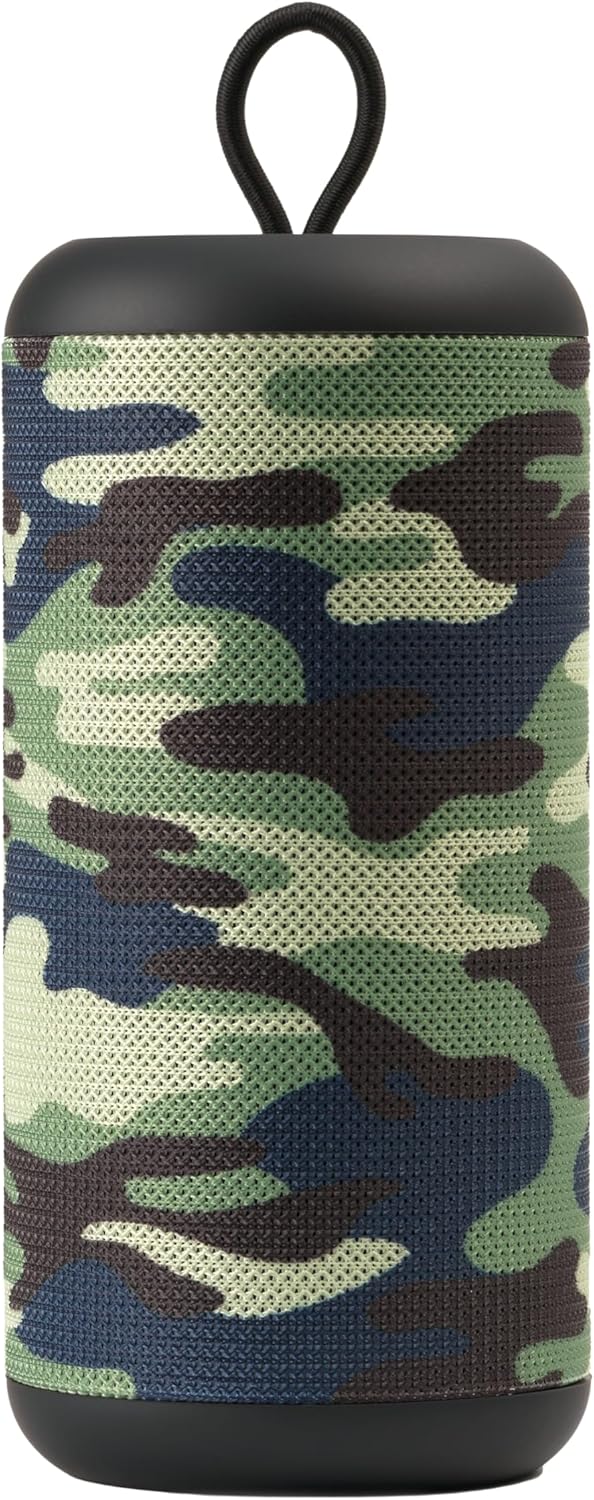
Figure 1: Music Sound Vertical Speaker (Camouflage)
2. Powering On and Bluetooth Pairing
To power on the speaker, press and hold the power button (refer to Figure 2 for button location). The speaker will emit an audible tone and enter Bluetooth pairing mode, indicated by a flashing LED light.
- Enable Bluetooth on your smartphone, tablet, or other compatible device.
- Search for available Bluetooth devices.
- Select "Music Sound Vertical" (or similar name) from the list of devices.
- Once connected, the speaker will emit another tone, and the LED light will become solid.

Figure 2: Speaker Control Panel and Ports
Operating the Speaker
Audio Playback Modes
The Music Sound Vertical Speaker supports multiple audio input methods:
- Bluetooth: After successful pairing, audio from your connected device will play through the speaker.
- Micro SD Card: Insert a micro SD card containing audio files into the designated slot (Figure 2). The speaker will automatically switch to micro SD mode and begin playback.
- USB Key: Insert a USB flash drive with audio files into the USB port (Figure 2). The speaker will switch to USB mode and play the audio.
- AUX Input: Connect an external audio device using the provided 3.5mm AUX cable to the AUX port (Figure 2). The speaker will switch to AUX mode.
Controls
The speaker features integrated controls for managing playback:
- Power Button: Press and hold to power on/off.
- Mode Button (M): Press to switch between Bluetooth, Micro SD, USB, and AUX modes.
- Volume Up/Next Track: Short press for volume up, long press for next track.
- Volume Down/Previous Track: Short press for volume down, long press for previous track.
- Play/Pause: Press to play or pause audio.
The speaker offers up to 4 hours of playtime on a full charge, making it suitable for extended use. Its compact and lightweight design, along with the elastic strap, allows for easy transport and attachment to bags or backpacks. The speaker delivers 5 watts of power for clear audio.


Figure 3: Power Output, Portability, and Battery Life
Maintenance
Cleaning
To clean the speaker, use a soft, dry cloth. Do not use abrasive cleaners, solvents, or strong chemicals, as these may damage the surface. Avoid exposing the speaker to excessive dust or dirt.
Storage
When not in use for extended periods, store the speaker in a cool, dry place away from direct sunlight and extreme temperatures. It is recommended to charge the speaker at least once every three months to maintain battery health.
Battery Care
The speaker contains a built-in Lithium-Ion battery. To prolong battery life:
- Avoid fully discharging the battery frequently.
- Do not expose the speaker to temperatures above 60°C (140°F) or below -10°C (14°F).
- If the speaker will not be used for a long time, charge it to about 50% before storing.
Troubleshooting
| Problem | Possible Cause | Solution |
|---|---|---|
| Speaker does not power on. | Battery is depleted. | Charge the speaker for at least 1.5 hours. |
| No sound from speaker. | Volume is too low; Incorrect input mode; Device not connected. | Increase volume on both speaker and connected device. Press 'M' button to cycle through input modes. Ensure Bluetooth is paired or AUX/USB/SD card is properly inserted. |
| Cannot pair via Bluetooth. | Speaker is not in pairing mode; Device Bluetooth is off; Interference. | Ensure speaker is in pairing mode (flashing LED). Turn Bluetooth off and on again on your device. Move speaker closer to the device and away from other electronic interference. |
| Poor sound quality. | Low battery; Device too far from speaker; Audio source quality. | Charge the speaker. Reduce distance between speaker and device. Try a different audio source or file. |
Specifications
| Feature | Detail |
|---|---|
| Brand | Music Sound |
| Model Number | BTSPKMSVERTICAL2 |
| Connectivity Technology | Bluetooth 5.0 |
| Speaker Output Power | 5 Watts |
| Playtime | Up to 4 hours |
| Charging Time | Approximately 1.5 hours |
| Battery Type | 1 Lithium Ion battery (included) |
| Dimensions (L x W x H) | 7 x 7 x 15.5 cm (2.76 x 2.76 x 6.1 inches) |
| Weight | 235 grams (0.52 lbs) |
| Compatible Devices | Apple, Samsung, Acer, Huawei, Microsoft, Siemens, Skype, Sony, Nokia, Lenovo, HTC, Blackberry, Universal |
| Material | Plastic Material |
| Special Features | USB Port, Bass Amplification, Hi-Res Audio |
Warranty and Support
Warranty Information
This product comes with a full warranty. For details regarding warranty coverage and terms, please refer to the specific warranty documentation provided with your purchase or contact the manufacturer.
Returns and Refunds
If you wish to return a product within 30 days of receipt because you have changed your mind, please consult the Amazon help page on returns. If you have received a defective or damaged product, please consult the Amazon help page on damaged items. For specific information on purchases made on the Marketplace, please consult the relevant Amazon help page.
Manufacturer Contact
Manufacturer: CEWRG
For further assistance or technical support, please contact the retailer or visit the official Music Sound website.
Related Documents - BTSPKMSVERTICAL2
 |
Music Sound BTSPKMSBOXBIGK Portable Speaker User Manual User manual for the Music Sound BTSPKMSBOXBIGK portable speaker, detailing its features, operation, technical specifications, and safety guidelines. |
 |
MUSIC SOUND FANCY Wireless Earphones - User Manual and Specifications Comprehensive user manual for MUSIC SOUND FANCY wireless earphones (Model numbers: BTMSTWSINEAR241, BTMSTWSINEAR242, BTMSTWSINEAR243, BTMSTWSINEAR244). Includes setup, operation, technical specifications, safety guidelines, and disposal information. |
 |
Music Sound Breeze Bluetooth Earbuds User Manual This manual provides instructions and technical specifications for the Music Sound Breeze Bluetooth earbuds, including setup, usage, safety information, and disposal guidelines. |
 |
Music Sound Basic Bluetooth Headphones User Manual This manual provides instructions for using the Music Sound Basic Bluetooth headphones, including setup, operation, and technical specifications. It covers pairing, charging, and safety information. |
 |
Music Sound SWAG True Wireless Earbuds User Manual User manual for the Music Sound SWAG True Wireless Earbuds, detailing setup, usage, and technical specifications in multiple languages. |
 |
Music Sound FANTASY Bluetooth Headphones: User Manual & Specifications Music Sound FANTASY Bluetooth headphones offer wireless audio with 16 hours of playback. Features include easy pairing, intuitive controls, and a comfortable design. Includes technical specifications and safety information. |
Ask a question about this manual
Ask about setup, troubleshooting, compatibility, parts, safety, or missing instructions. Manuals+ will review the question and use this page’s manual context to help answer it.