
Tossbiss Rack-1
Tossbiss Laptop Tripod on Wheels with 2 Shelves
Model: Rack-1
Introduction
This instruction manual provides detailed information for the assembly, operation, maintenance, and troubleshooting of your Tossbiss Laptop Tripod on Wheels. Designed for versatility and portability, this stand features two adjustable shelves and a gooseneck phone holder, making it ideal for various applications including holding laptops, projectors, and other equipment. Its adjustable height and mobile design ensure convenience and ergonomic use.

Image: The Tossbiss Laptop Tripod on Wheels, showcasing its dual-shelf design and mobile capabilities. It can be configured to hold a projector or a laptop with an integrated phone holder.
Safety Information
- Ensure all components are securely fastened before placing any equipment on the stand.
- Do not exceed the maximum load capacity of 11.1 pounds (5 kg) for the top tray.
- Always lock the wheels when the stand is in a stationary position to prevent accidental movement.
- Avoid placing the stand on uneven or unstable surfaces.
- Keep children and pets away from the stand during assembly and operation.
- Do not attempt to modify the stand's structure or components.
Package Contents
Please verify that all components are present and undamaged before proceeding with assembly.
- Main Support Pole (multi-section)
- Top Tray (1)
- Bottom Tray (1)
- Gooseneck Phone Holder (1)
- Lockable Swivel Casters (3)
- Assembly Hardware (knobs, screws)
- Elastic Belts (for securing devices)
- Sponge Gasket (for top tray)
- Supporting Lip (for top tray)
- Carrying Bag (1)
Setup and Assembly
Follow these steps to assemble your Laptop Tripod on Wheels:
- Attach Wheels to Base: Insert the three lockable swivel casters into the designated slots at the end of each leg of the tripod base. Ensure they click securely into place.
- Assemble Main Pole: Connect the sections of the main support pole by twisting them together until they are firmly joined.
- Attach Trays: Slide the bottom tray onto the main pole at your desired height and secure it using the adjustment knob. Repeat for the top tray, ensuring the supporting lip and sponge gasket are correctly positioned on the top tray.
- Install Gooseneck Phone Holder: Attach the gooseneck phone holder to the designated slot on the top tray. Adjust its position as needed.
- Final Adjustments: Loosen the height adjustment knobs on the main pole to extend the stand to your preferred height. Tighten the knobs firmly to secure the height.

Image: Step-by-step assembly guide for the Tossbiss Laptop Tripod, illustrating the connection of components from base to phone holder.

Image: Detail of the lockable silent swivel caster, highlighting its robust design and locking mechanism for stability.
Operating Instructions
Adjusting Height and Angle
The stand offers flexible adjustments to suit your needs:
- Height Adjustment: Loosen the knobs on the main pole to adjust the stand's height from 25.9 inches (65.8 cm) to 51.8 inches (131.6 cm). Once the desired height is reached, firmly tighten the knobs.
- Tray Tilt: The top tray can be tilted up to 90 degrees in both directions. Loosen the tilt adjustment knob beneath the top tray, set the desired angle, and then tighten the knob to secure it.
- Bottom Tray Height: The bottom tray's height can also be adjusted independently along the main pole.

Image: Visual representation of the stand's adjustable height and the tilting functionality of the top tray.
Using the Phone Holder
The integrated gooseneck phone holder provides convenient access to your mobile device. Gently bend the gooseneck to position your phone at the optimal viewing angle. Ensure the phone is securely gripped by the holder.

Image: The flexible gooseneck phone holder, allowing for various positioning options for your smartphone.
Mobility and Stability
The stand is equipped with three silent swivel wheels for easy movement. Each wheel has a separate brake. To move the stand, unlock the wheels. To secure the stand in place, press down on the brake lever on each wheel until it locks. This prevents unintended rolling.
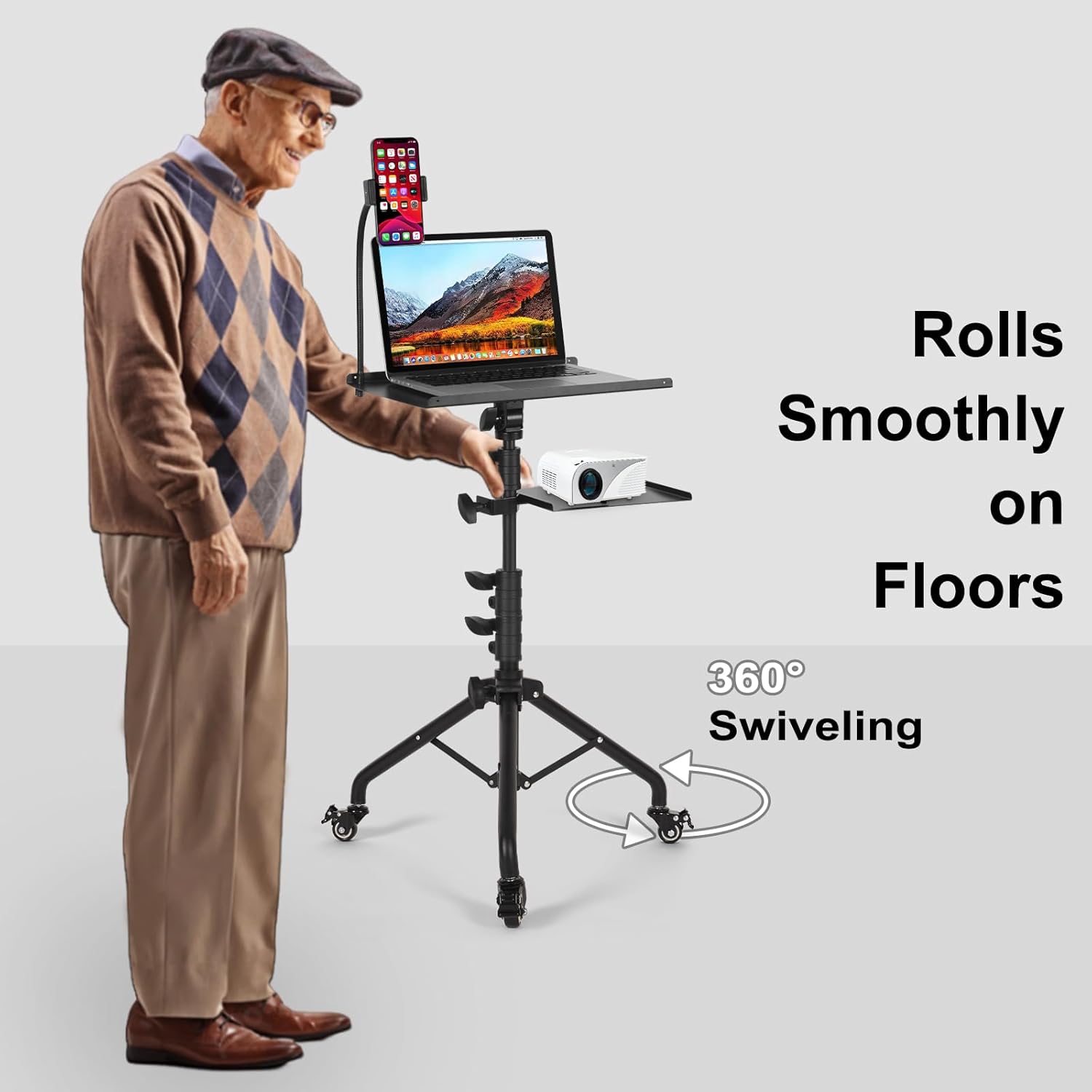
Image: The stand being easily moved across a floor, highlighting its 360-degree swiveling and smooth-rolling wheels.

Image: The stable tripod base shown on different surfaces, demonstrating its firm structure and resistance to wobbling.
Maintenance
- Cleaning: Wipe the stand with a soft, damp cloth. Avoid abrasive cleaners or solvents that could damage the finish.
- Inspection: Periodically check all knobs and connections to ensure they are tight and secure.
- Storage: When not in use, the stand can be disassembled and stored in the provided carrying bag for protection and portability.

Image: The included carrying bag, designed for convenient storage and transport of the disassembled stand.
Troubleshooting
| Problem | Possible Cause | Solution |
|---|---|---|
| Stand wobbles or is unstable. | Knobs are not tightened sufficiently; uneven surface; weight imbalance. | Ensure all adjustment knobs are firmly tightened. Place the stand on a flat, stable surface. Distribute weight evenly on the trays. |
| Wheels do not roll smoothly or lock. | Debris in wheels; brake engaged; damaged caster. | Check for and remove any debris from the wheels. Ensure brakes are disengaged for rolling. If a caster is damaged, contact support. |
| Tray does not hold position after adjustment. | Adjustment knob is loose. | Firmly tighten the corresponding adjustment knob for the tray. |
| Phone holder feels loose or breaks. | Excessive force applied to plastic bracket; improper handling of gooseneck. | When adjusting the gooseneck, manipulate the flexible metal part, not the plastic phone bracket. Ensure the bracket is securely attached. |
Specifications
- Brand: Tossbiss
- Model Number: Rack-1
- Material: Metal
- Color: Black
- Finish Type: Black, Powder Coated
- Shape: Rectangular
- Base Type: Leg (Tripod with wheels)
- Assembly Required: Yes
- Load Capacity (Top Tray): 11.1 Pounds (approx. 5 kg)
- Special Features: Portable, Adjustable Height, Adjustable Tray Tilt, Gooseneck Phone Holder, Lockable Swivel Wheels
- Adjustable Height Range: 25.9 to 51.8 inches (65.8 cm to 131.6 cm)
- Product Dimensions (LxWxH): 14.9 x 11 x 51.8 inches (37.8 x 27.9 x 131.6 cm)
- Item Weight: 9.15 pounds (approx. 4.15 kg)
- UPC: 777534519185
- ASIN: B09MYK3818
- Date First Available: December 3, 2021
Warranty and Support
Tossbiss stands behind the quality of its products. Your Laptop Tripod on Wheels comes with a commitment to customer satisfaction.
- 30-Day Satisfaction Guarantee: For any problems encountered with your laptop tripod within 30 days of purchase, a replacement or full refund will be provided.
- Included Accessories: The product includes a supporting lip, sponge gasket, and elastic belts for the tray to enhance equipment safety and stability.
- Customer Support: For further assistance, technical support, or warranty claims, please contact Tossbiss customer service through the retailer's platform or the official Tossbiss website.