
Lexibook MIC260MI
Lexibook Miraculous Ladybug Cat Noir Wireless Microphone
Model: MIC260MI
Introduction
Thank you for purchasing the Lexibook Miraculous Ladybug Cat Noir Wireless Microphone. This device combines a microphone with a powerful speaker, Bluetooth connectivity, voice changing functions, and dynamic light effects, offering an immersive entertainment experience. Please read this manual carefully before use to ensure proper operation and to maximize your enjoyment of the product.
Safety Information
- This product is suitable for children aged 6 years and above. Adult supervision is recommended.
- Do not expose the device to water or excessive moisture.
- Use only the specified battery type (3 x 1.5V LR6/AA batteries). Ensure correct polarity when inserting batteries.
- Do not mix old and new batteries, or different types of batteries.
- Remove batteries if the device will not be used for an extended period.
- Keep packaging for future reference as it contains important information.
- Do not attempt to disassemble or modify the device.
Package Contents
- 1 x Lexibook Miraculous Ladybug Cat Noir Wireless Microphone
- 1 x USB Charging Cable (for power, not for data transfer)
- Instruction Manual

Image: Product packaging showing the microphone and key features.
Product Overview
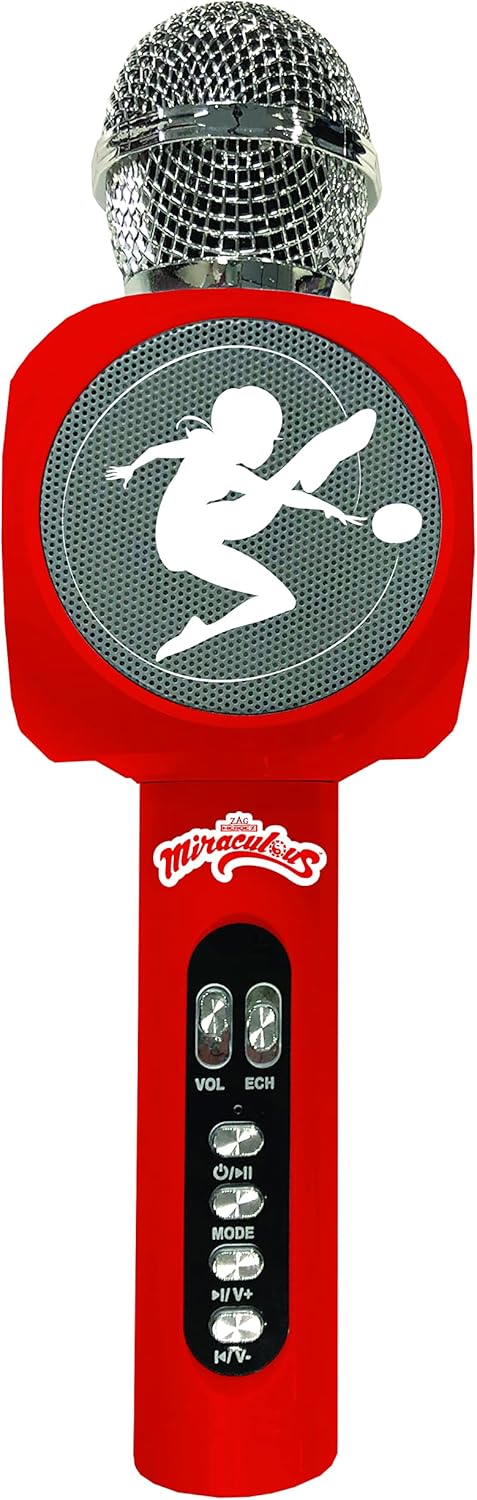
Image: Front view of the microphone, highlighting the speaker grille and control buttons.
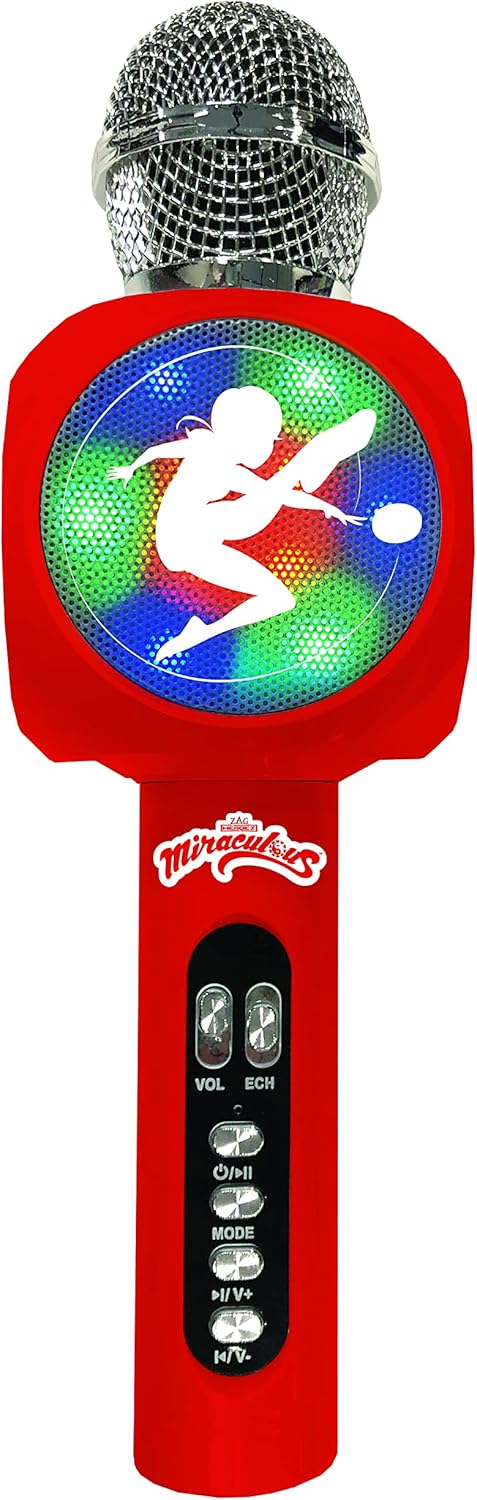
Image: The microphone with its integrated multi-colored light effects activated.
Controls and Features:
- Microphone Head: For vocal input.
- Speaker Grille: Outputs sound and displays light effects.
- VOL (Volume) Buttons: Adjust microphone volume.
- ECH (Echo) Buttons: Adjust echo effect level.
- Power / Play/Pause Button: Long press to power on/off, short press to play/pause music.
- MODE Button: Switches between Bluetooth, USB, SD/TF card, and AUX-in modes.
- Previous Track / Volume Down Button: Short press for previous track, long press for volume down.
- Next Track / Volume Up Button: Short press for next track, long press for volume up.
- Voice Changer Button: Cycles through different voice effects.
- USB Port: For playing music from a USB drive.
- Micro SD/TF Card Slot: For playing music from a Micro SD/TF card (up to 64GB).
- AUX-in Port: For connecting external audio devices.
- Headphone Jack: For private listening.
Setup
Battery Installation:
- Locate the battery compartment on the microphone handle.
- Open the battery compartment cover.
- Insert 3 x 1.5V LR6/AA batteries, ensuring the correct polarity (+/-) as indicated inside the compartment.
- Close the battery compartment cover securely.
Note: Batteries are not included with the product.
Operating Instructions
Power On/Off:
- To turn on the microphone, long press the Power / Play/Pause button until you hear an audible prompt.
- To turn off the microphone, long press the Power / Play/Pause button again until the device powers down.
Bluetooth Pairing:
- Ensure the microphone is powered on. It will automatically enter Bluetooth pairing mode.
- On your Bluetooth-enabled device (smartphone, tablet, etc.), go to the Bluetooth settings.
- Search for available devices and select "Lexibook MIC" or a similar name.
- Once paired, you will hear a confirmation sound from the microphone. The operating range is approximately 10 meters.
Microphone Usage:
- Hold the microphone approximately 5-10 cm from your mouth for optimal sound pickup.
- Adjust the microphone volume using the VOL buttons.
- Adjust the echo effect using the ECH buttons for desired vocal effects.
Voice Change Function:
- Press the Voice Changer button to cycle through the available voice effects.
- There are 4 voice pitches: child's voice, high female voice, deep male voice, and very deep voice.
- Press the button repeatedly to find your preferred voice effect.
Light Effects:
- The microphone features integrated light effects that activate automatically during use.
- These lights enhance the karaoke experience.
Playing Music (USB/SD/AUX-in):
- Insert a USB drive or Micro SD/TF card (with music files) into the corresponding port. The microphone will automatically switch to the correct mode.
- Alternatively, connect an external audio device via the AUX-in port using a 3.5mm audio cable (not included).
- Use the MODE button to switch between input sources if needed.
- Use the Previous Track / Volume Down and Next Track / Volume Up buttons to control music playback.
- Short press Power / Play/Pause to pause or resume music.

Image: A person actively using the microphone for singing.

Image: Two children interacting with the microphone, demonstrating its use in a playful setting.
Maintenance
- Clean the microphone with a soft, dry cloth. Do not use abrasive cleaners or solvents.
- Avoid dropping the microphone or subjecting it to strong impacts.
- Store the microphone in a cool, dry place away from direct sunlight and extreme temperatures.
- If not in use for a long period, remove the batteries to prevent leakage.
Troubleshooting
| Problem | Possible Cause | Solution |
|---|---|---|
| Microphone does not turn on. | Batteries are dead or incorrectly inserted. | Replace batteries with new ones, ensuring correct polarity. |
| No sound from speaker. | Microphone volume is too low; connected device volume is low; incorrect mode selected. | Increase microphone volume (VOL buttons); increase volume on connected device; press MODE button to select correct input source. |
| Bluetooth not connecting. | Microphone is not in pairing mode; device Bluetooth is off; too far from device. | Ensure microphone is on and in Bluetooth mode; turn on Bluetooth on your device; move microphone closer to the device (within 10m). |
| Voice changer not working. | Voice changer button not pressed or pressed incorrectly. | Press the Voice Changer button repeatedly to cycle through effects. |
| Distorted sound or feedback. | Microphone too close to speaker; echo level too high. | Increase distance between microphone and speaker; reduce echo level using ECH buttons. |
Specifications

Image: The microphone shown with its approximate dimensions (26.3 cm height, 7.6 cm width).
| Feature | Detail |
|---|---|
| Model Number | MIC260MI |
| Product Dimensions | 7.6 x 7.3 x 26.3 cm |
| Item Weight | 334 grams |
| Power Source | 3 x 1.5V LR6/AA Batteries (not included) |
| Speaker Output | 3 Watts |
| Battery Life | Approximately 4 hours |
| Connectivity | Bluetooth, USB, Micro SD/TF Card (up to 64GB), AUX-in |
| Bluetooth Range | Up to 10 meters |
| Voice Effects | 4 different voice pitches |
| Recommended Age | 6 years and up |
| Material | Plastic |
Warranty and Support
This product comes with a 2-year warranty from the date of purchase. Please retain your proof of purchase for warranty claims.
For technical support or warranty inquiries, please refer to the contact information provided on the product packaging or visit the official Lexibook website. Do not attempt to repair the device yourself.
Ask a question about this manual
Ask about setup, troubleshooting, compatibility, parts, safety, or missing instructions. Manuals+ will review the question and use this page’s manual context to help answer it.