
ARTISTRY MA-RM-UTP-FLCN-BLU-FLAT-1B
ARTISTRY Falcon Professional Wireless Tattoo Machine User Manual
Model: MA-RM-UTP-FLCN-BLU-FLAT-1B
Introduction
This manual provides essential information for the safe and effective operation, maintenance, and troubleshooting of your ARTISTRY Falcon Professional Wireless Tattoo Machine. Please read this manual thoroughly before using the device to ensure optimal performance and longevity.
The Falcon wireless machine is designed for professional tattoo artists, offering freedom of movement with its detachable batteries. Its robust construction from a solid rod ensures durability, while its lightweight design provides ideal weight distribution for comfortable use.
Product Overview

Figure 1: Overall view of the ARTISTRY Falcon Professional Wireless Tattoo Machine.
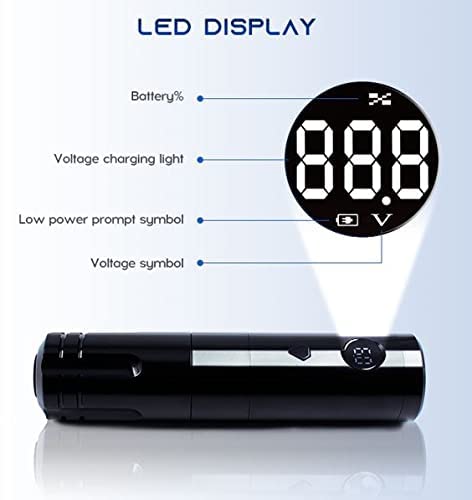
Figure 2: Close-up of the LED display, showing battery percentage, voltage, and charging indicators.
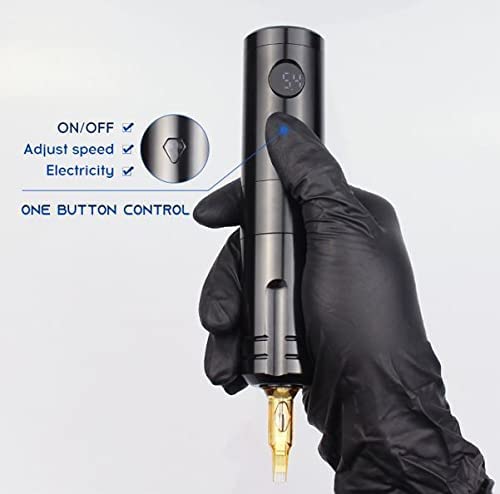
Figure 3: Illustration of the single-button control for power, speed adjustment, and battery check.
Key Features:
- Japanese coreless motor (10,000 RPM) for powerful and precise operation.
- LED display for real-time battery indicator, voltage, and charging status.
- Detachable 1200 mAh Lithium Battery for extended wireless operation (up to 6 hours on a single charge).
- One-key operation for power, speed adjustment, and battery level check.
- Compatible with universal tattoo cartridge needles.
Setup
Charging the Battery:
- Ensure the battery is properly inserted into the machine or connected to the charger.
- Connect the provided DC 5V/2A (Standard USB Adapter) battery charger to a power source.
- The LED display will indicate charging status. A full charge typically provides up to 6 hours of working time.
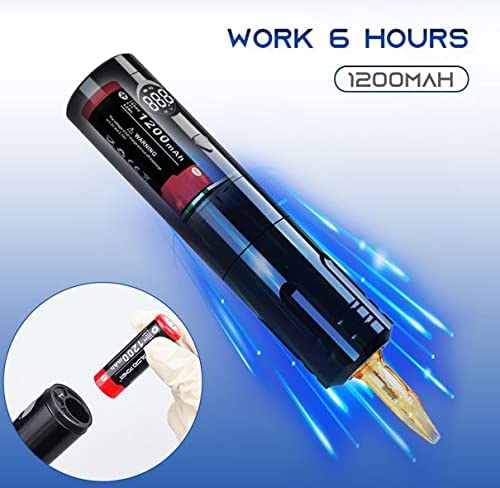
Figure 4: The machine is capable of up to 6 hours of continuous operation on a fully charged 1200mAh battery. The image also shows the detachable battery being inserted.
Attaching a Cartridge Needle:
- Ensure the machine is turned off before attaching or detaching needles.
- Carefully insert the universal tattoo cartridge needle into the machine's needle port until it clicks securely into place.
- Verify that there is no gap between the needle cartridge and the machine body for stable operation.
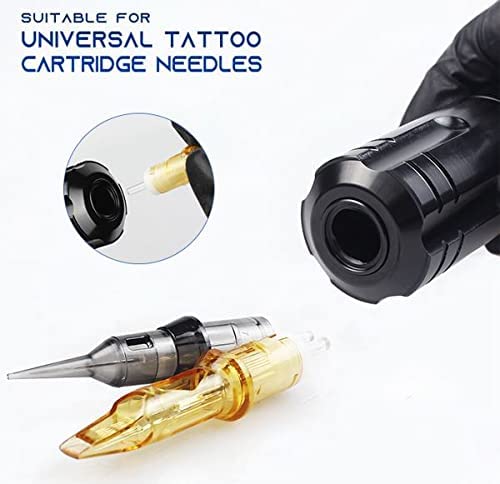
Figure 5: The machine is designed to be compatible with universal tattoo cartridge needles, shown here being inserted.
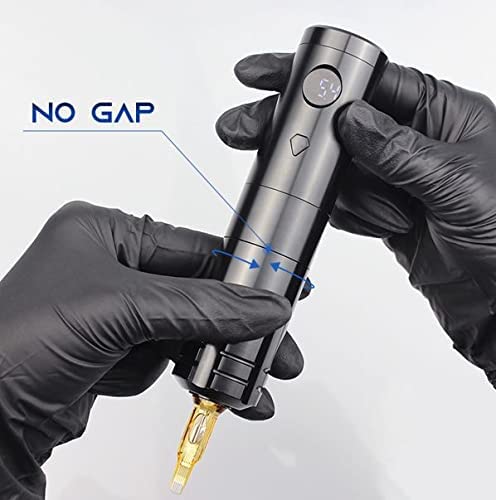
Figure 6: Proper attachment of the needle cartridge ensures a "no gap" fit, crucial for stable and precise tattooing.
Operating Instructions
Power On/Off:
- To turn on the machine, press and hold the power button until the LED display illuminates.
- To turn off the machine, press and hold the power button again until the LED display turns off.
Adjusting Voltage/Speed:
- While the machine is on, short press the power button to cycle through voltage settings or adjust speed. The LED display will show the current voltage.
- The machine features a 10,000 RPM coreless motor, providing consistent power across various settings.
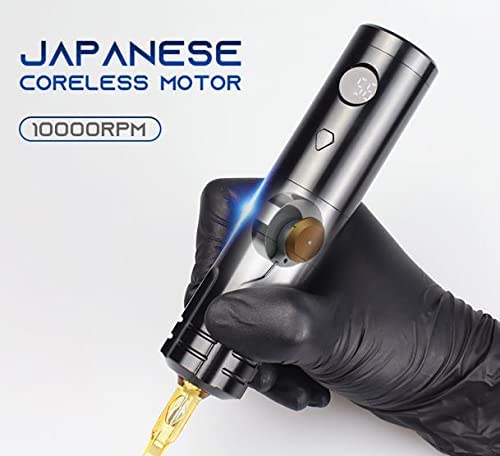
Figure 7: The machine is equipped with a powerful Japanese coreless motor, operating at 10,000 RPM for efficient tattooing.
Monitoring Battery and Voltage:
- The LED display provides real-time information on battery percentage and current voltage.
- A low power prompt symbol will appear when the battery needs recharging.
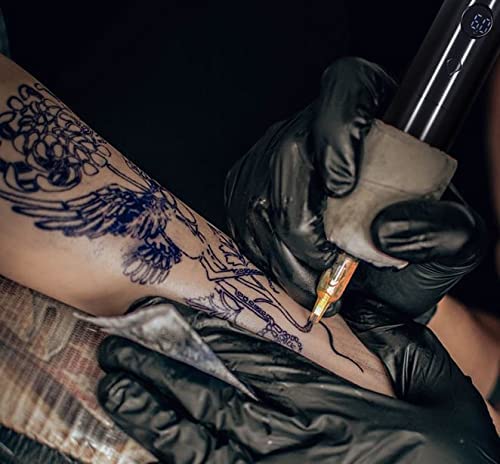
Figure 8: The ARTISTRY Falcon tattoo machine in active use, demonstrating its ergonomic design and wireless capability.
Maintenance
Cleaning:
- Always disconnect the power and remove the battery before cleaning.
- Wipe the exterior of the machine with a clean, damp cloth and a mild, non-abrasive disinfectant.
- Do not submerge the machine in any liquid.
- Ensure all parts are completely dry before reassembling or storing.
Battery Care:
- Store batteries in a cool, dry place away from direct sunlight and extreme temperatures.
- Avoid fully discharging the battery frequently to prolong its lifespan.
- Use only the specified DC 5V/2A charger.
Troubleshooting
| Problem | Possible Cause | Solution |
|---|---|---|
| Machine does not turn on. | Battery is discharged or not properly inserted. | Charge the battery. Ensure the battery is securely inserted. |
| Machine loses power during operation. | Low battery charge. | Recharge or replace the battery. |
| Needle not moving smoothly. | Needle cartridge not properly seated or damaged. | Re-seat the needle cartridge. Replace with a new cartridge if damaged. |
| LED display not working. | Battery issue or internal fault. | Ensure battery is charged. If problem persists, contact customer support. |
Specifications
- Model: MA-RM-UTP-FLCN-BLU-FLAT-1B
- Stroke Length: 3.6 MM
- Engine: Coreless 10,000 RPM Motor
- Battery: 1200 mAH Lithium Battery (included)
- Battery Charger: DC 5V/2A (Standard USB Adapter)
- Working Time: Up to 6 hours on a single full charge
- Body Construction: Solid rod
- Dimensions (Package): 12 x 7 x 5 inches
- Weight (Package): 14.08 ounces
- Manufacturer: ARTISTRY
Warranty and Support
ARTISTRY products are manufactured to the highest quality standards. For warranty information and customer support, please refer to the warranty card included with your purchase or visit the official ARTISTRY website.
For technical assistance or service inquiries, please contact ARTISTRY customer support through the following channels:
- Online Support: ARTISTRY Official Store on Amazon
- Manufacturer: ARTISTRY
Please retain your proof of purchase for warranty claims.
Related Documents - MA-RM-UTP-FLCN-BLU-FLAT-1B
 |
Artistry Hardwood Flooring Care and Maintenance Guide Comprehensive guide for maintaining Artistry Hardwood Flooring. Learn preventive measures and cleaning tips to preserve the beauty and durability of your French White Oak floors. |
 |
Artistry Derma-Architect™ Skincare Routine Guide Discover the Artistry Derma-Architect™ system for an elevated daily and weekly skincare routine, combining Skin Nutrition and Skin Fitness for optimal results. |
 |
Artistry Derma-Architect Skincare Routine Guide Explore the Artistry Derma-Architect™ system for advanced daily and twice-weekly skincare routines, designed to elevate your skin's health and appearance with step-by-step guidance. |
 |
Artistry Ever Perfect™™ Base de Larga Duración Acabado Matte - Cobertura y Cuidado Descubre Artistry Ever Perfect™™, una base de maquillaje de larga duración con acabado matte que ofrece cobertura total y deja la piel respirar. Formulado con ingredientes naturales para hidratación, protección y beneficios antioxidantes. Disponible en múltiples tonos. |
 |
ARTISTRY Signature Solutions IBO Manual: Skincare Business Guide Comprehensive IBO Manual for the ARTISTRY Signature Solutions Startup Program, detailing skincare products, consultation techniques, business building strategies, and client management. |
 |
Artistry Skin Nutrition Sample Cards - Beauty Business Tool Enhance your beauty business with Artistry Skin Nutrition Sample Cards. Engage new prospects with 7 best-selling product samples. Available in boxes of 20. |
Ask a question about this manual
Ask about setup, troubleshooting, compatibility, parts, safety, or missing instructions. Manuals+ will review the question and use this page’s manual context to help answer it.