
Introduction
This manual provides detailed instructions for the installation, operation, maintenance, and troubleshooting of the Obida WR23X29161 Refrigerator Door Light Switch. This part is designed as a direct replacement for specific GE refrigerator models. Please read all instructions carefully before proceeding with installation.
Safety Information
- Always disconnect power to the refrigerator before attempting any repairs or installations. Failure to do so can result in electric shock, injury, or death.
- Wear appropriate personal protective equipment, such as gloves and eye protection.
- If you are unsure about any step, consult a qualified appliance technician.
- Ensure all connections are secure before restoring power.
Setup and Installation
The Obida WR23X29161 door light switch replaces GE part number WR23X29161 and is compatible with other part numbers including WR23X29162, 4590096, AP6328772, PS12295821, and EAP12295821.
- Disconnect Power: Unplug the refrigerator from the wall outlet or turn off the circuit breaker supplying power to the appliance.
- Locate the Old Switch: The door light switch is typically located inside the refrigerator compartment, near the door hinge or light assembly.
- Remove the Old Switch: Carefully pry out the old switch using a flat-head screwdriver or similar tool. Disconnect the electrical wires attached to the switch. Note the orientation of the wires for correct reinstallation.
- Install the New Switch: Connect the electrical wires to the new Obida WR23X29161 switch. Ensure the connections are firm and correctly oriented.
- Secure the New Switch: Push the new switch into its housing until it clicks securely into place.
- Restore Power: Plug the refrigerator back into the wall outlet or turn on the circuit breaker.
- Test Operation: Open and close the refrigerator door to ensure the light turns on and off correctly.
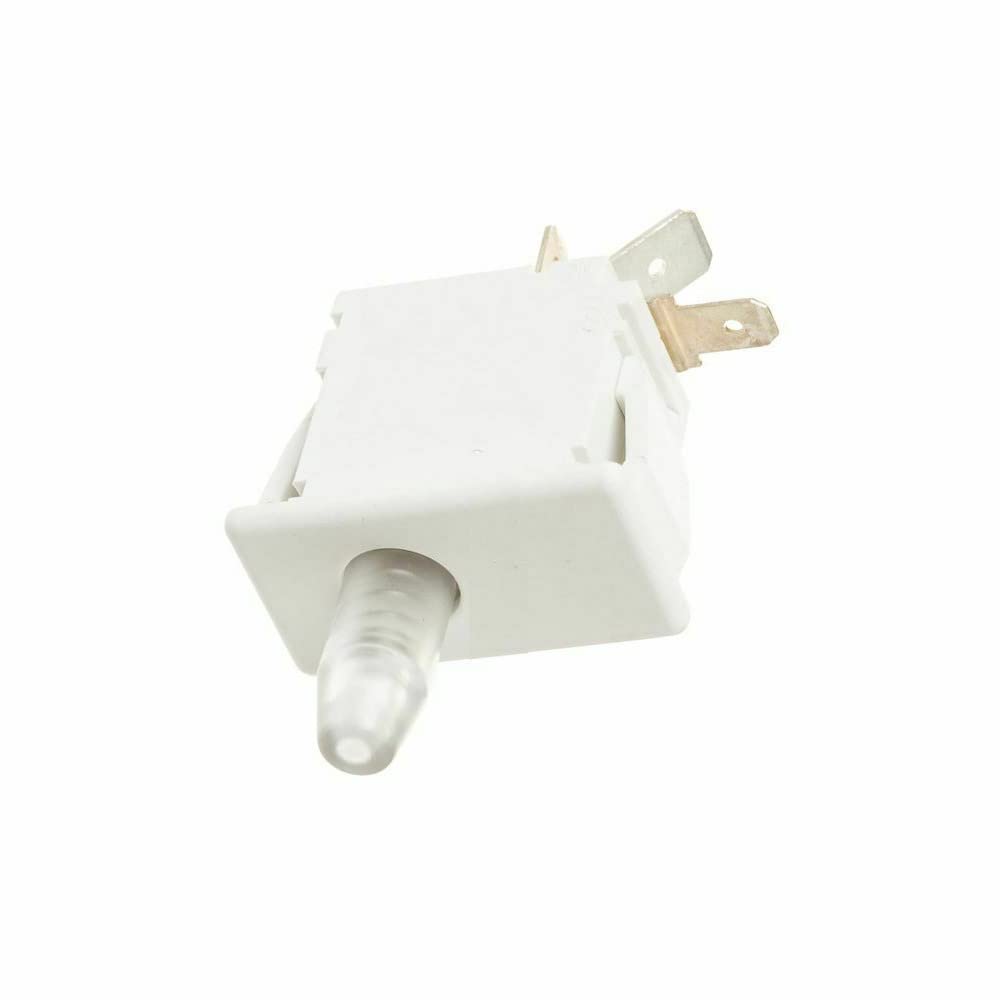
Image showing the Obida WR23X29161 refrigerator door light switch, a replacement part for GE refrigerators.
Operating Instructions
The Obida WR23X29161 refrigerator door light switch operates automatically. When the refrigerator door is opened, the switch is released, completing the circuit and turning on the interior light. When the door is closed, the switch is depressed, breaking the circuit and turning off the light.
No manual operation is required for this component once correctly installed.
Maintenance
The WR23X29161 door light switch requires minimal maintenance. Periodically, inspect the switch for any visible damage or debris that might obstruct its movement. Keep the area around the switch clean to ensure proper function.
Do not apply lubricants or cleaning agents directly to the electrical contacts of the switch.
Troubleshooting
- Refrigerator Light Not Turning On:
- Check if the refrigerator is plugged in and receiving power.
- Verify the light bulb is not burnt out and is securely screwed in.
- Ensure the door light switch is properly installed and its wires are securely connected.
- Confirm the switch is not stuck in the 'off' (depressed) position.
- Refrigerator Light Not Turning Off:
- Check if the refrigerator door is closing completely and making full contact with the switch.
- Inspect the switch for any debris or damage that prevents it from being fully depressed when the door is closed.
- Ensure the switch is correctly seated in its housing.
If troubleshooting steps do not resolve the issue, it may indicate a faulty switch or another electrical problem. Consult a qualified technician.
Specifications
| Brand | Obida |
| Part Number | WR23X29161 |
| Form Factor | Flip |
| Special Feature | Door Light |
| Color | White |
| Connector Type | Screw Terminals |
Warranty and Support
For warranty information or technical support, please refer to the original purchase documentation or contact the seller directly. Keep your proof of purchase for any warranty claims.