
1. Introduction
Thank you for choosing the Hayatec Portable Sterilizer XD001. This device is designed to effectively eliminate odors and sterilize small enclosed spaces using ozone technology. It is suitable for use in refrigerators, cars, wardrobes, shoe cabinets, and other similar areas. Please read this manual carefully before use to ensure proper operation and safety.
2. Safety Information
WARNING: Ozone air is dangerous for humans and pets to breathe/inhale. After each use, do not enter the room/area or car for at least 60 minutes to allow ozone to dissipate.
- Keep the device out of reach of children and pets.
- Do not disassemble, repair, or modify the device yourself.
- Do not expose the device to water or excessive moisture.
- Use only the specified charging method (USB).
- Ensure adequate ventilation after use in enclosed spaces.
3. Product Overview
The Hayatec Portable Sterilizer XD001 is a compact and efficient ozone generator designed for various deodorization and sterilization tasks.

Figure 3.1: Hayatec Portable Sterilizer XD001 with key components labeled. The image shows the device from an angled top-down view, highlighting the ON/OFF button, USB charging port, air inlet, and air outlet.
Components:
- ON/OFF Button: Controls power and operating modes.
- USB Charging Port: For recharging the internal battery.
- Indicator Light: Displays device status (operating mode, battery level).
- Air Inlet: Where air enters the device.
- Air Outlet: Where ozone-treated air is released.
Key Features:
- Ozone Generation: Effectively eliminates odors and sterilizes.
- Compact and Portable: Easy to move and place in various small spaces.
- Rechargeable Battery: Built-in battery for cordless operation.
- Dual Operating Modes: Cycle deodorization and single deodorization.
- Multi-purpose Use: Ideal for refrigerators, cars, wardrobes, shoe cabinets, and more.
4. Setup
4.1 Charging the Device
- Locate the USB charging port on the side of the device.
- Connect the device to a standard USB power source (e.g., computer, USB wall adapter) using a compatible USB cable.
- The indicator light will flash slowly while charging.
- Once fully charged, the indicator light will turn off.
Power Reminder: If the battery power is too low, the indicator light will flash quickly, signaling that charging is needed.
4.2 Placement
Place the Hayatec Portable Sterilizer XD001 in the desired enclosed space. Ensure the air inlet and outlet are not obstructed. Common placement areas include:
- Inside a refrigerator (away from direct contact with food).
- In a car interior.
- Within a wardrobe or closet.
- Inside a shoe cabinet.

Figure 4.1: The sterilizer placed inside a refrigerator, illustrating its intended use for food preservation and odor removal.
5. Operating Instructions
The device offers two operating modes: Cycle Deodorization Mode and Single Deodorization Mode.
5.1 Cycle Deodorization Mode
- To activate, press and hold the power button.
- The indicator light will begin to breathe (blink slowly).
- In this mode, the device will operate for 10 minutes, then pause for 8 hours, and repeat this cycle.
- This cycle will continue automatically until the device's battery is depleted.
5.2 Single Deodorization Mode
- While in Cycle Deodorization Mode, press the power button again.
- The indicator light will switch to a constant light.
- The device will operate for 20 minutes.
- After 20 minutes, it will automatically shut down.
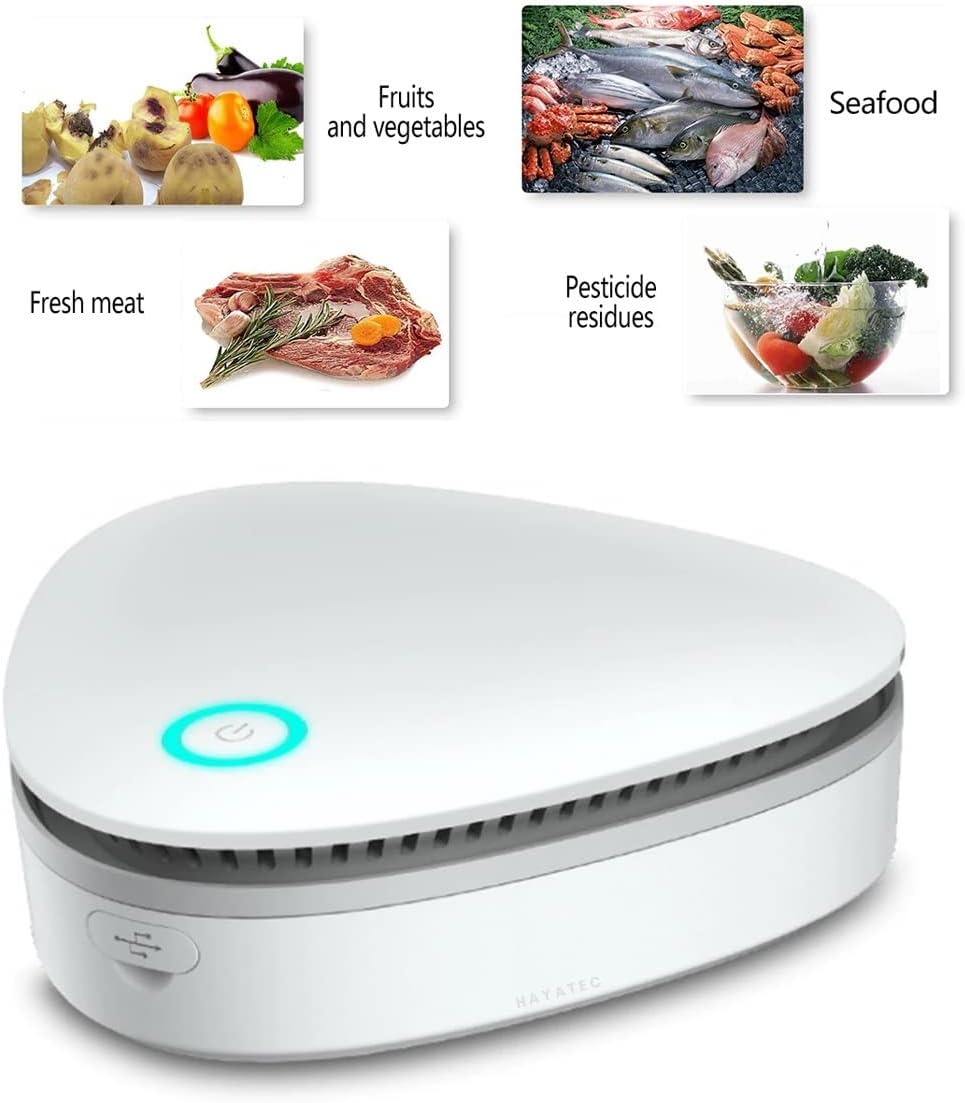
Figure 5.1: The sterilizer shown alongside various food items like fruits, vegetables, meat, and seafood, indicating its use for food preservation.
6. Maintenance
The Hayatec Portable Sterilizer XD001 is designed for low maintenance. It does not require consumables that need regular replacement by the user.
- Cleaning: Wipe the exterior of the device with a soft, dry cloth. Do not use abrasive cleaners or immerse the device in water.
- Storage: When not in use for extended periods, store the device in a cool, dry place.
7. Troubleshooting
If you encounter issues with your Hayatec Portable Sterilizer XD001, please refer to the following common problems and solutions:
| Problem | Possible Cause | Solution |
|---|---|---|
| Device does not turn on. | Battery is depleted. | Charge the device using the USB cable. |
| Indicator light flashes quickly. | Low battery. | Charge the device immediately. |
| No noticeable deodorization effect. | Space is too large or not sufficiently enclosed. Device not running long enough. | Ensure the device is used in an appropriately sized, enclosed space. Try Cycle Deodorization Mode for continuous treatment. Ensure the device is fully charged. |
| Unusual noise during operation. | Obstruction in air vents. | Check air inlet/outlet for any blockages and clear them. |
8. Specifications
| Specification | Detail |
|---|---|
| Brand | Hayatec |
| Model Number | XD001 |
| Color | White |
| Product Dimensions (L x W x H) | 143 x 143 x 43 mm |
| Weight | 228 g |
| Power | 3.0 W |
| Material | ABS |
| Battery | 1 Lithium-ion (included) |
| Control Method | Touch (Mechanical Button) |
| Ozone Output | 60mg/hour |
| Recommended Application Area | Up to 10m² (3-8m³ for optimal effect) |
| Features | Deodorizer, Portable, Sterilizer, Odor Eliminator |
9. Warranty and Support
Information regarding warranty and customer support for the Hayatec Portable Sterilizer XD001 is not available in the provided product details. Please refer to the product packaging or the seller's website for specific warranty terms and contact information for support.