
1. Introduction
This manual provides detailed instructions for the assembly, operation, and maintenance of your SUFFLA Metal Detector Set, which includes the SMD02 adult metal detector and the SMDC01 kids metal detector. Please read this manual thoroughly before using the product to ensure safe and efficient operation.
2. Safety Information
- Always supervise children when they are using the metal detector.
- Do not use the metal detector in areas with known unexploded ordnance or dangerous electrical lines.
- Exercise caution when digging to avoid injury or damage to underground utilities.
- Ensure all connections are secure before operation.
- Dispose of batteries responsibly according to local regulations.
3. Package Contents
Verify that all items are present in your package:
- SUFFLA SMD02 Adult Metal Detector (main unit, search coil, stem)
- SUFFLA SMDC01 Kids Metal Detector (main unit, search coil, stem)
- User Manual (this document)
- Required Batteries (if included, otherwise purchase separately)
4. Product Overview
4.1. SUFFLA SMD02 Adult Metal Detector
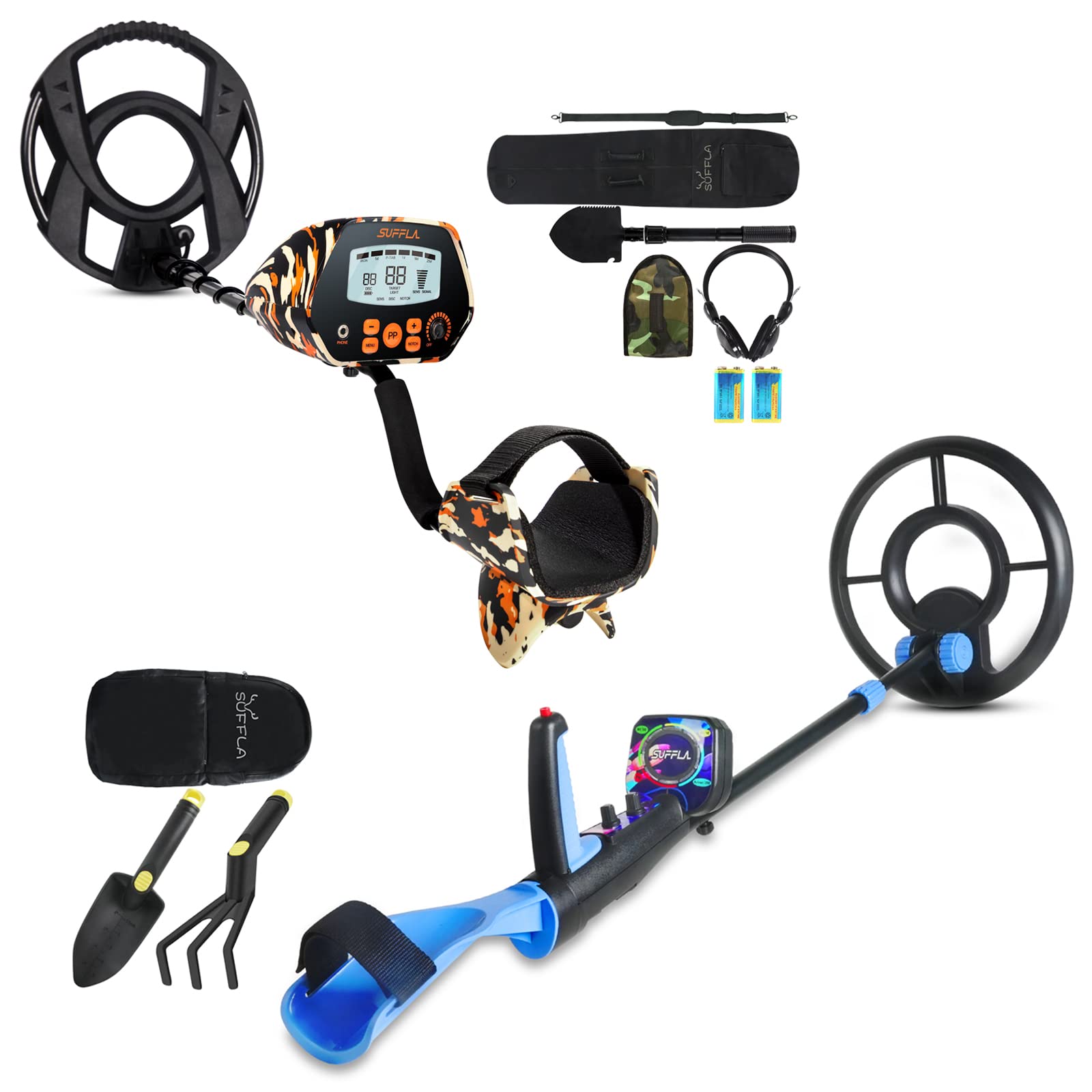
Image: SMD02 Adult Metal Detector Control Panel. This image displays the control panel of the SMD02 adult metal detector, highlighting its upgraded chip and intelligent memory function. Key features visible include the display screen showing target identification (Iron, P-TAB), sensitivity/discrimination/notch settings, and signal strength. Buttons and knobs for 'Phone', 'Menu', 'PP' (Pinpoint), 'Notch', and 'Off/On/Sens' are also shown.
The SMD02 features an advanced chip for higher sensitivity and an intelligent memory function that saves settings before power-off. It includes a waterproof search coil and multiple operation modes.
4.2. SUFFLA SMDC01 Kids Metal Detector

Image: SMDC01 Kids Metal Detector Labeled Diagram. This image provides a detailed view of the SMDC01 kids metal detector with various components labeled. These include the Search Coil, Stem Lock Nut, Knob, Lower Stem, Upper Stem, Control Box, Disc, Battery Holder, Armrest, Handle Grip, LED Screen, PP (Pinpoint), and Sens (Sensitivity).
The SMDC01 is designed for children with a vivid appearance and features a waterproof search coil. It includes an LED light for easy metal type identification and adjustable length for comfortable use.
5. Setup
5.1. Assembly
Both metal detectors follow a similar assembly process:
- Attach the Search Coil: Secure the search coil to the lower stem using the provided bolt and nut. Ensure it is firmly attached but can still be adjusted for angle.
- Connect Stems: Slide the lower stem into the upper stem.
- Attach Control Box/Handle: Connect the assembled stem to the control box/handle unit. Secure with the stem lock nut or other fastening mechanism.
- Wrap Cable: Carefully wrap the search coil cable around the stem, ensuring it is not pinched, and plug the connector into the control box.
5.2. Battery Installation
Locate the battery compartment on the control box of each detector. Insert the required batteries (typically AA or 9V, refer to the compartment label) ensuring correct polarity (+/-). Close the battery compartment securely.
5.3. Adjusting Length (SMDC01 Kids Detector)
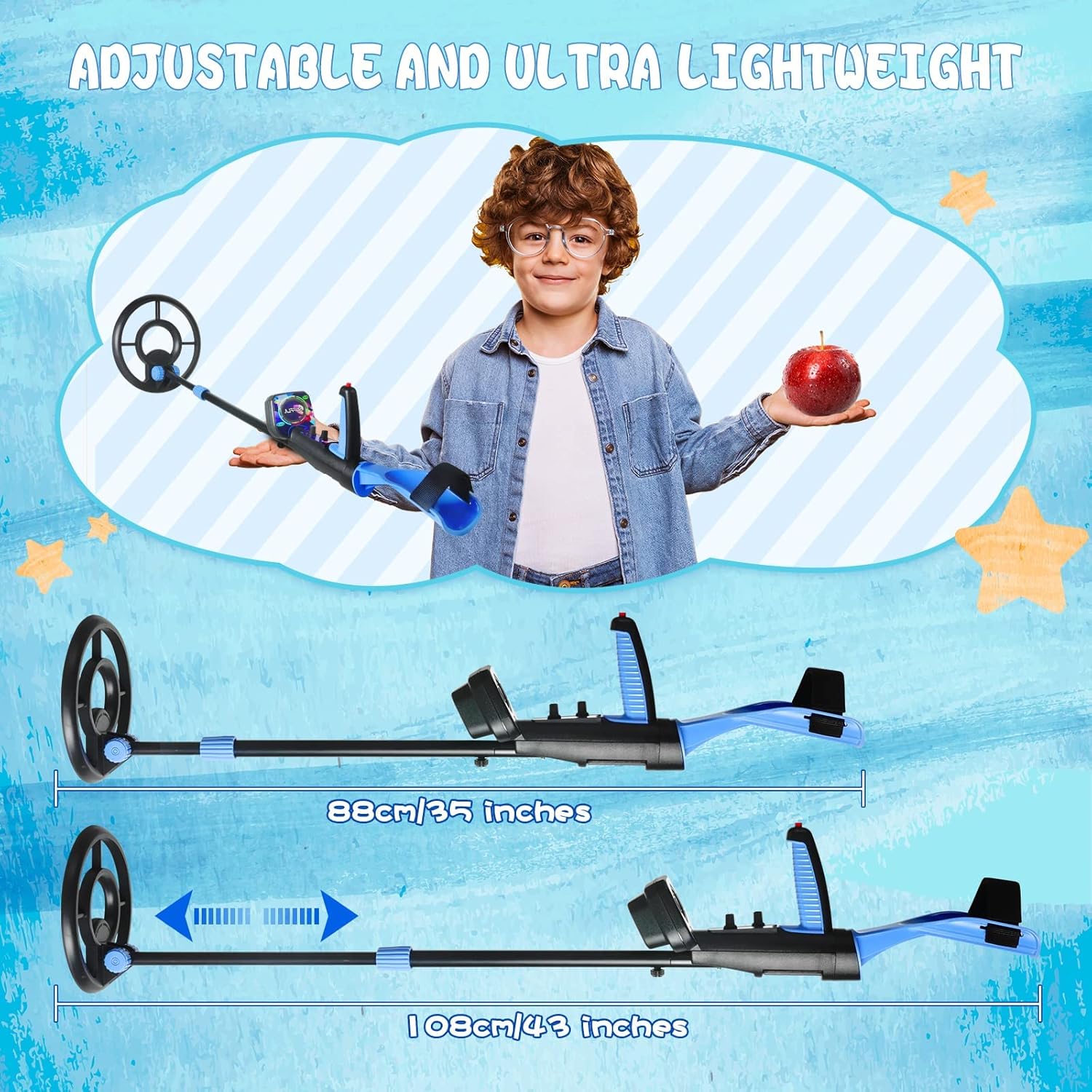
Image: SMDC01 Kids Metal Detector Adjustable Length. This image illustrates the adjustable length feature of the SMDC01 kids metal detector, showing it can extend from 88cm (35 inches) to 109cm (43 inches) to accommodate different user heights.
The SMDC01 is adjustable from 88cm (35 inches) to 109cm (43 inches). Loosen the stem lock nut, adjust the stem to a comfortable length for the user, and then tighten the nut to secure it.
6. Operating Instructions
6.1. SUFFLA SMD02 Adult Metal Detector

Image: SMD02 Adult Metal Detector Operation Modes. This image displays the five primary operation modes of the SMD02 adult metal detector: All Metal (responds to any metal), Pinpoint (locates target precisely), Discriminate (filters unwanted targets), Notch (ignores specific junk metal), and Tone (three-tone audio discrimination).
Power On/Off: Rotate the 'Off/On/Sens' knob clockwise to power on the detector. Continue rotating to adjust sensitivity. Rotate counter-clockwise to power off.
Operation Modes: Use the 'Menu' button to cycle through the following modes:
- All Metal: Detects all types of metal.
- Pinpoint (PP): Press the 'PP' button to precisely locate the target.
- Discriminate (Disc): Allows the detector to ignore certain types of metal. Adjust discrimination levels using the controls.
- Notch: Ignores specific categories of junk metal. Use the 'Notch' button and controls to set.
- Tone: Provides three distinct audio tones to help identify different metal types.
Sensitivity: Adjust the 'Sens' knob to increase or decrease the detector's sensitivity to targets. Higher sensitivity can detect smaller or deeper objects but may also pick up more interference.
Waterproof Search Coil: The 11-inch search coil is IP68 waterproof, allowing for detection in shallow water. Ensure the control box remains dry as it is not waterproof.
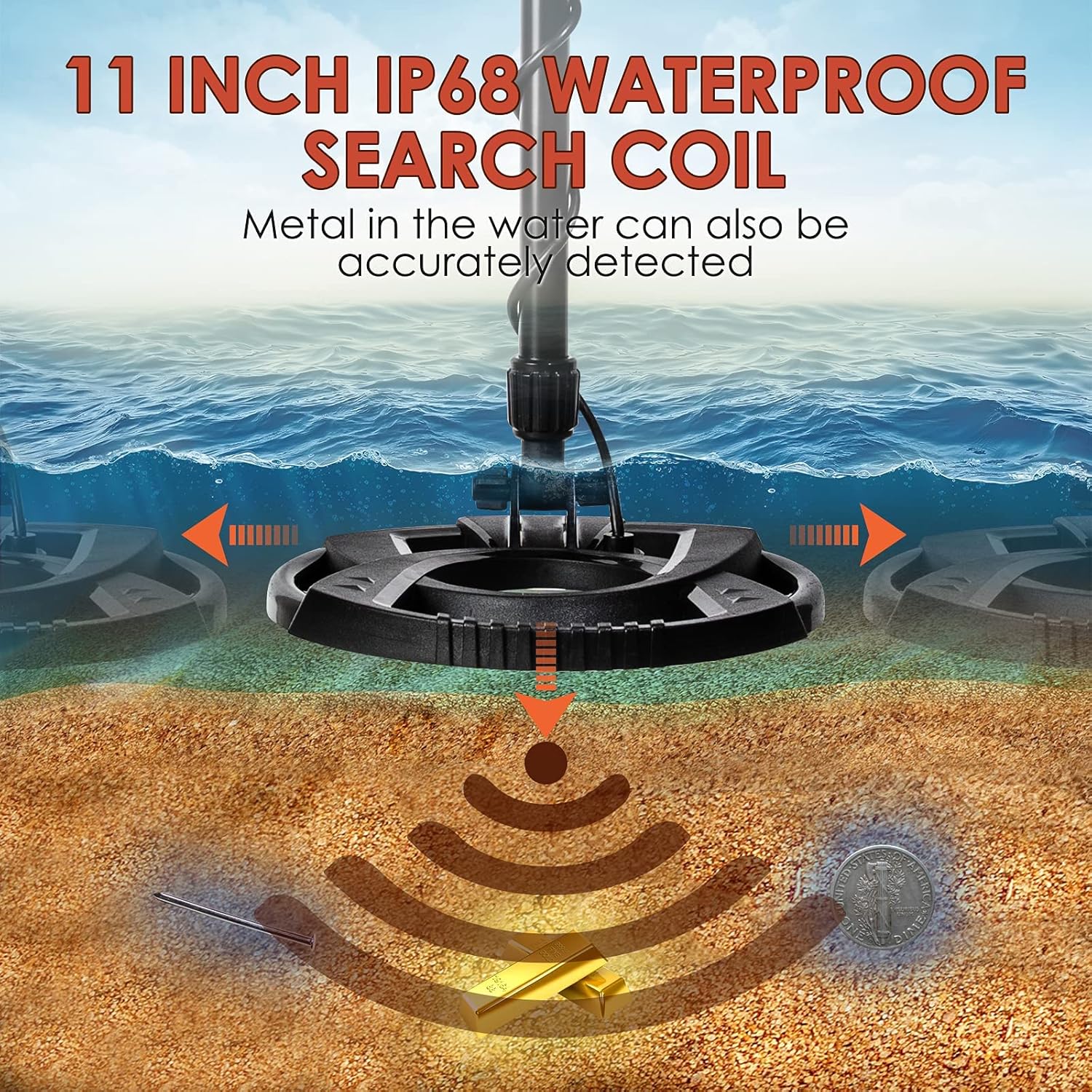
Image: SMD02 Adult Metal Detector Waterproof Search Coil. This image highlights the 11-inch IP68 waterproof search coil of the SMD02, demonstrating its capability to accurately detect metal objects submerged in water or buried in wet sand.
6.2. SUFFLA SMDC01 Kids Metal Detector

Image: SMDC01 Kids Metal Detector Easy Operation. This image illustrates the user-friendly nature of the SMDC01 kids metal detector, showing a child operating it. Icons indicate its features: Pinpoint, All Metal, Target Indication LED, and Discriminate. The control box's LED lights are shown indicating metal types like Nickel (Ni/5¢) and Zinc (Zn/10¢).
Power On/Off: Use the designated power button or knob to turn the detector on or off.
Basic Detection: Swing the search coil slowly and steadily over the ground. When a metal object is detected, the detector will emit an audible signal and the LED lights on the control box will illuminate.
Target Indication LED: The charming and colorful LED lights on the control box help identify the type of metal detected (e.g., green for Nickel, blue for Silver). This feature simplifies target identification for children.
Pinpoint: Use the 'PP' function to narrow down the exact location of the detected object.
Discrimination (Disc): The detector has a basic discrimination function to help ignore unwanted targets. Refer to the control box for specific settings.
Waterproof Search Coil: The search coil is IP68 waterproof, allowing for use in shallow water. Important: The control box of the SMDC01 is NOT waterproof and must be kept dry.

Image: SMDC01 Kids Metal Detector Waterproof Search Coil Warning. This image clarifies that while the search coil of the SMDC01 is IP68 waterproof and can be submerged, the control box is not waterproof and must be protected from water.
7. Maintenance
- Cleaning: Wipe down the detector with a damp cloth after each use. Avoid harsh chemicals. Ensure the control box is dry before storage.
- Storage: Store the metal detector in a cool, dry place away from direct sunlight and extreme temperatures.
- Battery Care: Remove batteries if the detector will not be used for an extended period to prevent leakage.
- Coil Protection: Avoid dragging the search coil directly on rough surfaces to prevent wear and tear.
8. Troubleshooting
| Problem | Possible Cause | Solution |
|---|---|---|
| Detector does not power on | Dead or incorrectly installed batteries | Replace batteries or check polarity. |
| Erratic signals or false positives | High sensitivity, electromagnetic interference, mineralized ground | Reduce sensitivity. Move away from power lines or other electronics. Use discrimination/notch modes. |
| No detection of known metal objects | Low sensitivity, incorrect mode, object too deep | Increase sensitivity. Ensure 'All Metal' mode is selected or discrimination is off. |
| SMDC01 LED lights not working | Battery issue, internal fault | Check/replace batteries. If problem persists, contact customer support. |
9. Specifications
9.1. SUFFLA SMD02 Adult Metal Detector
- Detecting Depth: Up to 10 inches (25 cm)
- Search Coil: 11-inch Double D, IP68 Waterproof
- Chip: Upgraded DSP Chip for higher sensitivity
- Operation Modes: All Metal, Pinpoint, Discriminate, Notch, Tone
- Battery Type: Alkaline (recommended)
- Design: Camouflage pattern
9.2. SUFFLA SMDC01 Kids Metal Detector
- Detecting Depth: Up to 5 inches (12.7 cm)
- Search Coil: Waterproof (IP68)
- Control Box: Not waterproof
- Adjustable Length: 88 cm (35 inches) to 109 cm (43 inches)
- Features: LED target indication, vivid design
9.3. General Specifications
- Brand: SUFFLA
- Material: Metal
- Power Source: Battery Powered
- Adjustable Length: Yes (for SMDC01)
- International Protection Rating (General): IP54 (Note: Search coils are IP68)
10. Warranty and Support
Specific warranty information for the SUFFLA Metal Detector Set is not provided in this document. For warranty details, technical support, or service inquiries, please refer to the product packaging or contact SUFFLA customer service directly through their official website or the retailer where the product was purchased.