
1. Introduction
This manual provides essential information for the proper installation and maintenance of your MOOKA FAMILY H13 Replacement Filter, designed specifically for the MOOKA B-D02L Air Purifier. Adhering to these instructions will ensure optimal performance and longevity of your air purification system.
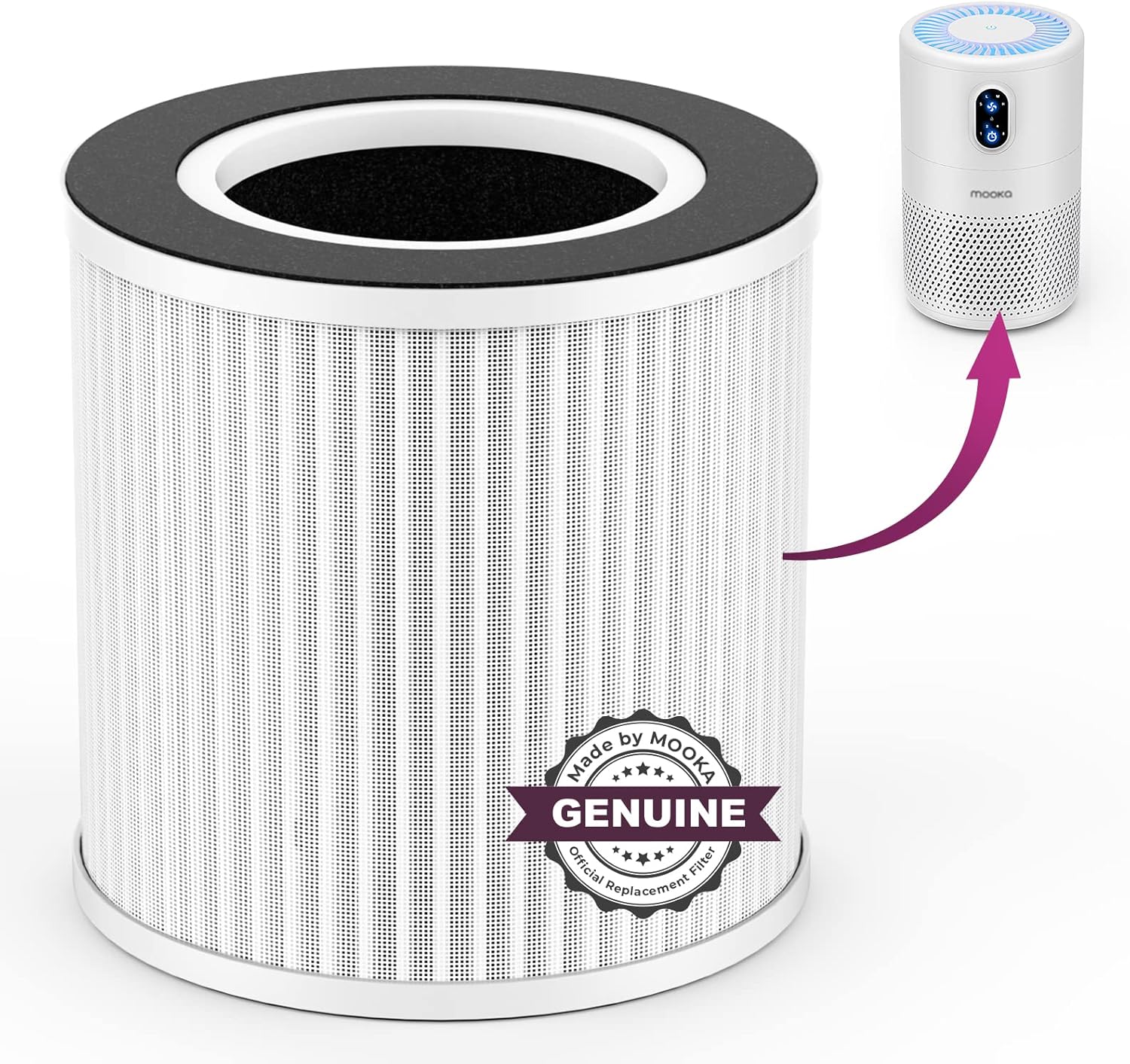
Image: The MOOKA FAMILY H13 Replacement Filter shown alongside the compatible MOOKA B-D02L Air Purifier, illustrating how the filter fits into the unit.
2. Product Overview
The MOOKA FAMILY H13 Replacement Filter is engineered with a 3-stage filtration system to effectively capture various airborne particles and odors, contributing to improved indoor air quality. This filter is exclusively compatible with the MOOKA B-D02L Air Purifier.

Image: A visual representation confirming the compatibility of the replacement filter with the MOOKA B-D02L Air Purifier.
2.1. 3-Stage Filtration System
The filter incorporates three distinct layers to ensure comprehensive air purification:
- Fine Preliminary Filter: Captures large particles such as dust, lint, fibers, and pet fur. Regular cleaning of this layer can extend the lifespan of the HEPA filter.
- H13 True HEPA Filter: Traps fine airborne particles, including dust mites, pollen, and pet dander, as small as 0.3 microns with 99.97% efficiency.
- Activated Carbon Filter: Absorbs various household odors, such as pet odors, cooking smells, smoke, and volatile organic compounds (VOCs).

Image: A detailed diagram showing the layers of the 3-in-1 filtration system and how air passes through each stage to be purified.
3. Installation Instructions
Follow these steps to correctly install the replacement filter in your MOOKA B-D02L Air Purifier:
- Preparation: Ensure the air purifier is turned off and unplugged from the power outlet before beginning the filter replacement process.
- Remove Base Cover: Gently turn the base cover of the air purifier counter-clockwise to unlock it. Once unlocked, remove the base cover.
- Remove Used Filter: Carefully pull out the old, used filter from the air purifier. Dispose of the old filter responsibly.
- Unwrap New Filter: Remove the new MOOKA FAMILY H13 Replacement Filter from its plastic packaging. It is crucial to remove all plastic packaging before installation.
- Insert New Filter: Place the new filter into the air purifier, ensuring it is seated correctly.
- Replace Base Cover: Align the base cover with the air purifier and turn it clockwise to lock it securely in place.
- Power On: Plug the air purifier back into the power outlet and turn it on. Reset the filter indicator light if applicable, according to your air purifier's specific instructions.

Image: A three-panel image demonstrating the filter installation process: 1) Unlocking and removing the base cover, 2) Unwrapping the new filter, and 3) Inserting the new filter and locking the base cover.
4. Maintenance
Regular filter replacement is essential for maintaining the efficiency of your MOOKA B-D02L Air Purifier and ensuring continuous clean air delivery.
4.1. Filter Replacement Schedule
It is recommended to replace the MOOKA FAMILY H13 Replacement Filter every 6 months. This duration may vary depending on air quality, usage frequency, and environmental factors. A noticeable decrease in air purifier performance or an increase in odors may indicate the need for earlier replacement.

Image: A visual comparison showing the difference between a clean, new filter and a dirty, old filter, highlighting the importance of timely replacement.
4.2. Cleaning the Preliminary Filter
The preliminary filter layer can be gently cleaned with a soft brush or vacuum cleaner to remove larger debris. This can help extend the overall life of the H13 HEPA filter, but it does not negate the need for regular replacement of the entire composite filter.
5. Specifications
| Feature | Detail |
|---|---|
| Brand | MOOKA FAMILY |
| Model Number (Filter) | HAAP1149_P1 |
| Compatible Air Purifier | MOOKA B-D02L |
| Filtration Type | 3-Stage (Fine Preliminary, H13 True HEPA, Activated Carbon) |
| HEPA Efficiency | Captures 99.97% of particles as small as 0.3 microns |
| Material Type | Polyester |
| Item Weight | 8.4 ounces |
| Package Dimensions | 6.34 x 5.59 x 5.55 inches |
6. Troubleshooting
If you encounter issues after replacing your filter, consider the following:
- Air Purifier Not Turning On: Ensure the base cover is securely locked. The MOOKA B-D02L Air Purifier has a safety switch that prevents operation if the cover is not properly closed.
- Reduced Airflow/Efficiency: Verify that the new filter's plastic packaging has been completely removed. Check if the filter is seated correctly. If the issue persists, the filter might be clogged prematurely due to extremely poor air quality, or the air purifier itself may require servicing.
- Persistent Odors: While the activated carbon layer is effective, some strong or persistent odors may require additional ventilation or more frequent filter changes. Ensure the filter is correctly installed and not past its recommended lifespan.
7. Warranty and Support
MOOKA FAMILY is committed to customer satisfaction. For any questions, concerns, or assistance regarding your H13 Replacement Filter or MOOKA B-D02L Air Purifier, please contact MOOKA FAMILY customer service. Refer to your original air purifier manual for specific warranty details.
Customer Service Contact: Please visit the official MOOKA FAMILY website or refer to the contact information provided with your original air purifier purchase for support.