
1. Introduction
Thank you for choosing the AXV Vibration Plate Fitness Platform. This device is designed to provide a full-body vibration workout, stimulating muscles and enhancing blood circulation. Regular use can contribute to improved muscle tone, flexibility, and overall well-being. Please read this manual thoroughly before operating the device to ensure safe and effective use.

Image 1.1: The AXV Vibration Plate Fitness Platform, showcasing its compact design.
2. Important Safety Information
Before using the AXV Vibration Plate, please observe the following safety precautions:
- Consult a physician before starting any new exercise program, especially if you have pre-existing medical conditions, are pregnant, or have recently undergone surgery.
- Do not use the device if you have acute thrombosis, severe diabetes, heart disease, pacemakers, or any other serious health concerns.
- Ensure the device is placed on a stable, level surface before use.
- Keep children and pets away from the device during operation.
- Do not exceed the maximum weight recommendation of 149.69 kg.
- Always wear appropriate athletic footwear.
- Stop exercising immediately if you feel dizzy, nauseous, or experience any pain.
- Unplug the device from the power outlet when not in use or before cleaning.
3. Package Contents
Carefully unpack the box and ensure all items are present:
- AXV Vibration Plate Fitness Platform
- Remote Control
- Resistance Bands (2 pieces)
- Power Cord
- User Manual (this document)
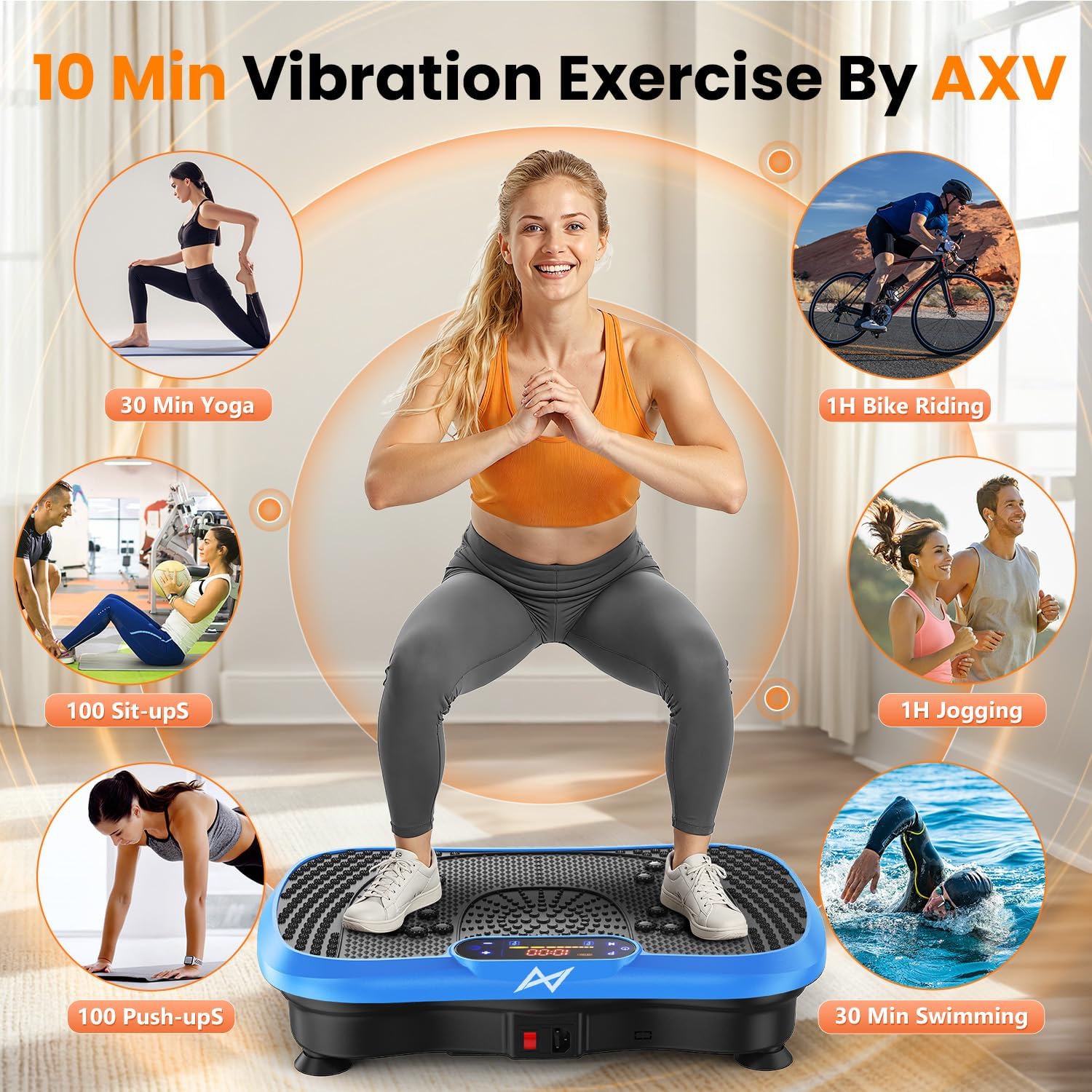
Image 3.1: Included accessories: remote control and resistance bands.
4. Setup
- Unpacking: Remove all packaging materials and place the vibration plate on a flat, hard, and stable surface. Ensure there is sufficient space around the device for safe operation.
- Power Connection: Insert the power cord into the power inlet on the device and then plug the other end into a standard electrical outlet.
- Attaching Resistance Bands: If desired, attach the resistance bands to the designated anchor points on the sides of the vibration plate. Ensure they are securely fastened.
5. Operating Instructions
5.1 Control Panel
The control panel features an LED display and buttons for various functions:
- Power Button: Turns the device ON/OFF.
- Speed Adjustment: Use '+' and '-' buttons to increase or decrease vibration speed (levels 1-120).
- Mode Button: Cycles through different exercise modes (if applicable).
- Time Display: Shows remaining workout time.
- Speed Display: Shows current vibration speed level.
- Calorie/Fat Display: Estimates burnt calories or fat (for reference only).
5.2 Remote Control
The included remote control allows for convenient adjustment of settings during your workout. It mirrors the functions of the main control panel.
5.3 Bluetooth Connectivity
The device can connect to your phone via Bluetooth to function as a speaker:
- Ensure the vibration plate is powered on.
- Activate Bluetooth on your mobile device.
- Search for available devices and select 'AXV Vibration Plate' (or similar name).
- Once paired, you can play audio through the device's integrated speaker.

Image 5.1: Close-up of the control panel and LED display.
6. Exercise Guidelines
The AXV Vibration Plate offers a versatile workout experience. Start with short sessions (e.g., 10 minutes) at lower speeds and gradually increase duration and intensity as your body adapts.
- Standing Positions: Vary your foot placement (wide stance, narrow stance) to target different muscle groups.
- Resistance Bands: Use the included resistance bands for upper body exercises while standing or sitting on the plate.
- Dynamic Poses: Incorporate squats, lunges, planks, and push-ups with your hands or feet on the plate for enhanced muscle activation.
- Cool-down: Finish your session with a few minutes of gentle stretching or lower intensity vibration.

Image 6.1: Example of a user performing exercises on the vibration plate.
7. Maintenance
- Cleaning: Wipe the surface of the device with a soft, damp cloth. Do not use abrasive cleaners or solvents. Ensure the device is unplugged before cleaning.
- Storage: Store the vibration plate in a cool, dry place, away from direct sunlight and moisture. Keep it covered to prevent dust accumulation.
- Inspection: Periodically check the power cord and resistance bands for any signs of wear or damage. If damage is found, discontinue use and contact customer support.
8. Troubleshooting
| Problem | Possible Cause | Solution |
|---|---|---|
| Device does not power on. | Power cord not properly connected; Power outlet not working. | Check power cord connection; Try a different outlet. |
| No vibration. | Device is on but speed is set to 0; Motor issue. | Increase speed using '+' button; Contact customer support if problem persists. |
| Remote control not working. | Batteries are dead; Obstruction between remote and device. | Replace remote control batteries; Ensure clear line of sight to the device's sensor. |
| Bluetooth connection fails. | Device not in pairing mode; Incorrect device selected. | Ensure device is powered on; Re-scan for devices and select 'AXV Vibration Plate'. |
9. Specifications
- Brand: AXV
- Model: Vibration Plate Fitness Platform
- Item Weight: 6.8 Kilograms
- Material: Plastic
- Maximum Weight Recommendation: 149.69 kg
- Wattage: 200W
- Vibration Speed Levels: 1-120
- Features: LED Display, Bluetooth Speaker, Magnet Health Massage Function, Anti-slip coating

Image 9.1: Technical overview and dimensions of the vibration plate.
10. Warranty and Support
The AXV Vibration Plate Fitness Platform comes with a manufacturer's warranty. Please refer to the warranty card included in your package for specific terms and conditions. For technical support, troubleshooting assistance, or warranty claims, please contact AXV customer service through the retailer where you purchased the product.
For the fastest service, please have your product model number and purchase date available when contacting support.