1. Introduction
This manual provides detailed instructions for the installation, operation, and maintenance of your EZVIZ C3W Pro 4MP Outdoor Security Camera. Please read this manual carefully before using the product and retain it for future reference.

The EZVIZ C3W Pro 4MP Outdoor Security Camera, shown alongside a smartphone interface demonstrating its 2.5K resolution, support for up to 256GB MicroSD card, and Wi-Fi connectivity.
Key Features:
- 2K+ (4MP) Resolution: Provides superior clarity compared to standard 1080p cameras, covering a larger area with sharper images.
- Color Night Vision: Equipped with two built-in spotlights and professional optical lenses for full-color surveillance even in low-light conditions.
- IP67 Weatherproof Design: Sturdy metallic enclosure resistant to dust and water, ensuring reliable operation year-round.
- AI Person Detection: Intelligent algorithm recognizes human shapes, providing accurate alerts and reducing false alarms.
- Two-Way Talk: High-fidelity speakers and an ultra-long pickup range enable clear communication with visitors or intruders via the EZVIZ App.
- Customizable Voice Alerts: Set specific voice messages to welcome visitors or deter unwanted guests.
- H.265 Video Compression: Efficient video compression technology reduces bandwidth and storage space requirements.
- Enhanced Wi-Fi Connectivity: Features wall-penetration and anti-interference capabilities for a stable connection.
2. Package Contents
Please check that all components are present and in good condition:
- EZVIZ C3W Pro 4MP Outdoor Security Camera
- Power Adapter
- Mounting Template
- Screw Kit
- Waterproof Kit
- Quick Start Guide
3. Installation Guide
3.1 Mounting the Camera
The C3W Pro is designed for wall mounting. Ensure the mounting surface is strong enough to support the camera.
- Choose a suitable location for optimal surveillance coverage, ensuring a clear line of sight and within Wi-Fi range.
- Use the provided mounting template to mark the screw holes on the wall.
- Drill pilot holes and insert wall anchors if necessary.
- Secure the camera base to the wall using the provided screws.
- Adjust the camera angle for desired coverage.
3.2 Powering On
Connect the power adapter to the camera and plug it into a power outlet. The camera will power on and initiate its startup sequence.
3.3 App Setup
To configure and operate your camera, download the EZVIZ App on your smartphone.
- Download the EZVIZ App from the App Store (iOS) or Google Play Store (Android).
- Create an EZVIZ account or log in if you already have one.
- Tap the '+' icon to add a new device.
- Scan the QR code on the camera or its packaging.
- Follow the in-app instructions to connect the camera to your Wi-Fi network.
4. Operation
4.1 Video Resolution and Clarity
The C3W Pro delivers 4-megapixel (2560x1440) resolution video, offering significantly more detail than 1080p cameras. This allows for clearer identification of objects and individuals within the surveillance area.
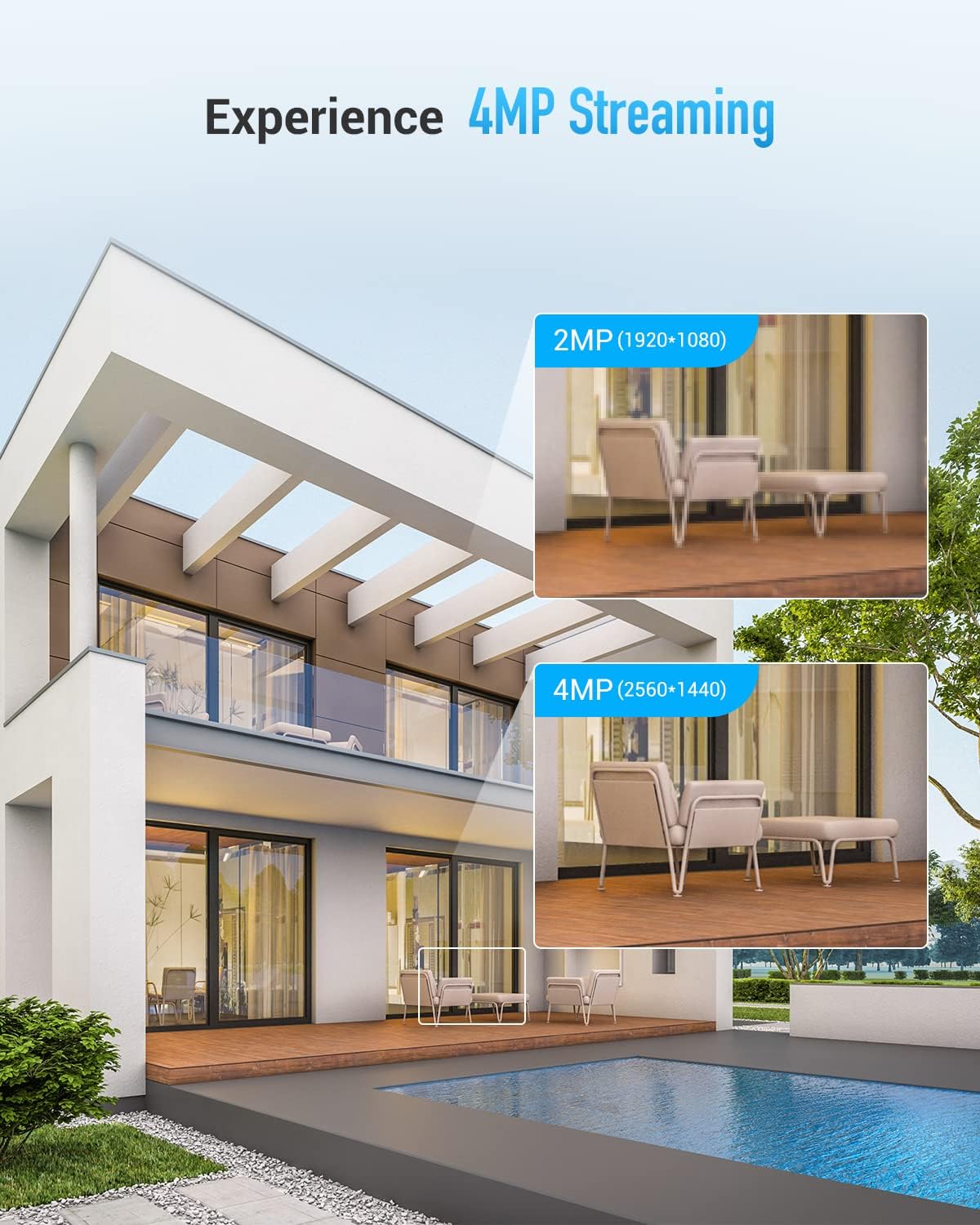
Visual comparison demonstrating the enhanced clarity and detail provided by 4MP (2560x1440) streaming compared to 2MP (1920x1080).
4.2 Night Vision Modes
The camera offers three distinct night vision modes to suit various lighting conditions:
- Color Mode: Utilizes built-in spotlights to provide full-color video at night.
- IR Mode (Black & White): Standard infrared night vision for clear black and white images in complete darkness.
- Smart Mode: Automatically switches from IR mode to color mode upon detection of human movement, providing full-color footage when it matters most.

Illustrations of the three night vision modes: Color Mode (illuminated scene), IR Mode (monochrome scene), and Smart Mode (color capture upon motion, like a skateboarder).
4.3 AI Person Detection
The integrated AI algorithm intelligently distinguishes human shapes from other moving objects, significantly reducing false alarms caused by animals, vehicles, or falling leaves. You can customize detection areas within the EZVIZ App.

A smartphone screen shows a real-time notification for AI-powered person detection, with green boxes highlighting detected individuals in the camera's view.
4.4 Two-Way Talk and Customizable Voice Alerts
Engage in real-time conversations with individuals near your camera using the two-way talk feature. The camera's high-fidelity speaker and microphone ensure clear audio. Additionally, you can pre-record up to three 10-second audio messages to automatically play when motion is detected, serving as a greeting or a deterrent.

The EZVIZ app interface displays options for customizable voice alerts, including intensive, soft, mute, and custom sound settings, allowing users to personalize responses to detected activity.
4.5 Storage Options
The camera supports local storage via a MicroSD card (up to 256GB) and offers optional cloud storage services for secure off-site backup.
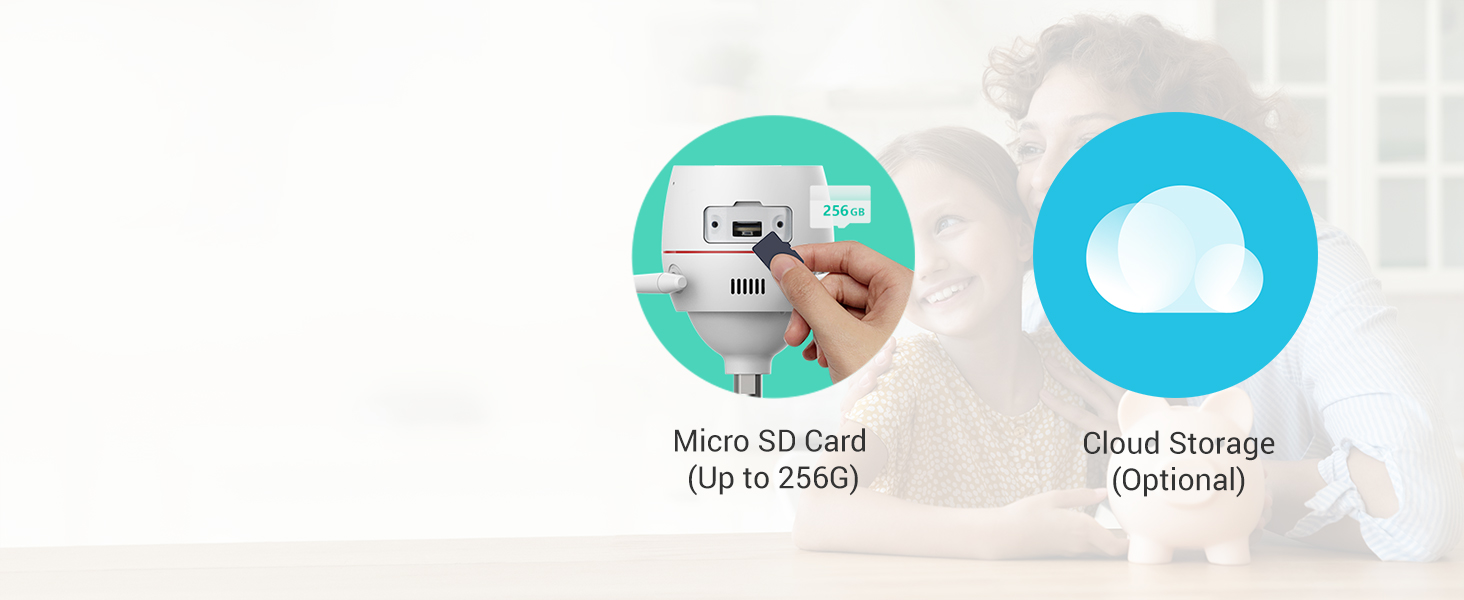
An illustration highlighting the camera's Micro SD card slot, supporting up to 256GB for local storage, and the availability of optional cloud storage for video backups.
4.6 Connectivity
Equipped with dual external antennas, the C3W Pro provides enhanced Wi-Fi connectivity with improved wall-penetration and anti-interference capabilities, ensuring a stable and reliable connection to your network.

A detailed view of the camera's dual antennas, illustrating the enhanced signal transmission for improved Wi-Fi connectivity and reduced interference.
4.7 Smart Home Integration
The EZVIZ C3W Pro is compatible with Amazon Alexa and Google Assistant, allowing for voice control and integration into your smart home ecosystem. You can view live feeds on compatible smart displays.

A user interacting with a smart assistant (Alexa) to display the camera's live feed on a tablet, demonstrating seamless smart home integration.
5. Maintenance
5.1 Weather Resistance
The camera features an IP67 rating, indicating its high resistance to dust and water. This ensures reliable performance in various outdoor weather conditions, including rain and dust storms. Regularly check the camera's mounting for stability and ensure all cable connections are secure and waterproofed.

The EZVIZ C3W Pro camera is depicted mounted outdoors during rainfall, emphasizing its IP67 dust and water protection for year-round reliability.
5.2 Cleaning
To maintain optimal image quality, periodically clean the camera lens with a soft, damp cloth. Avoid using harsh chemicals or abrasive materials that could scratch the lens.
6. Troubleshooting
If you encounter issues with your EZVIZ C3W Pro camera, consider the following common troubleshooting steps:
- No Power: Ensure the power adapter is securely connected to both the camera and a working power outlet.
- No Wi-Fi Connection: Verify your Wi-Fi network is active and the camera is within range. Try restarting your router and the camera. Ensure the Wi-Fi password entered in the app is correct.
- Poor Image Quality: Check the camera lens for dirt or obstructions. Ensure the camera is receiving adequate power.
- False Alarms: Adjust the AI Person Detection sensitivity and customize detection areas within the EZVIZ App to minimize unwanted alerts.
- Two-Way Talk Issues: Check your device's microphone and speaker settings. Ensure there are no obstructions near the camera's microphone or speaker.
- MicroSD Card Not Detected: Ensure the MicroSD card is inserted correctly and is not damaged. Format the card through the EZVIZ App if necessary.
For further assistance, please refer to the EZVIZ support website or contact customer service.
7. Specifications
| Feature | Detail |
|---|---|
| Model Number | EZC3W3H4L28 |
| Video Capture Resolution | 4 MP (2560x1440) |
| Connectivity Technology | Wireless (Wi-Fi) |
| Power Source | Corded Electric |
| International Protection Rating | IP67 |
| Night Vision Range | 30 Meters |
| Frame Rate | 30 frames per second |
| Maximum Flash Memory Supported | 256 GB (MicroSD) |
| Controller Type | Amazon Alexa |
| Mounting Type | Wall Mount |
| Item Dimensions (L x W x H) | 2.83 x 2.83 x 5.91 inches |
| Item Weight | 1.3 pounds |
| Voltage | 12 Volts |
| Wattage | 6 watts |
| Low Light Technology | Night Color |
| Alert Type | Motion Only (AI Person Detection) |
8. Warranty and Support
8.1 Product Warranty
EZVIZ products typically come with a limited manufacturer's warranty. Please refer to the warranty card included with your product or visit the official EZVIZ website for specific warranty terms and conditions applicable to your region.
8.2 Customer Support
For technical support, product inquiries, or service requests, please visit the EZVIZ support page on their official website. You can find FAQs, troubleshooting guides, and contact information for customer service.
8.3 Data Security
EZVIZ prioritizes data security and privacy. All data transmission is secured by encryption through local servers. The brand is committed to protecting user privacy and securing data through a security-first approach, TLS encryption protocol, unique user access, and multi-step authentications.


