
MOMAX IP76
MOMAX iPower Lite Portable Charger User Manual
Model: IP76
1. Product Overview
The MOMAX iPower Lite is a compact and powerful 10000mAh portable power bank designed for on-the-go charging. It features high-speed Power Delivery (PD) output and multiple charging ports, making it compatible with a wide range of smartphones and tablets, including iPhone, Galaxy, and Pixel devices. Its ultra-slim aluminum design ensures portability and durability.

Image: The MOMAX iPower Lite portable charger, showcasing its sleek grey aluminum finish and port layout.
Key Features:
- 10000mAh Large Capacity: Provides multiple charges for most smartphones.
- High-Speed Output: Supports USB-C PD 20W output and USB-A 22.5W (QC3.0/Huawei SuperCharge).
- Dual Output Ports: Charge two devices simultaneously.
- Fast Recharging: 18W input via USB-C or 10W via Micro USB for quick power bank replenishment.
- Wide Compatibility: Designed for both iOS and Android devices.
- Maximum Safety Protection: Built-in safeguards against overheat, over-charge, short-circuit, and Foreign Object Detection (FOD).
- Ultra-Slim Design: Only 12mm thick, making it highly portable.
2. Package Contents
Please check the package contents upon unboxing:
- MOMAX iPower Lite Portable Charger (IP76)
- USB-C to USB-C Charging Cable
- User Manual
If any items are missing or damaged, please contact customer support.
3. Setup and Initial Use
3.1 Charging the Power Bank
Before first use, it is recommended to fully charge your MOMAX iPower Lite power bank.
- Connect the provided USB-C cable to the USB-C input port on the power bank.
- Connect the other end of the cable to a compatible USB wall charger (not included). For fastest charging, use an 18W PD compatible charger.
- The LED indicators on the power bank will illuminate to show the charging status. Once all LEDs are solid, the power bank is fully charged.
Alternatively, you can use a Micro USB cable to charge the power bank via its Micro USB input port (10W max).

Image: The MOMAX iPower Lite showing its USB-C and Micro USB input ports, indicating 18W and 10W input capabilities respectively.
3.2 Checking Battery Level
Press the power button once to check the remaining battery level indicated by the LED lights.
- Each LED typically represents 25% of the battery capacity.
- Four solid LEDs indicate a full charge (75-100%).
- One flashing LED indicates a low battery level, requiring a recharge.
4. Operating Instructions
4.1 Charging Your Devices
The MOMAX iPower Lite can charge a wide range of devices, including smartphones, tablets, and other USB-powered gadgets.
- Connect your device's charging cable to one of the output ports on the power bank (USB-C or USB-A).
- Connect the other end of the cable to your device.
- The power bank will automatically begin charging your device. If it does not, press the power button once to initiate charging.
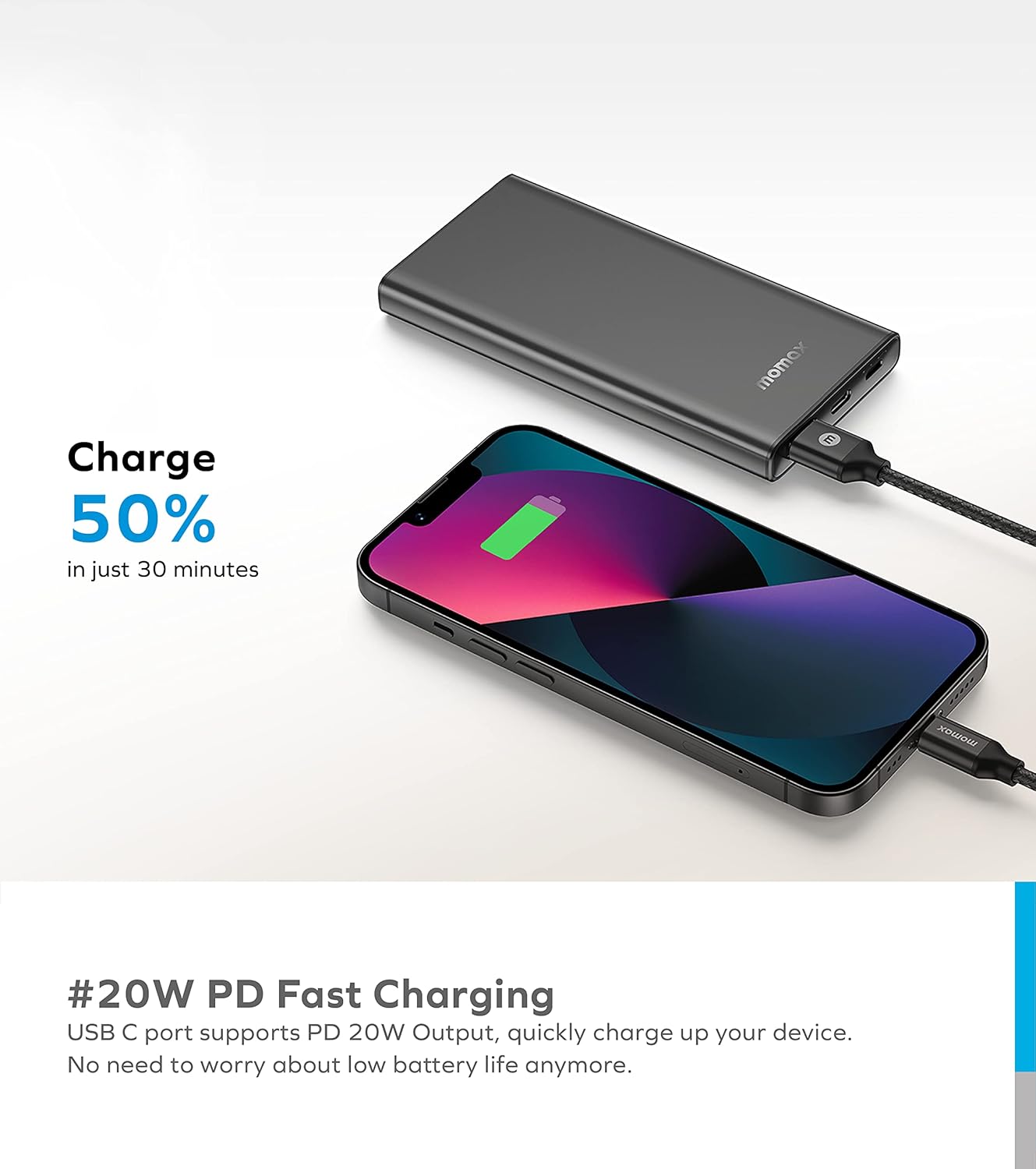
Image: The MOMAX iPower Lite connected via USB-C to an iPhone, demonstrating 20W PD fast charging capability.

Image: The MOMAX iPower Lite simultaneously charging two smartphones using both its USB-C and USB-A output ports.
4.2 Charging Capacity Examples
The 10000mAh capacity allows for multiple charges depending on your device's battery size:
- iPhone 13: Approximately 2.2 times
- Huawei P40: Approximately 1.9 times
- Xiaomi 11: Approximately 1.5 times
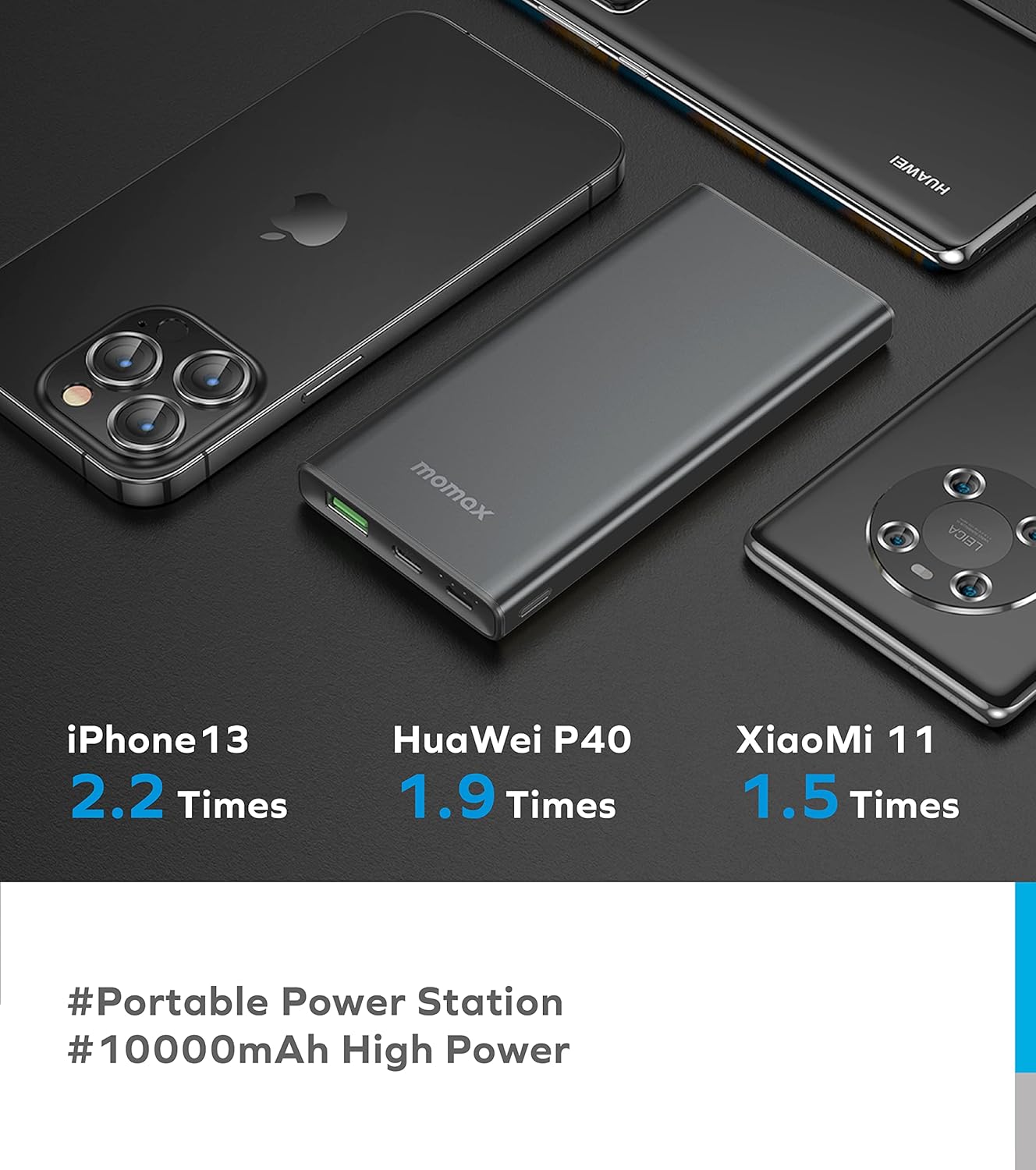
Image: The MOMAX iPower Lite positioned among an iPhone 13, Huawei P40, and Xiaomi 11, illustrating its charging capabilities for each device.
5. Maintenance and Care
Proper care will extend the lifespan of your MOMAX iPower Lite power bank:
- Storage: Store the power bank in a cool, dry place away from direct sunlight and extreme temperatures.
- Cleaning: Use a soft, dry cloth to clean the surface. Do not use harsh chemicals or abrasive materials.
- Avoid Drops: Protect the device from drops, impacts, and excessive vibration.
- Water Exposure: Keep the power bank away from water and high humidity.
- Charging Cycles: For optimal battery health, avoid completely draining the power bank frequently. Recharge it when the battery level is low.
- Safety: Do not attempt to disassemble, repair, or modify the power bank. This can be dangerous and will void the warranty.
6. Troubleshooting
If you encounter issues with your MOMAX iPower Lite, please refer to the following common solutions:
6.1 Power Bank Not Charging
- Check Cable: Ensure the charging cable is securely connected to both the power bank and the wall charger. Try a different cable.
- Check Charger: Verify that the wall charger is functioning correctly and provides sufficient power (e.g., 5V/2A or 18W PD). Try a different wall charger.
- Check Port: Ensure the charging port on the power bank is clean and free of debris.
6.2 Device Not Charging from Power Bank
- Activate Output: Press the power button once to ensure the power bank's output is activated.
- Check Cable: Ensure the charging cable connecting the power bank to your device is not damaged and is securely connected. Try a different cable.
- Check Device: Confirm your device's charging port is clean and functional.
- Power Bank Battery: Check if the power bank has sufficient charge. Recharge if necessary.
- Compatibility: While widely compatible, ensure your device's charging requirements align with the power bank's output specifications.
6.3 Slow Charging
- Cable Quality: Use high-quality cables that support fast charging protocols (PD, QC).
- Device Compatibility: Ensure your device supports the fast charging protocols (PD 20W, QC3.0/Huawei SuperCharge) offered by the power bank.
- Simultaneous Charging: Charging two devices simultaneously may distribute the available power, potentially reducing the charging speed for each device.
- Environmental Factors: Extreme temperatures can affect charging efficiency.
6.4 Power Button Requires Multiple Presses
- Ensure a firm and deliberate press. If the issue persists, it may indicate a minor manufacturing variance; however, as long as the power bank activates consistently after a few presses, functionality is maintained.
If these steps do not resolve your issue, please contact MOMAX customer support for further assistance.
7. Specifications
| Feature | Detail |
|---|---|
| Model Number | IP76 |
| Battery Capacity | 10000 Milliamp Hours (mAh) |
| Product Dimensions | 12 x 6 x 1.2 cm |
| Weight | 185.97 g |
| Input (USB-C) | PD 18W |
| Input (Micro USB) | 10W |
| Output (USB-C) | PD 20W |
| Output (USB-A) | 22.5W (QC3.0/Huawei SuperCharge) |
| Color | Gray |
| Special Feature | Fast Charging |
| Country of Origin | China |
8. Warranty and Support
8.1 Warranty Information
MOMAX products are manufactured to high quality standards. This product comes with a standard manufacturer's warranty against defects in materials and workmanship. Please refer to the warranty card included in your product packaging or visit the official MOMAX website for detailed warranty terms and conditions.
8.2 Customer Support
For any questions, technical support, or warranty claims, please contact MOMAX customer service. Contact information can typically be found on the official MOMAX website or on the product packaging.
You can also visit the MOMAX Store on Amazon for more product information and support resources.
Related Documents - IP76
 |
Momax iPower PD3 10000mAh Power Bank Instruction Manual Comprehensive instruction manual for the Momax iPower PD3 10000mAh power bank (Model IP118), covering usage, specifications, warnings, disposal, and warranty information. Includes details on USB-C and USB-A ports, fast charging, and battery capacity. |
 |
MOMAX iPOWER PD 10000mAh Battery Pack Instruction Manual Comprehensive instruction manual for the MOMAX iPOWER PD 10000mAh Battery Pack, featuring Qualcomm Quick Charge 3.0 and PD3.0. Includes usage instructions, specifications, safety warnings, disposal guidelines, and warranty information for this portable power bank. |
 |
Momax iPower PD5 20000mAh Portable Charger Instruction Manual IP119 Learn how to use and maintain your Momax iPower PD5 20000mAh portable charger (Model IP119) with this comprehensive instruction manual. Includes specifications, usage instructions, and warranty information for safe and efficient power delivery. |
 |
MOMAX Power Flow Pro+ 10000mAh Magnetic Wireless Battery Pack IP128 - Instruction Manual Official instruction manual for the MOMAX Power Flow Pro+ 10000mAh Magnetic Wireless Battery Pack (Model IP128). Learn about features, specifications, usage, warnings, disposal, and warranty. |
 |
MOMAX Q.Power TOUCH 10000mAh Wireless External Battery Pack User Manual User manual for the MOMAX Q.Power TOUCH 10000mAh Wireless External Battery Pack, covering specifications, instructions for use, charging indicators, safety warnings, disposal, and warranty information. |
 |
MOMAX 1-Power Flow Pro+ 10000mAh Magnetic Wireless Battery Pack Instruction Manual User guide for the MOMAX 1-Power Flow Pro+ 10000mAh Magnetic Wireless Battery Pack. Learn about its features, specifications, power button functions, LED display indicators, charging status, warnings, disposal, and warranty conditions. |