
1. Introduction
Thank you for choosing the Samshow Digital Dual Kitchen Timer. This versatile device is designed to help you manage multiple timing tasks simultaneously, making it ideal for cooking, baking, studying, exercise, and more. Please read this manual carefully to ensure proper use and to maximize the timer's functionality.
2. Package Contents
- 1 x Samshow Digital Dual Kitchen Timer (Model 318timer)
- 2 x AAA Batteries
- 1 x User Manual
3. Product Overview
The Samshow Digital Dual Kitchen Timer features a large, clear display and intuitive controls for ease of use. It supports three independent timers (T1, T2, T3) for simultaneous countdown or count-up functions, along with a stopwatch mode.
Front View

Image: Front view of the Samshow Digital Dual Kitchen Timer, showing the three-line display and control buttons.
- T1, T2, T3 Buttons: Select the desired timer channel to set or activate.
- HR Button: Adjusts hours.
- MIN Button: Adjusts minutes.
- SEC Button: Adjusts seconds.
- ST/SP Button (Red): Starts or stops the selected timer/stopwatch.
- Clear Button: Clears the time setting for the selected timer.
- M Button: Activates the memory function for frequently used times.
Back View & Side Controls

Image: Back view of the Samshow Digital Dual Kitchen Timer, highlighting the magnetic back, foldable stand, hanging hole, and battery compartment. The side shows the volume adjustment switch.
- Magnetic Back: Allows attachment to metal surfaces like refrigerators.
- Foldable Stand: For tabletop placement.
- Hanging Hole: For hanging the timer on a hook.
- Battery Compartment: Houses 2 AAA batteries.
- Volume Switch (Side): Adjusts alarm volume (High, Medium, Mute).
4. Setup
Battery Installation
- Locate the battery compartment cover on the back of the timer.
- Slide the cover downwards to open the compartment.
- Insert two AAA batteries, ensuring correct polarity (+/-).
- Replace the battery compartment cover by sliding it upwards until it clicks into place.
5. Operating Instructions
Setting a Countdown Timer (T1, T2, or T3)
- Press the T1, T2, or T3 button to select the desired timer channel. The corresponding indicator (T1, T2, or T3) will appear on the display.
- Press the HR, MIN, and SEC buttons to set the desired time. Hold down the buttons for quick adjustment.
- Press the ST/SP button to start the countdown.
- To pause the countdown, press ST/SP again. Press ST/SP once more to resume.
- When the countdown reaches zero, the alarm will sound and the corresponding indicator light will flash. The timer will then begin counting up to show elapsed time.
- To stop the alarm and clear the timer, press the Clear button.
Using the Stopwatch (Count-Up) Function
- Ensure the selected timer (T1, T2, or T3) is set to 0:00:00. If not, press the Clear button.
- Press the ST/SP button to start the count-up.
- To pause the stopwatch, press ST/SP again. Press ST/SP once more to resume.
- To reset the stopwatch to zero, press the Clear button.
Memory Function
The timer can store a frequently used countdown time. To set a memory time:
- Set your desired countdown time (e.g., 30 minutes) on any timer channel (T1, T2, or T3).
- Press and hold the M button for approximately 2 seconds until the display shows 'MEM'. The time is now saved.
- To recall the memory time, select the desired timer channel (T1, T2, or T3) and then briefly press the M button. The saved time will appear.
6. Volume Settings
The Samshow Digital Dual Kitchen Timer offers three volume levels: High, Medium, and Mute. A switch on the side of the timer allows you to select your preferred volume level. In Mute mode, the corresponding timer's indicator light will flash when the time is up, providing a visual alert without sound.
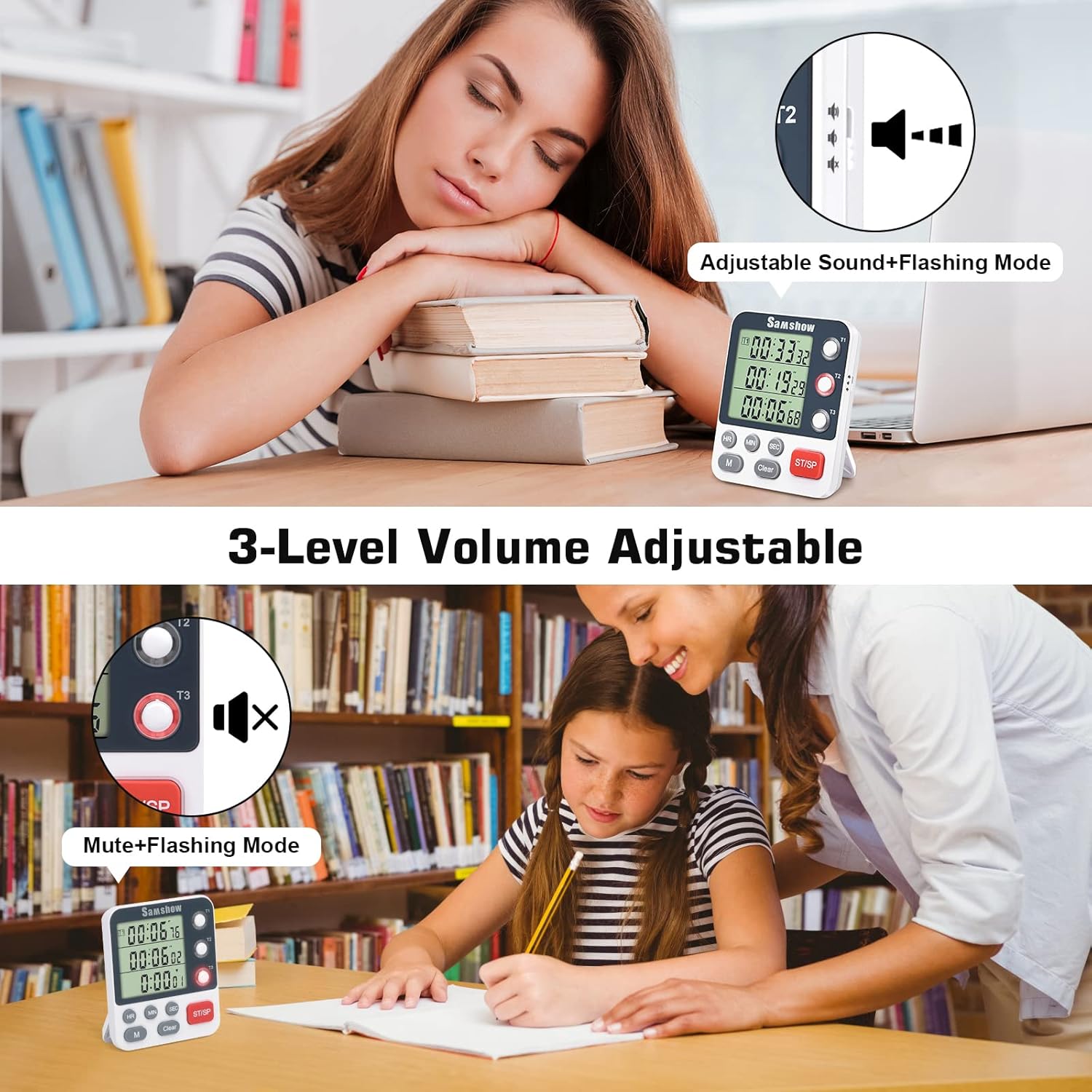
Image: The timer demonstrating adjustable sound and flashing light modes.
7. Placement Options
The timer offers multiple convenient placement options:
- Magnetic Attachment: Three powerful magnets on the back allow you to securely attach the timer to metal surfaces such as refrigerators, ovens, or whiteboards.
- Tabletop Stand: A foldable kickstand on the back enables the timer to stand upright on any flat surface, like a kitchen counter or desk.
- Hanging: A small hole at the top of the timer allows it to be hung on a hook or lanyard.

Image: The timer displayed in various positions, including on a tabletop stand, magnetically attached to a refrigerator, and hanging from a hook.
8. Maintenance
- Cleaning: Wipe the timer with a soft, damp cloth. Do not use abrasive cleaners or immerse the device in water.
- Battery Replacement: Replace batteries when the display dims or the timer functions become unreliable. Always use fresh AAA batteries.
- Storage: If storing for an extended period, remove the batteries to prevent leakage.
9. Troubleshooting
- Timer not responding: Check if batteries are correctly installed and have sufficient power. Replace if necessary.
- Display is dim or blank: Batteries may be low or depleted. Replace with new AAA batteries.
- Alarm is too quiet or not sounding: Ensure the volume switch on the side is not set to 'Mute'. Adjust to 'Low' or 'High' as needed.
- Cannot clear timer to zero: If a timer is running or paused, press the Clear button to reset it to 0:00:00. If the timer is counting up after a countdown, pressing Clear will reset it.
10. Specifications
| Feature | Detail |
|---|---|
| Brand | Samshow |
| Model | 318timer |
| Material | Acrylonitrile Butadiene Styrene |
| Product Dimensions | 0.9"D x 3.15"W x 3.74"H |
| Number of Channels | 3 |
| Max Timer Duration | 99 hours, 59 minutes, 59 seconds |
| Power Source | 2 x AAA Batteries (Included) |
| Alarm Volume Levels | High, Medium, Mute |
| Placement Options | Magnetic back, Tabletop stand, Hanging hole |
11. Warranty and Support
For any questions, concerns, or technical support regarding your Samshow Digital Dual Kitchen Timer, please refer to the contact information provided with your purchase or visit the official Samshow website. Keep your purchase receipt for warranty claims.