
Introduction
Thank you for choosing the DEVIA Stereo Lifestyle Portable Bluetooth Speaker, Model EM045-BK. This manual provides detailed instructions for the safe and efficient use of your new speaker. Please read this manual thoroughly before operating the device and retain it for future reference.
Product Overview
The DEVIA EM045-BK is a portable Bluetooth speaker designed to deliver high-fidelity stereo sound with dual speakers and built-in microphones for hands-free calling. It supports multiple playback modes including Bluetooth, TF card, AUX input, and USB drive.
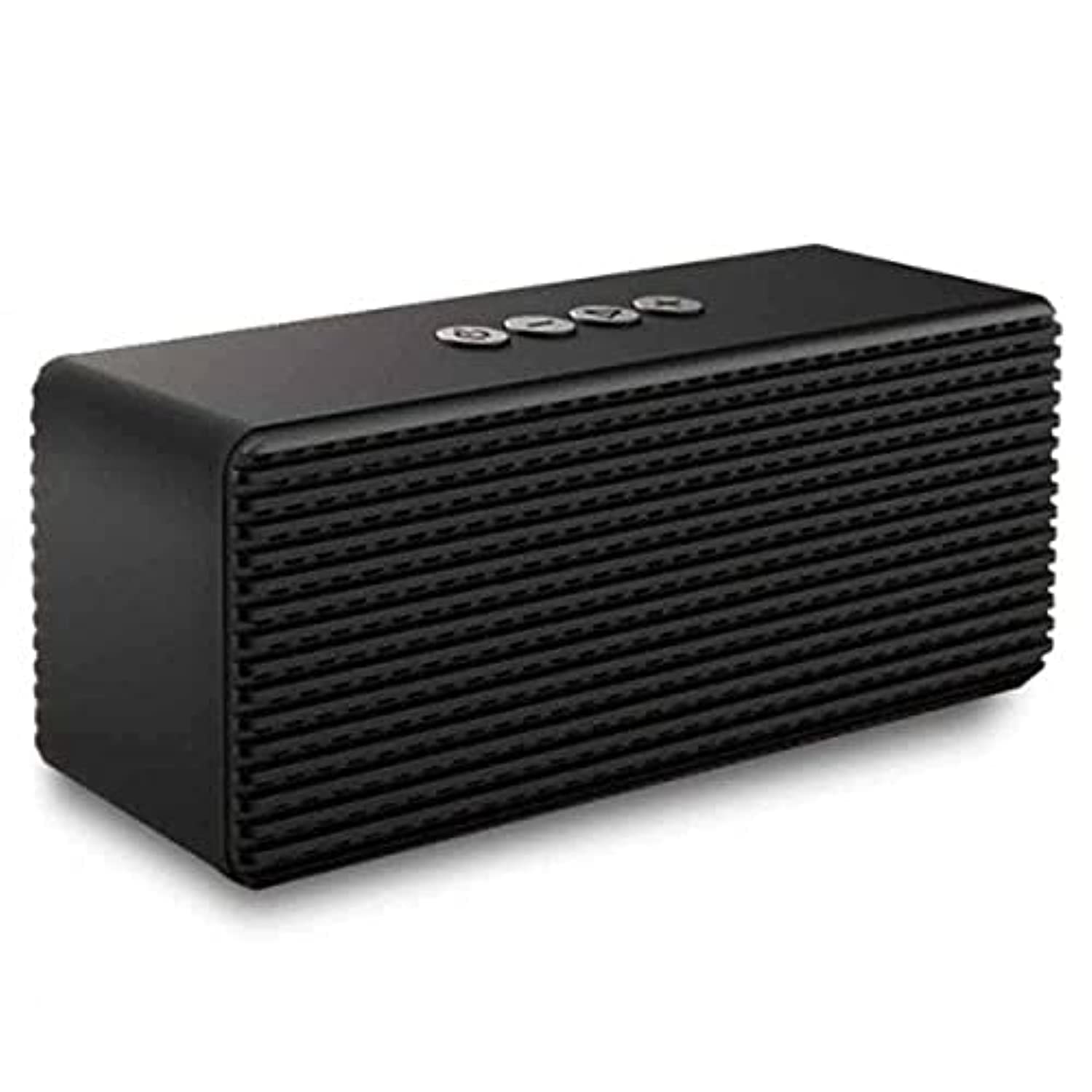
Figure 1: Top view of the DEVIA EM045-BK speaker, illustrating the power, volume, and playback control buttons.

Figure 2: Rear view of the DEVIA EM045-BK speaker, highlighting the USB port, TF card slot, and AUX input.
Key Features:
- Dual speakers with bass tone enhancement.
- Built-in microphones for hands-free calling.
- Hi-Fi stereo sound effect with noise reduction.
- Bluetooth V4.2 for stable wireless connection.
- Multiple playback modes: Bluetooth, TF card, AUX, USB.
- Portable design with an integrated handle.
- Up to 6 hours of music playback on a single charge.
Setup
Charging the Speaker:
- Connect the provided USB charging cable to the speaker's charging port.
- Connect the other end of the USB cable to a compatible USB power adapter (not included) or a computer's USB port.
- The charging indicator light will illuminate, typically red, during charging.
- Once fully charged (approximately 3 hours), the indicator light may change color or turn off.
Note: Ensure the speaker is fully charged before first use to maximize battery life.
Operating Instructions
Power On/Off:
- To power on, press and hold the power button (⑁) for a few seconds until you hear an audible prompt.
- To power off, press and hold the power button (⑁) again for a few seconds.
Bluetooth Pairing:
- Ensure the speaker is powered on and in Bluetooth pairing mode (a blue indicator light may flash rapidly).
- On your device (smartphone, tablet, etc.), enable Bluetooth and search for available devices.
- Select "DEVIA EM045-BK" from the list of found devices.
- Once paired, you will hear a confirmation sound, and the blue indicator light will typically stop flashing and remain solid.
Note: The speaker will automatically attempt to reconnect to the last paired device when powered on.
Music Playback (Bluetooth/TF Card/AUX/USB):
- Bluetooth Mode: After successful pairing, play music from your connected device.
- TF Card Mode: Insert a TF (MicroSD) card with audio files into the TF card slot. The speaker will automatically switch to TF card mode and begin playback.
- AUX Mode: Connect an audio device using a 3.5mm AUX cable to the speaker's AUX input. The speaker will switch to AUX mode.
- USB Mode: Insert a USB flash drive with audio files into the USB port. The speaker will automatically switch to USB mode and begin playback.
- Use the Mode button (if available, or cycle through inputs) to switch between playback sources.
Controls:
- Power Button (⑁): Press and hold to power on/off. Short press to play/pause in music mode, or answer/end calls.
- Volume Up (+): Short press to increase volume. Long press for next track.
- Volume Down (-): Short press to decrease volume. Long press for previous track.
- Mode Button (M): Short press to switch between Bluetooth, TF card, AUX, and USB modes.
Hands-Free Calling:
- When a call comes in while connected via Bluetooth, the music will pause.
- Press the Power/Play/Pause button (⑁) once to answer the call.
- Press the Power/Play/Pause button (⑁) again to end the call.
- To reject an incoming call, press and hold the Power/Play/Pause button (⑁).
Maintenance
- Clean the speaker with a soft, dry cloth. Do not use abrasive cleaners or solvents.
- Avoid exposing the speaker to extreme temperatures, direct sunlight, or high humidity.
- Do not immerse the speaker in water.
- Store the speaker in a cool, dry place when not in use for extended periods.
- Charge the battery at least once every three months to prevent deep discharge if not used regularly.
Troubleshooting
| Problem | Possible Cause | Solution |
|---|---|---|
| Speaker does not power on. | Low battery. | Charge the speaker for at least 3 hours. |
| Cannot pair via Bluetooth. | Speaker not in pairing mode; device Bluetooth off; too far from speaker. | Ensure speaker is in pairing mode. Turn on Bluetooth on your device. Move device closer to speaker (within 10 meters). Forget previous pairings on your device and try again. |
| No sound during playback. | Volume too low; incorrect mode selected; audio file issue. | Increase volume on both speaker and connected device. Ensure correct playback mode (BT/TF/AUX/USB) is selected. Test with a different audio file or source. |
| Poor sound quality. | Weak Bluetooth signal; low battery; interference. | Move device closer to speaker. Charge the speaker. Avoid obstacles between device and speaker. |
Specifications
| Brand: | DEVIA |
| Model Number: | EM045-BK |
| Connectivity Technology: | Wireless (Bluetooth V4.2), Wired (AUX) |
| Audio Output Mode: | Stereo |
| Material: | Acrylonitrile Butadiene Styrene (ABS) |
| Output Power: | 3W x 2 |
| Battery Capacity: | 3.7V / 1500mAh |
| Charging Time: | Approximately 3 hours |
| Playback Time: | Up to 6 hours |
| Safety Certifications: | CE, FCC, ROHS |
| Color: | Black |
Warranty and Support
DEVIA products are designed and manufactured to the highest quality standards. For warranty information and technical support, please refer to the warranty card included with your product or visit the official DEVIA website. Keep your purchase receipt as proof of purchase.
For further assistance, please contact DEVIA customer service through the contact information provided on their official website or your retailer.