
SWARK A1320
SWARK 616-0407 Battery Instruction Manual
Compatible with iPod Nano 5th Gen A1320
Introduction
This manual provides essential information for the safe and effective use of your SWARK 616-0407 Li-Polymer battery, designed as a replacement for the iPod Nano 5th Generation (Model A1320). Please read these instructions carefully before proceeding with installation or use.
Safety Information
WARNING: Potential for fire or burning. Do not disassemble, puncture, crush, heat, or burn the battery. Improper handling can lead to serious injury or damage.
- Keep the battery away from extreme heat sources, direct sunlight, and open flames.
- Do not expose the battery to water or other liquids.
- Do not short-circuit the battery terminals.
- Dispose of batteries according to local regulations. Do not dispose of in household waste.
- If the battery appears damaged, swollen, or leaks, discontinue use immediately and dispose of it safely.
What's in the Box
Your package should contain the following items:
- 1 x SWARK 616-0407 Li-Polymer Battery
- Set of installation tools (may include screwdrivers, prying tools, suction cup, pick)
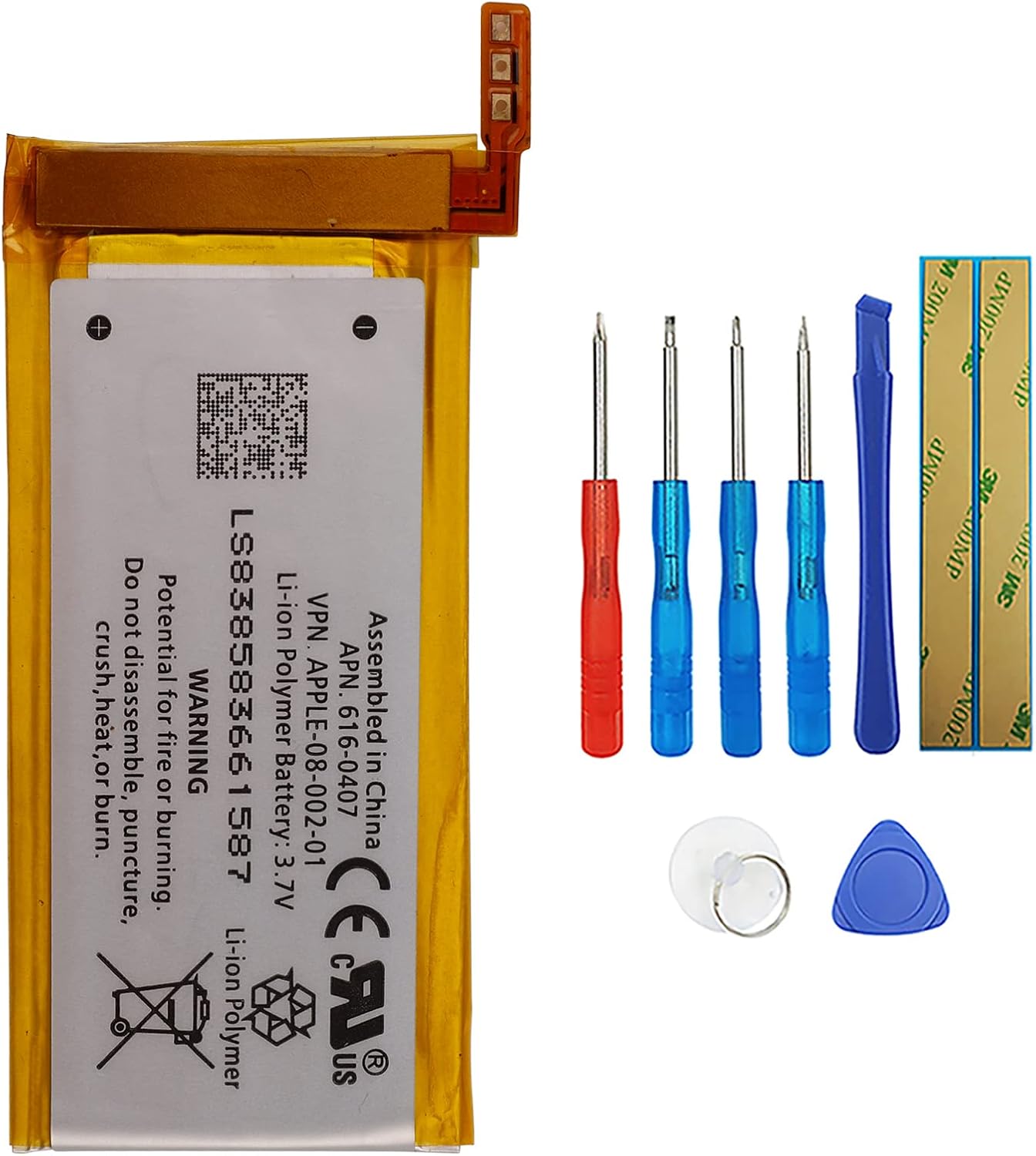
Image: The SWARK 616-0407 Li-Polymer battery alongside a set of small screwdrivers, prying tools, a suction cup, and a pick, which are typically included for installation.
Installation (Setup)
Replacing the battery in an iPod Nano 5th Generation (A1320) is a delicate process that requires precision and patience. It is highly recommended to consult detailed video guides or professional repair services if you are not confident in your ability to perform this repair.
Required Tools:
- Small Phillips head screwdriver
- Prying tools (plastic spudger or guitar pick)
- Tweezers (optional, for handling small components)
- Heat gun or hairdryer (optional, to loosen adhesive)
General Steps (Consult a detailed guide for specifics):
- Power Off Device: Ensure your iPod Nano is completely powered off before beginning.
- Disassembly: Carefully open the iPod Nano casing. This often involves prying open the front panel or separating the back casing. Be aware of delicate ribbon cables connecting components.
- Disconnect Old Battery: Locate the existing battery and its connector. Gently disconnect the battery ribbon cable from the logic board.
- Remove Old Battery: The old battery may be adhered. Carefully pry it out, avoiding damage to other internal components.
- Install New Battery: Connect the new SWARK battery's ribbon cable to the logic board. Ensure it is seated correctly.
- Position Battery: Place the new battery securely within the device's housing.
- Reassembly: Carefully reassemble the iPod Nano, ensuring all cables are properly connected and the casing snaps back into place without force.
- Initial Charge: After reassembly, connect the iPod Nano to a power source and allow it to charge fully before first use.
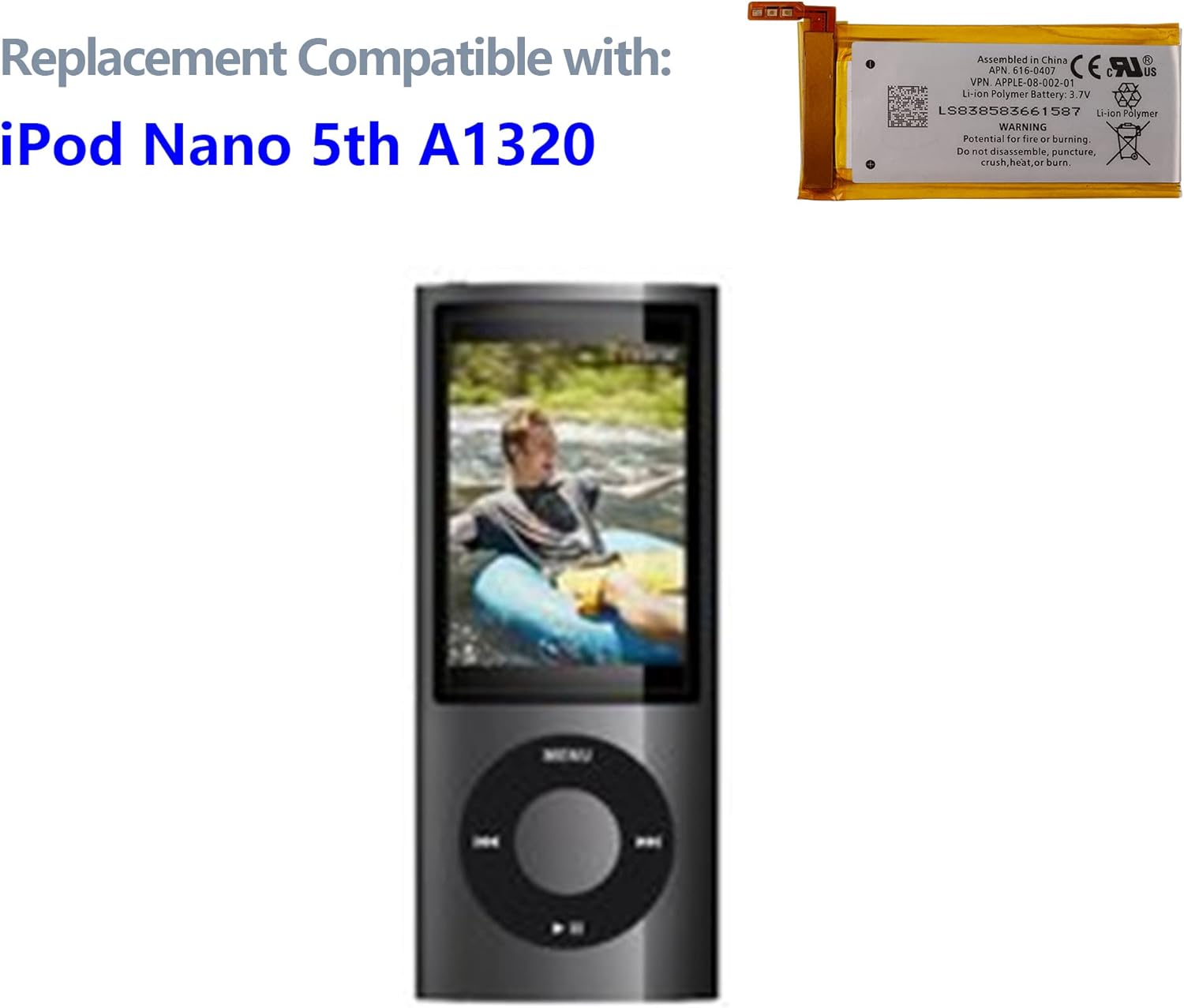
Image: An iPod Nano 5th Generation (A1320) shown next to the replacement battery, illustrating the device this battery is compatible with.
Operating
Once the new battery is installed, your iPod Nano should function as expected. The battery is a Li-Polymer type with a capacity of 240mAh. For optimal performance:
- First Use: Fully charge the battery before its first use.
- Charging: Use the original or a certified compatible charger for your iPod Nano.
- Usage: The battery provides power for the device's normal operations, including music playback, video playback, and navigation.
Maintenance
Proper maintenance can extend the lifespan of your battery:
- Avoid Extreme Temperatures: Do not expose the device with the new battery to very high or very low temperatures.
- Regular Charging: Avoid completely draining the battery frequently. Charge it regularly.
- Storage: If storing the device for an extended period, charge the battery to about 50% before storage. Recharge it every few months to prevent deep discharge.
- Cleaning: Keep the device and charging port clean and free of debris.
Troubleshooting
| Problem | Possible Cause | Solution |
|---|---|---|
| Device does not power on after battery replacement. | Battery not properly connected; device components damaged during installation. | Ensure battery ribbon cable is securely connected. Recheck all internal connections. If issues persist, professional inspection may be required. |
| Battery not charging. | Faulty charger/cable; charging port issue; battery connection issue. | Try a different charger and cable. Inspect the charging port for debris. Verify battery connection internally. |
| Battery drains quickly. | High usage; background processes; battery calibration needed. | Reduce screen brightness. Close unnecessary applications. Perform a full charge/discharge cycle to calibrate the battery. |
Specifications
| Feature | Detail |
|---|---|
| Product Type | Li-Polymer Battery |
| Voltage | 3.7V |
| Capacity | 240mAh / 0.89Wh |
| Compatible Part Numbers | 616-0407 |
| Compatible Model | iPod Nano (5th Gen) Model A1320 |
| Item Weight | 1.76 ounces |
| Manufacturer | shenzhen thinkmap innovative energy co., ltd |

Image: A close-up view of the SWARK 616-0407 Li-Polymer battery, showing its specifications and warning labels.
Warranty and Support
For any questions or concerns regarding your SWARK battery, please contact the seller directly. The product typically comes with a return policy of 30 days for refund/replacement. Please refer to your purchase details for specific warranty terms.
If you find any package damaged, please send a picture to the seller. For other inquiries, the seller aims to reply within 24 hours.