
1. Introduction
The Pyle Digital Clip-On Chromatic Tuner (Model ACCPGATNR20) is a versatile and accurate tuning device designed for a variety of stringed instruments. Its compact and rotatable design ensures ease of use and clear visibility during tuning. This manual provides detailed instructions for setting up, operating, and maintaining your tuner.

Image 1: Pyle Digital Clip-On Chromatic Tuner and its retail packaging.
2. Package Contents
- Pyle Digital Clip-On Chromatic Tuner (ACCPGATNR20)
- User Manual
- Battery (typically CR2032, pre-installed or included separately)
3. Setup
3.1 Battery Installation
- Locate the battery compartment on the back of the tuner.
- Open the compartment cover.
- Insert the CR2032 battery with the positive (+) side facing up.
- Close the battery compartment securely.
3.2 Attaching the Tuner
- Gently open the clip mechanism.
- Attach the tuner securely to the headstock of your instrument. Ensure it is firmly clipped without obstructing strings or tuning pegs.
- Adjust the display angle for optimal viewing. The tuner features a 360-degree rotatable and 105-degree tiltable joint for convenience.

Image 2: The tuner clipped onto a guitar headstock, illustrating its adjustable and rotatable design.
4. Operating Instructions
4.1 Power On/Off
- To power on, press and hold the power button (usually marked with a power symbol) for approximately 2 seconds.
- To power off, press and hold the power button for approximately 2 seconds.
- The tuner features an automatic shut-off function to conserve battery life if no signal is detected for a period.

Image 3: Pressing the power button to operate the tuner.
4.2 Selecting Tuning Mode
- With the tuner powered on, short press the power button to cycle through the available tuning modes.
- The tuner supports various instruments, including Guitar (G), Bass (B), Violin (V), and Ukulele (U). It also includes a Chromatic (C) mode for general tuning.

Image 4: The tuner supports various instruments like guitar, violin, ukulele, and bass.
4.3 Tuning Your Instrument
- Select the appropriate tuning mode for your instrument.
- Pluck a single string on your instrument. The tuner will detect the vibration and display the note on its LCD screen.
- Observe the display:
- The central indicator will show if the note is flat (left), sharp (right), or in tune (center).
- The note name (e.g., E, A, D, G, B, E for guitar) and string number will be displayed.
- The backlight LCD display provides clear visibility in various lighting conditions.
- Adjust your instrument's tuning peg until the indicator is centered and the display shows the correct note for the string. The screen will typically turn green when in tune.

Image 5: Detailed view of the tuner's backlit LCD display, showing tuning indicators.
5. Maintenance
5.1 Cleaning
- Wipe the tuner with a soft, dry cloth.
- Do not use liquid cleaners or abrasive materials, as these may damage the device.
5.2 Battery Replacement
- When the display becomes dim or the tuner performs inconsistently, replace the battery following the steps in Section 3.1.
- Dispose of used batteries responsibly according to local regulations.
6. Troubleshooting
- Tuner does not power on: Ensure the battery is correctly installed and has sufficient charge. Replace the battery if necessary.
- Inaccurate or inconsistent readings:
- Ensure the tuner is securely clipped to the instrument's headstock.
- Verify that the correct tuning mode is selected for your instrument.
- Pluck strings clearly and individually, avoiding sympathetic vibrations from other strings.
- Check for excessive background noise that might interfere with detection.
- Display is dim: Replace the battery.
7. Specifications
| Feature | Specification |
|---|---|
| Model Number | ACCPGATNR20 |
| Tuning Modes | Chromatic (C), Guitar (G), Bass (B), Violin (V), Ukulele (U) |
| Detection Method | Vibration (Clip-on) |
| Display | Backlit LCD |
| Power Source | CR2032 Battery (included) |
| Automatic Shut-off | Yes |
| Rotatable Angle | 360 degrees |
| Tiltable Angle | 105 degrees |
| Dimensions (approx.) | 3.2" x 1.8" x 1.3" (8.1cm x 4.6cm x 3.3cm) |
| Weight (approx.) | 1.06 ounces (30g) |
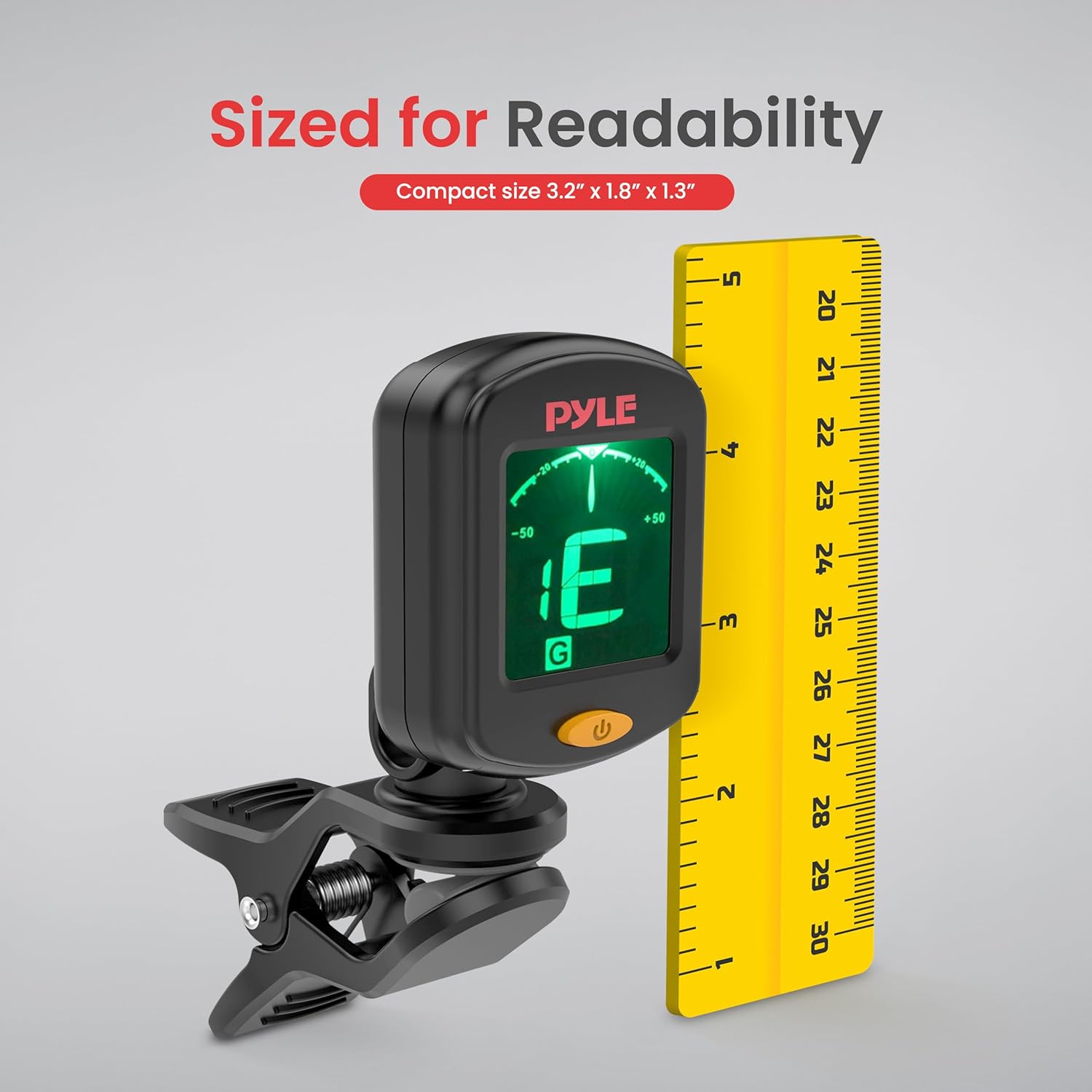
Image 6: The tuner's compact size for readability.
8. Warranty and Support
8.1 Warranty Information
For detailed warranty information regarding your Pyle Digital Clip-On Chromatic Tuner, please refer to the product packaging or visit the official Pyle website. Warranty terms and conditions may vary by region and retailer.
8.2 Customer Support
If you encounter any issues or have questions not covered in this manual, please contact Pyle customer support for assistance. Contact information can typically be found on the product packaging or the official Pyle website:
- Pyle Official Website: www.pyleusa.com


