
Product Overview
The iBUYPOWER Pro Gaming PC TraceMR 231i is a high-performance desktop computer designed for gaming and multimedia use. It features an Intel i5-11400F processor, an NVIDIA GeForce RTX 2060 graphics card, 16GB of DDR4 RAM, and a 480GB SSD. The system comes pre-installed with Windows 11 Home 64-bit.
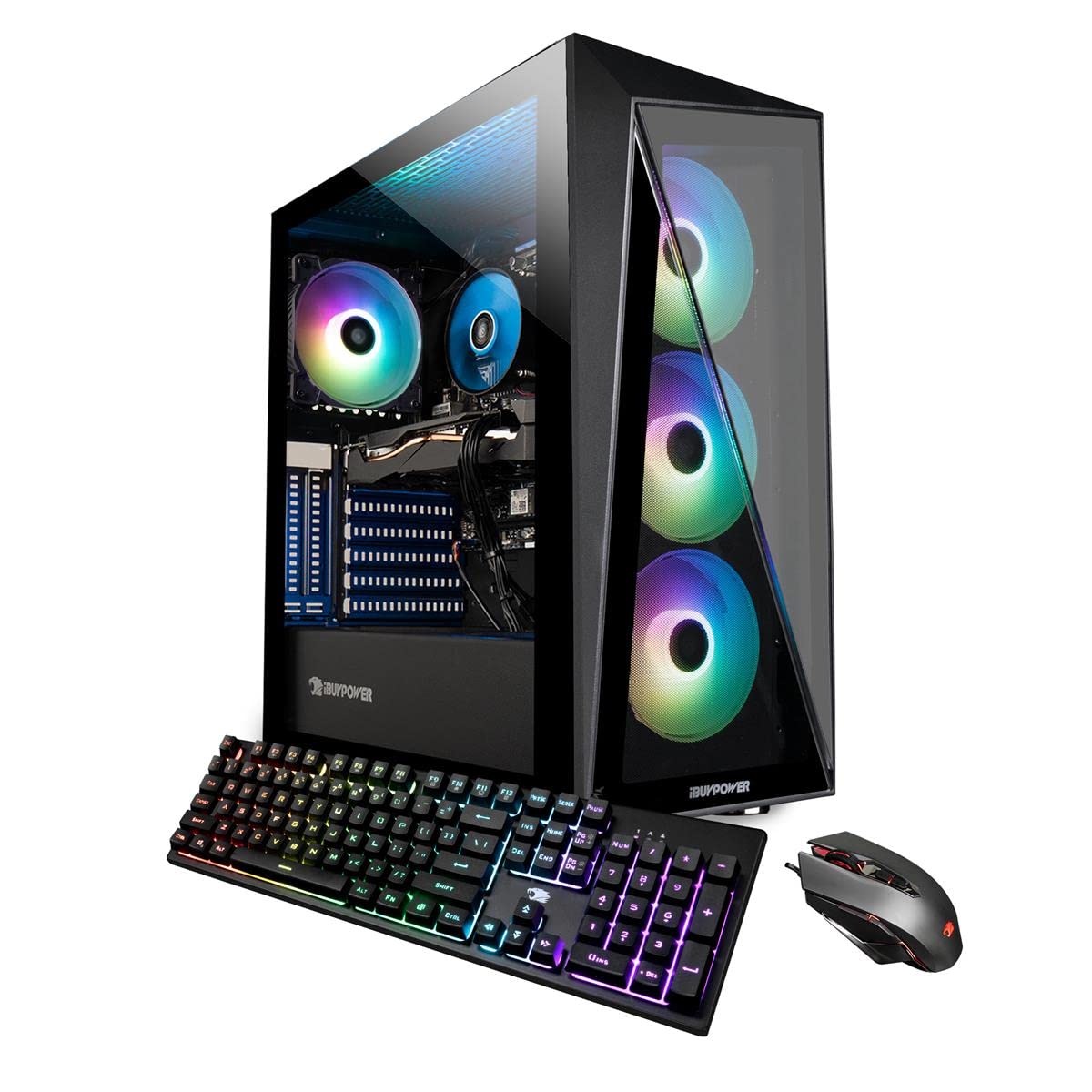
Image: The iBUYPOWER TraceMR 231i gaming PC tower displayed alongside a monitor, keyboard, and mouse, showcasing a complete desktop setup.
Key Features:
- Processor: Intel i5-11400F 2.6GHz (4.4Hz Max Turbo)
- Graphics Card: NVIDIA GeForce RTX 2060 6GB
- Memory: 16GB DDR4 RAM
- Storage: 480GB SSD
- Operating System: Genuine Windows 11 Home 64-bit
- Connectivity: 4 x USB 3.1, 1x RJ-45 Network Ethernet 10/100/1000, 7.1 Channel Audio, 802.11AC Wi-Fi
- Case: Tempered Glass RGB Gaming Case with 16 Color RGB Lighting
- Included Peripherals: iBuyPower Gaming Keyboard and RGB Gaming Mouse
Setup Instructions
1. Unboxing and Initial Inspection
Carefully remove the PC and all accessories from the packaging. Inspect for any visible damage. Retain all packaging materials for future transportation or warranty claims.
Video: An official iBUYPOWER guide demonstrating the unboxing process and initial setup steps for a gaming PC, including removal of internal foam packing.
Important: Before powering on, open the side panel of the PC case and carefully remove any internal foam packing material. This material is placed inside the case to protect components during shipping and must be removed to ensure proper airflow and prevent damage.

Image: An internal view of the iBUYPOWER TraceMR 231i PC, highlighting the motherboard, CPU cooler, graphics card, and RAM modules.
2. Connecting Peripherals
- Monitor: Connect your monitor to the graphics card's HDMI or DisplayPort output. Ensure the cable is securely fastened.
- Keyboard and Mouse: Connect the included gaming keyboard and mouse to any available USB ports on the rear of the PC.
- Power: Connect the power cord to the PC's power supply unit (PSU) and then to a wall outlet or surge protector.
- Network: For wired internet, connect an Ethernet cable to the RJ-45 port. For wireless internet, the PC is 802.11AC Wi-Fi ready.
- Audio: Connect speakers or headphones to the appropriate audio jacks.

Image: A rear view of the iBUYPOWER TraceMR 231i PC, illustrating the available connectivity ports including USB, Ethernet, and video outputs.
3. First Power On
Press the power button located on the top or front of the PC case. The system will boot up and guide you through the initial Windows 11 setup process. Follow the on-screen instructions to configure your operating system, create a user account, and connect to your network.
Operating Instructions
Windows 11 Home
Your iBUYPOWER PC comes with Windows 11 Home pre-installed. Familiarize yourself with the Windows interface, Start Menu, and taskbar. For detailed information on Windows 11, refer to Microsoft's official documentation.
Using the Included Peripherals
- Keyboard: The included gaming keyboard features RGB lighting. Refer to the keyboard's specific manual (if provided) for instructions on customizing lighting effects and programming macros.
- Mouse: The RGB gaming mouse offers adjustable DPI settings and customizable lighting. Consult the mouse's manual for advanced configuration options.

Image: The iBUYPOWER TraceMR 231i PC tower showcasing its illuminated RGB fans through the tempered glass side panel.
Maintenance
Cleaning Your PC
- Exterior: Use a soft, dry, anti-static cloth to wipe down the exterior of the case. Avoid abrasive cleaners or solvents.
- Interior: Periodically, with the PC powered off and unplugged, use compressed air to clear dust from fans, heatsinks, and vents. This helps maintain optimal cooling performance.
Software Updates
Regularly update your operating system, graphics drivers, and other software to ensure system stability, security, and optimal performance. Windows Update can be accessed through the Settings menu. Graphics drivers can be updated via the NVIDIA GeForce Experience application or NVIDIA's official website.
Troubleshooting
This section provides general guidance for common issues. For specific or persistent problems, contact iBUYPOWER technical support.
- No Display:
- Ensure the monitor is powered on and connected to the graphics card (not the motherboard's integrated graphics ports).
- Check that all power cables are securely connected.
- System Not Powering On:
- Verify the power cable is firmly connected to both the PC and the wall outlet.
- Ensure the power switch on the PSU (located at the back of the PC) is in the 'ON' position.
- Blue Screen Errors (BSOD):
- Blue Screen of Death errors can indicate hardware or software issues. Note any error codes displayed.
- Try restarting the system. If the issue persists, ensure all drivers are updated and consider running Windows diagnostic tools.
- If frequent, contact technical support.
- Peripherals Not Responding:
- Try connecting the keyboard or mouse to a different USB port.
- Ensure drivers for the peripherals are installed and up to date.
Specifications
| Component | Detail |
|---|---|
| Brand | iBUYPOWER |
| Model Number | 231i |
| Operating System | Windows 11 Home |
| CPU Model | Intel Core i5-11400F |
| CPU Speed | 2.6 GHz (Max Turbo 4.4 GHz) |
| Graphics Coprocessor | NVIDIA GeForce RTX 2060 6GB GDDR6 |
| RAM Memory Installed | 16 GB DDR4 (3000 MHz) |
| Memory Storage Capacity | 480 GB SSD |
| Connectivity Technology | Ethernet, USB, Wi-Fi (802.11ac) |
| USB Ports | 4 x USB 3.1 |
| Video Output Interface | HDMI |
| Audio Output | 7.1 Channel |
| Cooling Method | Air |
| Power Consumption | 250 Watts |
| Dimensions (L x W x H) | 438mm (17.3") x 210mm (8.3") x 455mm (17.9") |
| GTIN | 848604042626 |

Image: The iBUYPOWER TraceMR 231i PC tower with its physical dimensions (depth, width, height) clearly labeled in millimeters and inches.
Warranty and Support
Your iBUYPOWER TraceMR 231i PC comes with a 1-Year Parts and Labor Warranty. Additionally, Free Lifetime US Technical Support is provided.
For technical assistance, warranty claims, or further inquiries, please contact iBUYPOWER customer support. Refer to the documentation included with your PC for specific contact information or visit the official iBUYPOWER website.
You can also visit the iBUYPOWER Store on Amazon for more product information and support resources.


