
Ridgemonkey RM469
Ridgemonkey Hunter 750 Bait Boat - RM469 User Manual
Model: RM469 | Brand: Ridgemonkey
1. Product Overview
The Ridgemonkey Hunter 750 Bait Boat (Model RM469) is a compact, remote-controlled vessel designed for precise bait deployment in fishing applications. It features a durable plastic construction and is powered by a Lithium-Ion Polymer battery system, offering a water and dust resistant remote control for reliable operation.

Image 1.1: The Ridgemonkey Hunter 750 Bait Boat, a compact remote-controlled vessel for bait delivery.
This manual provides essential information for the safe and effective use of your bait boat, including setup, operation, maintenance, and troubleshooting.
2. Safety Information
Always adhere to the following safety guidelines to prevent injury or damage to the product:
- Do not operate the bait boat in strong currents or adverse weather conditions.
- Ensure the boat is fully charged before each use to avoid loss of control.
- Keep hands and loose clothing clear of propellers when the boat is powered on.
- Avoid operating the boat near swimmers, wildlife, or other watercraft.
- Do not submerge the remote control; it is water and dust resistant, not waterproof.
- Store the boat and batteries in a cool, dry place away from direct sunlight and extreme temperatures.
- This product is intended for use by individuals familiar with remote-controlled devices and fishing practices.
3. Package Contents
Verify that all items listed below are present in your package:
- Ridgemonkey Hunter 750 Bait Boat
- Remote Control
- Extra Batteries (Lithium-Ion Polymer)
- USB Cable
- Charger

Image 3.1: Included Lithium-Ion Polymer batteries for the bait boat.
4. Setup
4.1 Charging the Batteries
- Connect the charger to a suitable power outlet.
- Use the provided USB cable to connect the batteries to the charger.
- Allow the batteries to charge fully before first use. Refer to the charger's indicator lights for charging status.
- Once charged, disconnect the batteries and store them safely until needed.
4.2 Installing Batteries in the Boat
- Locate the battery compartments on the underside or rear of the bait boat.
- Carefully insert the charged Lithium-Ion Polymer batteries, ensuring correct polarity.
- Securely close the battery compartment covers to maintain water resistance.
4.3 Remote Control Preparation
- Ensure the remote control's internal battery is charged using the provided USB cable.
- Power on the remote control.
- Power on the bait boat. The boat and remote should automatically pair. Refer to the remote control's indicator lights for connection status.
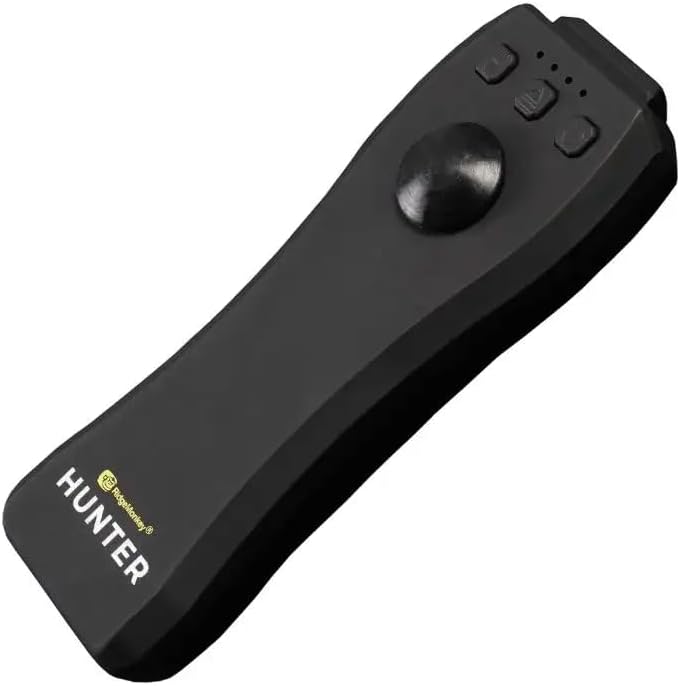
Image 4.1: The water and dust resistant remote control for the Hunter 750 Bait Boat.
5. Operating Instructions
5.1 Basic Controls
Familiarize yourself with the remote control's functions:
- Joystick/Directional Control: Controls forward, reverse, left, and right movement of the boat.
- Bait Hopper Release Button: Activates the mechanism to open the bait hopper and release bait.
- Light Control Button: Toggles navigation lights (if equipped).
- Power Button: Turns the remote control on/off.
5.2 Loading Bait
- Ensure the bait boat is powered off and on a stable surface.
- Open the bait hopper(s) manually.
- Carefully place your desired bait into the hopper(s). Do not overload. The boat is designed to carry a specific weight; exceeding this can affect performance and stability.
- Close the hopper(s) securely.
5.3 Launching and Navigation
- Gently place the bait boat onto the water surface.
- Ensure the remote control is powered on and connected to the boat.
- Use the joystick to navigate the boat to your desired baiting spot. Start with slow, controlled movements.
- Once at the target location, press the bait hopper release button on the remote control to deploy the bait.
- Navigate the boat back to shore.
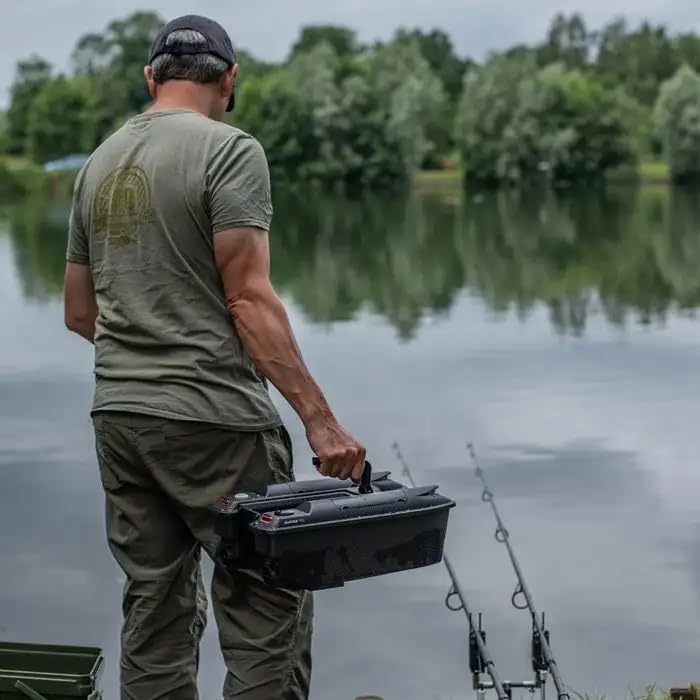
Image 5.1: A user preparing to launch the Ridgemonkey Hunter 750 Bait Boat for fishing.
6. Maintenance
Regular maintenance ensures the longevity and optimal performance of your bait boat:
- Cleaning: After each use, wipe down the boat with a damp cloth to remove any water, dirt, or bait residue. Ensure all surfaces are dry before storage.
- Propeller Inspection: Periodically check the propellers for any debris (e.g., fishing line, weeds) that may impede their rotation. Remove any obstructions carefully.
- Battery Care:
- Do not overcharge or completely discharge the Lithium-Ion Polymer batteries.
- If storing for extended periods, charge batteries to approximately 50% capacity.
- Store batteries in a cool, dry place.
- Storage: Store the bait boat in its original packaging or a protective case in a dry, temperate environment, away from direct sunlight.
7. Troubleshooting
Refer to the table below for common issues and their solutions:
| Problem | Possible Cause | Solution |
|---|---|---|
| Boat does not respond to remote control. | Low battery in boat or remote; not paired; out of range. | Charge batteries; ensure both devices are powered on and within range; re-pair if necessary (refer to remote control instructions). |
| Propellers not spinning or spinning slowly. | Debris tangled in propellers; low boat battery. | Power off boat and carefully remove debris; charge boat battery. |
| Bait hopper not opening. | Mechanism jammed; remote control issue. | Check for obstructions in the hopper mechanism; ensure remote control battery is sufficient and button is functioning. |
| Short operating time. | Batteries not fully charged; aging batteries. | Ensure full charge before use; consider replacing batteries if they no longer hold a charge. |
8. Specifications
| Feature | Detail |
|---|---|
| Brand | Ridgemonkey |
| Model Number | RM469 |
| Color | Black |
| Material Type | Plastic |
| Power Source | Battery Powered |
| Battery Type | Lithium-Ion Polymer |
| Remote Control Features | Water and dust resistant |
| Included Components | Extra Batteries, USB Cable, Charger |
9. Warranty and Support
For information regarding warranty coverage, technical support, or replacement parts, please refer to the official Ridgemonkey website or contact their customer service department. Keep your proof of purchase for any warranty claims.
Note: Specific warranty terms may vary by region and retailer.