
1. Introduction
This manual provides essential information and instructions for the Boer Hermes KMS-261 and KMS-262 series laser lenses, designed as replacement optical pickup units for various Sony MiniDisc (MD) players. These components are crucial for reading data from MiniDiscs. Proper handling and installation are vital for optimal performance and longevity.
2. Safety Information
Please read and adhere to the following safety guidelines to prevent damage to the product and ensure safe handling:
- Do not touch the laser diode or its peripheral components. Direct contact can cause damage to the sensitive optical parts.
- Do not attempt to test the laser diode or the instrument's laser component directly. Improper testing can permanently damage the unit.
- It is strongly recommended to use appropriate welding tools to remove any anti-static protection from the laser components prior to installation. Failure to do so can result in electrostatic discharge (ESD) damage.
3. Product Overview
The Boer Hermes KMS-261/KMS-262 series laser lens is a precision optical component responsible for reading data from MiniDiscs. It is a direct replacement part for compatible Sony MD players.
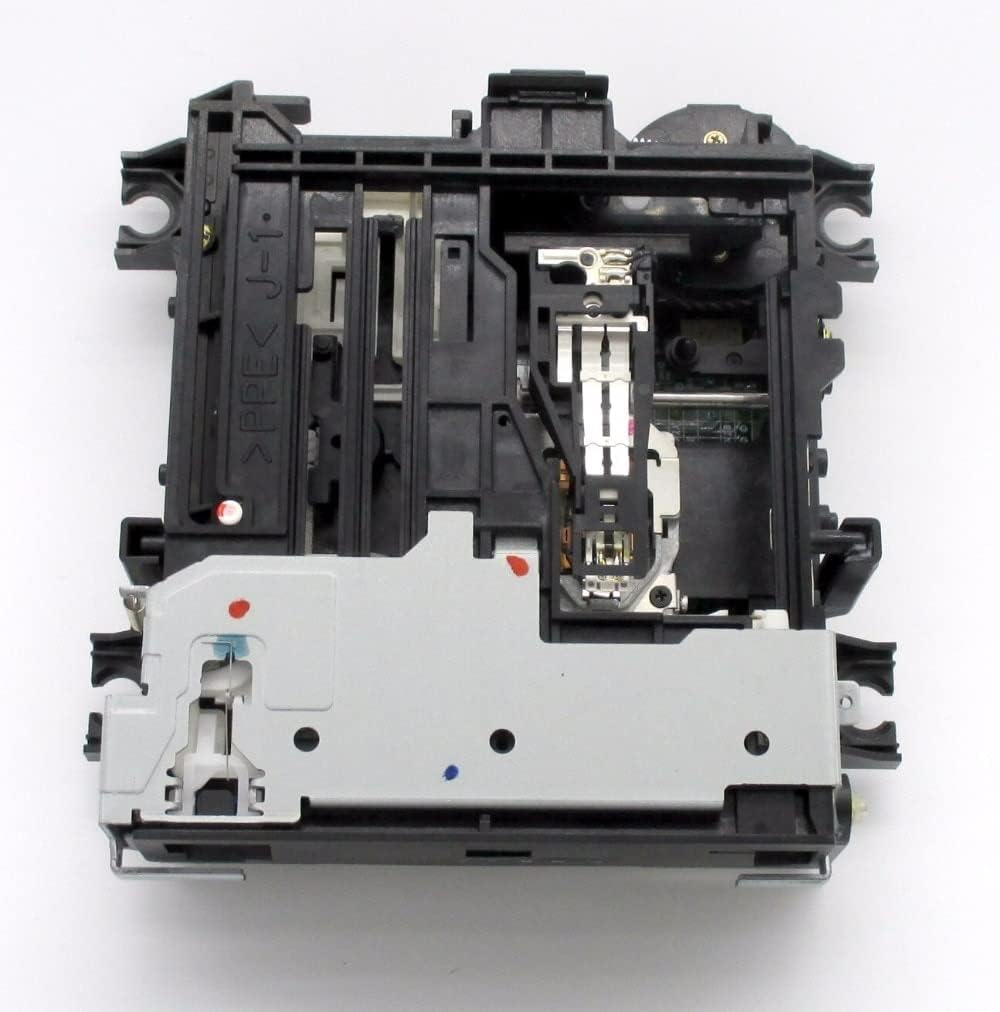
Figure 1: Top view of the KMS-261/KMS-262 series laser lens assembly, showing the optical pickup unit and mechanical frame. This image illustrates the primary structure of the replacement part.
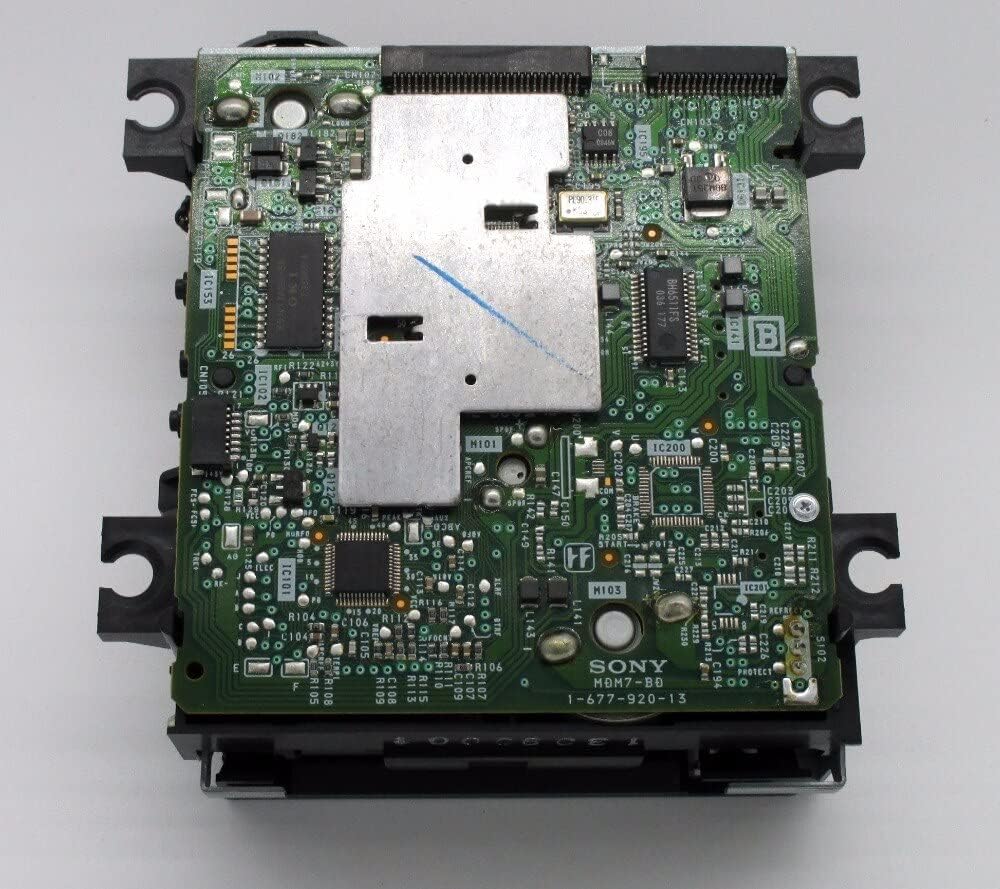
Figure 2: Bottom view of the KMS-261/KMS-262 series laser lens assembly, revealing the circuit board and electronic connections. This view highlights the intricate electronic components.
4. Setup and Installation
Installation of this laser lens requires technical expertise and specialized tools. It is recommended that installation be performed by a qualified technician to avoid damage to the component or the MiniDisc player.
- Preparation: Ensure the MiniDisc player is powered off and disconnected from all power sources. Work in a clean, static-free environment.
- Disassembly: Carefully disassemble the MiniDisc player according to its service manual to access the existing optical pickup unit.
- Anti-Static Removal: Before handling the new laser lens, ensure any anti-static solder points or protective coatings are carefully removed using appropriate soldering equipment. Refer to the safety information in Section 2.
- Replacement: Gently remove the old optical pickup unit and install the new Boer Hermes laser lens, ensuring all connections are secure and correctly aligned.
- Reassembly: Reassemble the MiniDisc player, taking care not to pinch any wires or misalign components.
5. Operation
Once correctly installed, the laser lens operates automatically as an integral part of the MiniDisc player's disc reading mechanism. Its function is to accurately read data from MiniDiscs inserted into the player. No direct user interaction with the laser lens itself is required for operation.
6. Maintenance
The laser lens is a delicate optical component. Proper maintenance of the MiniDisc player can help prolong its lifespan:
- Keep the MiniDisc player in a clean, dust-free environment.
- Avoid exposing the player to extreme temperatures or humidity.
- Do not attempt to clean the laser lens directly with abrasive materials or solvents. If cleaning is necessary, use a specialized optical lens cleaner and a soft, lint-free cloth, or consult a professional.
7. Troubleshooting
If you experience issues after installing the new laser lens, consider the following:
- Disc Read Errors: Ensure the MiniDisc is clean and free of scratches. Verify that the laser lens was installed correctly and all connections are secure.
- Skipping or Intermittent Playback: This could indicate an issue with the laser lens alignment or a dirty lens. Recheck installation or consider professional inspection.
- No Disc Detected: Confirm that the anti-static protection was fully removed from the laser lens. Check all ribbon cable connections.
If problems persist, it is advisable to consult a qualified electronics repair technician.
8. Specifications
| Feature | Detail |
|---|---|
| Brand | Boer Hermes |
| Compatible Models | KMS-262A, KMS-262B, KMS-262E, KMS-261A, KMS-261E, KMS261A, KMS-261, KMS261E, KMS261 |
| Item Weight | 800 g |
| ASIN | B09LGVGTD8 |
| Date First Available | 10 November 2021 |
9. Warranty and Support
For warranty information or technical support regarding your Boer Hermes laser lens, please refer to the purchase documentation or contact your retailer. Due to the specialized nature of this component, professional installation is highly recommended, and improper installation may void any applicable warranty.