
Introduction
This manual provides comprehensive instructions for the safe and efficient use of your LITOSSA LS-FLEX-S1-Pro Neckband Bluetooth Headphones. Please read this manual thoroughly before using the product and retain it for future reference.
Package Contents
Verify that all items are present in the package:
- 1 x LITOSSA LS-FLEX-S1-Pro Bluetooth Headphones
- 1 x USB Type-C cable
- 3 pairs of ear tips (S/M/L)
- 1 x User Manual (this document)
Product Overview
The LITOSSA LS-FLEX-S1-Pro are neckband-style Bluetooth headphones designed for comfort and convenience, featuring magnetic auto ON/OFF functionality and IPX5 water resistance. Their soft, lightweight silicone neckband ensures comfortable wear for extended periods.

Image: LITOSSA LS-FLEX-S1-Pro Neckband Bluetooth Headphones, black color, showing the neckband and earbuds.

Image: Close-up view of the soft, shaped, and lightweight silicone neckband, highlighting its flexible design.
Setup
1. Charging the Headphones
Before first use, fully charge the headphones. Connect the supplied USB Type-C cable to the charging port on the neckband and the other end to a 5V/500mA USB power source.
- Charging time: Approximately 2 hours.
- A charging indicator light will show the charging status (e.g., red for charging, blue for fully charged). Refer to the specific LED indicator behavior in the Specifications section.
2. Powering On/Off and Pairing
The headphones feature a magnetic auto ON/OFF function.
- Power On: Separate the magnetic earbuds. The headphones will automatically power on and enter pairing mode (indicated by a flashing LED, typically blue/red).
- Pairing: On your device (smartphone, tablet, etc.), enable Bluetooth and search for "LITOSSA LS-FLEX-S1-Pro" (or similar name). Select it to connect. A voice prompt will confirm "Connected."
- Power Off: Bring the magnetic earbuds together. The headphones will automatically power off. A voice prompt will confirm "Power off."
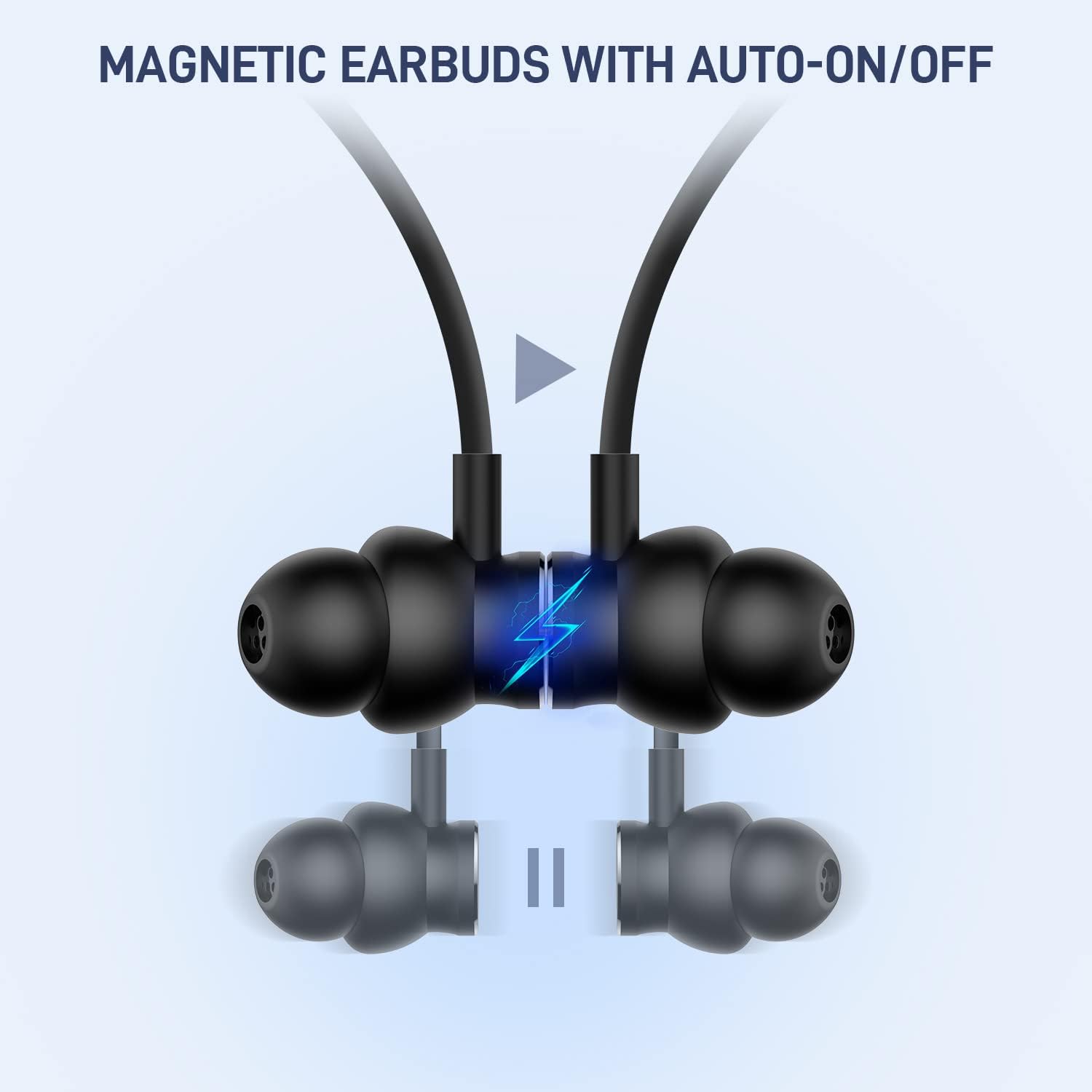
Image: Diagram illustrating the magnetic auto ON/OFF function of the earbuds. When separated, they power on; when connected, they power off.
Operating Instructions
Controls
The control buttons are located on the neckband. The typical layout includes a Multi-function Button (MFB) and Volume Up/Down buttons.
- Multi-function Button (MFB):
- Press once: Play/Pause music, Answer/End call.
- Press and hold (approx. 2 seconds): Reject incoming call.
- Double press: Redial last number.
- Volume Up (+) Button:
- Press once: Increase volume.
- Press and hold: Next track.
- Volume Down (-) Button:
- Press once: Decrease volume.
- Press and hold: Previous track.
Wearing the Headphones
Place the neckband around your neck and insert the earbuds comfortably into your ears. Choose the appropriate ear tip size for a secure fit and optimal sound quality.

Image: A woman wearing the LITOSSA neckband headphones, demonstrating proper fit and use during a work activity.
Usage Scenarios
The lightweight and comfortable design makes these headphones suitable for various activities, including travel, exercise, and office work.

Image: A collage showing the headphones being used in three different scenarios: traveling outdoors, during exercise, and in an office environment.
Call Quality
The headphones incorporate noise reduction technology to suppress environmental noise, ensuring clear calls in various settings.

Image: Infographic demonstrating the effectiveness of Super ENC noise reduction technology for clear calls, even in noisy environments like crowds or public transport.
Maintenance
Cleaning
- Wipe the headphones with a soft, dry, lint-free cloth.
- Do not use abrasive cleaners, solvents, or chemical agents.
- Regularly clean ear tips to prevent wax buildup, which can affect sound quality.
Storage
- When not in use, store the headphones in a cool, dry place, away from direct sunlight and extreme temperatures.
- Ensure the earbuds are magnetically connected to prevent accidental power-on and battery drain.
Water Resistance (IPX5)
The headphones are rated IPX5 water-resistant, meaning they can withstand splashes and sweat. They are not designed for submersion in water or use during swimming.
- Do not expose to running water or submerge.
- Ensure the charging port cover is securely closed when not charging to maintain water resistance.
Troubleshooting
- Headphones not powering on:
- Ensure the earbuds are separated.
- Charge the headphones fully.
- Cannot pair with device:
- Ensure Bluetooth is enabled on your device.
- Make sure the headphones are in pairing mode (LED flashing).
- Move the headphones closer to your device (within 10 meters).
- Forget/delete the headphones from your device's Bluetooth list and try pairing again.
- No sound or low volume:
- Increase the volume on both the headphones and your connected device.
- Ensure the headphones are properly connected to your device.
- Check for debris in the earbud nozzles and clean if necessary.
- Intermittent connection:
- Ensure there are no obstructions between the headphones and your device.
- Move away from other wireless devices that may cause interference.
- Ensure the headphones are within the 10-meter operating range.
Specifications
| Bluetooth Version | V5.0 |
| Input | 5 V ⎓ 500 mA |
| Charging Time | 2 Hours |
| Music Playtime | Up to 18 Hours |
| Call Duration | Up to 8 Hours |
| Standby Time | 280 Hours |
| Weight | 25 Grams |
| Impedance | 32 Ω |
| Driver Size | 8 mm × 2 (per earbud) |
| Frequency Response | 20-20KHz (Bluetooth Mode) |
| Wireless Range | 10 m / 33 ft |
| Water Resistance | IPX5 |
| Battery Capacity | 170 mAh |
| Battery Type | Lithium Polymer |
| Microphone | Built-In, Stereo |
| Material | Silicone |

Image: Infographic detailing battery performance: 170 mAh battery capacity, 8 hours call duration, 18 hours music time, and 280 hours standby duration.
Warranty and Support
LITOSSA provides a 2-year warranty for this product, covering manufacturing defects. For warranty claims, technical support, or any inquiries, please contact LITOSSA customer service.
- Warranty Period: 2 years from the date of purchase.
- Support: 7x24-hours after-sale service.
- Contact: Refer to the contact information provided on the product packaging or the official LITOSSA website.