
PIKAQTOP Gaming Chair
PIKAQTOP Racing Gaming Chair User Manual
Model: Gaming Chair
Introduction
Thank you for choosing the PIKAQTOP Racing Gaming Chair. This manual provides essential information for the assembly, operation, and maintenance of your new chair. Please read this manual thoroughly before assembly and use to ensure proper function and safety. This ergonomic gaming chair is designed to provide comfort and support for extended periods of use, whether for gaming or office work.
Important Safety Information
- Ensure all components are present and undamaged before assembly. Do not use if any parts are missing or broken.
- Assemble the chair on a soft, flat surface to prevent damage.
- Tighten all screws and bolts firmly, but do not overtighten. Re-tighten periodically.
- Do not stand on the chair.
- Do not use the chair as a step stool.
- Do not exceed the maximum weight recommendation of 250 pounds.
- Keep small parts away from children.
- Use the chair only for its intended purpose as a seating device.
Included Components
Please verify that all the following components are included in your package:
- 1 x Gaming Office Chair (disassembled)
- 1 x Instructions Manual (this document)
- 1 x Accessory Kit (containing screws, bolts, and tools)
Setup and Assembly
Follow these steps to assemble your PIKAQTOP Gaming Chair. It is recommended to have two people for assembly.
Base Assembly: Attach the five caster wheels to the chair base. Insert the gas lift cylinder into the center hole of the base.
Mechanism Attachment: Secure the seat mechanism to the underside of the seat cushion using the provided screws. Ensure the front of the mechanism aligns with the front of the seat.
Seat to Base: Place the assembled seat cushion onto the gas lift cylinder, ensuring it is securely seated.
Armrest Attachment: Attach the armrests to the sides of the seat cushion using the designated screws.
Backrest Attachment: Connect the backrest to the seat cushion and armrests using the remaining screws. Ensure all connections are firm.
Massage Unit Connection: Locate the USB cable for the massage function. This cable can be plugged into a USB power source (e.g., computer USB port, power bank, or USB adapter) to activate the lumbar massage feature. The massage function operates without a separate switch; simply plug it in.

Figure 1: Connecting the USB massage function. Final Check: Verify that all screws are tightened and the chair is stable before use.
Operating Instructions
Your PIKAQTOP Gaming Chair offers several adjustable features for personalized comfort:
Adjustable Height: Use the lever located under the seat on the right side to adjust the chair's height. Pull the lever up to raise the chair (when no weight is on it) or lower it (when seated). Release the lever to lock the height.

Figure 2: Rocking function and recliner adjustment. Flex Control / Rocking Function: The chair features a rocking function with a locking system. Use the knob under the seat to adjust the tension of the rocking motion. Turn clockwise to increase tension (less rocking) and counter-clockwise to decrease tension (more rocking). The same lever used for height adjustment can also lock or unlock the rocking function. Push the lever in to lock the chair in an upright position, and pull it out to allow rocking.
Recliner Function: The chair allows for a recline angle of 0 to 20 degrees, providing flexibility for different postures.
360-Degree Swivel: The chair is equipped with a 360-degree swivel function, allowing for easy rotation in any direction without moving the base.
Lumbar Massage Function: The integrated lumbar massage feature provides vibration to help alleviate fatigue. Connect the chair's USB cable to a compatible USB power source. The massage will activate automatically upon connection. Disconnect the USB cable to turn off the massage.
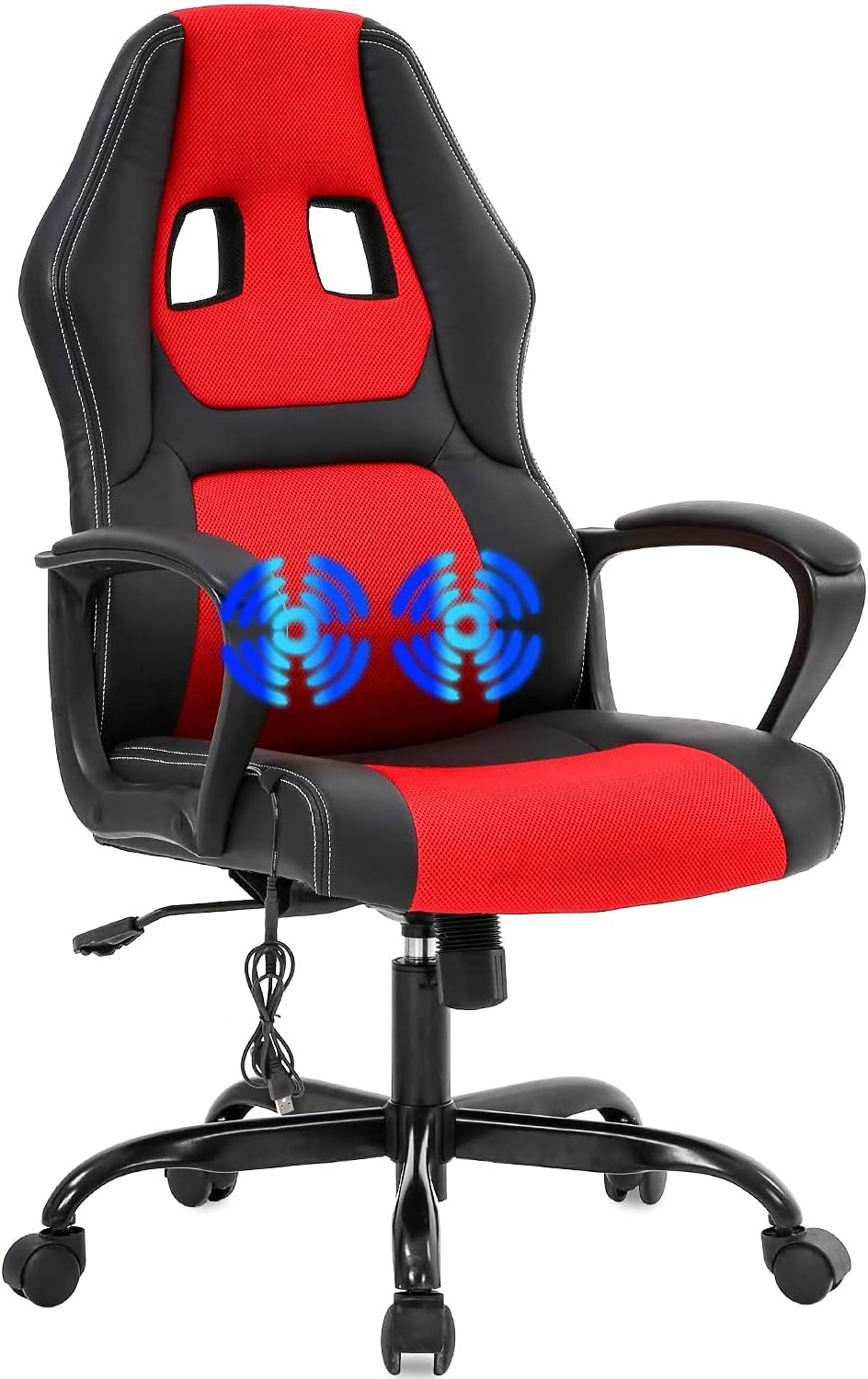
Figure 3: Lumbar massage feature in operation.
Product Overview

The chair's design incorporates an ergonomic body-hugging curve to provide optimal support for the neck, back, lumbar, and hip areas, promoting a comfortable sitting posture.
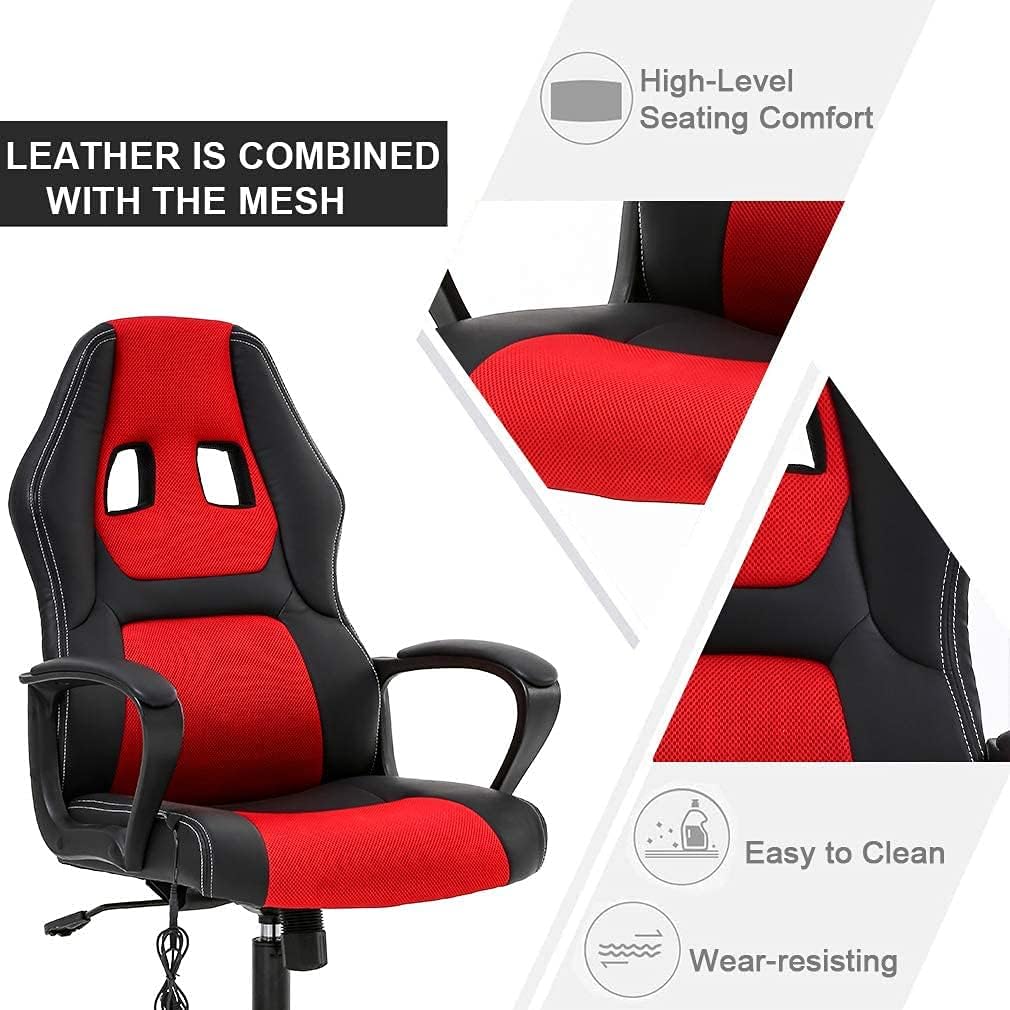
Constructed with high-quality PU leather combined with breathable mesh, the chair offers high-level seating comfort, is easy to clean, and is designed for wear resistance.
Product Videos
Video 1: Overview of the Racing Gaming Chair with Massage Lumbar Support, demonstrating its features and adjustments.
Video 2: Detailed demonstration of the Racing Gaming Chair's ergonomic design and office chair functionalities.
Maintenance
Cleaning: Wipe clean with a damp cloth. Avoid harsh chemicals or abrasive cleaners that may damage the PU leather or mesh fabric.
Regular Checks: Periodically check all screws and bolts to ensure they remain tight. Re-tighten as necessary to maintain stability and safety.
Caster Care: Keep the caster wheels free of hair and debris to ensure smooth rolling.
Troubleshooting
| Problem | Possible Cause | Solution |
|---|---|---|
| Chair is wobbly or unstable. | Loose screws or bolts. | Check and tighten all assembly screws and bolts. |
| Chair height adjustment not working. | Gas lift cylinder issue or lever malfunction. | Ensure the lever is fully engaged. If the issue persists, contact customer support. |
| Caster wheels not rolling smoothly. | Debris caught in wheels or damaged casters. | Clean any debris from the wheels. If damaged, replacement casters may be needed. |
| Lumbar massage not working. | USB cable not connected or power source issue. | Ensure the USB cable is securely plugged into a working USB power source. Try a different USB port or adapter. |
Product Specifications
| Feature | Detail |
|---|---|
| Brand | PIKAQTOP |
| Model Name | Gaming Chair |
| Color | Red |
| Product Dimensions | 19.3"D x 18.1"W x 45.7"H |
| Seat Depth | 18.1 inches |
| Item Weight | 28 pounds |
| Maximum Weight Recommendation | 250 Pounds |
| Furniture Finish | Leather (PU Leather) |
| Back Style | Solid Back |
| Arm Style | With arms (Linkage armrest) |
| Special Features | Adjustable Height, Durable, Lumbar Massage, Rocking Function, 360-Degree Swivel |
| Recommended Uses | Office, Gaming |
| Country of Origin | China |

Warranty and Support
For any questions, concerns, or support needs regarding your PIKAQTOP Gaming Chair, please contact our customer service. Our dedicated service staff is available to provide assistance and ensure your satisfaction.
Please refer to your purchase documentation for specific warranty details and contact information. You may also visit the official PIKAQTOP store on Amazon for further assistance and product information: PIKAQTOP Amazon Store.