
1. Introduction
This manual provides essential information for the installation, operation, maintenance, and troubleshooting of your PowerSpec PSX850 GFM-NRGB 850 Watt Fully Modular Power Supply. Please read this manual thoroughly before installation and retain it for future reference.
2. Safety Information
- Ensure the power supply is disconnected from the AC power outlet before installation or handling.
- Do not open the power supply unit. High voltages are present inside, and opening the unit will void the warranty.
- Install the power supply in a well-ventilated area, away from heat sources and direct sunlight.
- Use only the modular cables provided with this power supply. Using incompatible cables may damage the unit or connected components.
- This product is designed for use in personal computers. Do not use it for any other purpose.
3. Package Contents
Verify that all items are present in your package:
- PowerSpec PSX850 GFM-NRGB 850W Fully Modular Power Supply
- Modular Cable Set (including 24-pin ATX, CPU 4+4-pin, PCIe 6+2-pin, SATA, Molex, FDD connectors)
- AC Power Cord
- Mounting Screws
- User Manual (this document)

Image: PowerSpec PSX850 GFM-NRGB 850W Power Supply and its retail packaging.
4. Product Features
- 80 Plus Gold Certified: Achieves 90% efficiency or higher under typical loads, reducing energy waste and heat generation.
- Fully Modular Design: Allows connection of only necessary cables, improving airflow and simplifying cable management within the PC case.
- Japanese Capacitors: Utilizes high-quality Japanese capacitors for enhanced performance, reliability, and extended lifespan.
- 850W Continuous Power: Provides a stable and continuous 850 watts of power, suitable for high-performance systems.
- Active PFC Design: Features Active Power Factor Correction for improved power efficiency and stability.
- Single +12V Rail: Delivers strong and stable power to critical components like the CPU and GPU.
- 135mm Cooling Fan: Equipped with a large 135mm fan for effective heat dissipation while maintaining quiet operation.
- Zero RPM Fan Mode: The fan remains off at low to medium loads for near-silent operation, activating only when necessary.
- Compact Size: With dimensions of 160mm (L) x 150mm (W) x 86mm (H), it fits easily into most computer cases.
- Comprehensive Protections: Includes UVP (Under Voltage Protection), OVP (Over Voltage Protection), OCP (Over Current Protection), OPP (Over Power Protection), SCP (Short Circuit Protection), and OTP (Over Temperature Protection) for system safety.
- Intel ATX 12 Volt 2.5 & EPS 12V 2.92 Compliant: Ensures compatibility with modern PC standards.

Image: Detail of the PowerSpec PSX850 GFM-NRGB highlighting 80 Plus Gold certification and Japanese capacitors.
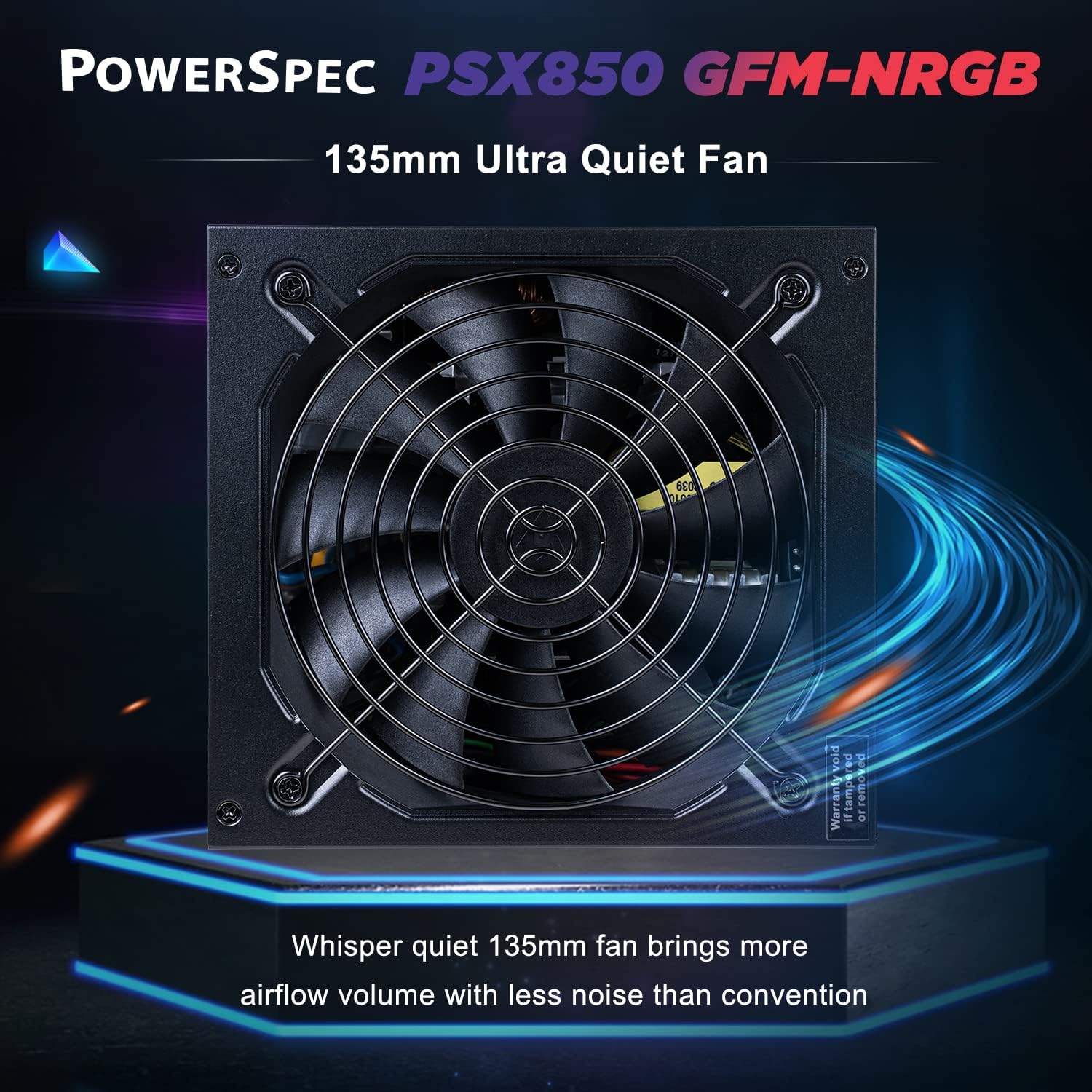
Image: View of the 135mm ultra-quiet fan on the PowerSpec PSX850 GFM-NRGB.
5. Setup and Installation
Follow these steps to install your PowerSpec PSX850 GFM-NRGB power supply:
- Prepare Your System: Ensure your computer is completely powered off and unplugged from the wall outlet. Open your PC case to access the power supply mounting area.
- Remove Old PSU (if applicable): If replacing an existing power supply, disconnect all cables from components and remove the old PSU from the case.
- Mount the New PSU: Carefully slide the PowerSpec PSX850 GFM-NRGB into the designated power supply bay in your PC case. Secure it with the provided mounting screws.
- Connect Modular Cables: Identify the necessary cables for your motherboard, CPU, graphics card(s), and storage devices. Connect these cables to the corresponding ports on the power supply unit. The fully modular design allows for a cleaner build by only using the cables you need.

Image: Diagram showing the fully modular cable connections on the PowerSpec PSX850 GFM-NRGB.
- Connect to Components: Route the connected modular cables to your motherboard (24-pin ATX, CPU 4+4-pin), graphics card(s) (PCIe 6+2-pin), and storage devices (SATA, Molex). Ensure all connections are secure.
- Cable Management: Utilize the fully modular design to manage cables efficiently, improving airflow and aesthetics within your case.
- Close Case and Connect AC Power: Once all internal connections are made and secured, close your PC case. Connect the provided AC power cord to the power supply and then to a wall outlet.
6. Operating Instructions
- Power On/Off: After connecting the AC power cord, locate the main power switch on the back of the power supply unit. Flip it to the 'ON' position. You can then power on your computer using its front panel power button.

Image: Rear view of the PowerSpec PSX850 GFM-NRGB, showing the main power switch and the Zero RPM fan mode button.
- Zero RPM Fan Mode: The PowerSpec PSX850 GFM-NRGB features a Zero RPM fan mode for silent operation at low to medium loads. This mode is typically enabled by default or controlled by a switch on the PSU itself. Refer to the image above for the location of the Zero RPM fan mode button. When enabled, the fan will only spin up when the power supply reaches a certain temperature or load threshold.
- Initial Boot: Upon first power-on, your system should boot normally. Monitor for any unusual noises or smells. If any issues arise, immediately power off the system and consult the troubleshooting section.
7. Maintenance
- Dust Cleaning: Periodically clean the exterior of the power supply and its fan grille to prevent dust buildup, which can impede airflow and cooling performance. Use compressed air or a soft brush. Ensure the PC is powered off and unplugged before cleaning.
- Cable Check: Occasionally check all modular cable connections to ensure they are securely seated. Loose connections can lead to system instability.
- Environmental Conditions: Operate the power supply within recommended temperature and humidity ranges to ensure optimal performance and longevity.
8. Troubleshooting
| Problem | Possible Cause | Solution |
|---|---|---|
| PC does not power on. | AC power cord not connected or loose. Main power switch is OFF. Faulty power supply or component. | Ensure AC power cord is securely connected to both the PSU and wall outlet. Flip the main power switch on the PSU to 'ON'. Verify all modular cables are correctly seated. Test with another power supply if possible. |
| System crashes or reboots randomly. | Insufficient power delivery. Overheating. Loose cable connections. | Check all power connections. Ensure your system's power requirements do not exceed 850W. Clean dust from the PSU fan and case. Monitor component temperatures. |
| Fan is not spinning. | Zero RPM fan mode is active. Fan malfunction. | If Zero RPM mode is active, the fan will only spin under load. This is normal. If the system is under load and the fan is still not spinning, or if Zero RPM mode is disabled, contact support. |
| Unusual noises from PSU. | Fan obstruction or bearing issue. Coil whine. | Ensure no cables or debris are obstructing the fan. If the noise persists and is loud, contact support. Minor coil whine can be normal but should not be excessive. |
9. Specifications
| Feature | Detail |
|---|---|
| Model Number | PSX850 GFM-NRGB |
| Brand | PowerSpec |
| Output Wattage | 850 Watts |
| Efficiency Certification | 80 Plus Gold (90% efficiency or higher at typical loads) |
| Form Factor | ATX12V / EPS12V |
| Modularity | Fully Modular |
| Cooling Method | Air (135mm fan with Zero RPM mode) |
| Capacitors | Japanese Capacitors |
| Protections | UVP, OVP, OCP, OPP, SCP, OTP |
| Dimensions (L x W x H) | 6.3 x 5.9 x 3.39 inches (160mm x 150mm x 86mm) |
| Item Weight | 5.2 pounds |
| Compatible Devices | Personal Computer |
| Connector Types | ATX, Floppy (via modular cables) |

Image: Detailed product parameters and dimensions for the PowerSpec PSX850 GFM-NRGB.
10. Warranty and Support
The PowerSpec PSX850 GFM-NRGB power supply comes with a 5-year limited warranty covering defects in materials and workmanship. This warranty ensures reliable operation under normal use conditions.
For technical support, warranty claims, or further assistance, please visit the official PowerSpec website or contact their customer service department. Keep your proof of purchase for warranty validation.
Note: Opening the power supply unit will void the warranty.