
1. Introduction
This manual provides essential information for the safe and efficient installation, operation, and maintenance of your PartsStorm HY105 D670P-S0 1950 Server Power Supply. Please read this manual thoroughly before attempting to install or use the product. Retain this manual for future reference.
The HY105 D670P-S0 1950 is a high-quality power supply unit designed specifically for server applications, ensuring stable and reliable power delivery to critical server components.
2. Safety Information
WARNING: Risk of Electric Shock. Do not open the power supply unit. There are no user-serviceable parts inside. Refer all servicing to qualified service personnel.
- Always disconnect the power cord from the wall outlet before installing, removing, or servicing the power supply.
- Ensure the server chassis is properly grounded.
- Do not operate the power supply in wet or damp conditions.
- Avoid blocking ventilation openings on the power supply and server chassis. Adequate airflow is crucial for proper cooling.
- Use only the power cords specified for your region and server.
- Handle the power supply with care to prevent damage to components.
3. Package Contents
Verify that all items are present and undamaged upon opening the package. If any items are missing or damaged, contact your vendor immediately.
- PartsStorm HY105 D670P-S0 1950 Server Power Supply
- Power Cord (region-specific)
- This User Manual
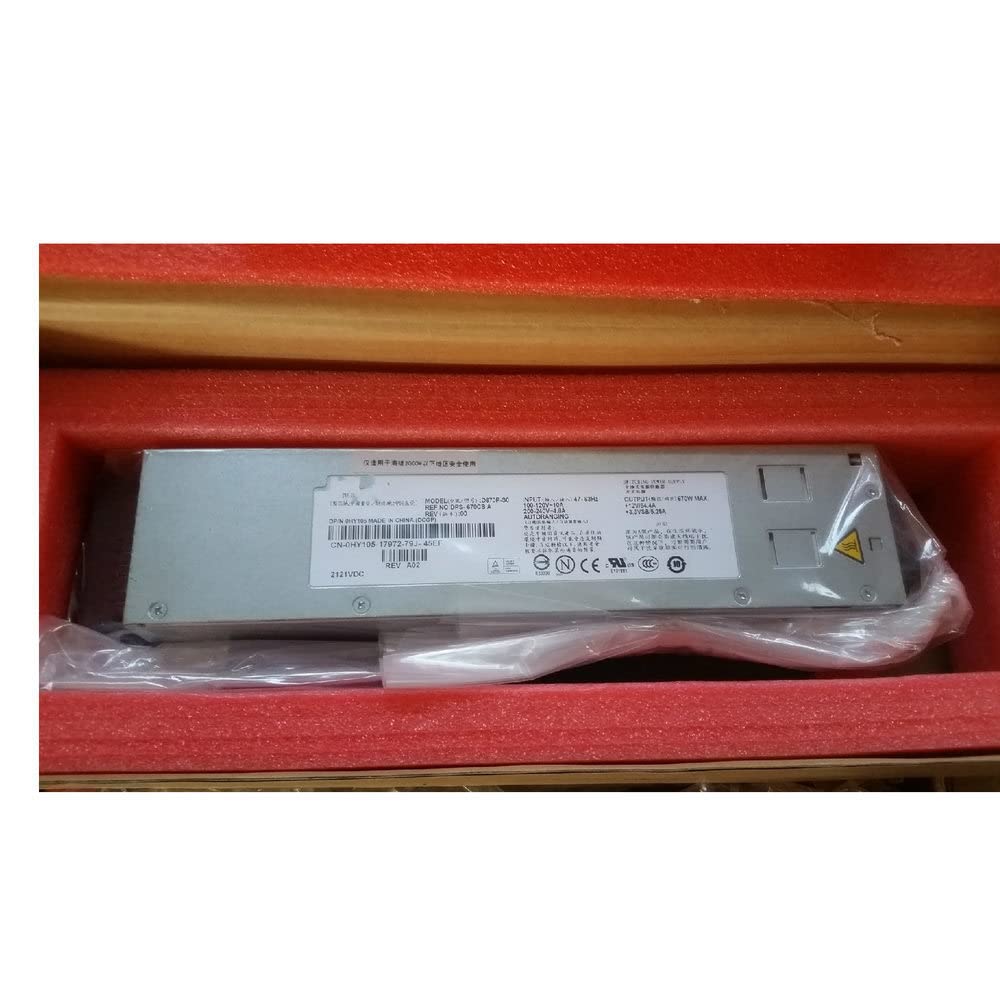
Figure 1: PartsStorm HY105 D670P-S0 1950 Server Power Supply. This image shows the general appearance of the power supply unit, typically a rectangular metal enclosure with various connectors and a cooling fan.
4. Setup and Installation
4.1 Pre-installation Checks
- Ensure the server is powered off and disconnected from all power sources.
- Wear an anti-static wrist strap to prevent electrostatic discharge (ESD) damage to components.
- Confirm that the new power supply is compatible with your server model.
4.2 Installation Steps
- Open the server chassis according to the server manufacturer's instructions.
- If replacing an existing power supply, carefully disconnect all cables from the old unit and remove it from the chassis.
- Insert the PartsStorm HY105 D670P-S0 1950 power supply into the designated bay within the server chassis. Ensure it is securely seated and fastened with any retaining clips or screws.
- Connect the necessary power cables from the power supply to the server's motherboard, hard drives, optical drives, and any other components requiring power. Refer to your server's manual for specific cable routing and connection points.
- Close the server chassis.
4.3 Post-installation Checks
- Double-check all cable connections to ensure they are firm and correctly seated.
- Ensure no loose tools or screws are inside the server chassis.
- Connect the server's power cord to the power supply and then to a grounded electrical outlet.
- Power on the server and observe for any error indicators or unusual behavior.
5. Operating Instructions
The PartsStorm HY105 D670P-S0 1950 Server Power Supply operates automatically once installed and connected to a power source. It provides continuous power to your server components.
5.1 Power On/Off
- To power on the server, press the power button on the server chassis.
- To power off the server, perform a graceful shutdown through the operating system, then press the power button on the server chassis if necessary. For complete power disconnection, unplug the power cord from the wall outlet.
5.2 Status Indicators
The power supply may feature LED indicators to display its operational status. Refer to your server's documentation for specific LED meanings, as these can vary by server model.
- Green/Blue LED: Typically indicates normal operation and power delivery.
- Amber/Red LED: May indicate a fault, such as an over-voltage, under-voltage, or over-temperature condition. Consult the troubleshooting section.
6. Maintenance
The PartsStorm HY105 D670P-S0 1950 Server Power Supply is designed for reliable operation with minimal maintenance. However, periodic checks can help ensure longevity and performance.
6.1 Cleaning
- Periodically inspect the power supply's fan and ventilation openings for dust accumulation.
- With the server powered off and unplugged, use compressed air to gently clear dust from the fan and vents. Do not use liquid cleaners.
6.2 Environmental Conditions
- Ensure the server operates in a clean, dry, and well-ventilated environment.
- Maintain ambient temperatures within the server's specified operating range to prevent overheating.
7. Troubleshooting
If you encounter issues with your power supply, refer to the following common problems and solutions. If the problem persists, contact qualified service personnel.
| Problem | Possible Cause | Solution |
|---|---|---|
| Server does not power on. |
|
|
| Server powers on but shuts down unexpectedly. |
|
|
| Unusual noises from power supply. |
|
|
8. Specifications
The following are the technical specifications for the PartsStorm HY105 D670P-S0 1950 Server Power Supply:
| Feature | Detail |
|---|---|
| Brand | PartsStorm |
| Model | HY105 D670P-S0 1950 |
| Compatible Devices | Server |
| Wattage | 200 watts |
| ASIN | B09L19NJFY |
| Manufacturer | PartsStorm |