
Introduction
This manual provides essential information for the installation, usage, and maintenance of your SHENMZ SPR-003 replacement battery. Designed for Nintendo 3DS XL, New 3DS XL, and LL game consoles, this ultra-high capacity Li-ion battery offers extended playtime and reliable performance. Please read this manual thoroughly before installation and use.

Image: The SHENMZ SPR-003 replacement battery shown alongside a Nintendo 3DS XL console and a small blue screwdriver, illustrating the product and its intended use.
Safety Information
- Do not disassemble, modify, or puncture the battery.
- Avoid exposing the battery to extreme temperatures (above 60°C / 140°F) or direct sunlight.
- Do not short-circuit the battery terminals.
- Keep the battery away from water or other liquids.
- Dispose of used batteries according to local regulations. Do not dispose of in fire.
- Use or recharge only with the specified devices.

Image: The SHENMZ SPR-003 battery surrounded by green recycling arrows, emphasizing its environmental considerations and proper disposal.
Package Contents
Your package should contain the following items:
- 1 x SHENMZ SPR-003 Replacement Battery
- 1 x Repair Tool Kit (typically includes a small screwdriver)
Setup and Installation
Follow these steps to replace the battery in your Nintendo 3DS XL or New 3DS XL LL console. A small Phillips head screwdriver (often included in the repair tool kit) is required.
- Power off your Nintendo 3DS XL console completely.
- Locate the two small screws on the back cover of the console. Use the provided screwdriver to carefully unscrew them.
- Gently remove the back cover. It may require slight prying with a plastic tool or fingernail if it's snug.
- Identify the existing battery. It will be labeled "SPR-003" or similar.
- Carefully lift out the old battery. Some models may have a small tab to assist with removal.
- Insert the new SHENMZ SPR-003 battery into the battery compartment, ensuring the gold contacts align correctly with the console's terminals.
- Replace the back cover and secure it with the two screws. Do not overtighten.
- Power on your console to confirm the new battery is recognized.
Video: This video demonstrates the process of replacing the SPR-003 battery in a Nintendo 3DS XL console, including opening the back cover, removing the old battery, inserting the new one, and reassembling the device.

Image: A close-up of the SHENMZ SPR-003 battery and the small blue screwdriver from the repair tool kit, highlighting the components used for installation.
Operating Instructions
Initial Battery Calibration
For optimal performance and longevity, it is recommended to calibrate the new battery. This process helps the battery management system accurately gauge the battery's full capacity.
- Fully charge the battery to 100% and leave it charging for an additional one to two hours without using the console.
- Disconnect the charger and use the console normally until the battery completely drains and the console powers off.
- Repeat steps 1 and 2 for 8 to 10 complete charge and discharge cycles.
General Usage Tips
- Avoid frequently draining the battery completely after the initial calibration period.
- Store the console in a cool, dry place when not in use.
- If storing for an extended period, charge the battery to approximately 50% before storage.
Maintenance
- Keep the battery contacts clean and free of dust or debris.
- Do not expose the battery to extreme temperatures, as this can degrade its performance and lifespan.
- If the console will not be used for a long time, it is advisable to remove the battery and store it separately in a cool, dry place.
Troubleshooting
Battery Not Charging or Holding Charge
- Ensure the battery is correctly seated in its compartment and the contacts are clean.
- Verify that your charging cable and adapter are functioning correctly. Try a different charger if available.
- Perform the initial battery calibration steps (see "Operating Instructions") if you have not already done so, or if the battery performance has degraded over time.
- If the issue persists after calibration, the battery may be faulty.
Console Not Powering On
- Ensure the battery is fully charged.
- Check that the battery is properly installed and the back cover is securely fastened.
- If possible, test with another known working battery to rule out console issues.
Specifications
| Attribute | Detail |
|---|---|
| Model Number | SPR-003 Battery |
| Battery Type | Lithium Ion |
| Capacity | 5800mAh |
| Voltage Output | 3.7V |
| Watt-hour | 21.46Wh |
| Compatible Models | Nintendo 3DS XL (SPR-001 / SPR-003), New 3DS XL (RED-001 SPR-A-BPAA-CO), New 3DS LL |
| Certifications | CE, ROHS |
| Estimated Charge Cycles | Over 1200 |
| Protection Features | Over-charging, Over-discharging, Over-heating |

Image: A graphic indicating the SHENMZ SPR-003 battery is compatible with Nintendo 3DS XL, New 3DS XL, 3DS LL, and New 3DS LL models.
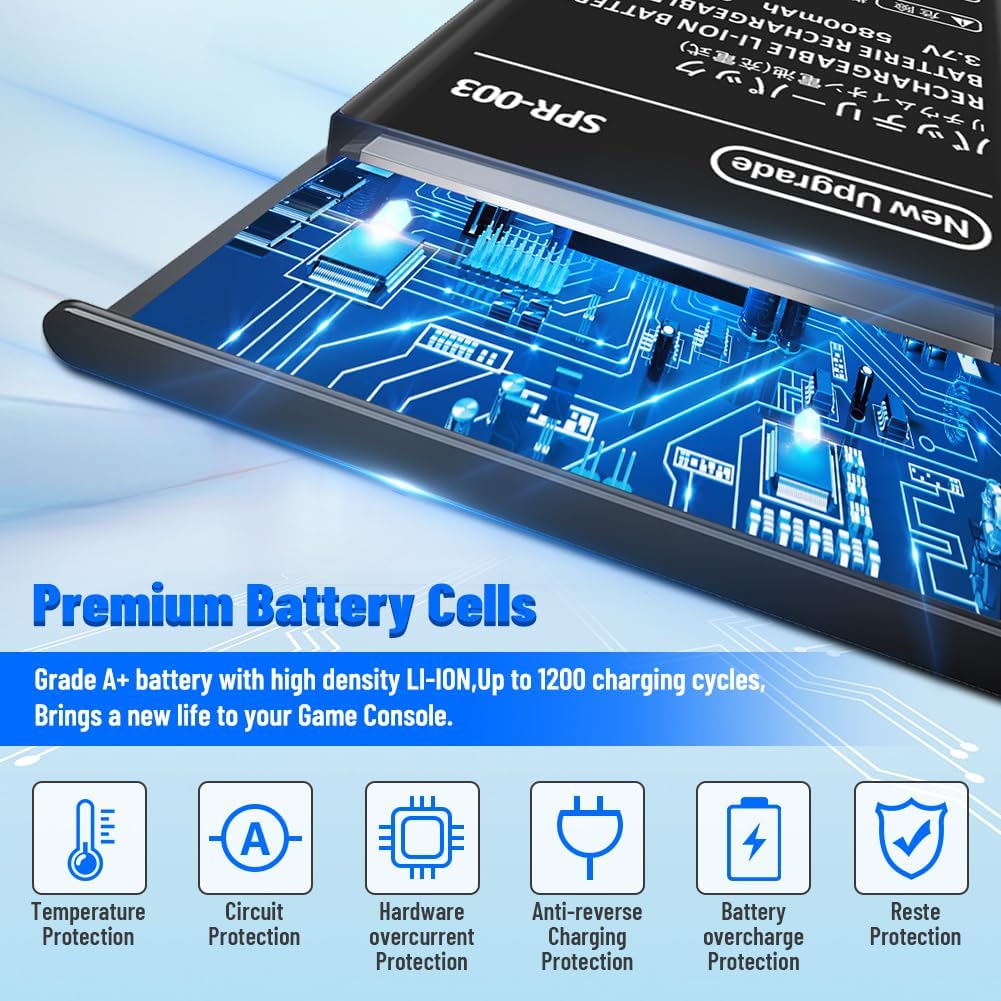
Image: A visual representation highlighting the premium Grade A+ battery cells and various protection features including temperature, circuit, hardware overcurrent, anti-reverse charging, and battery overcharge protection.
Warranty and Support
Your satisfaction is important to us. If you encounter any questions or issues regarding your SHENMZ SPR-003 battery, please do not hesitate to contact our customer service. We aim to respond and resolve your concerns quickly and efficiently within 24 hours.
For support, please use the "Contact Seller" feature on the platform where you purchased the product.