
1. Product Overview
The AIDENOEY Smart Music Light Bulb (Model HYZC013) combines an LED light with a built-in Bluetooth speaker, offering both illumination and audio playback. It features an E26 base for standard light sockets and comes with a remote control for managing light colors, modes, and music volume.
Key Features:
- Wireless Remote Control: Adjust light settings and music volume.
- Multiple Color Options: 12-color lights and daylight white light.
- 4 Color Modes: Flash, Strobe, Fade, Smooth.
- Bluetooth Speaker: Play music from your smartphone or tablet.
- Energy Efficient: 12-watt LED bulb.

Image 1.1: The AIDENOEY Smart Music Light Bulb with its included remote control.

Image 1.2: Detailed view of the bulb's components and remote control functions, including brightness adjustment, power on/off, color selection, light mode, and music control.
2. Setup Instructions
2.1 Bulb Installation
- Ensure the power to the light fixture is turned OFF before installation.
- Carefully screw the AIDENOEY Smart Music Light Bulb into a standard E26 base socket. Do not overtighten.
- Turn the power to the light fixture ON. The bulb should illuminate in white light by default.
2.2 Remote Control Battery Installation
The remote control requires a CR1220 battery (not included). To install:
- Locate the battery compartment on the back of the remote control.
- Slide out the battery tray.
- Insert one CR1220 battery with the positive (+) side facing up.
- Slide the battery tray back into the remote until it clicks into place.
2.3 Bluetooth Pairing
To connect your device to the bulb's speaker:
- Ensure the light bulb is powered on.
- Enable Bluetooth on your smartphone or tablet.
- Search for available Bluetooth devices. The bulb will appear as 'BT-LED' or a similar name.
- Select 'BT-LED' to pair. A confirmation sound will indicate successful pairing.
- You can now play audio through the bulb's speaker.
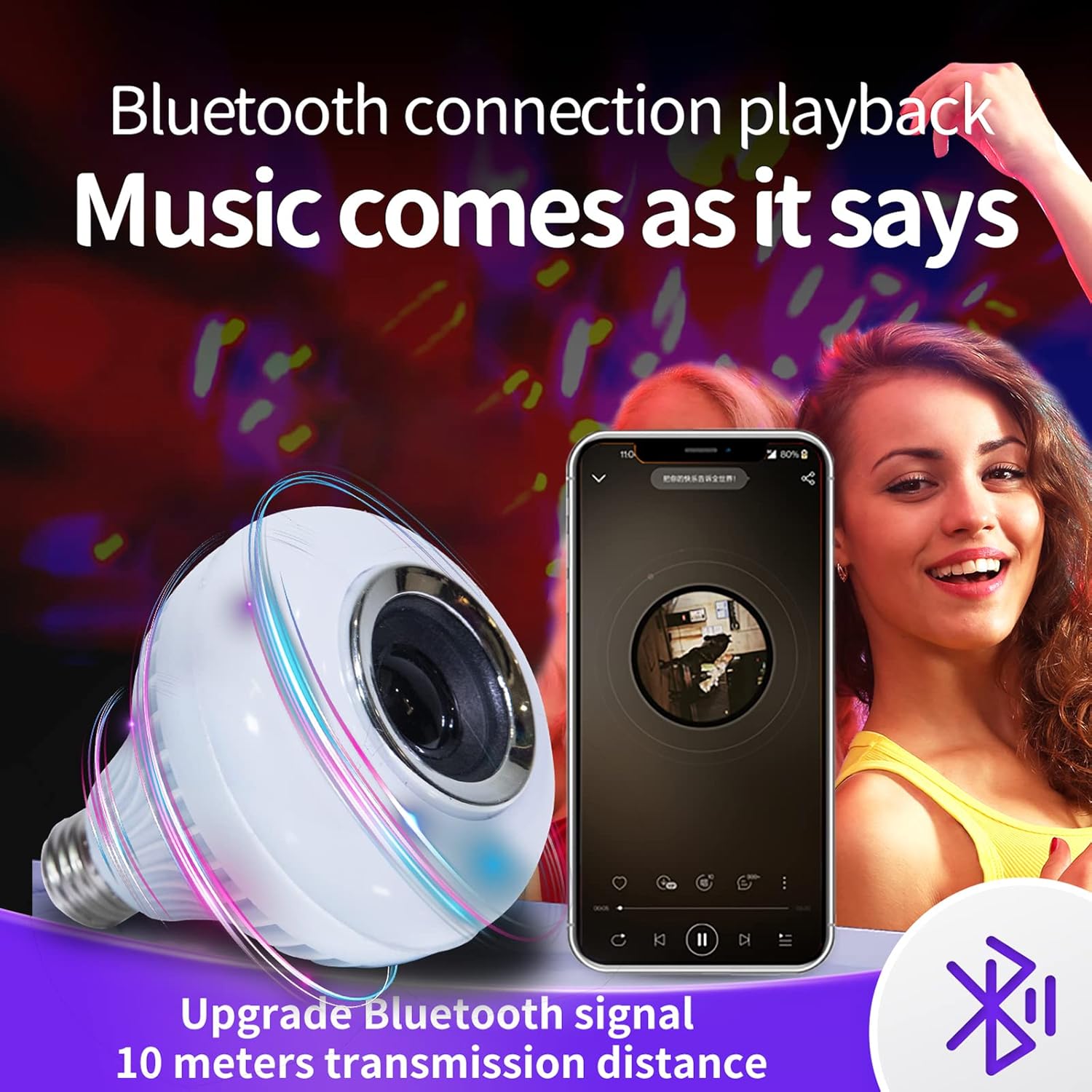
Image 2.1: A smartphone displaying a music player interface, wirelessly connected to the light bulb via Bluetooth for audio playback.
3. Operating Instructions
3.1 Light Control
Use the provided remote control to manage the light functions:
- ON/OFF: Press the ON or OFF buttons to turn the light on or off.
- White Light: Press the W button for daylight white illumination.
- Color Selection: Choose from 12 distinct colors using the color buttons on the remote.
- Brightness Adjustment: Use the brightness + and - buttons to increase or decrease light intensity.
- Light Modes: Select from FLASH, STROBE, FADE, or SMOOTH for dynamic lighting effects.
3.2 Music Playback
Once paired via Bluetooth, control music through your connected device or the remote:
- Play/Pause: Use the play/pause button on the remote or your device.
- Volume Control: Use the volume + and - buttons on the remote or your device.
- Track Navigation: Use the next/previous track buttons on the remote or your device.

Image 3.1: The smart bulb providing both bright white light and colorful dimming options, along with Bluetooth music, enhancing a home environment.
Video 3.1: A demonstration of the AIDENOEY Smart Music Light Bulb's functions, including light color changes and music playback, showcasing its versatility in various application scenarios.
4. Maintenance
4.1 Cleaning
To maintain optimal performance and appearance:
- Ensure the bulb is powered off and cool before cleaning.
- Wipe the bulb with a soft, dry cloth.
- Do not use liquid cleaners or abrasive materials, as these may damage the bulb or speaker components.
4.2 Bulb Replacement
The LED components of this bulb are designed for long-term use (up to 50,000 hours). If replacement is necessary, ensure the power is off and carefully unscrew the old bulb before screwing in a new one.
5. Troubleshooting
If you encounter issues with your AIDENOEY Smart Music Light Bulb, refer to the following common problems and solutions:
- Light not turning on:
- Check if the light fixture has power.
- Ensure the bulb is screwed in correctly and securely.
- Verify the remote control battery is installed correctly and has charge.
- Bluetooth not connecting:
- Ensure the bulb is powered on.
- Make sure Bluetooth is enabled on your device.
- Move your device closer to the bulb (within 10 meters).
- Forget the device 'BT-LED' from your device's Bluetooth settings and attempt to pair again.
- Remote control not working:
- Check the remote control battery for proper installation and charge.
- Ensure there are no obstructions between the remote and the bulb.
- Poor sound quality:
- Adjust the volume on both the remote and your connected device.
- Ensure your device is within optimal Bluetooth range.
- Test with different audio sources or devices to rule out source issues.
6. Specifications
| Brand | AIDENOEY |
| Model Name | Smart bulb (HYZC013) |
| Light Type | LED |
| Wattage | 12 Watts |
| Incandescent Equivalent | 120 Watts |
| Brightness | 1000 Lumens |
| Bulb Base | E26 |
| Light Color | RGB + White |
| Color Temperature | 5000 Kelvin (White) |
| Voltage | 100-120 Volts (AC), 60 Hertz |
| Control Method | Remote, Bluetooth (via App/Device) |
| Material | Acrylonitrile Butadiene Styrene (ABS) |
| Product Dimensions | 4.72"W x 4.7"H |
| Item Weight | 5.6 ounces |
| Indoor/Outdoor Usage | Indoor |

Image 6.1: Visual representation of the LED Music Bulb's technical specifications.
7. Warranty and Support
For warranty information or technical support regarding your AIDENOEY Smart Music Light Bulb, please contact the seller or manufacturer directly through your purchase platform. Keep your purchase receipt as proof of purchase.