
1. Product Overview
The CAMECHO Double Din Car Stereo is a versatile in-dash multimedia system designed to enhance your driving experience. It features a 7-inch capacitive touchscreen, offering intuitive control and clear visuals. Key functionalities include Bluetooth for hands-free calling and audio streaming, Mirror Link compatibility for both Android and iOS devices, FM radio, and extensive multimedia playback options via USB, TF card, and AUX input. The system also supports a backup camera for improved parking safety and integrates with steering wheel controls for convenient operation.

Image 1.1: CAMECHO Double Din Car Stereo with included accessories (backup camera, remote controls, cables).
2. Package Contents
Please verify that all items listed below are included in your package:
- 1 x Double Din Car Stereo Unit
- 1 x Backup Camera
- 1 x Remote Control
- 1 x Steering Wheel Remote Control
- 1 x Power Cable
- 1 x Speaker Cable
- 1 x User Manual

Image 2.1: Visual representation of the items included in the product package.
3. Specifications
| Feature | Description |
|---|---|
| Screen Size | 7 Inches |
| Tuner Technology | FM |
| Connectivity | Bluetooth, USB, TF Card, AUX (3.5mm Jack) |
| Compatible Devices | Smartphone (Android 4.0-8.0, iPhone 5s-8s for Mirror Link) |
| Audio Output Mode | Stereo |
| Speaker Channels | 4 Channels |
| Product Dimensions | 6.3D x 7W x 4.1H Centimetres (178mm L x 103mm H x 63mm D) |
| Item Weight | 0.8 Kilograms |
4. Setup and Installation
4.1 Dimensions and Key Descriptions
Before installation, confirm the unit's dimensions to ensure compatibility with your vehicle's dashboard. The standard installation size is 178(L)*103(H)*63(D)mm / 7.01*4.06*2.49 inches.

Image 4.1: Detailed dimensions and descriptions of front and rear panel keys and ports.
4.2 Wiring Diagram
Proper wiring is crucial for the stereo's functionality. Refer to the diagrams below for connecting power, speakers, and the backup camera.

Image 4.2: Main wiring diagram for power and speaker connections.
4.3 Backup Camera Connection
To enable the automatic reversing image, connect the backup camera as shown in the diagram. Ensure the reverse trigger line is correctly connected to your vehicle's reverse light circuit.

Image 4.3: Wiring diagram for the backup camera connection.
5. Operating Instructions
5.1 Mirror Link Function
The Mirror Link function allows you to display your smartphone's screen directly on the car stereo's touchscreen. This is particularly useful for navigation apps. Connect your phone using its original USB cable. Compatible with iPhone (5s-8s) and Android (4.0-8.0).
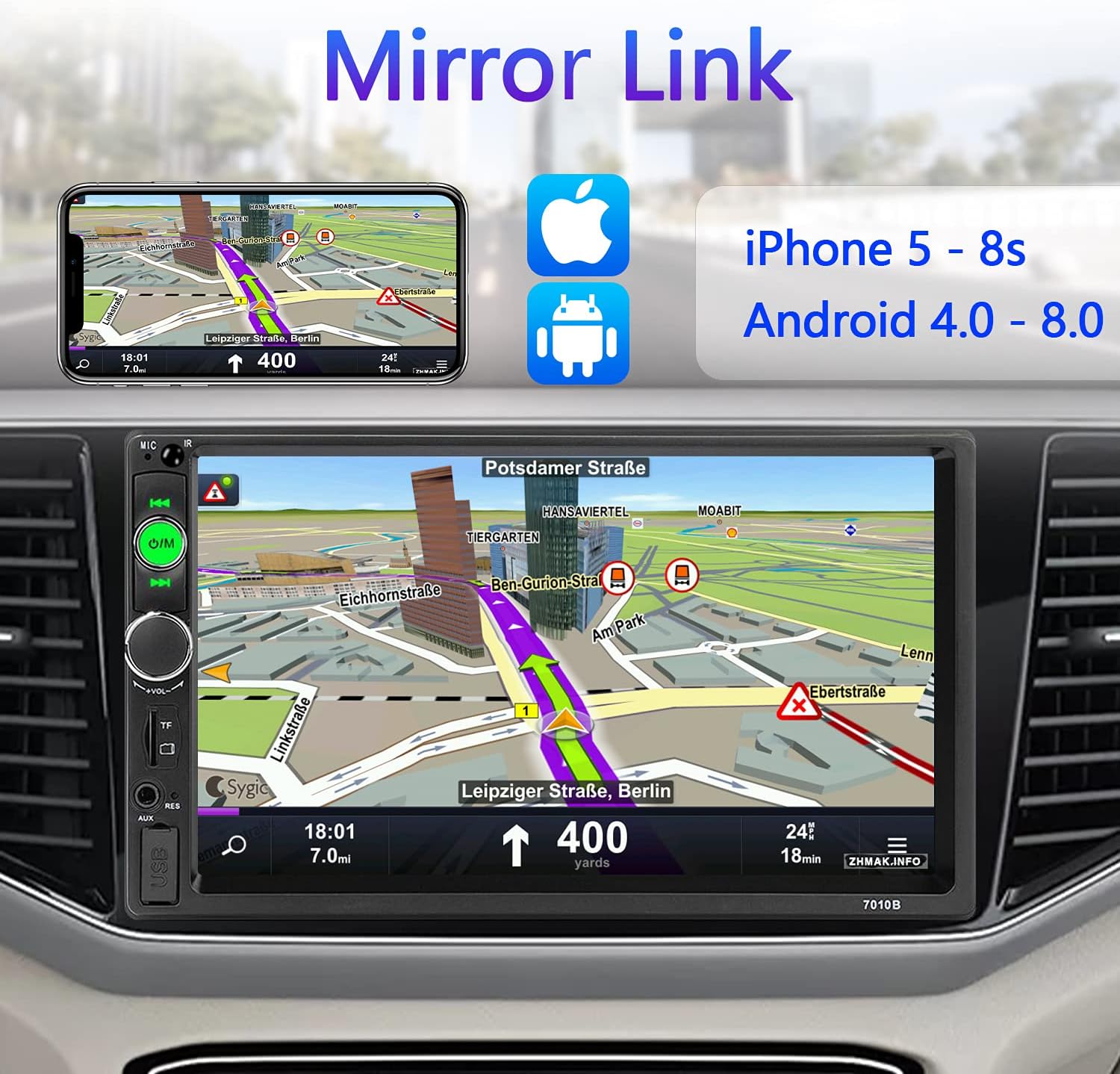
Image 5.1: Mirror Link in action, showing a navigation app from a smartphone.
5.2 Bluetooth Connectivity
Built-in Bluetooth enables wireless audio streaming and hands-free calling. Pair your phone to the stereo to make and receive calls safely while driving, and stream your favorite music.

Image 5.2: Bluetooth interface for hands-free calls and music playback.
5.3 FM Radio Operation
Access real-time news, traffic information, and your favorite radio stations using the integrated FM tuner. Use the on-screen controls to scan and save channels.

Image 5.3: FM radio tuning interface.
5.4 Multimedia Playback (USB, TF, AUX)
The stereo supports various media formats through its USB, TF card, and AUX inputs. Enjoy your MP3s, MP5 videos, and other media files directly from your storage devices. The USB port also supports mobile phone charging.

Image 5.4: Display showing multimedia playback from USB or TF card.
5.5 Backup Camera Display
When the vehicle is shifted into reverse, the stereo automatically displays the feed from the connected backup camera, providing a wide 170-degree view with guidelines for safer parking and reversing. The camera features IP68 waterproofing and IR night vision.

Image 5.5: Backup camera view with parking guidelines displayed on the stereo screen.
5.6 Steering Wheel Control
For added convenience and safety, the stereo supports connection to your vehicle's existing steering wheel controls. This allows you to manage basic functions like volume, track changes, and mode selection without taking your hands off the wheel.

Image 5.6: On-screen interface for configuring steering wheel controls.
5.7 Touchscreen Operation
The 7-inch capacitive touchscreen provides a responsive and intuitive user experience. Navigate menus, select options, and control playback with simple taps and swipes.

Image 5.7: Demonstration of the responsive capacitive touchscreen.
6. Troubleshooting
If you encounter issues with your CAMECHO car stereo, please refer to the following common problems and solutions:
- No Power:
- Check all power connections (B+, ACC, GND) as per the wiring diagram.
- Verify the vehicle's fuse and the stereo's inline fuse.
- Ensure the car battery has sufficient charge.
- No Sound:
- Check speaker wiring connections for proper polarity and secure fit.
- Ensure the volume is not muted or set to minimum.
- Verify audio source selection (FM, Bluetooth, USB, AUX).
- Mirror Link Not Working:
- Ensure your smartphone's operating system is within the supported range (Android 4.0-8.0, iPhone 5s-8s).
- Use the original USB cable for connection.
- Check phone settings for USB debugging (Android) or trust prompts (iOS).
- Some apps may not be compatible with Mirror Link.
- Backup Camera Not Displaying:
- Verify the camera's video input cable is securely connected to the stereo's 'CAM IN' port.
- Ensure the reverse trigger wire (usually pink or brown) is correctly connected to the vehicle's reverse light power (+12V).
- Check the camera's power supply.
- Screen Too Bright at Night:
- Check if there is a dimmer setting in the stereo's display or system settings.
- Ensure the illumination wire (ILL) is correctly connected to your vehicle's headlight circuit, which may enable automatic dimming.
7. Maintenance
To ensure the longevity and optimal performance of your CAMECHO car stereo, follow these maintenance guidelines:
- Cleaning the Screen: Use a soft, lint-free cloth to gently wipe the touchscreen. For stubborn smudges, slightly dampen the cloth with water or a screen-safe cleaner. Avoid abrasive materials or harsh chemicals.
- General Cleaning: Keep the unit free from dust and debris. Use a soft brush or compressed air to clean around buttons and ports.
- Avoid Extreme Temperatures: Do not expose the unit to prolonged direct sunlight or extreme cold, as this can affect performance and lifespan.
- Cable Management: Ensure all cables are securely connected and not pinched or strained, which can lead to damage.
8. Warranty and Support
Your CAMECHO Double Din Car Stereo is covered by a 30-day refund/replacement policy from the date of purchase, as provided by the seller. For any wiring, operation, or other product-related issues, please contact the seller directly through the platform where you made your purchase.
For additional support or inquiries, you may also reach out to CAMECHO customer service via email:
Email: CAMECHOVIP@126.com

Image 8.1: Customer support contact details.