
SHJ GW33
SHJ Smart Watch GW33 User Manual
Your comprehensive guide to operating and maintaining your Smart Watch GW33.
1. Introduction
Welcome to the user manual for your new SHJ Smart Watch GW33. This device is designed to enhance your daily life with features like Bluetooth calling, health monitoring, and smart notifications. Please read this manual carefully to ensure proper use and optimal performance of your watch.
2. What's in the Box
Upon opening your Smart Watch GW33 package, you should find the following items:
- SHJ Smart Watch GW33 x 1
- User Manual x 1
- USB Data Cable x 1
3. Specifications
The SHJ Smart Watch GW33 boasts the following technical specifications:
| Feature | Detail |
|---|---|
| Material | PC+ABS |
| Display Screen | 1.28 inches |
| Resolution | 240 x 200 |
| Compatible Platform | Android 4.4 or above, iOS 8.0 or above |
| Waterproof Rating | IP68 |
| Body Memory | 32GB |
| Mode of Operation | Touch |
| Interface | USB 2.0 |
| Battery | 200 mAh Lithium Battery |
| Dimensions | 44 x 11.2 mm (Watch Face Diameter x Thickness) |
| Product Weight | 57.2 grams |

Image: Detailed dimensions of the Smart Watch GW33, showing a 44mm diameter and 11.2mm thickness, with a 260mm perimeter for the strap.
4. Setup
4.1 Charging the Device
Before first use, fully charge your Smart Watch GW33. Connect the provided USB data cable to the charging port on the back of the watch and plug the other end into a USB power adapter (not included) or a computer's USB port. The watch display will indicate charging status.
4.2 Power On/Off
- Power On: Press and hold the side button for a few seconds until the screen lights up.
- Power Off: From the watch face, swipe down to access quick settings, or navigate to the settings menu. Locate the 'Power Off' option and confirm. Alternatively, press and hold the side button until the power off prompt appears, then select 'Power Off'.
4.3 App Installation and Pairing
To unlock the full potential of your Smart Watch GW33, download and install the companion application on your smartphone.
- Download App: Scan the QR code in the watch's manual or on the watch itself (if available) or search for the recommended app name (usually mentioned in the quick start guide) in your phone's app store (Google Play Store for Android, Apple App Store for iOS).
- Register/Login: Open the app and follow the on-screen instructions to register a new account or log in if you already have one.
- Enable Bluetooth: Ensure Bluetooth is enabled on your smartphone.
- Pair Device: In the app, navigate to the 'Device' or 'Add Device' section. The app will search for nearby devices. Select 'GW33' or the corresponding device name when it appears. Follow any prompts on both the watch and the phone to confirm pairing.
- Permissions: Grant necessary permissions (e.g., notifications, location, contacts) to the app for full functionality.
5. Operating Your Smart Watch
5.1 Basic Navigation
The Smart Watch GW33 features a touch-sensitive display and a side button for navigation.
- Swipe Up: Access notifications or quick settings (depending on watch face).
- Swipe Down: Access quick settings or notifications (depending on watch face).
- Swipe Left/Right: Navigate through different watch faces, widgets, or app screens.
- Tap: Select an item or open an application.
- Press Side Button: Return to the watch face, or wake the screen. A long press may activate power options or a voice assistant.
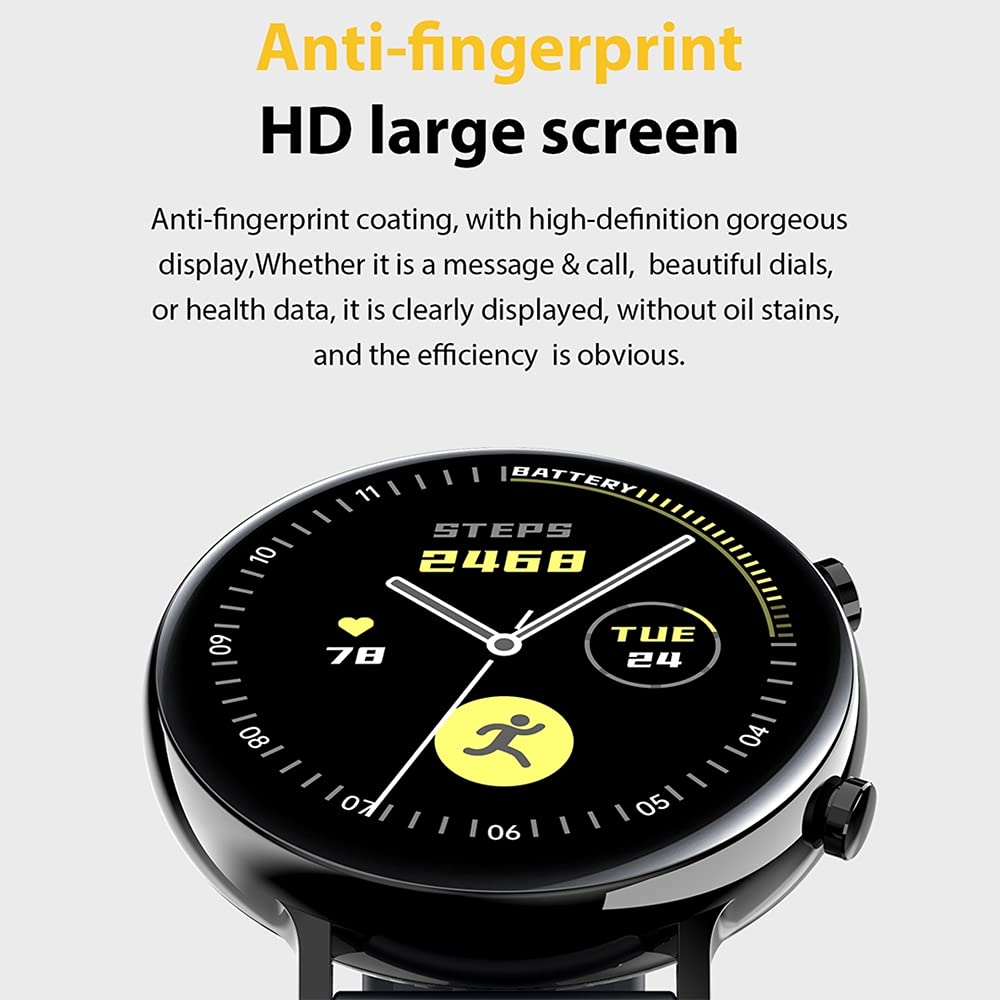
Image: The anti-fingerprint HD large screen of the Smart Watch GW33, designed for clear display of messages, calls, and health data.
5.2 Watch Faces
Customize your watch's appearance by changing the watch face. Long-press on the current watch face to enter the watch face selection mode. Swipe left or right to browse available faces and tap to select your preferred one. More watch faces can be downloaded via the companion app.
6. Key Features
6.1 Health Monitoring
The Smart Watch GW33 is equipped with advanced sensors to monitor your health metrics.
- Heart Rate Monitoring: Continuously tracks your heart rate throughout the day. Access the heart rate app on the watch for real-time readings and historical data.
- Blood Pressure Monitoring: Provides estimates of your blood pressure. For accurate medical readings, consult a professional medical device.
- Blood Oxygen (SpO2) Monitoring: Measures the oxygen saturation in your blood.
- Sleep Analysis: Monitors your sleep patterns, including deep sleep, light sleep, and awake times, to help you understand and improve your sleep quality.

Image: The rear view of the Smart Watch GW33 highlighting the PPG photoelectric heart rate monitoring technology for accurate health data.
6.2 Sports Data Analysis
Track your physical activities with precision.
- Step Counting: Automatically counts your daily steps, distance covered, and calories burned.
- Exercise Tracking: Supports various sports modes (e.g., running, walking, cycling). Select a mode before starting your workout to record specific data.
6.3 Call & Message Reminders
Stay connected without needing to check your phone constantly.
- Bluetooth Call: Make and receive calls directly from your watch when connected to your smartphone via Bluetooth.
- Smart Reminders: Receive notifications for incoming calls, SMS messages, and alerts from social media applications (e.g., WeChat, Facebook) directly on your watch. You can also reject incoming calls from the watch.
6.4 Music Control
Control music playback on your smartphone directly from your watch. Play, pause, skip tracks, and adjust volume without taking out your phone.

Image: An overview of the Smart Watch GW33's multiple smart functions, including HD large screen display, health management capabilities, accurate sports data analysis, and convenient call and message reminders.
7. Maintenance
Proper care will extend the life of your Smart Watch GW33.
- Cleaning: Regularly wipe the watch screen and strap with a soft, dry cloth. For stubborn dirt, a slightly damp cloth can be used, but ensure the watch is dry before wearing or charging.
- Water Resistance (IP68): The watch is IP68 waterproof, meaning it is resistant to dust and can withstand immersion in water up to 1.5 meters for 30 minutes. It is suitable for daily use, hand washing, and light rain. However, it is not recommended for hot showers, saunas, or diving, as steam and high pressure can compromise the seal. Avoid contact with hot water, chemical detergents, or seawater.
- Storage: Store the watch in a cool, dry place away from direct sunlight and extreme temperatures when not in use for extended periods.
- Avoid Impact: Protect the watch from strong impacts or drops, which can damage the screen or internal components.
8. Troubleshooting
If you encounter issues with your Smart Watch GW33, refer to the following common problems and solutions:
- Watch not turning on:
- Ensure the watch is fully charged. Connect it to the charger for at least 30 minutes.
- Try pressing and holding the side button for 10-15 seconds to force a restart.
- Cannot pair with smartphone:
- Ensure Bluetooth is enabled on your phone and the watch.
- Make sure the watch is within the Bluetooth range of your phone (typically 10 meters).
- Restart both the watch and your phone.
- Clear the Bluetooth cache on your phone or forget the device in your phone's Bluetooth settings, then try pairing again through the app.
- Ensure the companion app is updated to the latest version.
- Inaccurate health data:
- Ensure the watch is worn snugly on your wrist, not too tight or too loose.
- Clean the sensor on the back of the watch.
- Note that these readings are for reference only and should not be used for medical diagnosis.
- Notifications not received:
- Check if the watch is properly connected to the app and Bluetooth.
- Ensure notification permissions are granted to the app in your phone's settings.
- Verify that notification settings are enabled within the companion app for specific applications.
- Disable any power-saving modes on your phone that might restrict app background activity.
9. Warranty & Support
Your SHJ Smart Watch GW33 comes with a standard manufacturer's warranty. Please refer to the warranty card included in your packaging for specific terms and conditions, including warranty period and coverage details.
For technical support, troubleshooting assistance, or warranty claims, please contact the retailer or SHJ customer service through the contact information provided on the product packaging or official website. Please have your product model number (GW33) and purchase details ready when contacting support.