
1. Introduction
This manual provides detailed instructions for the installation, operation, and maintenance of your Jsieem Wireless Doorbell. Please read this manual thoroughly before use to ensure proper functionality and longevity of the product.
Package Contents:
- 2 x Wireless Doorbell Receivers
- 2 x Doorbell Buttons (Transmitters)
- 1 x User Manual
- 1 x Installation Accessories Kit (screws, wall anchors, adhesive tape)

Image: Overview of the Jsieem Wireless Doorbell package contents, including two receivers, two buttons, and installation accessories.
2. Setup and Installation
2.1. Installing the Doorbell Button (Transmitter)
- Open the Transmitter: Carefully open the doorbell button casing.
- Insert Battery: Ensure the pre-installed CR2032 battery has its insulation tab removed. If not, remove it.
- Mounting Options:
- Adhesive Tape: Peel off one side of the double-sided adhesive tape and attach it to the back of the transmitter. Press firmly onto a clean, dry surface at your desired location (e.g., door frame).
- Screws: For a more secure installation, use the provided screws and wall anchors. Mark the desired drilling spots, drill pilot holes, insert wall anchors, and then screw the transmitter into place.
- Close the Transmitter: Securely close the doorbell button casing.

Image: A doorbell button installed on an exterior wall during snowy weather, illustrating its IP44 dustproof and waterproof rating and suitability for outdoor use.
2.2. Installing the Doorbell Receiver
- Plug the doorbell receiver into any standard electrical outlet within the 1200-foot wireless range of the transmitter.
- Ensure the outlet is easily accessible and not obstructed.

Image: A doorbell receiver plugged into a wall outlet, demonstrating its ultra-long 1200ft wireless range coverage throughout a house.
2.3. Pairing Additional Buttons/Receivers (if applicable)
Your Jsieem Wireless Doorbell kit comes pre-paired. If you need to pair additional components or re-pair existing ones:
- Plug in the receiver.
- Press and hold the Volume Button on the receiver for 5 seconds until the LED light flashes rapidly. This indicates pairing mode.
- Immediately press the doorbell button (transmitter) you wish to pair. The receiver will chime, confirming successful pairing.
- Repeat for any other doorbell buttons.
Video: A demonstration of how to set up and pair the Jsieem Wireless Doorbell components, including opening the bell push, inserting the battery, and testing the soft touch button with the receivers.
3. Operating Instructions
3.1. Adjusting Volume
- Press the Volume Button on the side of the receiver to cycle through 4 volume levels (0dB, 30dB, 70dB, 110dB).
- The 0dB setting activates silent mode, where only the flashing light indicator will operate.

Image: Illustration showing the silent mode (0dB) with a baby sleeping, and the maximum volume mode (110dB) for users who need louder alerts.
3.2. Changing Melodies
- Press the Melody Button on the side of the receiver to cycle through 36 available melodies.
- To assign different melodies to different doorbell buttons (e.g., front door vs. back door):
- Select the desired melody on the receiver.
- Immediately press the specific doorbell button you want to assign that melody to. The receiver will play the selected melody, confirming the assignment.

Image: Demonstrates how different doorbell buttons (front door, back door) can be set with different melodies on the receiver.
3.3. Flashing Light Indicator
- The receiver features a large LED light that flashes when the doorbell is pressed. This provides a visual alert, which is particularly helpful for the hearing impaired or in noisy environments.
- The light will flash even when the volume is set to 0dB (silent mode).
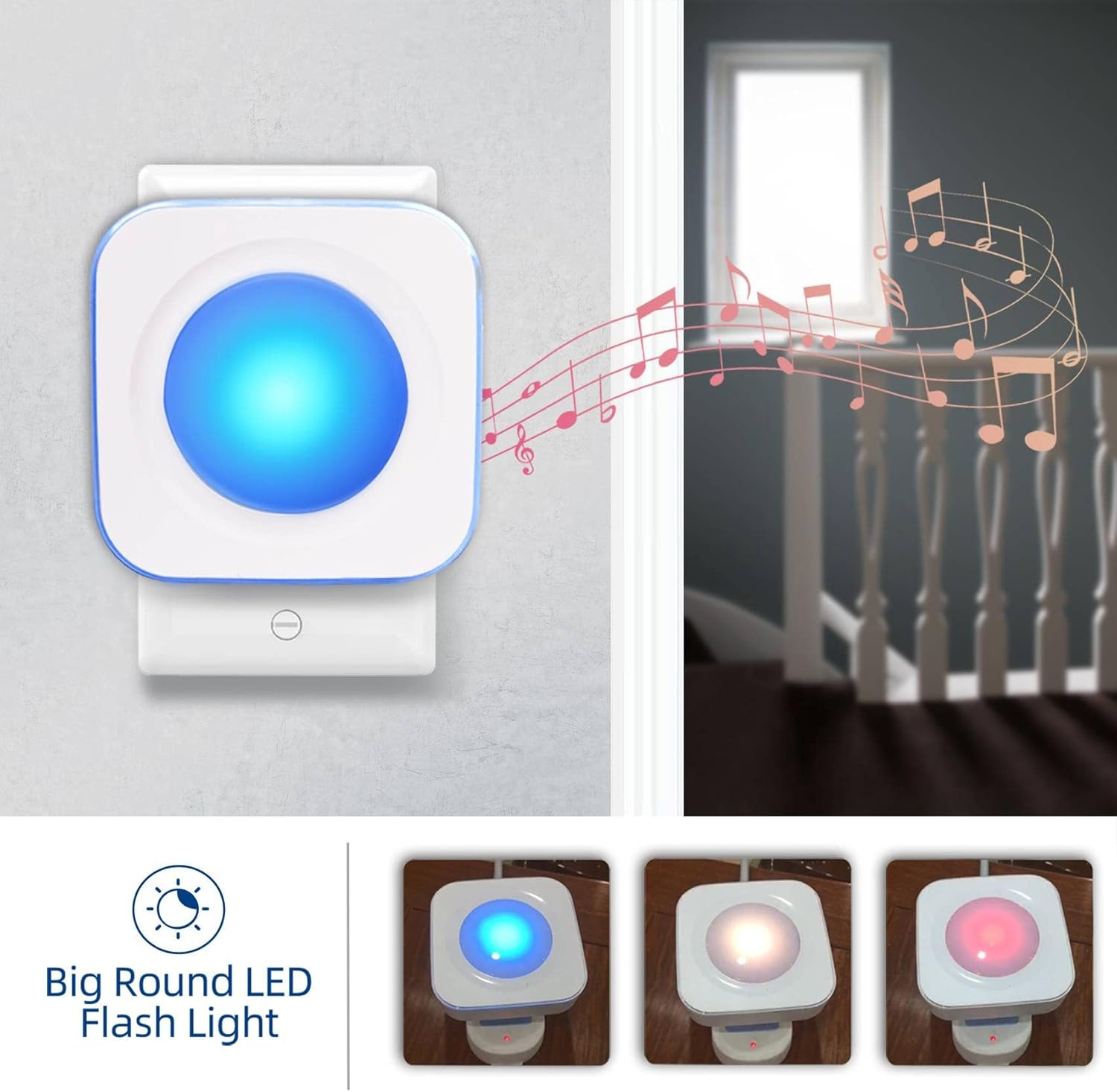
Image: The doorbell receiver displaying its big round LED flash light in various colors, indicating a visual alert.
4. Key Features
- Extended Wireless Range: Operates up to 1200 feet (350 meters) in open areas, ensuring reliable signal transmission throughout your home or property.
- Weatherproof Design: The doorbell button is IP44 dustproof and waterproof, making it suitable for outdoor installation in various weather conditions.
- Multiple Tones & Volume Levels: Choose from 36 distinct melodies and 4 adjustable volume levels (0dB-110dB) to suit your preference.
- Visual Alert: A flashing LED light on the receiver provides a visual notification, ideal for the hearing impaired or when sound is undesirable.
- Memory Function: Settings for melodies and volume are retained even after a power outage.
Video: A promotional video highlighting the Jsieem wireless doorbell's features, including its wireless range, waterproof design, and multiple melody options.
5. Maintenance
5.1. Battery Replacement (Doorbell Button)
- The doorbell button uses a CR2032 lithium battery, which typically lasts up to 3 years.
- When the button's indicator light no longer flashes or the signal becomes weak, it's time to replace the battery.
- To replace: Carefully open the transmitter casing, remove the old battery, and insert a new CR2032 battery with the correct polarity. Close the casing securely.

Image: An illustration showing the CR2032 battery inside the doorbell button, highlighting its 3-year battery life.
5.2. Cleaning
- Wipe the doorbell button and receiver with a soft, dry cloth.
- Do not use abrasive cleaners or solvents, as these may damage the finish or internal components.
6. Troubleshooting
| Problem | Possible Cause | Solution |
|---|---|---|
| Doorbell does not ring. |
|
|
| Receiver light flashes but no sound. | Volume is set to 0dB (silent mode). | Press the Volume Button to increase the volume level. |
| Short operating range. |
|
|
7. Specifications
| Brand | Jsieem |
| Model Number | doorbell-push-buttons |
| Wireless Range | Up to 1200 feet (350 meters) in open area |
| Melodies | 36 options |
| Volume Levels | 4 levels (0dB, 30dB, 70dB, 110dB) |
| Waterproof Rating (Transmitter) | IP44 |
| Power Source (Receiver) | AC/DC (Plug-in) |
| Battery (Transmitter) | CR2032 (included) |
| Item Weight | 5.9 ounces |
| Product Dimensions | 3.9 x 3.6 x 2.75 inches |

Image: Detailed dimensions of the doorbell receiver (3.39 x 3.39 x 0.99 inches) and button (2.92 x 1.69 x 0.77 inches).
8. Warranty and Support
The Jsieem Wireless Doorbell comes with a 1-Year Warranty from the date of purchase.
If you encounter any malfunctions or require assistance, please contact Jsieem customer support. Refer to the contact information provided with your product packaging or visit the official Jsieem store on Amazon for further assistance.
For additional resources and product information, you may visit the Jsieem Store on Amazon.