
Braun 9467cc
Braun Series 9 Pro 9467cc Wet & Dry Shaver User Manual
Model: 9467cc | Brand: Braun
Introduction
Thank you for choosing the Braun Series 9 Pro 9467cc Wet & Dry Shaver. This manual provides essential information for the safe and effective use, maintenance, and care of your new shaver. Please read all instructions carefully before using the appliance and retain this manual for future reference.

The Braun Series 9 Pro is engineered for an exceptionally close and gentle shave, even on dense beards. Its advanced features, including the ProLift trimmer and AutoSense technology, adapt to your beard's density for optimal performance. The included 5-in-1 SmartCare Center simplifies cleaning and maintenance, ensuring your shaver performs like new every day.
Setup
Unpacking and Initial Inspection
Carefully unpack all components from the box. Ensure all items listed below are present and undamaged. If any parts are missing or damaged, contact Braun customer service.

Package Contents:
- Braun Series 9 Pro Shaver
- Leather Travel Case
- 5-in-1 SmartCare Center
- Cleaning Cartridge
- Cleaning Brush
- Smart Plug (with EU to US plug converter)
Initial Charging
Before first use, fully charge your shaver. Connect the Smart Plug to the shaver or the SmartCare Center. A full charge takes approximately 1 hour and provides up to 60 minutes of cordless shaving. A 5-minute quick charge is sufficient for one shave.
Setting up the SmartCare Center
The SmartCare Center provides automatic cleaning, lubrication, drying, and charging. To set it up:
- Open the SmartCare Center housing.
- Insert a Braun cleaning cartridge into the base until it clicks into place.
- Close the housing.
- Place the shaver head-down into the SmartCare Center. Ensure it is properly seated.
- Connect the SmartCare Center to a power outlet using the provided Smart Plug.

The SmartCare Center will automatically detect the shaver and begin charging. Press the button on the SmartCare Center to initiate a cleaning program.
Operating Instructions
Basic Shaving
The Braun Series 9 Pro can be used for both dry and wet shaving. For best results, ensure your skin is clean and dry for dry shaving, or use with shaving foam/gel for wet shaving.
- Power On/Off: Press the power button to turn the shaver on or off.
- Shaving Technique: Hold the shaver at a right angle (90°) to your skin. Stretch your skin and shave against the direction of hair growth. Apply gentle, even pressure.
- ProLift Trimmer: The unique ProLift trimmer is designed to lift and cut tricky, flat-lying hairs, ensuring a thorough shave even on 1, 3, or 7-day beards.
- AutoSense Technology: The shaver automatically adjusts its power to your beard's density, providing an efficient and comfortable shave.
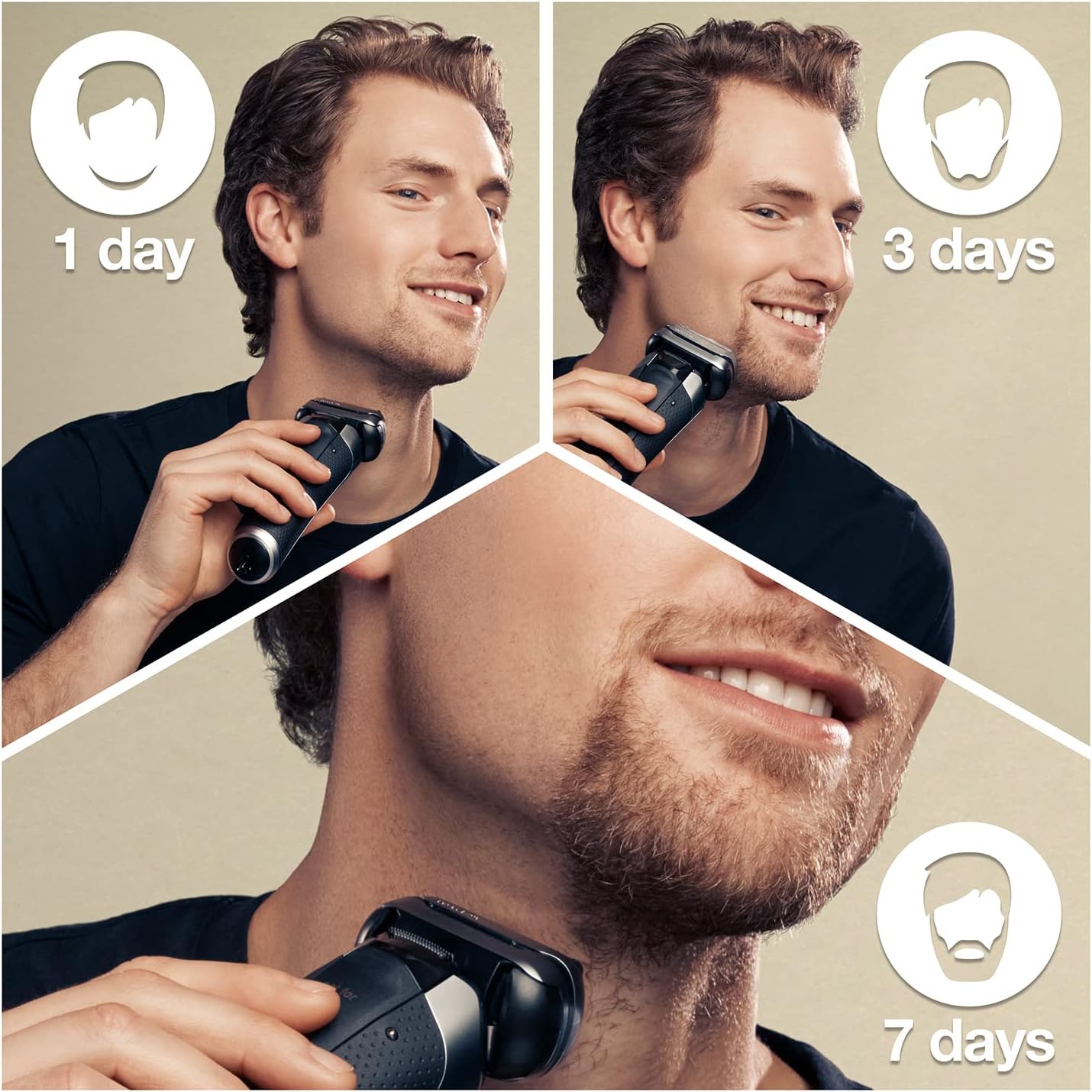
For optimal performance, shave before washing your face. The shaver head is flexible and adapts to your facial contours, ensuring maximum skin contact.

The shaver is 100% waterproof, allowing for easy rinsing under running water after use, or for use in the shower.
Maintenance and Cleaning
Using the SmartCare Center
The SmartCare Center automatically cleans, lubricates, dries, and charges your shaver, keeping it hygienic and performing optimally. Simply place the shaver head-down into the SmartCare Center after each use. The center will automatically select the appropriate cleaning program based on the shaver's cleanliness level.
Replacing the Cleaning Cartridge: A cleaning cartridge typically lasts for about 30 cleaning cycles. When the fluid level is low or the cleaning performance decreases, replace the cartridge. To replace, open the SmartCare Center housing, remove the old cartridge, and insert a new one until it clicks.
Manual Cleaning
If you do not use the SmartCare Center, or for quick cleaning, you can clean the shaver manually:
- Rinsing: Turn on the shaver and rinse the shaver head under hot running water until all residue is removed. You can use liquid soap for a more thorough clean.
- Drying: After rinsing, turn off the shaver and remove the shaver head. Allow both the shaver head and the shaver body to air dry completely before reassembling.
- Brush Cleaning: Use the provided cleaning brush to remove stubborn hair particles from the shaver head and the inner parts of the shaver. Do not use the brush on the foil itself, as this can damage it.
Regular cleaning ensures consistent shaving performance and extends the lifespan of your shaver.
Troubleshooting
If you encounter issues with your Braun Series 9 Pro shaver, refer to the following common problems and solutions:
| Problem | Possible Cause | Solution |
|---|---|---|
| Shaver does not turn on. | Battery is depleted. | Charge the shaver for at least 5 minutes. |
| Poor shaving performance. | Shaver head is dirty or worn out. | Clean the shaver head thoroughly or replace it if it's older than 18 months. |
| SmartCare Center not cleaning. | Cleaning cartridge is empty or improperly inserted. | Replace the cleaning cartridge or ensure it is correctly seated. |
| Skin irritation after shaving. | Incorrect shaving technique or sensitive skin. | Ensure you are shaving against hair growth with gentle pressure. Consider using a pre-shave lotion or shaving foam for sensitive skin. |
If the problem persists after attempting these solutions, please contact Braun customer support for further assistance.
Specifications
| Feature | Detail |
|---|---|
| Model Name | Series 9 Pro |
| Item Model Number | 9467cc |
| Head Type | Foil |
| Blade Material | Stainless Steel |
| Power Source | Battery Powered |
| Battery Type | 1 Lithium Ion battery (included) |
| Battery Life | 60 minutes |
| Quick Charge | 5 minutes for one shave |
| Special Features | 4 cutting elements + 1 SkinGuard, 40,000 cutting movements/min, 5-in-1 SmartCare Center, AutoSense Technology |
| Color | Silver |
| Item Weight | 1.03 Kilograms |
| Product Dimensions | 49.3 x 17.4 x 28.2 cm |
| Manufacturer | Braun |
Warranty Information
The Braun Series 9 Pro shaver is designed and engineered in Germany to last for 7 years. For specific warranty terms and conditions, including coverage details and duration, please refer to the warranty card included with your product or visit the official Braun website. Retain your proof of purchase for any warranty claims.

Support and Contact
For further assistance, product registration, or to purchase replacement parts (such as shaver heads or cleaning cartridges), please visit the official Braun website or contact Braun customer service. Contact information can typically be found on the Braun website or on the product packaging.
Online Resources:
- Official Braun Website: www.braun.com
- Product Support Pages
- FAQs and Troubleshooting Guides
Safety Information
Always unplug and allow the shaver to cool before cleaning. Do not use while charging. Keep away from water while charging. Always clean and maintain the SmartCare Center to prevent bacterial growth. Be cautious when using the shaver on sensitive skin or dense beards to avoid skin irritation.
Legal Disclaimer
Actual product packaging and materials may contain more and different information than what is shown on our website. We recommend that you do not rely solely on the information presented and that you always read labels, warnings, and directions before using or consuming a product.
Related Documents - 9467cc
 |
Braun Series 8 Electric Shaver User Manual This user manual provides comprehensive instructions for the Braun Series 8 electric shaver. It covers setup, operation, charging, cleaning, maintenance, safety precautions, troubleshooting, and warranty information. Learn how to use your shaver for optimal performance and longevity. |
 |
Braun Series 9 Pro Electric Shaver User Manual and Safety Guide Comprehensive user manual for the Braun Series 9 Pro electric shaver, including safety instructions, parts identification, usage, cleaning, maintenance, troubleshooting, warranty, and service information. Includes specifications and model details. |
 |
Braun Series 9 Pro 9470cc Electric Shaver User Manual Comprehensive user manual for the Braun Series 9 Pro 9470cc electric shaver, covering setup, usage, cleaning, maintenance, and warranty information. |
 |
Braun Series 7 740s-7 Wet & Dry Electric Shaver User Manual User manual for the Braun Series 7 740s-7 Wet & Dry electric shaver. Learn about features, charging, usage, cleaning, maintenance, troubleshooting, and warranty. |
 |
Braun SmartCare Center Accessories User Manual User manual for Braun SmartCare Center accessories, including models S5, S6, and S7. Provides information on product features, usage, and contact details for Braun customer support. |
 |
Braun Series 8 83XXcc Wet & Dry Shaver User Manual Comprehensive user manual for the Braun Series 8 83XXcc Wet & Dry Shaver (Type 5795), covering setup, operation, cleaning, maintenance, and troubleshooting. |
Ask a question about this manual
Ask about setup, troubleshooting, compatibility, parts, safety, or missing instructions. Manuals+ will review the question and use this page’s manual context to help answer it.