
LG GBB62PZFGN.APZQEUR
LG GBB62PZFGN Refrigerator User Manual
Model: GBB62PZFGN.APZQEUR
1. Introduction
This user manual provides essential information for the safe and efficient operation of your LG GBB62PZFGN Total No Frost Combined Refrigerator. Please read this manual thoroughly before using the appliance and keep it for future reference.
Your LG refrigerator features advanced technologies such as Fresh Converter, Door & Linear Cooling, Wi-Fi connectivity with ThinQ App, and a Smart Inverter Compressor, designed to optimize food preservation and energy efficiency.
2. Safety Information
Always follow basic safety precautions when using electrical appliances to reduce the risk of fire, electric shock, or injury to persons.
- Ensure the refrigerator is properly grounded.
- Do not use electrical adapters or extension cords.
- Keep ventilation openings clear of obstruction.
- Do not store explosive substances such as aerosol cans with a flammable propellant in this appliance.
- Unplug the appliance before cleaning or performing maintenance.
- Do not allow children to play with or inside the refrigerator.
3. Setup and Installation
3.1 Unpacking
Carefully remove all packaging materials. Check for any damage during transit. The package includes the refrigerator unit and a power cable.
3.2 Placement
Place the refrigerator on a firm, level floor. Ensure adequate space around the unit for proper ventilation. This model supports flush-to-wall installation due to specially designed hinges and integrated handles.

Image: Diagram illustrating the flush-to-wall door opening mechanism, allowing the refrigerator to be placed close to a wall.
3.3 Door Reversibility
The refrigerator door is pre-set to open from left to right. However, you can reverse the opening direction to suit your kitchen layout. Refer to the detailed instructions in the full manual for this procedure.
3.4 Power Connection
Connect the power cable to a dedicated grounded electrical outlet. Allow the refrigerator to stand for at least 2-3 hours before plugging it in to allow refrigerants to settle.
4. Operating Instructions
4.1 Initial Power-On and Temperature Setting
Once plugged in, the refrigerator will begin cooling. Use the external display to set the desired temperatures for the refrigerator and freezer compartments. The display allows precise control and shows current temperatures.
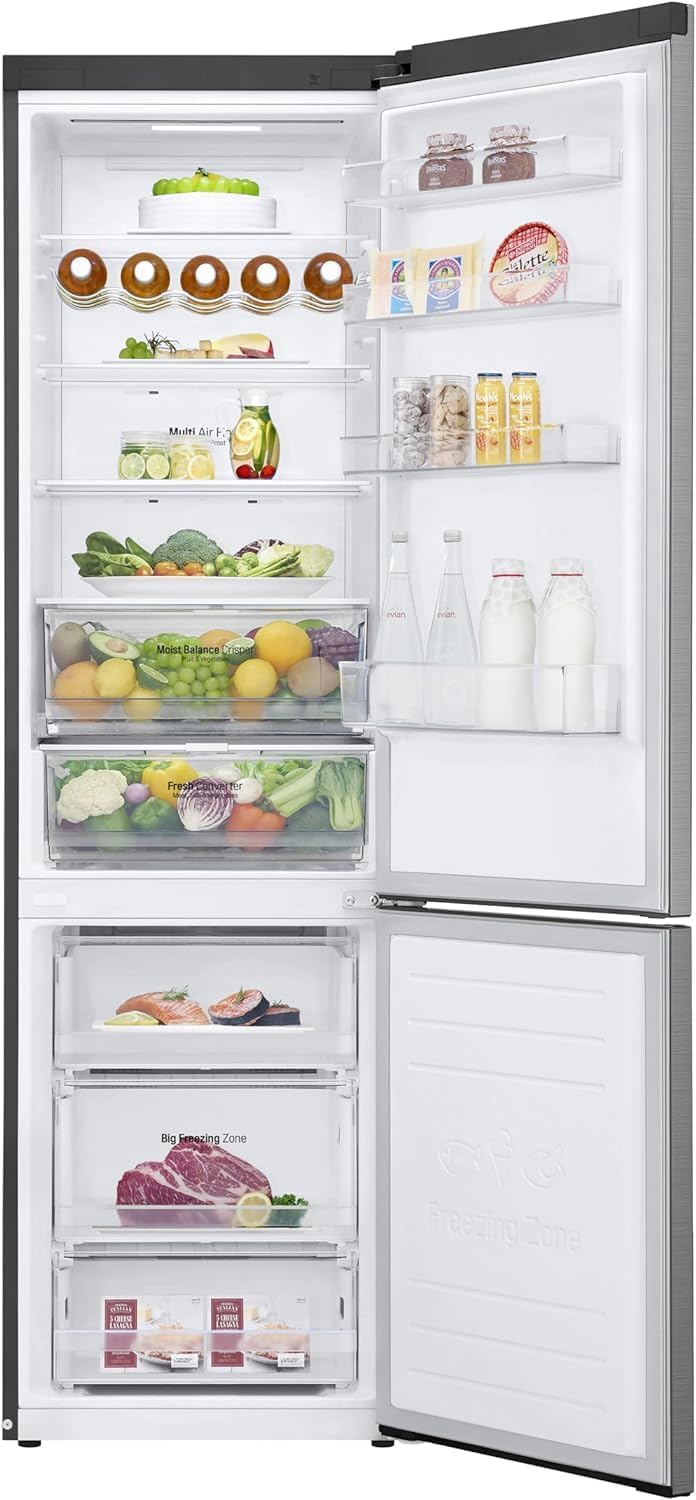
Image: External display panel of the LG refrigerator, indicating temperature controls and Wi-Fi connectivity status.
4.2 Fresh Converter Drawer
The Fresh Converter drawer provides optimal storage conditions for different food types. Use the selector on the drawer to choose between ideal temperatures for fresh meat (-2°C), fish (0°C), or convert it into a convenient vegetable drawer (refrigerator temperature).

Image: The Fresh Converter drawer with labels for Meat, Fish, and Vegetables, demonstrating its versatile temperature control for optimal food preservation.
4.3 Door & Linear Cooling™
The Door Cooling system ensures faster cooling of the refrigerator's internal areas, including the door section, improving food preservation. Linear Cooling technology maintains a consistent temperature with minimal fluctuations (±0.5°C), keeping your food fresh for longer.

Image: Visual representation of the Door & Linear Cooling system, illustrating how cool air is distributed throughout the refrigerator for consistent temperatures.
4.4 Wine Rack
Utilize the metal wine rack to conveniently store up to 5 wine bottles horizontally, optimizing space and keeping them chilled.

Image: The dedicated wine rack inside the refrigerator, designed to hold multiple bottles securely.
4.5 Wi-Fi Connectivity with ThinQ App
Connect your refrigerator to the LG ThinQ app on your smartphone to manage temperatures, activate rapid cooling functions (Express Cool & Express Freeze), and monitor energy consumption remotely. The app also supports Smart Diagnosis for convenient troubleshooting.

Image: A smartphone displaying the LG ThinQ app, showing options for temperature control, Express Cool, Express Freeze, and Smart Diagnosis for the refrigerator.
5. Maintenance and Care
5.1 Cleaning
Regularly clean the interior and exterior of your refrigerator. Unplug the appliance before cleaning. Use a soft cloth with a mild detergent and warm water. Avoid abrasive cleaners or solvents.
5.2 Defrosting
This refrigerator features Total No Frost technology, eliminating the need for manual defrosting in both the refrigerator and freezer compartments.
5.3 Power Outage
In case of a power outage, the refrigerator can maintain temperature for approximately 9 hours, helping to preserve food freshness.
6. Troubleshooting
If you encounter issues with your refrigerator, refer to the following common problems and solutions. For more complex issues, use the Smart Diagnosis feature via the ThinQ app or contact customer support.
| Problem | Possible Cause | Solution |
|---|---|---|
| Refrigerator not cooling | Power cord unplugged; temperature set too high; door not closed properly. | Check power connection; adjust temperature settings; ensure door is sealed. |
| Excessive noise | Refrigerator not level; items rattling inside; compressor noise (normal). | Adjust leveling feet; rearrange items; normal operation sounds are expected. |
| Water leakage | Drain hose clogged; door gasket not sealing properly. | Clear drain hose; check and clean door gasket. |
| Wi-Fi connection issues | Router issues; incorrect password; refrigerator too far from router. | Restart router; re-enter password; move refrigerator closer or use Wi-Fi extender. |
7. Specifications
Detailed technical specifications for the LG GBB62PZFGN refrigerator:
| Feature | Detail |
|---|---|
| Brand | LG |
| Model Number | GBB62PZFGN.APZQEUR |
| Product Dimensions (DxWxH) | 68.2 x 59.5 x 203 cm |
| Weight | 78 kg |
| Capacity | 384 Liters (Total) |
| Configuration | Standard size with bottom freezer |
| Energy Efficiency Class | D |
| Annual Energy Consumption | 215 kWh/annum |
| Noise Level | 35 dB |
| Defrost System | No Frost |
| Special Features | Reversible Door, Wi-Fi Connectivity, Fresh Converter, Door Cooling, Linear Cooling, Wine Rack, Smart Inverter Compressor |
| Color | Premium Inox |
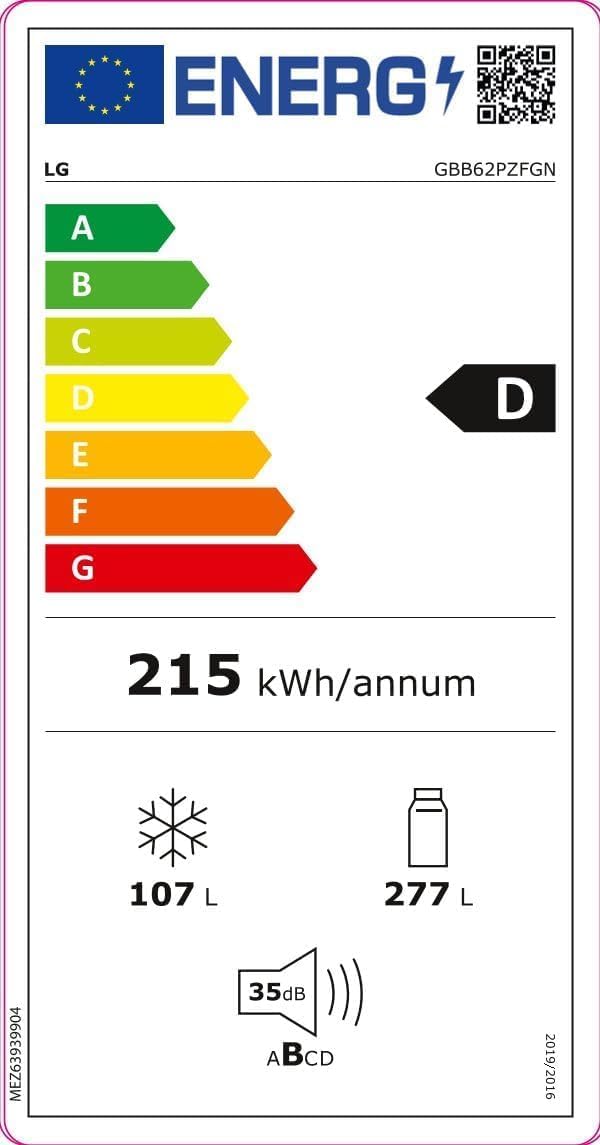
Image: EU Energy Label for the LG GBB62PZFGN, indicating its energy efficiency class D and annual energy consumption of 215 kWh.
For more details, visit the official EPREL database: https://eprel.ec.europa.eu/qr/647202
8. Warranty and Support
8.1 Warranty Information
The product is covered by a conventional warranty for the first 2 years. From the third to the tenth year, LG offers an extended warranty exclusively on the Smart Inverter Compressor. Labor costs and intervention costs are excluded from this extended warranty.

Image: LG Smart Inverter Compressor 10-year warranty badge, highlighting the extended reliability of the compressor.
8.2 Customer Support
For technical assistance, spare parts, or warranty claims, please contact LG customer support. You can also utilize the Smart Diagnosis feature through the LG ThinQ app for quick troubleshooting.
Visit the official LG website for contact details and further support resources.