
1. Introduction & Safety Information
Thank you for choosing the Hayward Micro 3.5KW Mono Heat Pump. This manual provides important information for the safe installation, operation, and maintenance of your heat pump. Please read this manual thoroughly before installation and use, and keep it for future reference.
Important Safety Instructions
- Always disconnect power before performing any service or maintenance.
- Installation must be performed by a qualified professional in accordance with all local and national electrical and plumbing codes.
- Do not operate the heat pump if any part is damaged or missing.
- Keep children away from the unit during operation.
- Ensure proper ventilation around the unit.
2. Product Overview & Features
The Hayward Micro 3.5KW Mono Heat Pump is specifically designed for above-ground pools, offering efficient heating to extend your swimming season. It features a robust construction and smart control capabilities.
Key Features:
- Dedicated for Above-Ground Pools: Optimized performance for smaller pool volumes.
- Heating Mode Only: Provides efficient water heating.
- Durable Construction: Galvanized casing offers high resistance to UV radiation and corrosion, ensuring longevity.
- Low Ambient Temperature Operation: Functions effectively down to an ambient temperature of 10°C.
- Quiet Operation: Engineered for minimal noise during use.
- Bluetooth Connectivity: Control your heat pump remotely via a dedicated mobile application.

Figure 2.1: Front view of the Hayward Micro 3.5KW Mono Heat Pump, showcasing its compact design and digital display.
3. Setup & Installation
Proper installation is crucial for the performance and safety of your heat pump. It is highly recommended that installation be carried out by a qualified pool professional.
3.1 Placement
- Choose a location with adequate airflow, away from walls or obstructions.
- Ensure the unit is placed on a stable, level surface.
- Maintain a minimum distance of 50 cm from any vertical surface for optimal air circulation.
3.2 Plumbing Connections
Connect the heat pump to your pool's filtration system. Water flows from the filter, through the heat pump, and back to the pool. Note: While some product descriptions may suggest otherwise, a bypass kit is generally recommended for proper flow control and maintenance of pool heat pumps. Consult with your installer regarding the necessity of a bypass for your specific setup.
3.3 Electrical Connections
The heat pump requires a dedicated electrical circuit. All electrical wiring must comply with local and national electrical codes. Ensure the power supply matches the specifications of the unit.

Figure 3.1: Side view of the heat pump, illustrating the water inlet/outlet connections and general unit layout for installation planning.
4. Operating Instructions
Once installed and connected, operating your Hayward heat pump is straightforward, either via the integrated control panel or the dedicated Bluetooth application.
4.1 Initial Start-up
- Ensure the pool pump is running and water is flowing through the heat pump.
- Turn on the electrical power to the heat pump.
- The unit will perform a self-check and display the current water temperature.
4.2 Setting Desired Temperature
Use the control panel on the unit to adjust the desired water temperature. Refer to the specific button functions indicated on the unit's display for temperature up/down adjustments.
4.3 Bluetooth App Control
The Hayward Micro Heat Pump can be controlled remotely via a dedicated smartphone application. Download the official Hayward app from your device's app store.
- Enable Bluetooth on your smartphone.
- Open the Hayward app and follow the on-screen instructions to pair with your heat pump.
- Once connected, you can monitor the pool temperature, set the desired temperature, and manage other settings directly from your phone.
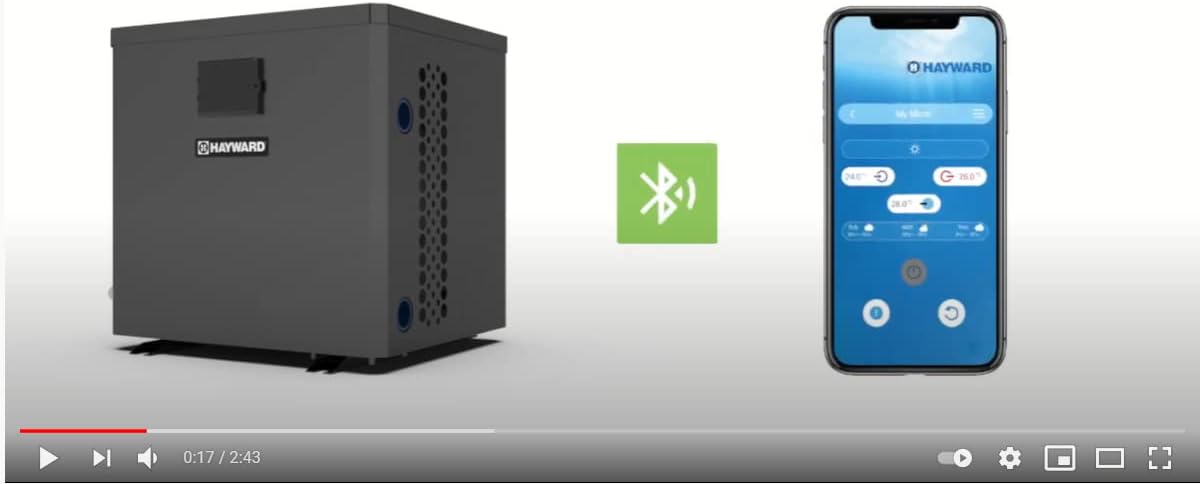
Figure 4.1: The heat pump unit alongside a smartphone displaying the Bluetooth connection interface, indicating remote control capability.
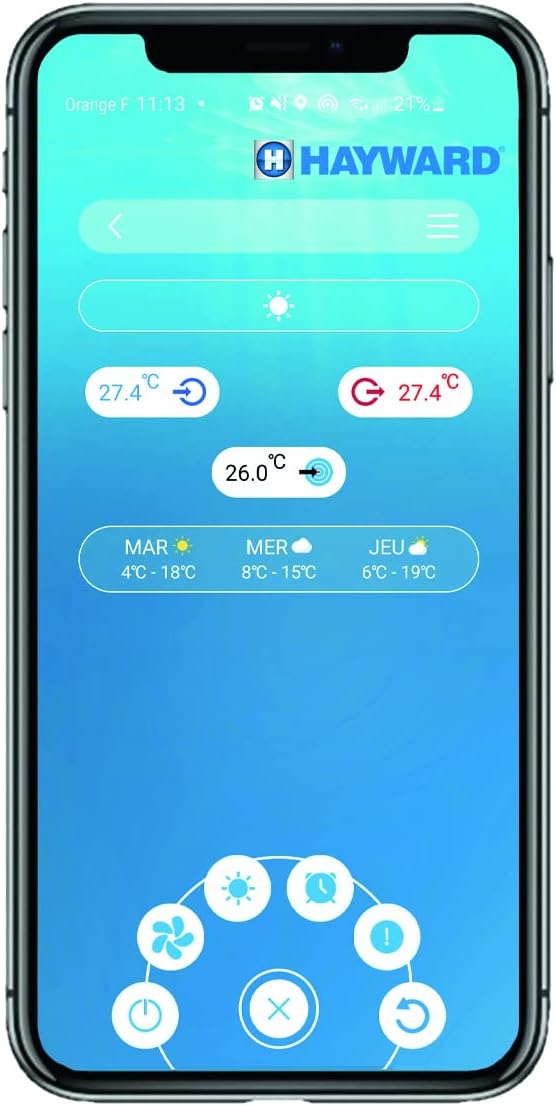
Figure 4.2: A detailed view of the Hayward mobile application interface, showing temperature settings and control options for the heat pump.
5. Maintenance
Regular maintenance ensures optimal performance and extends the lifespan of your heat pump.
5.1 Cleaning
- Coil Cleaning: Periodically inspect and clean the evaporator coil (fins) to remove leaves, dirt, and debris. Use a soft brush or vacuum cleaner.
- Exterior Cleaning: Wipe down the exterior casing with a damp cloth. Do not use harsh chemicals or abrasive cleaners.
5.2 Winterization
Before freezing temperatures arrive, it is essential to properly winterize your heat pump to prevent damage.
- Turn off the heat pump and disconnect its power supply.
- Drain all water from the heat pump's plumbing.
- Cover the unit with a protective, breathable cover.
6. Troubleshooting
This section addresses common issues you might encounter. For problems not listed here or if issues persist, contact a qualified service technician.
Common Issues:
- No Heat/Insufficient Heating: Check if the pool pump is running, ensure the desired temperature is set correctly, and verify that the unit has power. Low ambient temperatures (below 10°C) can reduce heating efficiency.
- Unit Not Turning On: Check the circuit breaker and ensure the power supply is connected.
- Error Codes on Display: Refer to the specific error code in the full technical manual (if available) or contact customer support with the code displayed.
- Unusual Noise: Inspect for debris in the fan or loose components. If the noise persists, contact a technician.
7. Specifications
| Feature | Detail |
|---|---|
| Model Number | HP2031DT3C |
| Dimensions (L x W x H) | 41.76 x 38.13 x 41.98 cm |
| Weight | 1.5 kg |
| Energy Type | Electric |
| Operating Ambient Temperature | Down to 10°C |
| Connectivity | Bluetooth |
8. Warranty & Support
Hayward products are manufactured to the highest standards and are backed by a limited warranty. For specific warranty terms and conditions, please refer to the warranty card included with your product or visit the official Hayward website.
For technical assistance, spare parts, or service inquiries, please contact Hayward customer support or your authorized Hayward dealer. When contacting support, please have your model number (HP2031DT3C) and purchase date available.
Hayward Customer Service: Please refer to the contact information provided on the official Hayward website for your region.