
Introduction
Thank you for choosing the O'DOR Aroma Diffuser. This ultrasonic essential oil diffuser is designed to enhance your environment with soothing aromas and gentle humidification. Please read this manual carefully before use to ensure proper operation and maintenance.

Image: The O'DOR Aroma Diffuser, featuring a wood-grain finish and a colorful LED light band, accompanied by 10 bottles of O'DOR essential oils.
Safety Instructions
To ensure safe operation, please observe the following precautions:
- Always place the diffuser on a flat, stable surface.
- Do not place the diffuser near heat sources or in direct sunlight.
- Keep out of reach of children and pets.
- Do not exceed the maximum water level indicated in the tank.
- Use only clean tap water or distilled water.
- Only use 100% pure essential oils. Avoid corrosive oils.
- Unplug the diffuser from the power outlet before cleaning or refilling.
- Do not touch the ultrasonic disc with bare hands.
- If the diffuser emits an unusual smell or sound, unplug it immediately.
- This appliance is for indoor use only.

Image: The O'DOR Aroma Diffuser with its wood-grain lid removed, revealing the water tank. A 'no flame' icon is visible, emphasizing that this is a flameless device.
Package Contents
Upon unpacking, please verify that all items are present and in good condition:
- O'DOR Aroma Diffuser (Model: WW-T8RD-0Q12)
- CE Certified Power Adapter
- Measuring Cup
- Remote Control
- User Manual
- 10 x 10ml Bottles of O'DOR Essential Oils (Lavender, Orange, Eucalyptus, Lemongrass, Tea Tree, Peppermint, Rose, Lemon, Grapefruit, Jasmine)

Image: A close-up view of ten small amber glass bottles, each containing 100% pure O'DOR essential oil. Labels include Lavender, Lemongrass, Lemon, Eucalyptus, Tea Tree, Rose, Grapefruit, Orange, Peppermint, and Jasmine.
Product Overview
The O'DOR Aroma Diffuser features a sleek wood-grain design with intuitive controls and a vibrant LED light band.
Key Features:
- Ultrasonic Technology: Produces a fine, cool mist without heat.
- 300ml Water Capacity: Allows for up to 10 hours of continuous operation.
- 7 LED Light Colors: Each with dim and bright options, totaling 14 lighting modes.
- Timer Settings: 1-hour, 3-hour, 6-hour, and continuous ON modes.
- Automatic Shut-off: Device powers off when water level is low for safety.
- Ultra-Quiet Operation: Operates at 21-24 dB, ideal for quiet environments.
- BPA-Free Materials: Constructed from ABS and polypropylene.

Image: A comparison graphic showing the O'DOR diffuser on the left and a generic diffuser on the right. The O'DOR diffuser highlights features like CE certification, safe power adapter, strong mist, and strong aroma, while the generic diffuser notes uncertified components, risk of short circuit, plastic appearance, and weak mist/aroma.
Setup
Follow these steps to set up your O'DOR Aroma Diffuser:
- Place the Diffuser: Position the diffuser on a flat, stable, and water-resistant surface.
- Remove the Lid: Gently lift the top cover of the diffuser.
- Add Water: Using the provided measuring cup, fill the water tank with clean tap water or distilled water up to the maximum water level line (300ml). Do not overfill.
- Add Essential Oil: Add 3-5 drops of your preferred O'DOR essential oil directly into the water tank. Adjust the number of drops based on desired aroma intensity.
- Replace the Lid: Carefully place the top cover back onto the diffuser, ensuring it is securely seated.
- Connect Power: Plug the CE certified power adapter into the DC input jack at the base of the diffuser, then plug the adapter into a standard wall outlet.

Image: A visual guide demonstrating the setup process: 1. Lifting the lid. 2. Adding water with a cup. 3. Adding essential oil drops. 4. Pressing the 'ON' button to start.
Operating Instructions
Your O'DOR Aroma Diffuser can be operated using the buttons on the unit or the included remote control.
Mist Control:
- Press the MIST button (or 'ON' button on the unit) once to turn on continuous mist.
- Press the MIST button repeatedly to cycle through timer settings: 1 hour, 3 hours, 6 hours, and OFF.
- The diffuser will automatically shut off when the water runs out, regardless of the timer setting.
Light Control:
- Press the LIGHT button once to turn on the LED light, which will cycle through 7 colors automatically.
- Press the LIGHT button again to fix the light to a specific color.
- Continue pressing the LIGHT button to cycle through the 7 colors (green, dark blue, red, yellow, pink, light blue, white) and their dim/bright options.
- Press and hold the LIGHT button for 2 seconds to turn off the light.

Image: The O'DOR Aroma Diffuser displaying its timer options: 1 hour (for reading), 3 hours (for yoga), 6 hours (for sleep), and ON (for work). The graphic indicates automatic shut-off when the timer expires or water runs out.

Image: A row of seven O'DOR Aroma Diffusers, each illuminated with a different LED color (orange, purple, green, yellow, red, light blue, white), demonstrating the 7 vibrant color options.
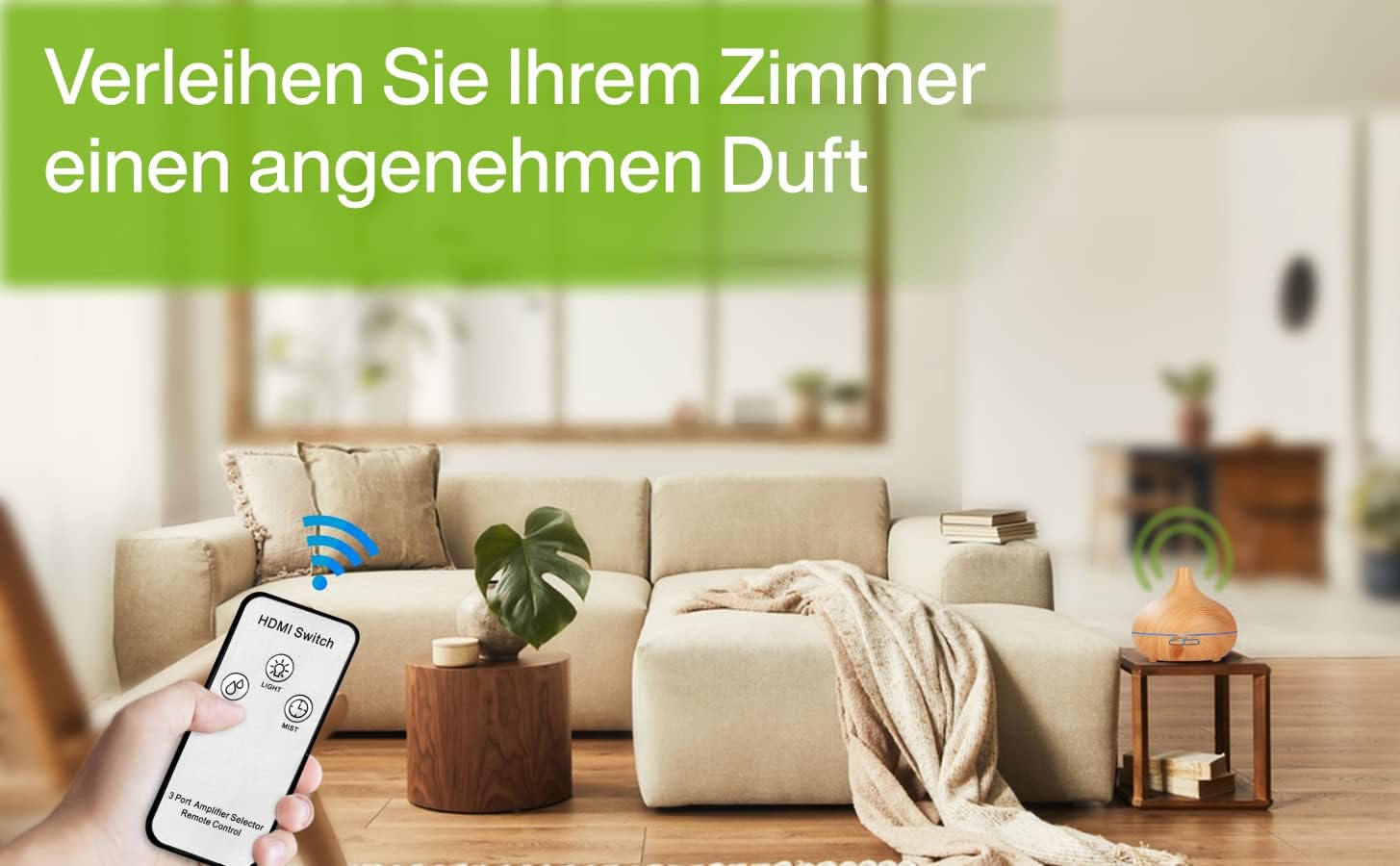
Image: The O'DOR Aroma Diffuser placed on a side table in a modern living room setting, emitting a gentle mist. A hand holds the remote control, indicating convenient operation from a distance.
Maintenance
Regular cleaning is essential to ensure optimal performance and longevity of your diffuser.
Daily Maintenance:
- Empty any remaining water from the tank.
- Wipe the inside of the water tank with a clean, soft cloth.
Weekly Cleaning:
- Unplug the diffuser from the power outlet.
- Remove the lid and empty the water tank.
- Add about 10ml of white vinegar to the water tank.
- Let it sit for 5-10 minutes to loosen mineral buildup.
- Gently wipe the inside of the tank and the ultrasonic disc with a soft brush or cotton swab. Do not scrub forcefully.
- Rinse the tank thoroughly with clean water, avoiding the air outlet.
- Wipe dry with a soft cloth.
Important:
- Do not immerse the diffuser base in water.
- Do not use harsh detergents or abrasive cleaners.
- Ensure the diffuser is completely dry before storing or next use.
Troubleshooting
If you encounter any issues with your O'DOR Aroma Diffuser, please refer to the following common problems and solutions:
| Problem | Possible Cause | Solution |
|---|---|---|
| No mist or weak mist | Low water level; Water overfilled; Ultrasonic disc dirty; Air outlet blocked. | Add water to appropriate level; Empty excess water; Clean ultrasonic disc; Ensure air outlet is clear. |
| No power | Power adapter not connected; No power from outlet. | Check power connection; Try a different outlet. |
| Light not working | Light function turned off; Malfunction. | Press the LIGHT button to activate; Contact support if issue persists. |
| Unusual noise | Water level too low/high; Diffuser not on a flat surface. | Adjust water level; Place on a stable, flat surface. |
If the problem persists after trying these solutions, please contact O'DOR customer support.
Specifications
| Feature | Detail |
|---|---|
| Brand | O'DOR |
| Model Number | WW-T8RD-0Q12 |
| Material | Acrylonitrile-Butadiene-Styrene (ABS), Polypropylene (BPA-Free) |
| Capacity | 300 Milliliters |
| Power | 10 Watts |
| Light Source Type | LED (7 colors, 14 modes) |
| Automatic Shut-off | Yes (when water runs out) |
| Sound Level | 21-24 dB |
| Coverage Area | Up to 25 m² |
| Package Dimensions | 17.4 x 17.2 x 16.4 cm |
| Item Weight | 925 g |
Warranty and Support
For warranty information or technical support, please refer to the contact details provided with your purchase documentation or visit the official O'DOR website. Please have your model number (WW-T8RD-0Q12) and purchase date ready when contacting support.


