
HOTWEEMS D-09
HOTWEEMS D-09 Wireless Mouse User Manual
Model: D-09 | Brand: HOTWEEMS
Introduction
This manual provides comprehensive instructions for the HOTWEEMS D-09 Wireless Mouse. Designed for comfort and efficiency, this ergonomic mouse offers reliable 2.4G wireless connectivity and adjustable sensitivity for various computing needs.
Product Overview

Figure 1: HOTWEEMS D-09 Wireless Mouse (Flamingo Pink) and USB Receiver.
The D-09 Wireless Mouse features a 6-button design, including standard left/right clicks, a scroll wheel, a DPI switch, and convenient forward/backward buttons on the side. It operates via a 2.4G wireless USB receiver.

Figure 2: Component Diagram of the D-09 Wireless Mouse.
Button Functions:
- Left Button: Standard click function.
- Right Button: Context menu function.
- Scroll Wheel: Scroll up/down, also functions as a middle click button.
- DPI Switch: Adjusts cursor sensitivity (800/1200/1600/2000/2400 DPI).
- Forward Button (Side): Navigates forward in web browsers or file explorers (Windows/Chromebook only).
- Backward Button (Side): Navigates backward in web browsers or file explorers (Windows/Chromebook only).
Setup Instructions
- Insert Battery: The D-09 mouse requires one AA battery (not included). Open the battery compartment on the underside of the mouse and insert the AA battery, ensuring correct polarity.

Figure 3: Battery compartment with AA battery.
- Locate USB Receiver: The mini USB receiver is stored in a small holder on the bottom of the mouse, next to the battery compartment. Gently remove it.

Figure 4: USB receiver plugged into a laptop.
- Connect to Device: Plug the USB receiver into an available USB-A port on your PC, laptop, or Chromebook. The mouse will connect automatically. No additional drivers are typically required.
Note: This is a 2.4GHz wireless mouse and is not Bluetooth compatible. It requires a USB-A port. Side buttons are not functional on Mac OS.
Operating Instructions
Ergonomic Design:
The D-09 mouse features an advanced ergonomic design with a 30° handshake angle, contoured grips, and a premium matte finish for enhanced comfort during extended use. It is designed for right-handed users.

Figure 5: Ergonomic design for reduced muscle strain.
DPI Adjustment:
Adjust the cursor sensitivity (DPI) by pressing the DPI switch located on the top of the mouse. Available DPI settings are 800, 1200, 1600, 2000, and 2400. Higher DPI settings result in faster cursor movement, reducing the need for large hand movements.
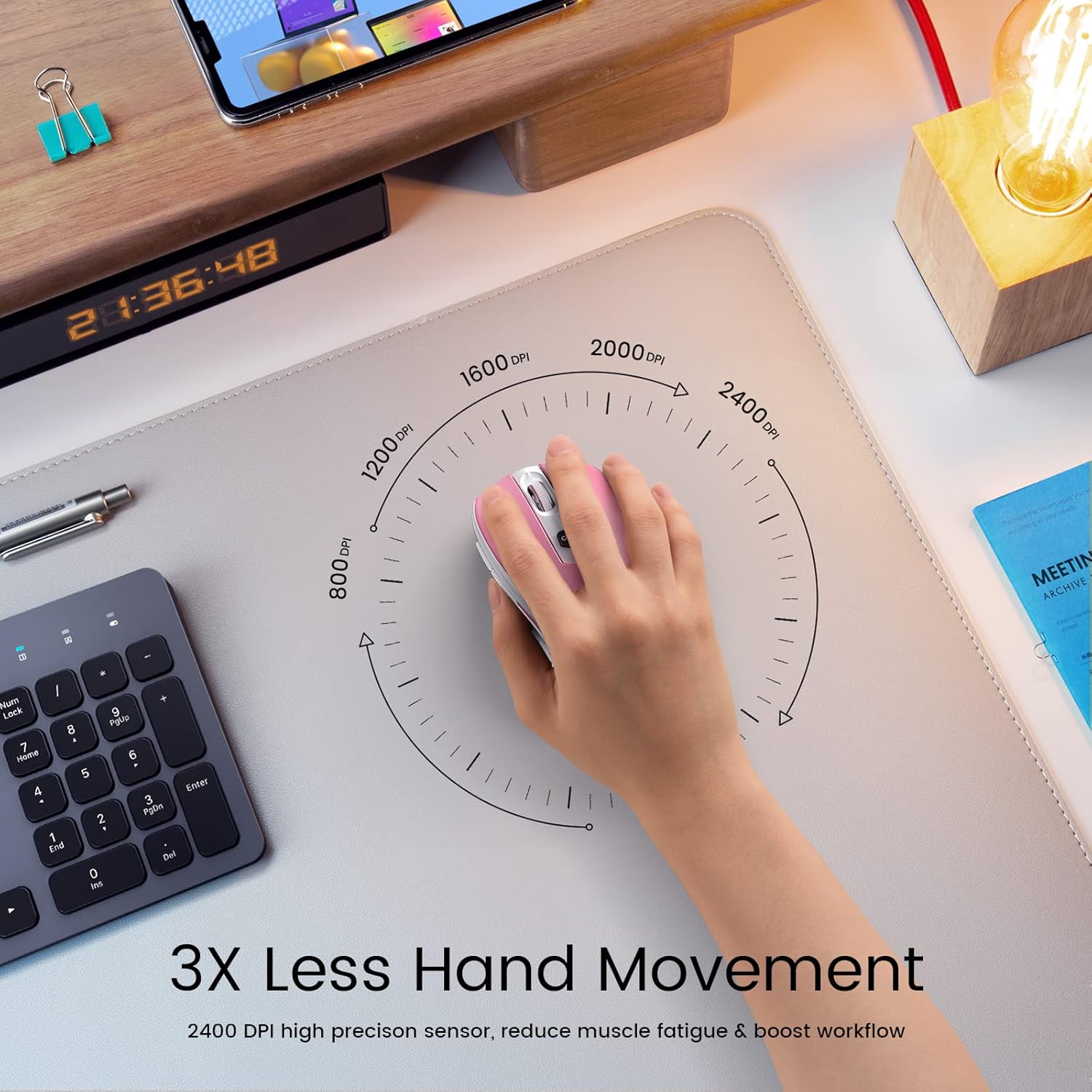
Figure 6: DPI adjustment for precise control.
Wireless Connectivity:
The 2.4G wireless connection provides a stable link up to 33 feet (10 meters), minimizing interference and delays. Simply plug the USB receiver into your device, and the mouse will function instantly.
Maintenance
Battery Management:
The D-09 mouse is designed for energy efficiency, with a single AA battery lasting up to 18 months. To conserve battery life, the mouse enters a sleep mode after 8 minutes of inactivity. To reactivate, simply click any button.
Cleaning:
To clean the mouse, gently wipe its surface with a soft, dry cloth. Avoid using harsh chemicals or abrasive materials that could damage the finish or internal components.
Troubleshooting
- Mouse not responding:
- Ensure the AA battery is correctly inserted and has sufficient charge.
- Verify the USB receiver is securely plugged into a USB-A port on your computer.
- Try plugging the USB receiver into a different USB-A port.
- If the mouse is in sleep mode, click any button to wake it up.
- Side buttons not working on Mac:
- The forward and backward side buttons are not supported on Mac OS. This is a design limitation.
- Compatibility issues:
- The mouse requires a USB-A port. Devices like the 2021 MacBook Pro/Air with only Thunderbolt (USB-C) ports will require an adapter (not included).
- It is compatible with Windows laptops, Chromebooks, and PCs with USB ports.
- Unifying USB dongle:
- This mouse uses a dedicated USB receiver and does not support unifying USB dongles. Each mouse pairs with its specific receiver to prevent interference.
Specifications
| Feature | Detail |
|---|---|
| Model Number | D-09 |
| Connectivity Technology | 2.4G Wireless (USB Receiver) |
| Movement Detection Technology | Optical |
| DPI Levels | 800/1200/1600/2000/2400 |
| Buttons | 6 (Left, Right, Scroll Wheel, DPI, Forward, Backward) |
| Battery Type | 1 x AA Battery (not included) |
| Battery Life | Up to 18 months |
| Auto-Sleep Function | After 8 minutes of inactivity |
| Wireless Range | Up to 33 feet (10 meters) |
| Product Dimensions | 4.2 x 2.8 x 1.6 inches |
| Item Weight | 3.2 ounces |
| Durability | 50 Million clicks |
| Compatibility | Windows, MacBook (side buttons unavailable), Chromebook, PC (any device with USB-A ports) |
Support
For any problems or inquiries regarding your HOTWEEMS D-09 Wireless Mouse, please do not hesitate to contact HOTWEEMS customer support. Refer to the product packaging or the official HOTWEEMS website for contact information.