1. Introduction
Welcome to the user manual for your new TOUCHELEX Smart Watch, Harley Series. This smartwatch is designed to enhance your daily life with its advanced features, including comprehensive health monitoring, fitness tracking, and smart notifications. With its 1.75-inch HD full touch screen and durable aluminum alloy frame, it offers a seamless and intuitive user experience. This manual will guide you through the setup, operation, maintenance, and troubleshooting of your device.

Figure 1.1: TOUCHELEX Smart Watch (Harley Series)

Figure 1.2: Harley Series Smart Watch in use
2. Setup
2.1. Unboxing and Initial Inspection
Upon opening the package, ensure all components are present and in good condition. Your package should contain:
- TOUCHELEX Smart Watch Unit
- Watch Band
- Charging Cable
- User Manual (this document)
2.2. Charging the Device
Before first use, fully charge your smartwatch. Connect the magnetic charging cable to the charging contacts on the back of the watch and plug the USB end into a standard USB power adapter (not included). The watch features fast charging, reaching approximately 50% battery in 19 minutes.
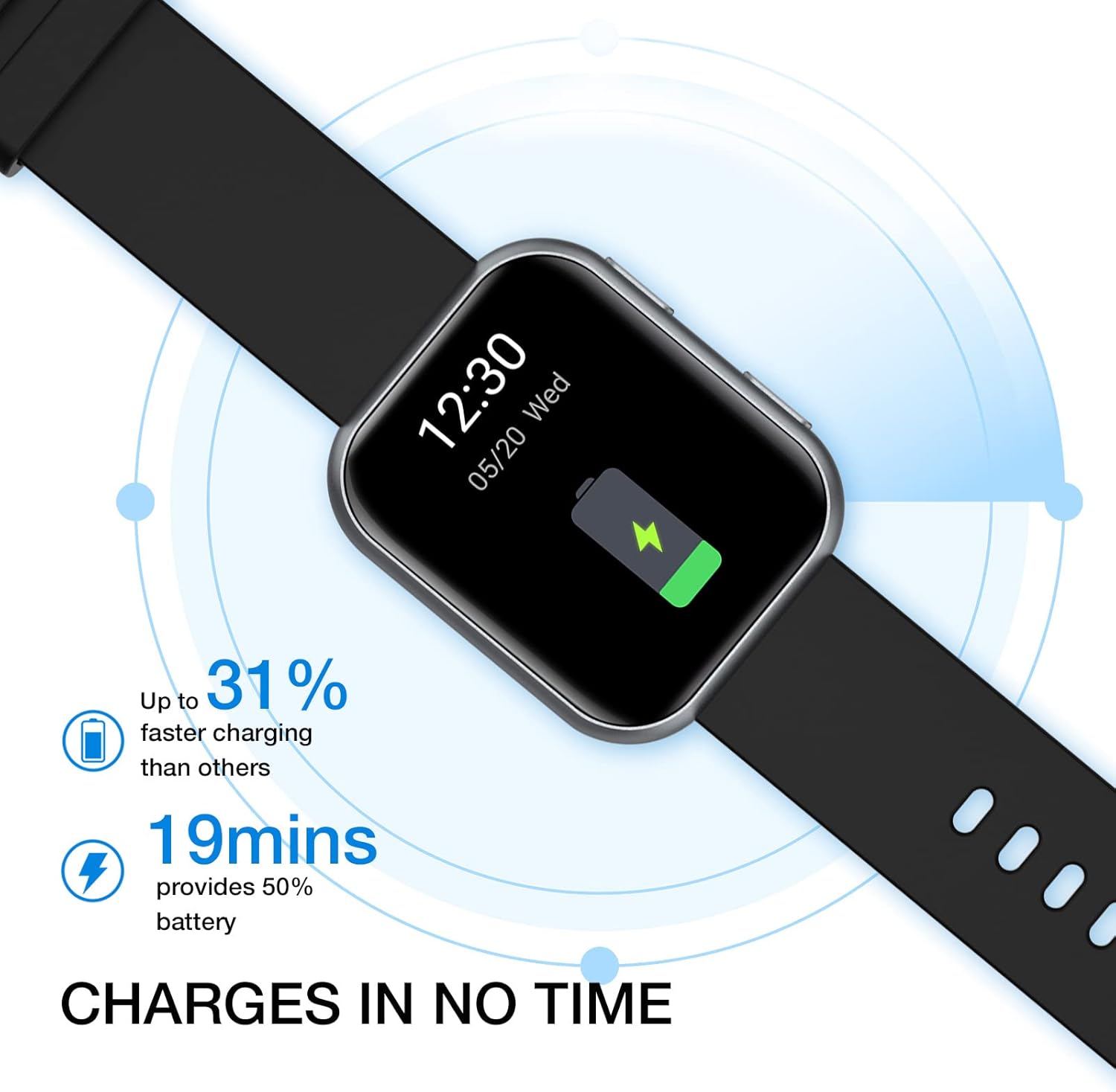
Figure 2.1: Smart Watch Charging Indication
2.3. App Installation and Pairing
To unlock the full potential of your smartwatch, download the official TOUCHELEX app on your smartphone. The app is compatible with Android 6.0 or above and iOS 9.0 or above.
- Scan the QR code in the quick start guide or search for "TouchElex" in your phone's app store.
- Install and open the app.
- Follow the on-screen instructions to create an account or log in.
- Enable Bluetooth on your smartphone.
- In the app, select 'Add Device' and choose your TOUCHELEX Smart Watch from the list of available devices.
- Confirm the pairing request on both your phone and the watch.

Figure 2.2: User-Friendly TouchElex App Interface
3. Operating the Smart Watch
3.1. Basic Navigation
The TOUCHELEX Smart Watch features a 1.75-inch HD full touch screen for easy navigation. Swipe left, right, up, or down to access different functions and menus. The side button typically serves as a power button or a return-to-home screen button.

Figure 3.1: Smart Watch Display Features
3.2. Key Features and Functions
- Health Monitoring: The watch continuously monitors your heart rate and can measure blood oxygen levels. It also provides sleep monitoring and menstrual health tracking for women.
- Fitness Tracking: Track various sports activities including indoor walk, outdoor walk, basketball, hiking, indoor cycle, outdoor cycle, rowing, indoor run, elliptical, cricket, strength training, yoga, and free training. The watch helps you understand your performance and progress.
- Smart Notifications & Quick Replies: Stay connected by receiving notifications for calls, messages, and app alerts directly on your wrist. For Android users, the watch supports pre-set quick replies to messages.
- Customizable Watch Faces: Personalize your watch with over 100 available watch faces through the companion app.
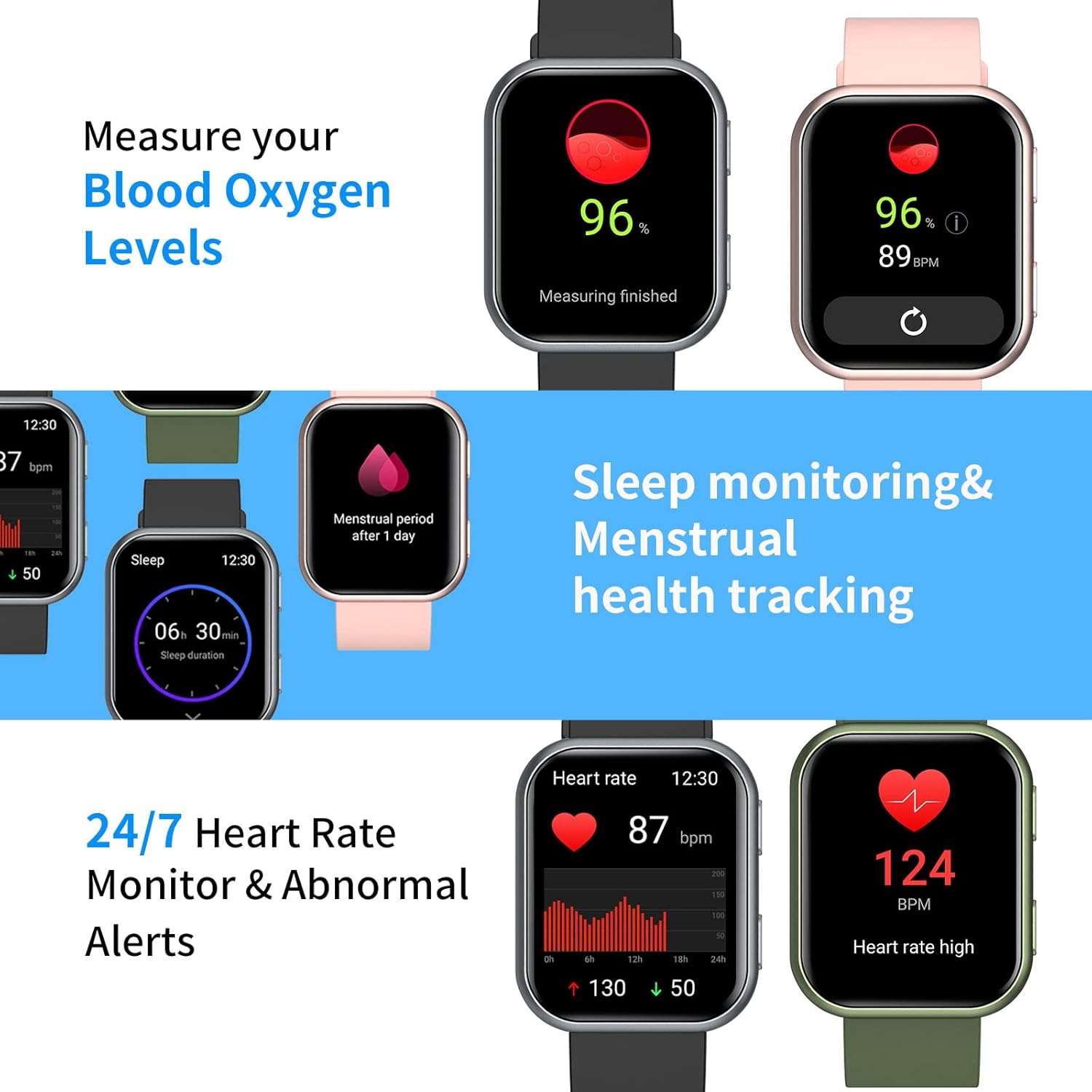
Figure 3.2: Health Monitoring Features
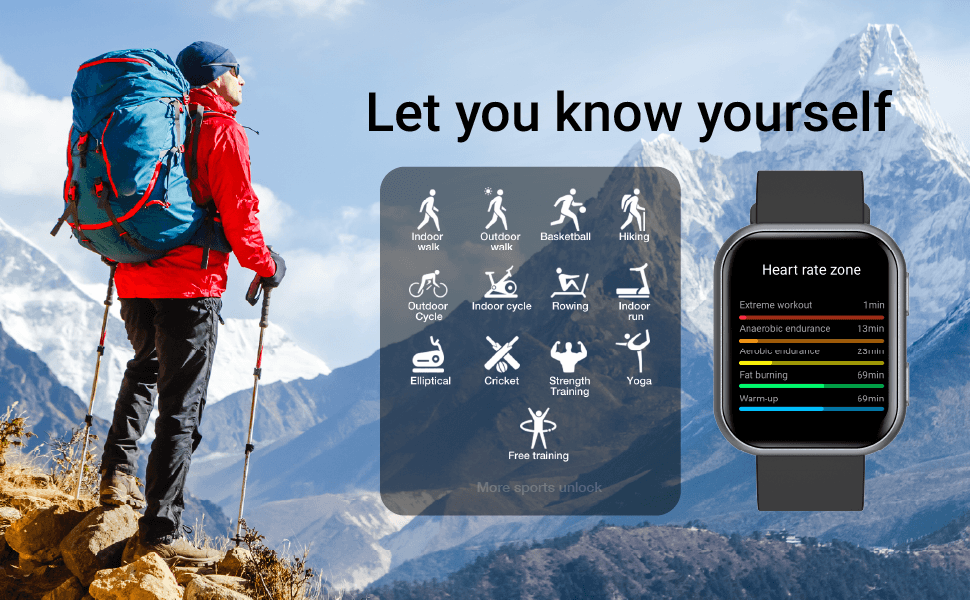
Figure 3.3: Sports and Fitness Tracking Modes
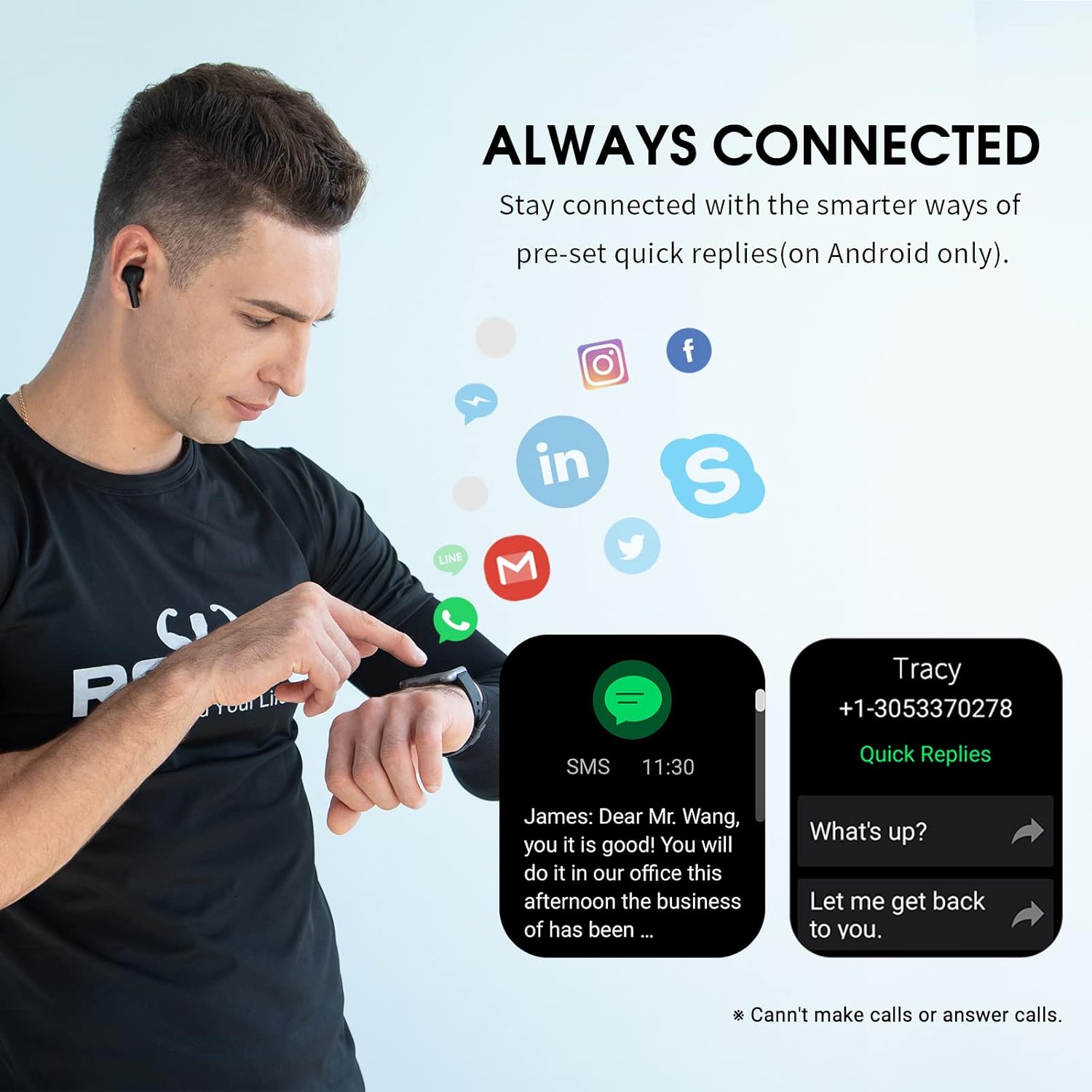
Figure 3.4: Smart Notifications and Quick Replies

Figure 3.5: Customizable Watch Faces
4. Maintenance
4.1. Cleaning Your Smart Watch
To maintain the performance and appearance of your watch, clean it regularly. Use a soft, lint-free cloth to wipe the screen and watch body. For stubborn dirt, slightly dampen the cloth with water. Avoid using harsh chemicals or abrasive materials.
4.2. Battery Care
To prolong battery life, avoid fully discharging the watch frequently. Charge it when the battery level is low. Store the watch in a cool, dry place when not in use for extended periods.
4.3. Waterproofing Guidelines
The TOUCHELEX Smart Watch is rated 3ATM waterproof, meaning it is resistant to splashes, rain, and can be worn while washing hands or taking a shower. It is not suitable for diving, snorkeling, or high-pressure water activities. Avoid exposing the watch to hot water or steam, as this may compromise the waterproof seals.

Figure 4.1: 3ATM Waterproof Feature
5. Troubleshooting
If you encounter issues with your TOUCHELEX Smart Watch, please refer to the following common troubleshooting steps:
- Watch not turning on: Ensure the watch is fully charged. Connect it to the charger for at least 30 minutes.
- Cannot pair with phone: Make sure Bluetooth is enabled on your phone and the watch is within range. Restart both the watch and your phone, then try pairing again. Ensure the TouchElex app is updated to the latest version.
- Inaccurate health data: Ensure the watch is worn snugly on your wrist, not too tight or too loose. Clean the sensor on the back of the watch.
- Notifications not appearing: Check app permissions on your phone to ensure the TouchElex app has access to notifications. Verify that notifications are enabled within the TouchElex app settings.
- Short battery life: Reduce screen brightness, disable unnecessary features, and limit background app refresh. Ensure the watch is fully charged each time.
If the problem persists, please contact TOUCHELEX customer support for further assistance.
6. Specifications
| Feature | Specification |
|---|---|
| Product Dimensions | 10.04 x 1.44 x 0.46 inches |
| Item Weight | 7 ounces |
| ASIN | B09KC32Z7H |
| Item Model Number | Harley Smart Watch |
| Batteries | 1 Lithium Polymer battery (included) |
| Standing Screen Display Size | 1.75 Inches |
| Operating System | Android, iOS |
| Special Feature | Waterproof (3ATM) |
| Connectivity Technology | Bluetooth |
| Wireless Communication Standard | Bluetooth |
| Battery Cell Composition | Lithium Polymer |
| GPS | GPS Via Smartphone |
| Shape | Rectangular (display) |
| Brand | TOUCHELEX |
| Style | Modern |
7. Warranty and Support
7.1. Warranty Information
Your TOUCHELEX Smart Watch comes with a 12-month warranty from the date of purchase, covering manufacturing defects. Please retain your proof of purchase for warranty claims. The warranty does not cover damage caused by misuse, accidents, unauthorized repairs, or normal wear and tear.
7.2. Customer Support
For any questions, technical assistance, or warranty claims, please contact TOUCHELEX customer support. We aim to reply to all messages within one business day. You can find contact information on the official TOUCHELEX website or through your purchase platform.
For additional information, you may refer to the official User Guide PDF: Download User Guide (PDF)
8. Important Note on Videos
No official product videos with verified seller creator type and embeddable URLs were found in the provided product data. Therefore, no videos could be embedded in this manual as per the specified requirements.