Introduction
This manual provides essential instructions for the safe and efficient use of your LG Soundbar SLM3D. Please read this manual thoroughly before operating your device and retain it for future reference. The LG Soundbar SLM3D is a 2.1 channel audio system designed to enhance your television's sound experience with 300W RMS output and wireless subwoofer connectivity.

Image: Front view of the LG Soundbar SLM3D and its accompanying wireless subwoofer.
Safety Information
- Do not expose the unit to rain or moisture.
- Do not open the cabinet. Refer servicing to qualified personnel only.
- Ensure proper ventilation around the unit.
- Avoid placing the unit near heat sources or in direct sunlight.
- Use only the power cord provided.
What's in the Box
Upon unpacking, verify that all the following components are included:
- LG Soundbar (Main Unit)
- Wireless Subwoofer
- Power Cord(s)
- Remote Control (with batteries)
- Wall Mount Bracket (optional, may vary by region)
- User Manual (this document)
Setup
1. Placement
Position the soundbar centrally below your television. Ensure there are no obstructions in front of the soundbar's speakers. The wireless subwoofer can be placed anywhere in the room, ideally near the soundbar, for optimal bass performance.
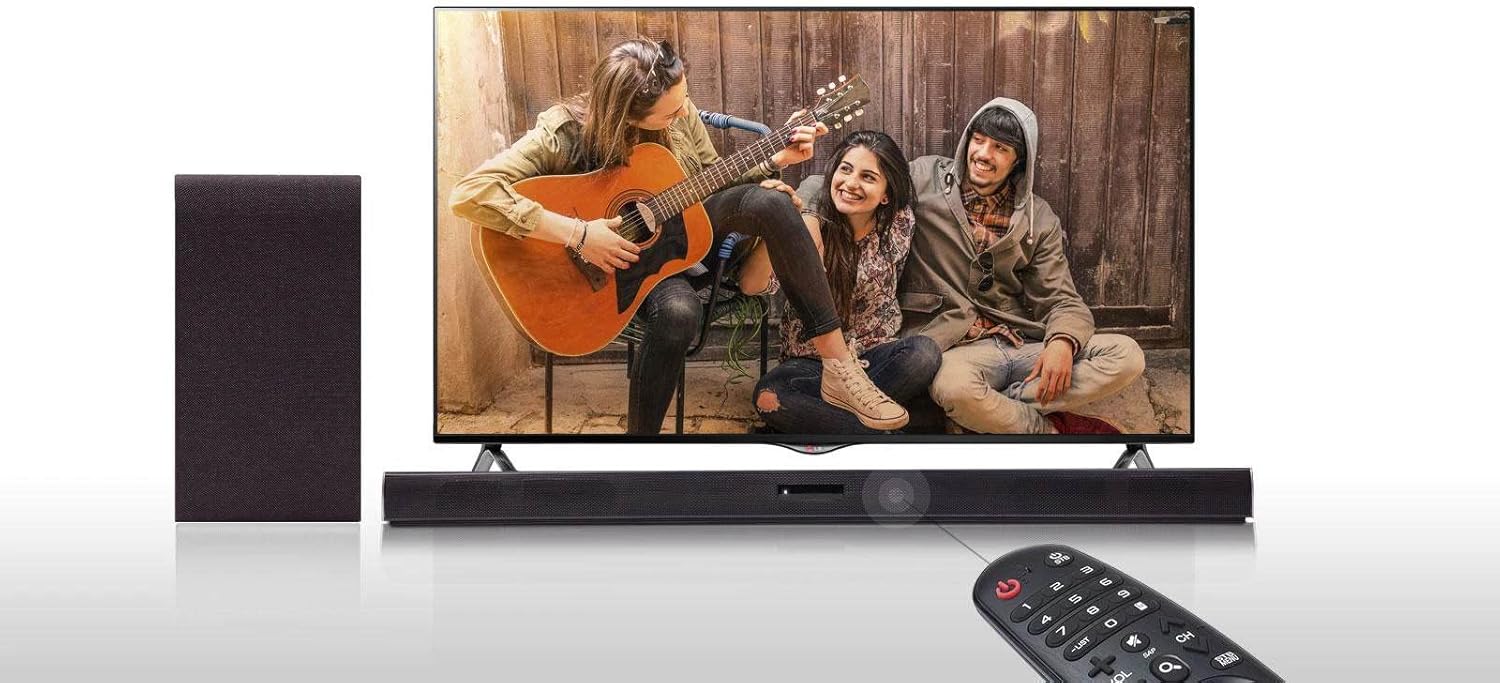
Image: Example placement of the LG Soundbar and wireless subwoofer with a television.
2. Power Connection
- Connect the power cord to the soundbar's power input.
- Connect the power cord to the wireless subwoofer's power input.
- Plug both power cords into a wall outlet.
3. Connecting to a Television
The soundbar offers multiple ways to connect to your television. Choose the method that best suits your TV's available ports.
- Optical Cable Connection: Connect an optical cable (not included) from your TV's optical digital audio output to the soundbar's OPTICAL IN port.
- Bluetooth Connection: For wireless audio, pair your TV with the soundbar via Bluetooth. Refer to your TV's manual for Bluetooth pairing instructions.
4. Wireless Subwoofer Pairing
The wireless subwoofer should automatically pair with the soundbar when both are powered on. If the subwoofer does not connect, check the indicator light on the subwoofer. If it is blinking, press the PAIRING button on the back of the subwoofer. The indicator light should turn solid green once connected.
Operating
1. Basic Controls
- Power: Press the Power button on the remote control or the soundbar to turn the unit on or off.
- Volume: Use the Volume +/- buttons on the remote control or soundbar to adjust the sound level.
- Function/Input Selection: Press the Function button on the remote control or soundbar to cycle through available input sources (e.g., OPTICAL, BLUETOOTH).
2. Bluetooth Audio Playback
You can stream audio wirelessly from a Bluetooth-enabled device (e.g., smartphone, tablet) to your soundbar.
- Press the Function button on the soundbar or remote control until 'BT' (Bluetooth) appears on the display.
- On your Bluetooth device, enable Bluetooth and search for available devices.
- Select 'LG SLM3D' from the list of devices. Once connected, the soundbar display will show 'PAIRED'.
- Play audio on your connected device, and it will output through the soundbar.

Image: The LG Soundbar connected wirelessly to a smartphone via Bluetooth.
3. Sound Effects
The soundbar features various sound modes to optimize your listening experience.
- Bass Boost: Activates an enhanced bass effect for richer low-frequency sound. Refer to your remote control for the dedicated Bass Boost button or sound mode selection.
Maintenance
Cleaning the Unit
- Wipe the exterior surfaces of the soundbar and subwoofer with a soft, dry cloth.
- Do not use liquid cleaners, abrasive cleaners, or chemical sprays, as these can damage the finish.
- Ensure the unit is unplugged from the power outlet before cleaning.
Storage
If storing the unit for an extended period, unplug it from the power source and store it in a cool, dry place, away from direct sunlight and extreme temperatures.
Troubleshooting
| Problem | Possible Cause | Solution |
|---|---|---|
| No power | Power cord not securely connected. | Check that the power cords for both the soundbar and subwoofer are firmly plugged into the unit and the wall outlet. |
| No sound | Incorrect input selected; TV volume too low or muted; Soundbar volume too low or muted; Cable connection issue. | Ensure the correct input source is selected on the soundbar. Check TV and soundbar volume levels. Verify all audio cables are securely connected. |
| Subwoofer not connecting | Subwoofer not paired; Interference. | Ensure both soundbar and subwoofer are powered on. If the subwoofer indicator light is blinking, press the PAIRING button on the back of the subwoofer. Move other wireless devices away to reduce interference. |
| Bluetooth connection fails | Device not in pairing mode; Device too far; Interference. | Ensure the soundbar is in Bluetooth mode. Place the Bluetooth device closer to the soundbar. Try re-pairing the device. |
Specifications
| Feature | Detail |
|---|---|
| Model Name | SLM3D |
| Speaker Type | Soundbar |
| Surround Sound Channel Configuration | 2.1 Channel |
| Speaker Maximum Output Power | 300 Watts RMS |
| Wireless Communication Technology | Bluetooth |
| Bluetooth Range | 10 Meters |
| Subwoofer Connectivity Technology | Wireless |
| Special Feature | Bass Boost, Subwoofer |
| Recommended Uses For Product | For Televisions |
| Compatible Devices | Smartphone, Television |
| Included Components | Soundbar and Wireless Subwoofer |
| Power Source | Corded Electric |
| Control Method | Touch, Remote Control |
| Mounting Type | Bar Mount |
| Item Weight | 26.8 pounds |
| Package Dimensions | 39 x 19.2 x 17.9 inches |
| Date First Available | February 27, 2022 |
Warranty and Support
LG products are manufactured to high standards and undergo rigorous quality control. This product is covered by a limited warranty. For specific warranty terms and conditions, please refer to the warranty card included with your product or visit the official LG website.
For technical support, service inquiries, or to find authorized service centers, please visit the official LG support website or contact LG customer service in your region. You can typically find contact information on the LG website: www.lg.com/us/support