
service_parts AC52/01
service_parts Quick Cleaning Clean Pod Instruction Manual
Model: AC52/01
Introduction
This manual provides essential instructions for the proper use and maintenance of the service_parts Quick Cleaning Clean Pod, Model AC52/01. This product is designed as a replacement cleaning solution pod for compatible Philips shaver cleaning stations, ensuring optimal hygiene and performance of your shaving device.
Product Overview
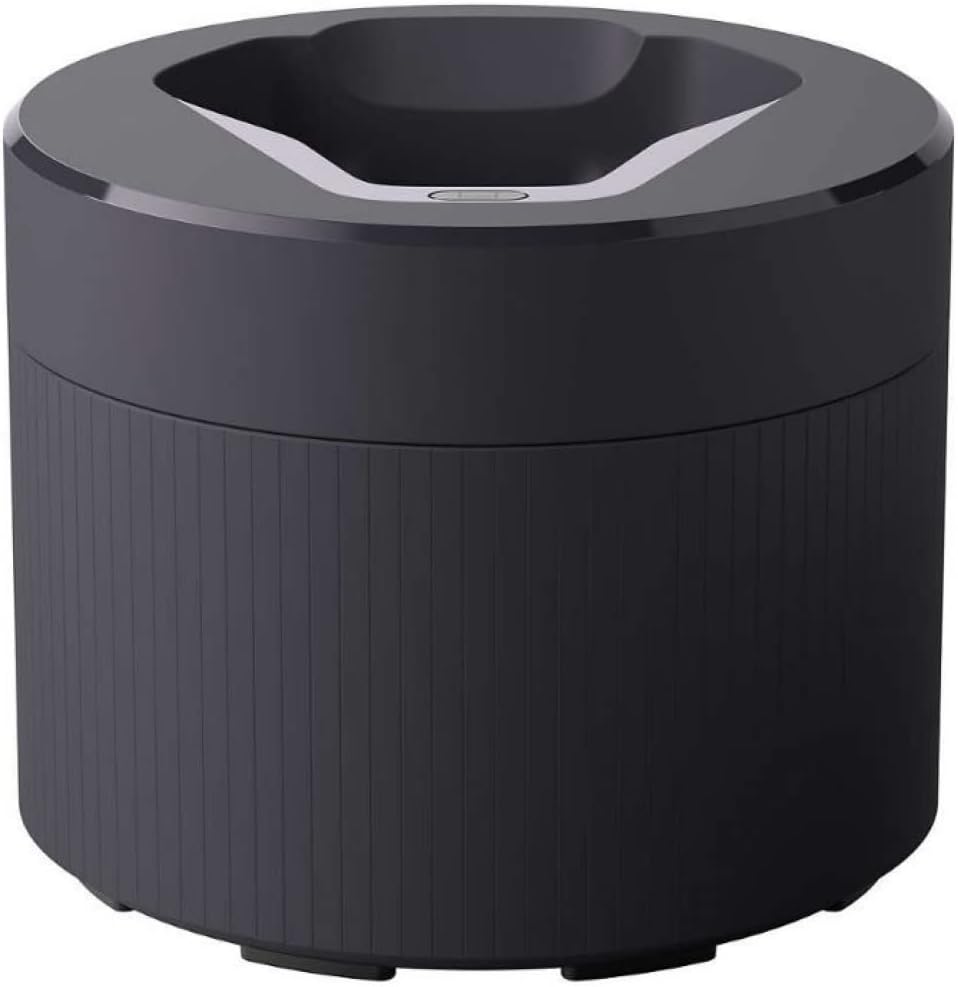
Figure 1: The service_parts Quick Cleaning Clean Pod (AC52/01) in its closed state. This pod contains the cleaning solution for your Philips shaver cleaning station.
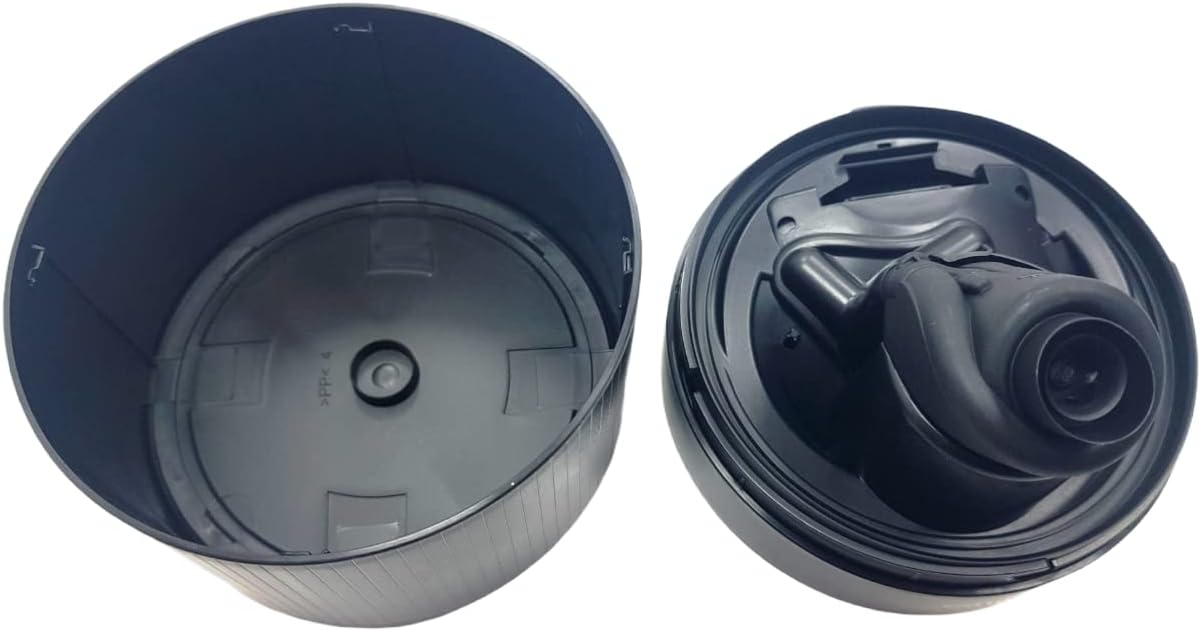
Figure 2: An internal view of the service_parts Quick Cleaning Clean Pod, illustrating the design for integration into a compatible Philips shaver cleaning station.
Setup
- Unpack the Clean Pod: Carefully remove the Quick Cleaning Clean Pod from its packaging. Note that this product is supplied as a spare part and may not include commercial retail packaging.
- Locate Your Cleaning Station: Identify the cleaning station compatible with your Philips shaver. Ensure the station is powered off and disconnected from the main power supply before proceeding.
- Remove the Old Pod (if applicable): If a used cleaning pod is present, follow your cleaning station's instructions to safely remove and dispose of it.
- Insert the New Pod: Open the cleaning station's pod compartment. Insert the service_parts Quick Cleaning Clean Pod (AC52/01) into the designated slot. Ensure it is seated firmly and correctly according to your cleaning station's design.
- Close the Compartment: Securely close the pod compartment of the cleaning station.
- Connect Power: Reconnect the cleaning station to the power supply.
Compatibility: This clean pod is compatible with Philips shaver models including S5531, S5532, S5533, S5535, S5536, S5579, S5581, S5582, S5583, S5584, S5585, S5586, S5587, S5588, S5589, S5666, S5830, S5831, S5832, S5835, S5836, S5880, S5881, S5882, S5883, S5884, S5885, S5886, S5887, S5889, S5898, S6600, S7731, S7732, S7735, S7782, S7783, S7786, S7788, S7832, S7836, S7837, S7882, S7885, S7886, S7887, S7888, S8050, S8692, S8696, S8697, S9502, S9507, S9642, S9647, S9931, S9932, S9933, S9935, S9936, S9938, S9939, S9966, S9973, S9974, S9975, S9976, S9977, S9979, S9980, S9982, S9983, S9985, S9986, S9987, SP9882, SP9883, SP9885, SU5799, SU5999.
Operating Instructions
- Prepare Your Shaver: After each shave, gently tap your shaver head to remove loose hair particles. For best results, rinse the shaver head under running water to remove larger debris before placing it in the cleaning station.
- Place Shaver in Station: Position your Philips shaver securely in the cleaning station, ensuring it makes proper contact with the charging and cleaning contacts.
- Initiate Cleaning Cycle: Follow the instructions for your specific Philips cleaning station to start a cleaning cycle. Typically, this involves pressing a button or the station automatically detecting the shaver. The cleaning cycle usually lasts approximately one minute.
- Drying: After the cleaning cycle, the shaver will typically undergo a drying process within the station. Allow the shaver to dry completely before use or storage.
The cleaning solution in the pod helps to clean, lubricate, and refresh your shaver blades, contributing to a hygienic and efficient shaving experience.
Maintenance
- Pod Replacement: The service_parts Quick Cleaning Clean Pod is designed for a limited number of cleaning cycles. Replace the pod when the cleaning station indicates a low fluid level or when the cleaning performance diminishes. Refer to your cleaning station's manual for specific replacement indicators.
- Disposal: Dispose of used cleaning pods according to local environmental regulations. The material feature is "Biodegradable," which may influence disposal methods.
- Cleaning the Station: Periodically clean the exterior of your cleaning station with a damp cloth. Avoid using abrasive cleaners or submerging the station in water.
- Storage: Store unused clean pods in a cool, dry place, away from direct sunlight and extreme temperatures.
Troubleshooting
If you encounter issues with your service_parts Quick Cleaning Clean Pod or cleaning station, consider the following:
- Cleaning Cycle Not Starting:
- Ensure the clean pod is correctly inserted and the compartment is fully closed.
- Verify that the cleaning station is properly connected to power.
- Check if your shaver is correctly seated in the station.
- Poor Cleaning Performance:
- The clean pod may need replacement. Check the fluid level indicator on your cleaning station.
- Ensure you have pre-rinsed your shaver head to remove larger debris before placing it in the station.
- "Refill Light" Issue: If an indicator light or component related to the pod refill mechanism appears dislodged or malfunctioning, discontinue use and consult the manufacturer of your cleaning station or the retailer for assistance.
For persistent issues, refer to the instruction manual provided with your Philips shaver cleaning station.
Specifications
| Model Number | AC52/01 |
| Known As | 422203997043, 300005868601, AC52/01 2nd Generation Series |
| Brand | service_parts |
| Material Feature | Biodegradable |
| Item Form | Bar (Note: This may refer to the solid form of the cleaning agent or a data entry discrepancy, as cleaning fluid is typically liquid) |
| Scent | Aquatic |
| Package Dimensions | 5.24 x 5.24 x 4.37 inches |
| Item Weight | 0.35 ounces |
| Manufacturer | service_parts |
| Date First Available | July 29, 2021 |
Warranty and Support
Information regarding specific warranty terms or direct customer support for the service_parts Quick Cleaning Clean Pod (Model AC52/01) is not available in the provided product data. Please refer to the documentation included with your original Philips shaver cleaning station or contact the retailer where this product was purchased for further assistance.
Related Documents - AC52/01
 |
Philips AC20/01 Adjustable Beard Styler 1-5mm - Compatibility and Specifications Detailed information on the Philips AC20/01 adjustable beard styler attachment, including compatibility with Shaver series 5000, 7000, 8000, and 9000, features, and specifications. |
 |
Philips AC40/01 Nose Trimmer Attachment for Shaver Series 5000, 7000, 8000 - Compatibility and Features Discover the Philips AC40/01 nose trimmer attachment, designed for Shaver Series 5000, 7000, and 8000. Learn about its features, compatibility with square-headed shavers, and easy replacement with genuine Philips parts. |
 |
Philips Bolsa Flexível CP1752/01 para OneBlade Shaver Series 5000 | Acessório de Arrumação Proteja e organize a sua máquina de barbear Philips OneBlade Shaver Series 5000 com a Bolsa Flexível CP1752/01. Ideal para viagens e uso doméstico, com destaque para a fácil substituição de peças. |
 |
Philips Extra Garancia Akció: Részvételi Szabályzat és Terméklista Ismerje meg a Philips Extra Garancia Akció részletes feltételeit. Tudja meg, hogyan regisztrálhatja termékét, és szerezhet extra garanciát Philips borotvákra, szakállvágókra, hajvágókra és testszőrtelenítőkre. Tekintse meg a részt vevő termékek listáját. |
 |
Philips Serie 5000 Gruppo Staffa CP1724/01 - Ricambio Originale Scopri il gruppo staffa originale Philips CP1724/01, progettato per i rasoi Philips Serie 5000. Assicura la corretta posizione delle testine di rasatura e una facile sostituzione per mantenere le prestazioni del tuo rasoio. |
 |
Philips Schoonmaakpod AC52/01: Draadloze Quick Clean Pod voor Scheerapparaten Ontdek de Philips Schoonmaakpod AC52/01, een draadloze reinigingsoplossing die uw scheerapparaat in één minuut reinigt en smeert voor optimale prestaties. Eenvoudig te onderhouden met originele Philips onderdelen. |
Ask a question about this manual
Ask about setup, troubleshooting, compatibility, parts, safety, or missing instructions. Manuals+ will review the question and use this page’s manual context to help answer it.