Introduction
This manual provides essential instructions for the setup, operation, and maintenance of your Crosley CR8005F Cruiser Plus Vintage 3-Speed Bluetooth Turntable. Please read this manual thoroughly before using the product to ensure proper function and longevity.

Image: The Crosley CR8005F Cruiser Plus Turntable, showcasing its portable suitcase design and open platter.
What's in the Box
Upon unpacking, ensure all the following items are present:
- CR8005F Cruiser Plus Turntable
- AC Adapter
- User Manual (this document)
- 45 RPM Adapter
Setup
- Unpack the Turntable: Carefully remove the turntable from its packaging. Remove any protective materials, including the stylus guard and any tape securing the tonearm.
- Power Connection: Connect the supplied AC adapter to the DC IN 5V port on the back of the turntable and then plug it into a wall outlet.
- Placement: Place the turntable on a stable, level surface away from direct sunlight, heat sources, and excessive vibration.
- Initial Inspection: Ensure the platter is seated correctly and the tonearm is free to move.

Image: The rear panel of the turntable, highlighting the power input, Aux-In, and Line-Out RCA ports for external connections.
Operating Instructions
1. Playing Records
- Power On: Turn the Volume knob clockwise to power on the unit. The power indicator will illuminate.
- Select Speed: Set the speed switch to the appropriate speed (33 1/3, 45, or 78 RPM) for your record. Use the 45 RPM adapter for records with larger center holes.
- Place Record: Place a record on the turntable platter.
- Prepare Tonearm: Release the tonearm clip. Lift the tonearm using the cueing lever.
- Position Stylus: Move the tonearm so the stylus is positioned directly over the desired track of the record.
- Lower Tonearm: Gently lower the tonearm onto the record using the cueing lever. The record will begin to play.
- Adjust Volume: Adjust the volume using the Volume knob.
- Stop Playback: To stop playback, lift the tonearm using the cueing lever, return it to the tonearm rest, and secure it with the clip. Turn the Volume knob counter-clockwise to power off.

Image: A detailed view of the turntable's stylus and tonearm, ready to play a record.
2. Bluetooth Connectivity
The Cruiser Plus offers both Bluetooth input (streaming music to the turntable's speakers) and Bluetooth output (streaming vinyl playback to external Bluetooth speakers).
Bluetooth Input (Streaming to Turntable)
- Enable Bluetooth: Slide the Bluetooth switch to the 'ON' position. The Bluetooth indicator light will flash.
- Pair Device: On your mobile device, enable Bluetooth and select 'Crosley Cruiser Plus' from the list of available devices.
- Play Music: Once paired, you can stream music from your device through the turntable's built-in speakers.
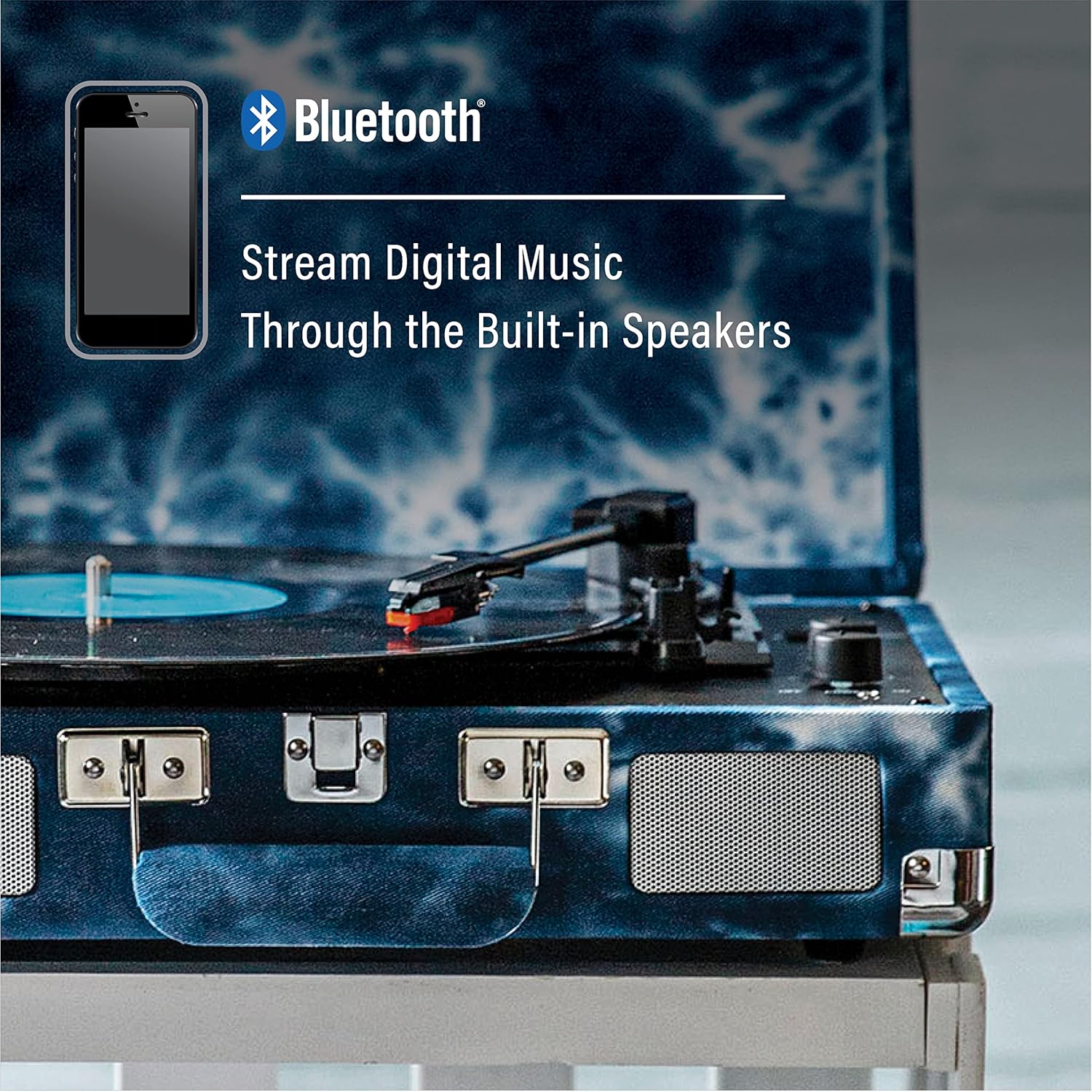
Image: A smartphone connected via Bluetooth to the turntable, demonstrating digital music playback through the integrated speakers.
Bluetooth Output (Streaming Vinyl to External Speakers)
- Enable Bluetooth Output: Ensure the Bluetooth switch is in the 'ON' position.
- Activate External Speaker: Put your external Bluetooth speaker into pairing mode.
- Connect: The turntable will automatically search for and connect to the nearest Bluetooth speaker. The Bluetooth indicator light will become solid once connected.
- Play Vinyl: Play a record as described above. The audio will now stream to your external Bluetooth speaker.

Image: The turntable connected to an external Bluetooth speaker, illustrating the Bluetooth output feature for vinyl playback.
3. Headphone Use
For private listening, plug your headphones into the headphone jack located on the control panel.
4. External Speaker Connection (RCA Output)
To connect the turntable to an external stereo system or powered speakers, use RCA cables (not included) to connect the Line Out ports on the back of the turntable to the corresponding input on your audio system.
5. Pitch Control
The Pitch Control knob allows for fine-tuning the playback speed of your records. Rotate the knob to slightly increase or decrease the speed as needed.
Image: A close-up of the control panel, highlighting the pitch and volume adjustment knobs.
Video Overview
Video: An official product video from Deer Park Distributors demonstrating the features and functionality of the Crosley CR8005F Cruiser Plus Bluetooth In/Out Suitcase Turntable.
Maintenance
- Cleaning the Stylus: Gently clean the stylus regularly with a soft brush, brushing from back to front.
- Cleaning the Turntable: Wipe the turntable's surface with a soft, dry cloth. Avoid using harsh chemicals or abrasive cleaners.
- Record Care: Keep your records clean and free of dust to prevent damage to both the records and the stylus. Store records vertically in their sleeves.
Troubleshooting
| Problem | Possible Cause | Solution |
|---|---|---|
| No power | AC adapter not connected or outlet not working. | Ensure AC adapter is securely connected and plugged into a working outlet. |
| No sound or low volume | Volume too low; external speakers not connected properly (if applicable); stylus damaged. | Increase volume. Check external speaker connections. Inspect stylus for damage and replace if necessary. |
| Record skips | Dirty or scratched record; turntable not level; stylus worn or dirty. | Clean record. Ensure turntable is on a level surface. Clean or replace stylus. |
| Bluetooth not pairing | Bluetooth switch off; device too far; already paired to another device. | Ensure Bluetooth switch is ON. Move device closer. Disconnect from other devices and try again. |
Specifications
- Model: CR8005F
- Brand: Crosley
- Color: Indigo
- Material: Plastic
- Item Weight: 5.5 pounds
- Product Dimensions: 13.78 x 10.24 x 4.72 inches
- Power Source: Corded Electric
- Maximum Rotational Speed: 78 RPM (supports 33 1/3, 45, and 78 RPM)
- Special Features: Built-in Speakers, Built-In Bluetooth Receiver, Pitch Control, RCA Output, Volume Control
- Compatible Devices: Laptop, MP3 Player, Personal Computer, Smartphone, Speaker
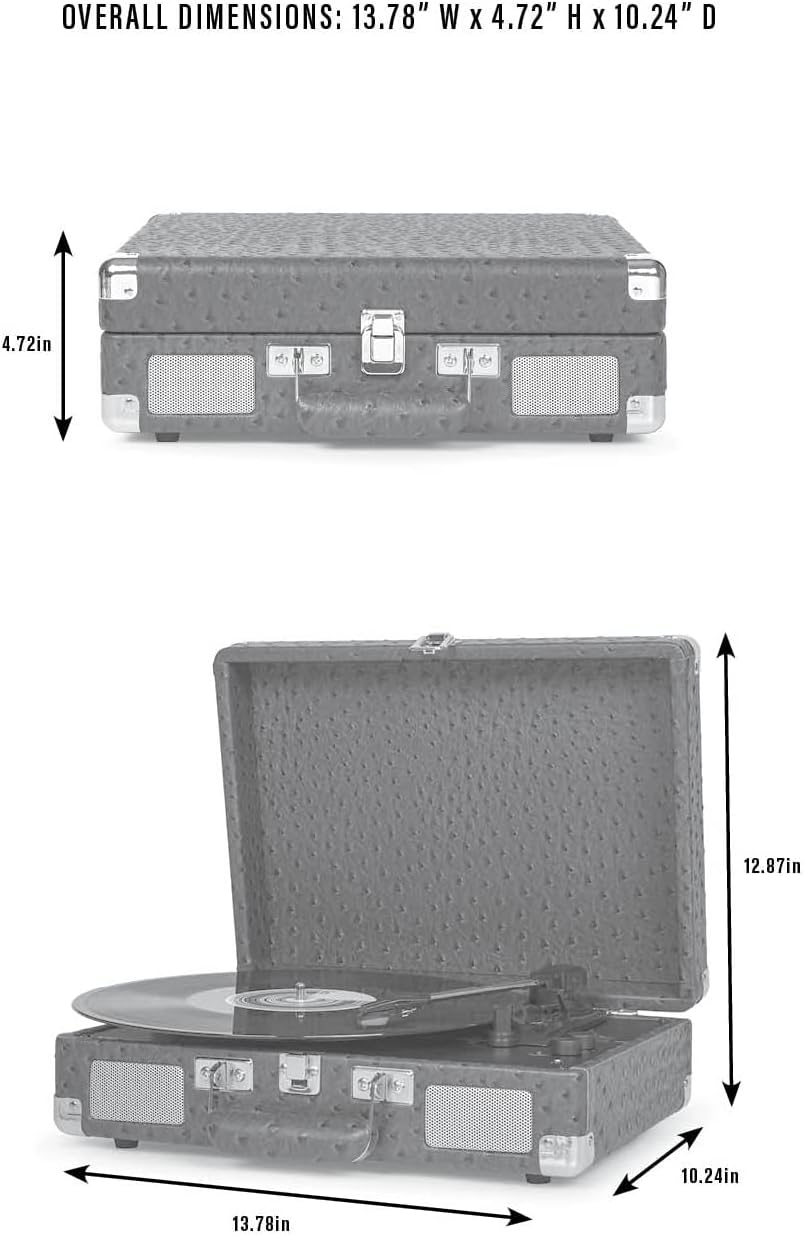
Image: A diagram illustrating the dimensions of the turntable for reference.
Warranty and Support
For warranty information, product registration, or technical support, please refer to the warranty card included with your product or visit the official Crosley website. Contact information for customer service is typically provided in the included user manual or on the manufacturer's support pages.


