1. Introduction and Overview
Thank you for choosing the soges 55 Inch Electric Standing Desk. This ergonomic height-adjustable computer desk is designed to provide a versatile workspace, allowing you to easily switch between sitting and standing positions. Its robust construction and intelligent features make it an ideal solution for home offices and study environments.
Key features include a premium single motor for smooth height adjustments, a spacious two-piece tabletop, and a memory preset controller for convenient operation.

Figure 1.1: The soges 55 Inch Electric Standing Desk, showcasing its spacious white tabletop and sturdy frame, suitable for multiple monitors and office accessories.
2. Setup and Assembly
The soges Electric Standing Desk requires assembly. Please ensure all components are present before beginning. A detailed manual and all necessary hardware are included in the package to guide you through the process.
2.1 Assembly Tips
- It is recommended to assemble the desk with at least two people for ease and safety, especially when handling the tabletop.
- Ensure the lift turning mechanism is fully inserted into the hole and secured before connecting to the motor side. Incorrect insertion may lead to uneven lifting.
- Utilize the two cable management holes on the desk to keep your workspace tidy.
- The 4 footpads are adjustable (1 to 3cm) to ensure stability on uneven floors.

Figure 2.1: Integrated cable management hole, designed to help organize power cords and peripheral cables for a cleaner desk surface.

Figure 2.2: The robust 4-stage lift system, providing a wide range of height adjustment for various user heights.
3. Operating Instructions
The electric standing desk offers smooth and quiet height adjustment with convenient memory presets.
3.1 Height Adjustment
- The desk height can be adjusted from 28.3 inches (71.9 cm) to 47.4 inches (120.4 cm).
- Use the upward (^) and downward (v) adjustment buttons on the control panel to manually raise or lower the desk.
- The desk operates at a speed of approximately 1 inch per second with low noise.
3.2 Memory Presets
The control panel features four memory preset options (1, 2, 3, 4) to save your preferred height settings.
- Adjust the desk to your desired height using the manual adjustment buttons.
- Press the "M" or "SET" button (if available, otherwise hold the number) followed by the desired number (1, 2, 3, or 4) to save the current height.
- To recall a saved height, simply press the corresponding number button.
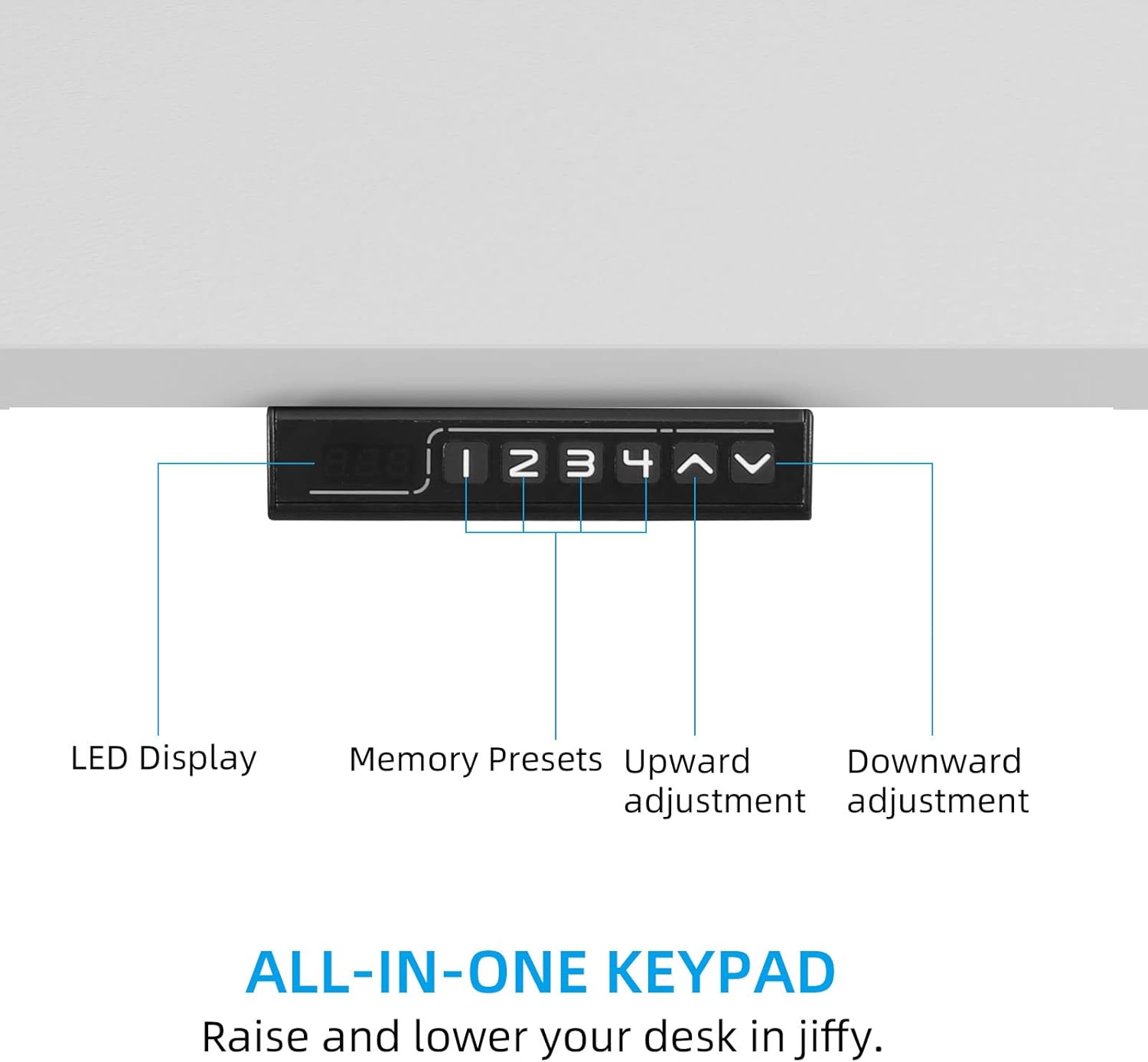
Figure 3.1: The all-in-one keypad, featuring an LED display, memory presets (1-4), and buttons for upward and downward adjustment.
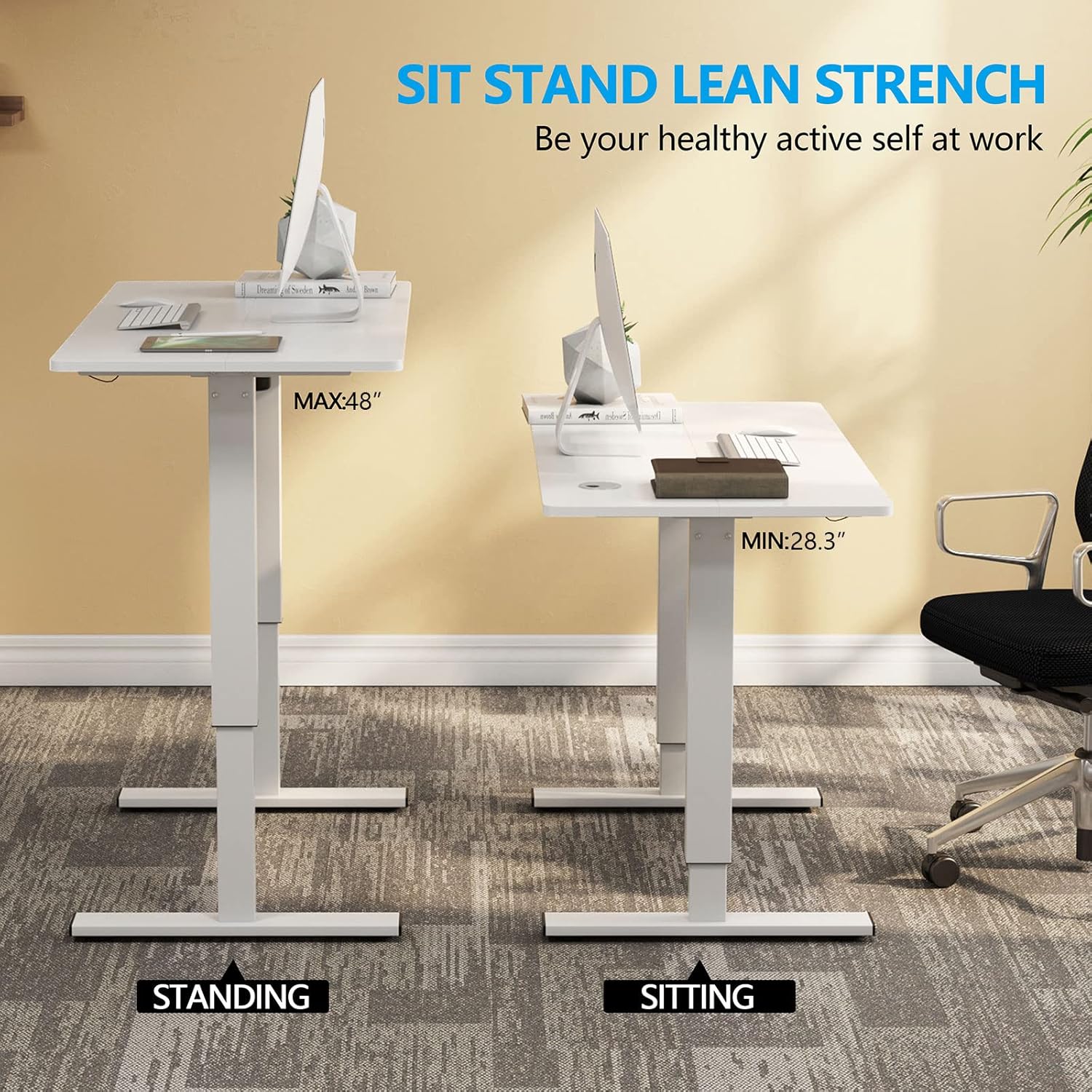
Figure 3.2: Visual representation of the desk's height range, illustrating both sitting (MIN: 28.3") and standing (MAX: 48") positions.
Important Note: If you unplug your electric lift table, it may return to its original height due to protection mechanisms. It is advisable to avoid frequent unplugging if possible.
4. Maintenance
Regular maintenance will help prolong the life and performance of your standing desk.
- Cleaning: Wipe the desk surface and frame with a soft, damp cloth. Avoid using abrasive cleaners or harsh chemicals that could damage the finish.
- Connections: Periodically check all screws and connections to ensure they are secure. Tighten if necessary.
- Motor Care: Keep the motor and lifting mechanisms free from dust and debris. Do not attempt to lubricate internal components unless specifically instructed by the manufacturer.
5. Troubleshooting
If you encounter issues with your soges Electric Standing Desk, please refer to the following common problems and solutions.
| Problem | Possible Cause | Solution |
|---|---|---|
| Desk does not move or is stuck at a certain height. | Power supply issue, motor overload, or protection mechanism activated. |
|
| Error code "Er0" or other codes flashing on display. | System error or sensor malfunction. |
|
| Uneven lifting or one side moves more than the other. | Improper assembly of the lift shaft or mechanism. |
|
For issues not covered here or if problems persist, please contact soges customer service.
6. Specifications
| Feature | Detail |
|---|---|
| Brand | soges |
| Model Number | CZYF-ELT-140W |
| Colour | White |
| Product Dimensions (L x W x H) | 139.95 x 59.94 x 71.88 cm (55.1 x 23.6 x 28.3 inches) |
| Adjustable Height Range | 28.3" to 47.4" (71.9 cm to 120.4 cm) |
| Material | Splice board (tabletop), Metal (base) |
| Special Features | Electric height adjustment, Memory presets, Cable management holes |
| Item Weight | 28 kg (61.7 lbs) |
| Weight Capacity | Up to 177.7 lbs (80.6 kg) |
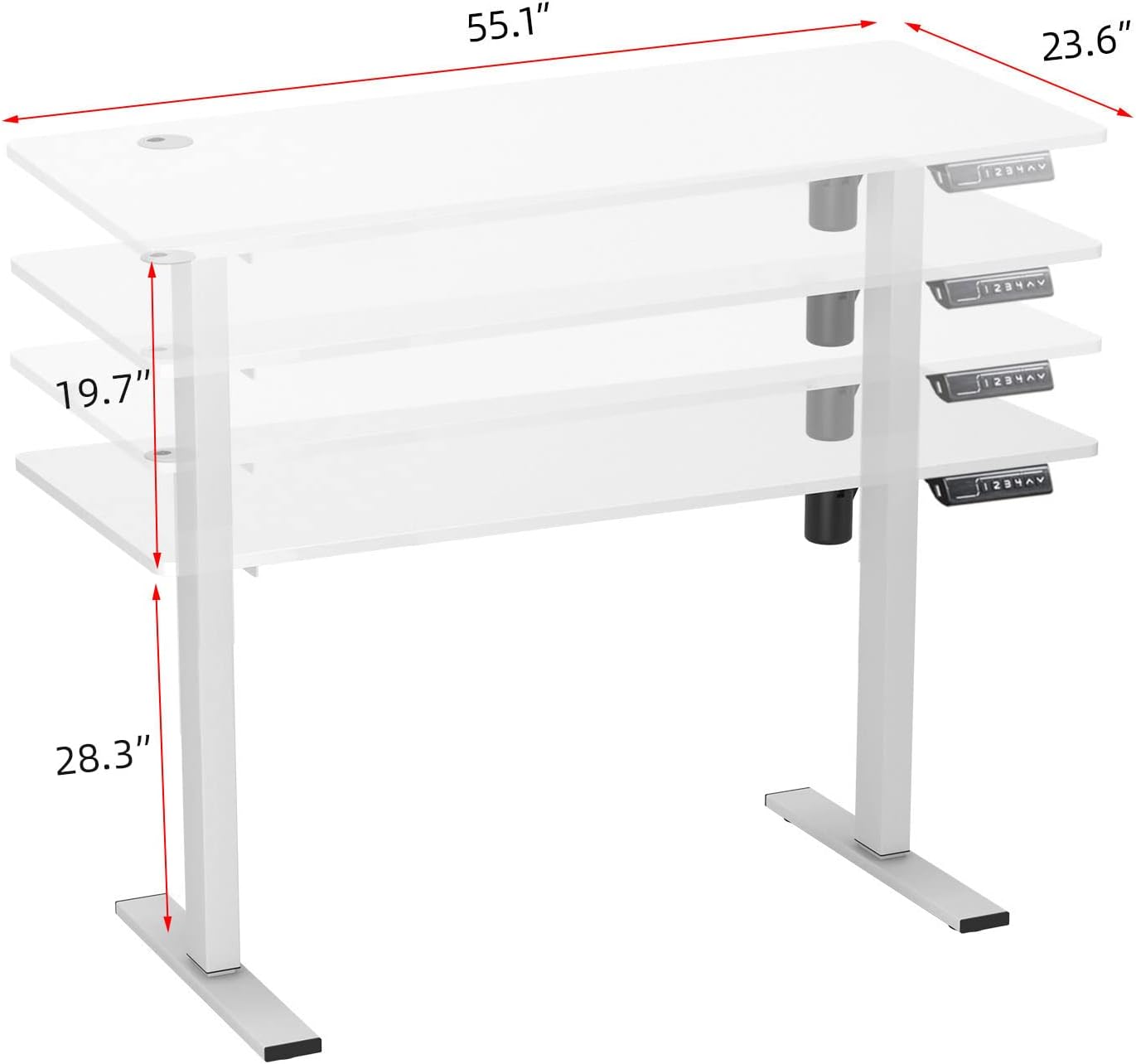
Figure 6.1: Key dimensions of the desk, illustrating the 55.1" length, 23.6" width, and the 19.7" adjustable height range from a base of 28.3".
7. Warranty and Customer Support
soges is committed to providing high-quality products and customer satisfaction. While specific warranty details are not provided in this manual, please retain your proof of purchase for any warranty claims.
For any problems with your electric standing desk, including assembly assistance, operational issues, or parts replacement, please feel free to contact soges customer service as soon as possible. They are available to assist you with any inquiries or concerns.
Contact information can typically be found on the product packaging, the original purchase platform, or the official soges website.