
1. Introduction
This manual provides instructions for the Kassionel Replacement Remote Control, designed to be compatible with various Onkyo A/V AV Receiver models, including TX-NR906, TX-SR806, TX-NR626, and HT-R520. This remote is a direct replacement and is not an original Onkyo product.
The remote control is pre-programmed and requires no additional setup beyond battery installation to function with the specified Onkyo receiver models.
2. Setup
2.1 Battery Installation
The remote control requires two (2) 1.5V AA alkaline batteries (not included). Follow these steps to install the batteries:
- Locate the battery compartment on the back of the remote control.
- Slide the battery compartment cover downwards to open it.
- Insert two AA batteries, ensuring the positive (+) and negative (-) terminals align correctly with the markings inside the compartment.
- Slide the battery compartment cover back into place until it clicks securely.

Figure 2.1: Battery compartment requiring two AA batteries.

Figure 2.2: The remote control is ready to use immediately after battery installation, with no programming required.
3. Operating Instructions
This replacement remote control is designed to replicate the functions of the original remote for the specified Onkyo A/V AV Receiver models. It operates without the need for programming.
3.1 Basic Functions
- Power On/Off: Use the POWER button to turn the receiver on or off.
- Volume Control: Use the VOL + and VOL - buttons to adjust the audio volume.
- Input Selection: Use the input selector buttons (e.g., TV/CD, NET, USB, BD/DVD, AUX, FM, PC) to switch between different audio/video sources connected to your receiver.
- Navigation: Use the directional arrow buttons (UP, DOWN, LEFT, RIGHT) and the ENTER button for menu navigation on your receiver's display.
- Playback Controls: Buttons such as PLAY, PAUSE, STOP, SKIP, and REWIND/FAST FORWARD are available for media playback.
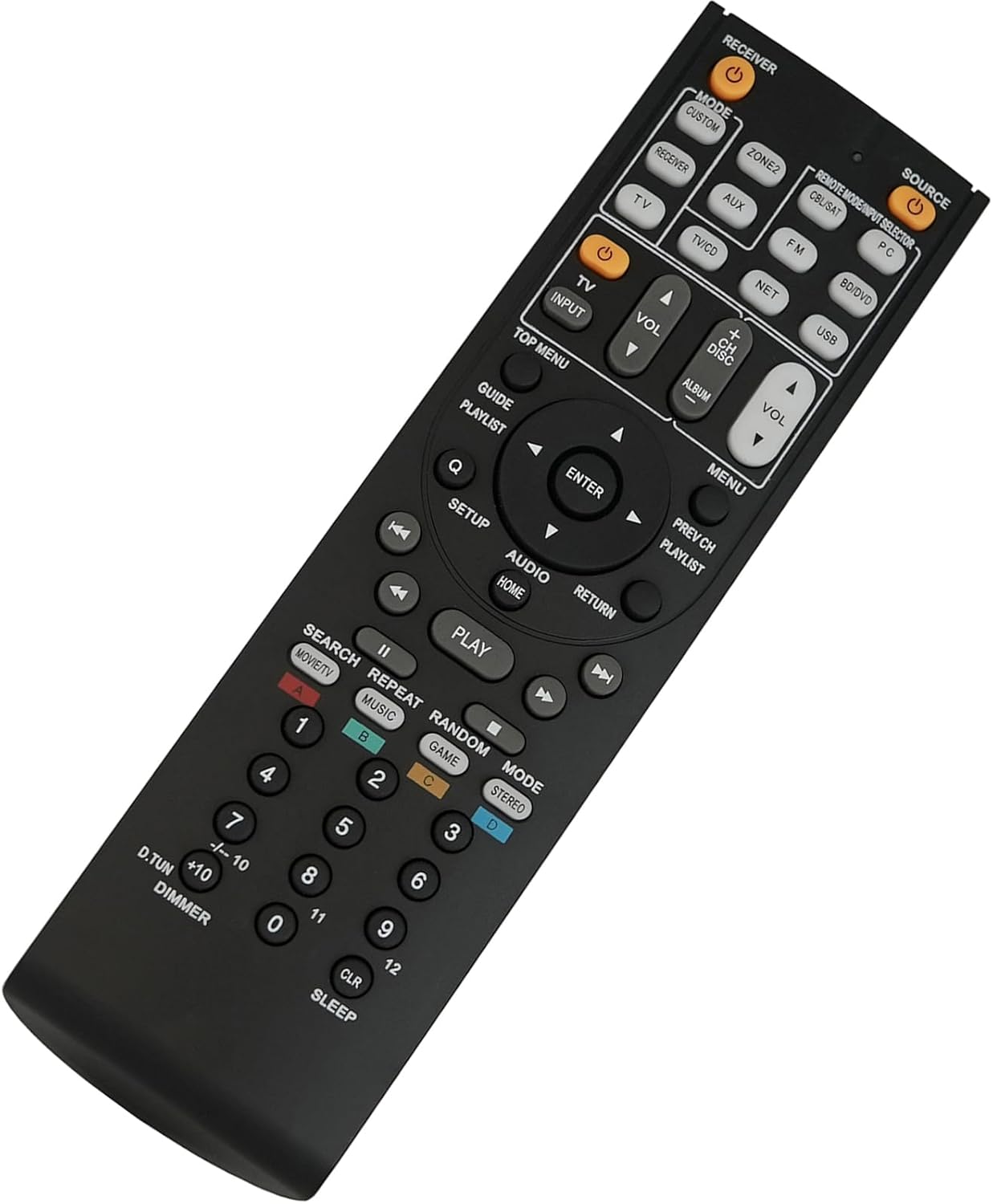
Figure 3.1: Overview of the remote control layout and buttons.
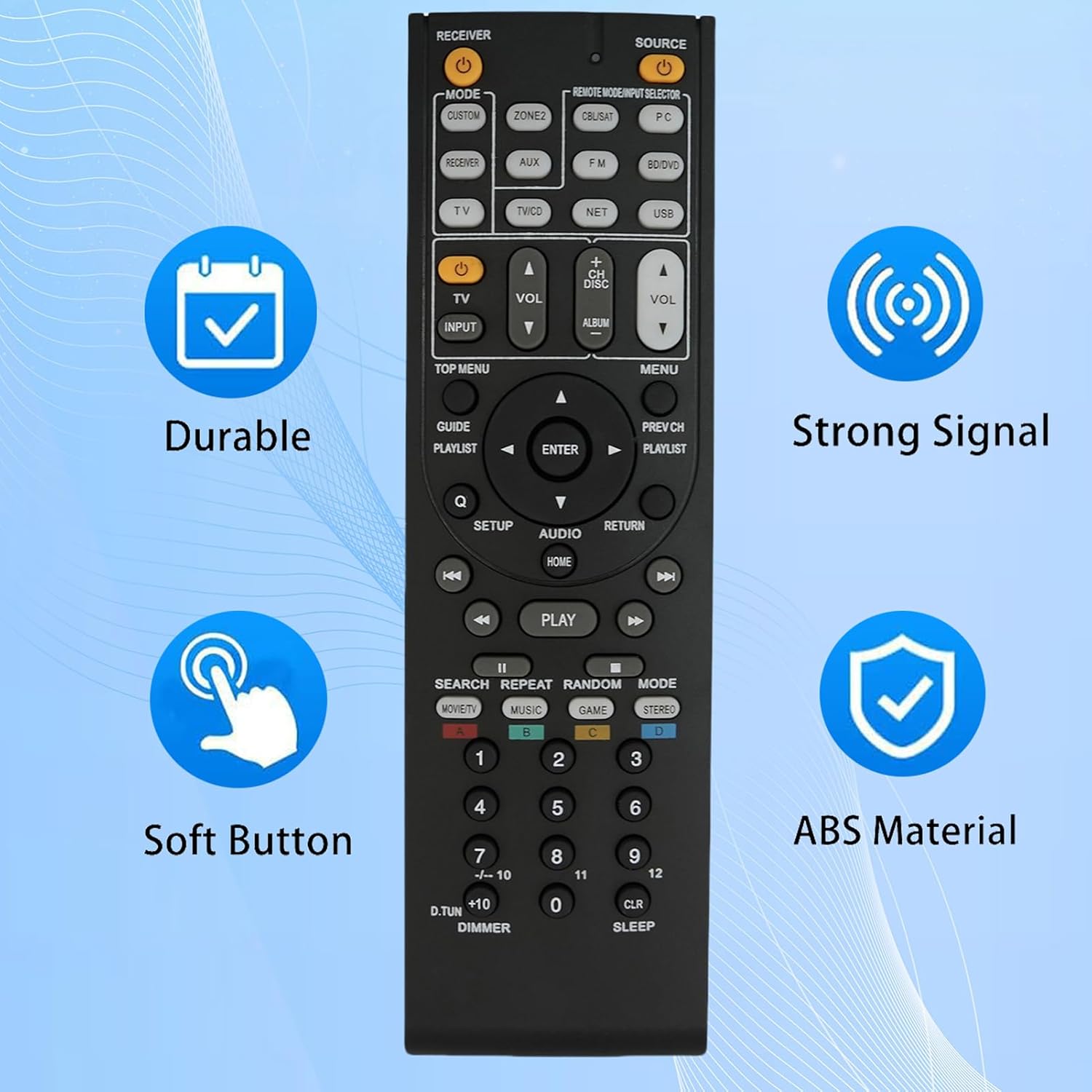
Figure 3.2: Key features of the remote control, including durability and strong signal transmission.
4. Maintenance
Proper care and maintenance will extend the life of your remote control.
- Cleaning: Wipe the remote control with a soft, dry cloth. For stubborn dirt, slightly dampen the cloth with water or a mild, non-abrasive cleaner. Do not use harsh chemicals or abrasive materials.
- Battery Replacement: Replace batteries when the remote's responsiveness decreases or it stops functioning. Always replace both batteries at the same time with new ones of the same type.
- Storage: If the remote control will not be used for an extended period, remove the batteries to prevent leakage and potential damage to the remote.
- Avoid Damage: Do not drop the remote control, expose it to extreme temperatures, or immerse it in water.
5. Troubleshooting
If you encounter issues with your remote control, refer to the following common solutions:
| Problem | Possible Cause | Solution |
|---|---|---|
| Remote not responding. | Dead or incorrectly installed batteries. | Check battery orientation. Replace with new 1.5V AA alkaline batteries. |
| Remote has limited functionality (e.g., only power/volume). | Remote is not compatible with your specific receiver model or some advanced functions are not supported by this replacement remote. | Verify your Onkyo receiver model is listed as compatible (TX-NR906, TX-SR806, TX-NR626, HT-R520). This remote is a direct replacement and does not require programming. If basic functions work, the remote is likely operating as intended for its design. |
| Remote signal is weak or intermittent. | Obstruction between remote and receiver; low batteries. | Ensure a clear line of sight to the receiver's IR sensor. Replace batteries. |
This replacement remote is designed to work out of the box for the listed Onkyo models without any programming. If issues persist after following these steps, please refer to the Support section.
6. Specifications
- Brand: Kassionel
- Compatible Models: Onkyo TX-NR906, TX-SR806, TX-NR626, HT-R520 A/V AV Receivers
- Power Supply: 2 x 1.5V AA Alkaline Batteries (not included)
- Product Dimensions: 7.64 x 2.13 x 0.79 inches (approx.)
- Item Weight: 3.21 ounces (approx.)
- Color: Black
- Special Feature: No Programming Required
- Max Number of Supported Devices: 1 (specific Onkyo A/V AV Receiver)
- Material: ABS
7. Support
For any questions, problems, or further assistance regarding your Kassionel Replacement Remote Control, please contact the seller directly through the platform where the purchase was made.
Please provide your order details and a clear description of the issue to facilitate a prompt resolution.


