Product Overview
The Cleanse Razor Blade Scraper Tool is designed for efficient and safe removal of various residues from surfaces such as glass, ceramic, and induction stovetops. It features a robust handle for a secure grip and comes with 15 extra sharp blades for extended use. This versatile tool is ideal for cleaning burnt food, gunk, paint, stickers, and more, without scratching delicate surfaces.

Image: The Cleanse Razor Blade Scraper Tool, showing its ergonomic design and a separate container for extra blades.
Setup and Blade Replacement
Before using the scraper, ensure the blade is correctly installed and secured. The tool features a push-pull mechanism for blade management and a safety lock for secure operation.
Blade Positions:
- Bottom Position (Storage Mode): The blade is fully retracted into the handle for safe storage.
- Middle Position (Working Mode): The blade is extended and locked, ready for use. This is the only mode in which the scraper should be used for cleaning.
- Top Position (Replacement Mode): The blade is unlocked and fully extended, allowing for easy removal and replacement. Do NOT use the scraper in this mode.

Image: A visual guide illustrating the three operational modes of the scraper: blade retracted for storage, blade extended and locked for working, and blade fully extended for replacement.
To Replace a Blade:
- Push the gray button to the top position to enter Replacement Mode. The blade will be fully extended and unlocked.
- Carefully slide the old blade out from the side.
- Insert a new blade into the slot.
- Push the gray button down to the Middle Position to lock the new blade in place for Working Mode, or to the Bottom Position for Storage Mode.
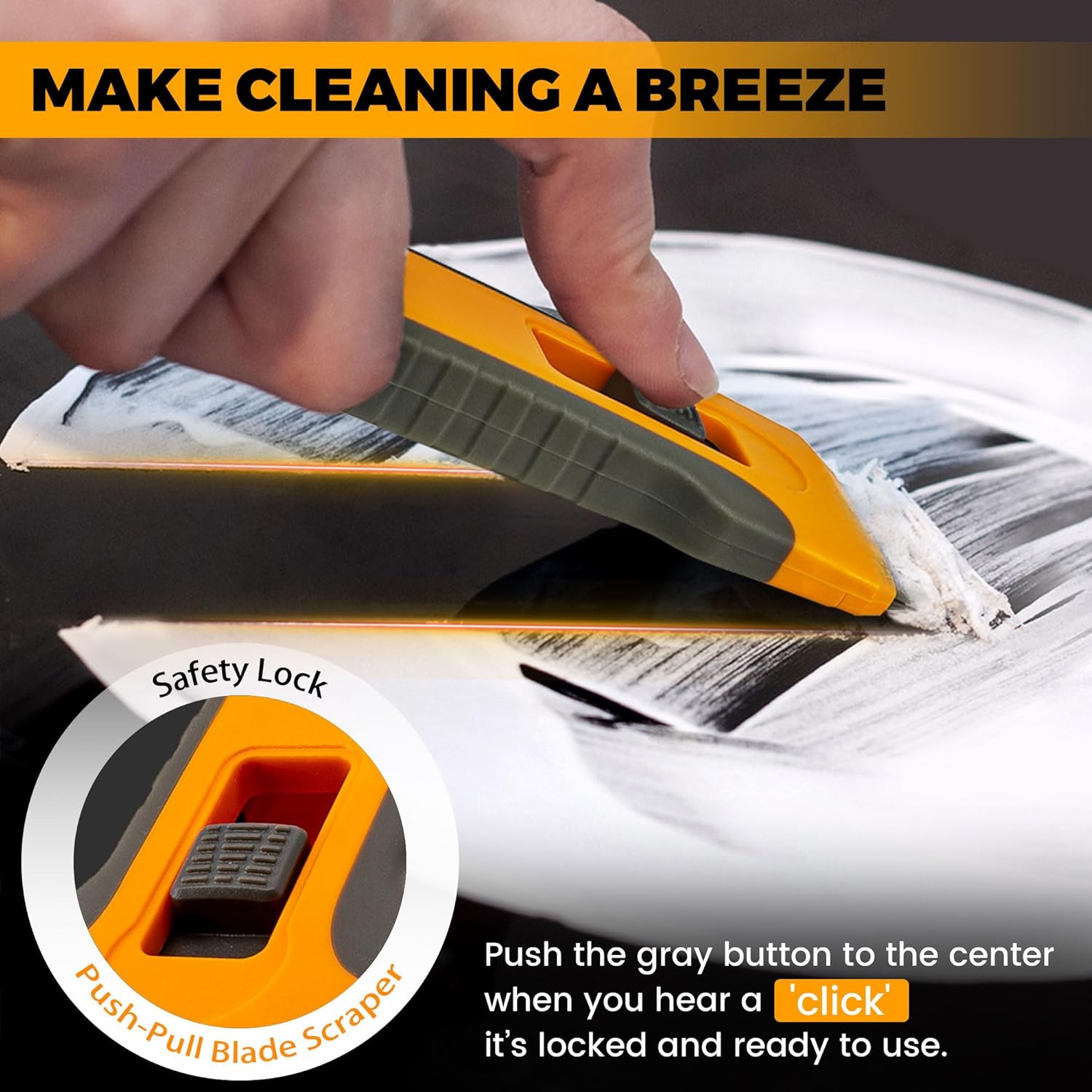
Image: A detailed view of the scraper's safety lock, highlighting the push-pull button used to adjust the blade position.
Operating Instructions
The Cleanse Razor Blade Scraper Tool is designed for effective removal of various substances from hard surfaces. Always ensure the blade is in the Middle Position (Working Mode) and securely locked before use.
Recommended Uses:
- Glass and Ceramic Stovetops: Ideal for scraping off burnt food residues and gunk without scratching the surface.
- Oven Doors: Effectively removes baked-on grime.
- Windows: Cleans paint splatters, stickers, and film residues.
- General Surfaces: Useful for removing putty powder, glue residue, greasy dirt, and stains from various household surfaces.
Usage Tips:
- Hold the scraper at a low angle to the surface to maximize effectiveness and prevent scratching.
- Apply gentle, consistent pressure. For stubborn residues, multiple passes may be required.
- Always scrape away from your body.

Image: A visual representation of the scraper's versatility, demonstrating its use for removing glass glue, putty powder, glue residue, stickers, stains, and greasy dirt.

Image: A side-by-side comparison showing a dirty ceramic stovetop before cleaning with the scraper and the same stovetop sparkling clean afterward.
Maintenance
Proper maintenance ensures the longevity and effectiveness of your Cleanse Razor Blade Scraper Tool.
Cleaning the Tool:
- After each use, carefully wipe the blade and handle with a damp cloth to remove any debris.
- Ensure the tool is completely dry before storing to prevent rust on the blade.
Blade Storage:
The scraper features a built-in storage box for extra blades, ensuring they are always accessible and safely stored.
- Store unused blades in the integrated storage compartment within the handle.
- Always retract the active blade into the handle (Bottom Position) when not in use for safety.

Image: The scraper tool neatly stored in a drawer, with an inset showing the built-in compartment for spare blades.

Image: A close-up view of the scraper's blade, accompanied by a stack of 15 additional sturdy replacement blades, emphasizing the product's durability.
Troubleshooting
Blade Not Staying Locked:
If the blade does not remain securely locked in the Working Mode (Middle Position) or accidentally retracts/extends during use, ensure the gray button is firmly pushed into the middle position until you hear a "click." This indicates the blade is properly engaged and locked. If the issue persists, inspect the mechanism for any obstructions or damage. Always exercise caution when handling the tool.
Scraper Not Cleaning Effectively:
- Dull Blade: Replace the blade with a new one from the included spares. A sharp blade is crucial for effective scraping.
- Incorrect Angle: Ensure you are holding the scraper at a very low angle to the surface. Scraping at too steep an angle can reduce effectiveness and potentially scratch surfaces.
- Surface Condition: For very tough, dried-on residues, consider softening them with water or a suitable cleaning solution before scraping.
Specifications
| Feature | Detail |
|---|---|
| Brand | Cleanse |
| Model Number | CL-GB-0116 |
| Item Weight | 3.2 ounces |
| Package Dimensions | 6.89 x 4.92 x 0.83 inches |
| Country of Origin | China |
| Color | Orange |
| Item Package Quantity | 1 (Scraper + 15 Blades + Brush) |
| Surface Recommendation | Glass, Ceramic |
| Date First Available | December 6, 2021 |
Warranty and Support
This product is eligible for a 30-day refund or replacement policy from the date of purchase. Please refer to your retailer's return policy for specific instructions.
For any questions or concerns regarding the Cleanse Razor Blade Scraper Tool, please contact the seller directly through the platform where the purchase was made.


