
Introduction
This manual provides detailed instructions for the setup, operation, and maintenance of your Sportech SP147 Digital Watch. Please read this guide thoroughly to ensure proper use and to maximize the lifespan of your watch. This watch is designed for children and features multiple functions suitable for various sports and daily activities.
Product Overview
The Sportech SP147 is a durable digital watch equipped with several useful functions including time display, date, nightlight, alarm, and a stopwatch. Its user-friendly design makes it ideal for active children.
Watch Components and Button Functions
Your Sportech SP147 watch features four buttons, each with specific functions:
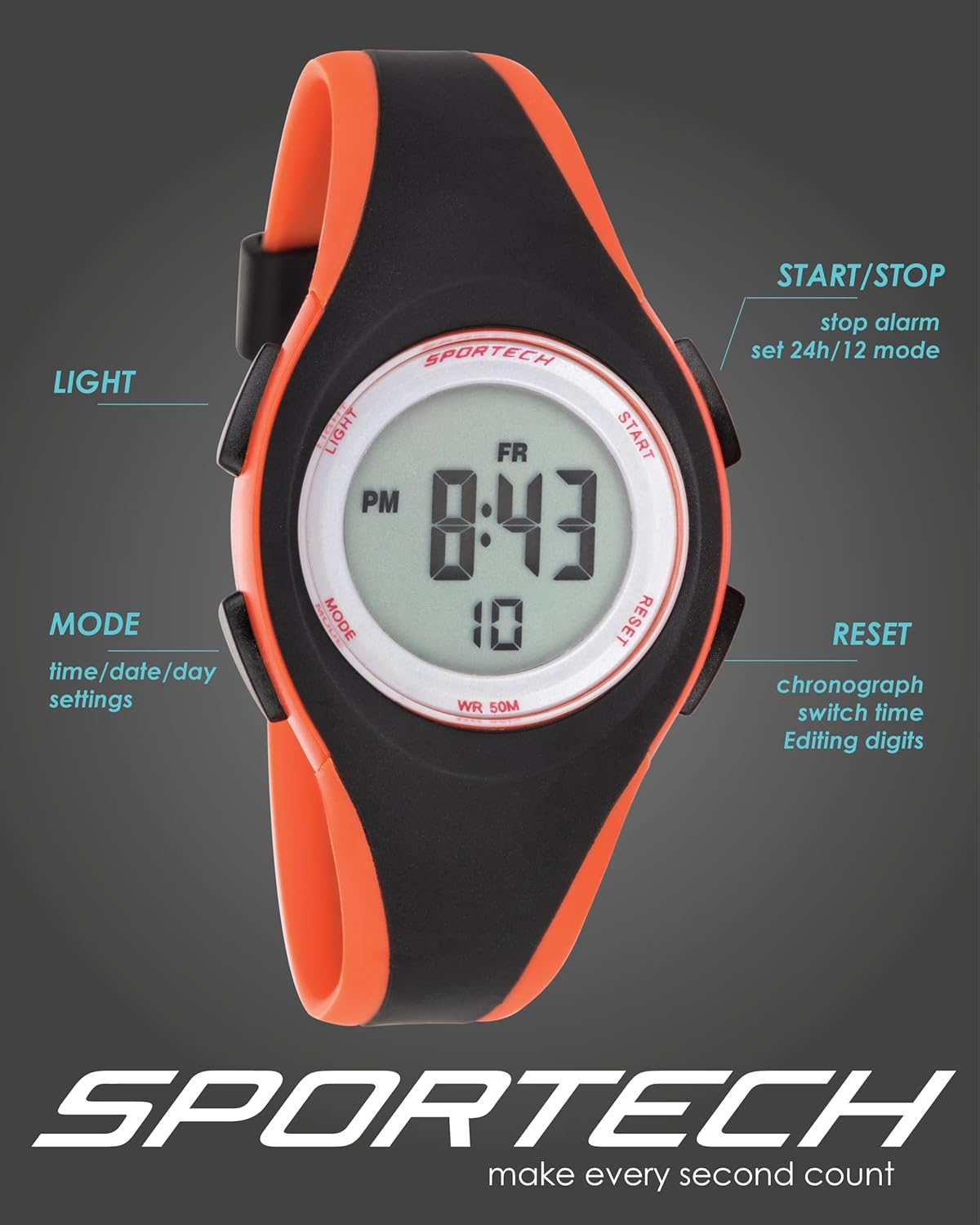
Image: Front view of the Sportech SP147 watch, indicating the location and primary function of each button: LIGHT (top left), MODE (bottom left), START/STOP (top right), and RESET (bottom right).
- LIGHT Button (Top Left): Activates the backlight for viewing the display in low-light conditions.
- MODE Button (Bottom Left): Cycles through different modes: Time Display, Stopwatch, and Alarm Setting. Also used to enter and exit setting modes.
- START/STOP Button (Top Right): Used to start and stop the stopwatch, and to select digits or options during setting procedures.
- RESET Button (Bottom Right): Used to reset the stopwatch, confirm settings, and adjust values during setting procedures.
Setup and Initial Configuration
Setting Time and Date
- From the normal time display, press the MODE button three times to enter time setting mode. The seconds digits will begin to flash.
- Press the START/STOP button to cycle through the settings: seconds → hours → minutes → month → date → day of the week. The currently selected digit or setting will flash.
- While a digit is flashing, press the RESET button to adjust its value. Hold RESET to quickly advance the numbers.
- Once all settings are correct, press the MODE button to exit the setting mode and return to the normal time display.
12/24 Hour Format Selection
In the time setting mode (when hours are flashing), press the RESET button to toggle between 12-hour (with AM/PM indicator) and 24-hour formats.
Operating Instructions
Nightlight Function
To illuminate the watch display in dark environments, press the LIGHT button (top left). The backlight will activate for a few seconds, making the time visible.
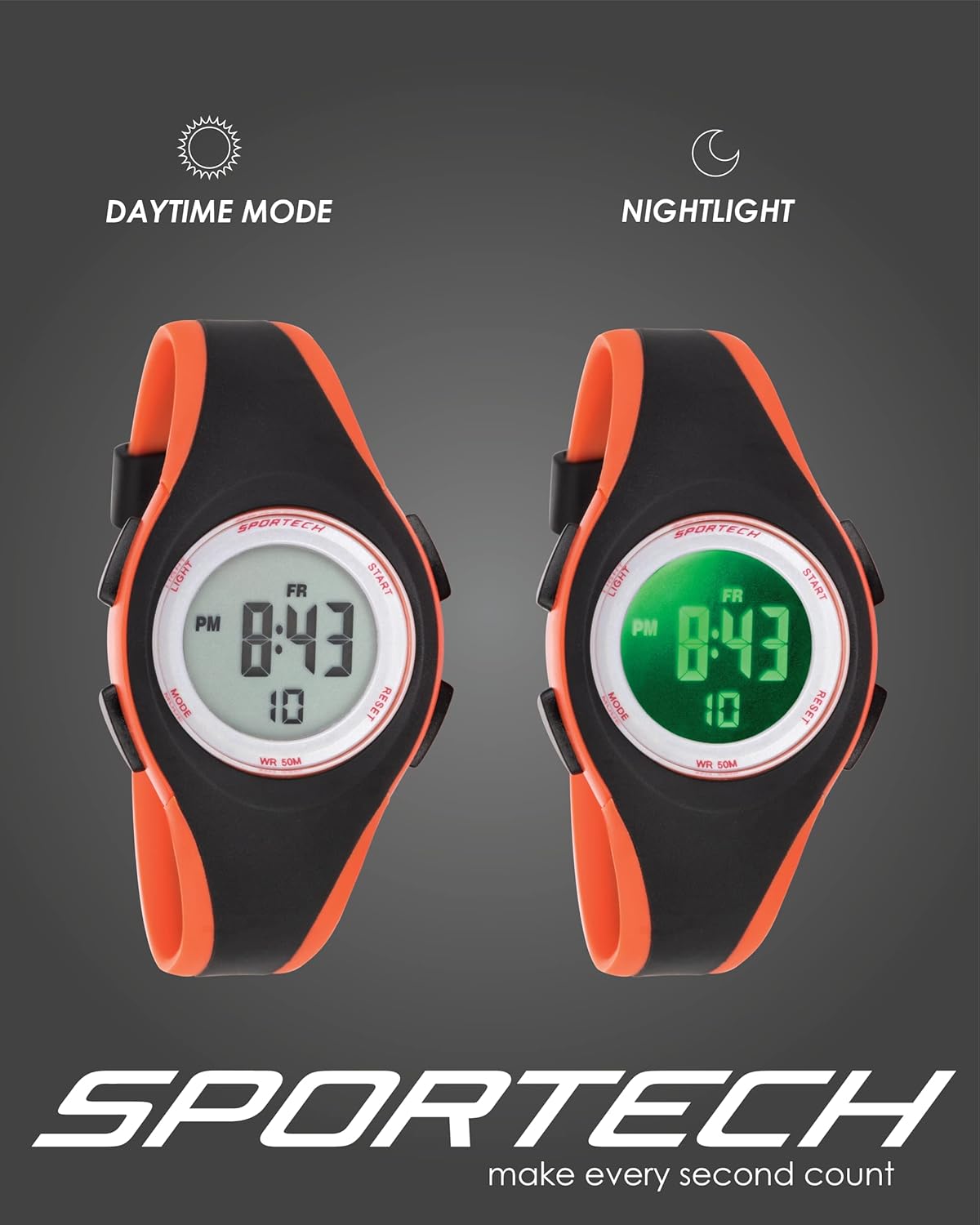
Image: Comparison of the Sportech SP147 watch display in standard daytime mode versus activated nightlight mode, demonstrating the green illumination.
Using the Stopwatch (Chronograph)
The stopwatch function allows you to measure elapsed time for sports or other activities.
- From the normal time display, press the MODE button once to enter stopwatch mode. The display will show '00:00:00'.
- Press the START/STOP button to begin timing.
- Press the START/STOP button again to pause the timing.
- To resume timing, press START/STOP once more.
- To reset the stopwatch to zero, ensure it is paused, then press the RESET button.
- Press the MODE button to exit stopwatch mode and return to the normal time display.
Setting and Using the Alarm
The alarm function allows you to set a specific time for an audible alert.
- From the normal time display, press the MODE button twice to enter alarm setting mode. The alarm hours will begin to flash.
- Press the RESET button to adjust the alarm hour.
- Press the START/STOP button to switch to setting the alarm minutes. The minutes will flash.
- Press the RESET button to adjust the alarm minutes.
- Press the MODE button to exit alarm setting mode.
- To activate or deactivate the alarm, press the RESET button while in the normal time display. An alarm icon will appear or disappear on the display.
- When the alarm sounds, press any button to stop it.
Maintenance and Care
Water Resistance
The Sportech SP147 watch is rated for 50 meters (5 ATM) water resistance. This means it is suitable for showering, rain, and swimming. It is not suitable for diving or prolonged submersion in hot water. Avoid pressing any buttons while the watch is wet or submerged, as this can compromise the water seal.

Image: The Sportech SP147 watch shown partially submerged in water, highlighting its 50-meter water resistance capability.
Cleaning
To clean your watch, wipe it with a soft, damp cloth. Do not use harsh chemicals, abrasive cleaners, or solvents, as these can damage the watch case or strap.
Battery Replacement
The watch is powered by a standard watch battery. When the display becomes dim or the watch stops functioning, the battery may need replacement. It is recommended to have the battery replaced by a qualified watch technician to ensure the water resistance seal is properly maintained.
Troubleshooting
| Issue | Possible Cause | Solution |
|---|---|---|
| Display is blank or dim. | Low or dead battery. | Replace the battery. |
| Watch not keeping accurate time. | Time not set correctly; low battery. | Re-set the time and date. If issue persists, replace battery. |
| Water or condensation inside the display. | Water resistance compromised (e.g., buttons pressed underwater, exposure to hot water/steam). | Avoid pressing buttons underwater. Do not expose to hot water or steam. If water ingress occurs, seek professional repair immediately to prevent further damage. |
| Buttons are unresponsive. | Watch may be frozen; low battery. | Try removing and reinserting the battery (if accessible) or replace the battery. |
Specifications
- Model Number: SP14704
- Display Type: Digital
- Functions: Time (12/24H), Date, Day, Alarm, Stopwatch, Nightlight
- Water Resistance: 50 meters (5 ATM)
- Case Material: Resin
- Strap Material: PU (Polyurethane)
- Case Diameter: Approximately 38mm / 1.49 inches
- Case Thickness: Approximately 13mm / 0.51 inches
- Band Width: Approximately 19mm / 0.74 inches
- Band Length (Circumference): From 140mm to 190mm / 6.29 inches to 7.48 inches
- Weight: 60 grams
- Battery: 1 x Watch Battery (Type not specified, typically CR2016 or similar)

Image: Front view of the Sportech SP147 watch with key dimensions such as case thickness, case diameter, and band width clearly labeled.

Image: Rear view of the Sportech SP147 watch, highlighting the stainless-steel case back, stainless-steel buckle, and indicating its shock-resistant design.
Warranty and Support
For warranty information or technical support, please refer to the documentation provided at the time of purchase or contact Sportech customer service through their official channels. Keep your purchase receipt as proof of purchase.