
1. Product Overview
The Hover-1 Charger Electric Hoverboard and Go-Kart Combo provides a versatile personal transportation experience. This combo includes the Charger Electric Hoverboard Scooter and a compatible go-kart seat attachment. The hoverboard features self-balancing technology, dual LED lights, and an integrated Bluetooth speaker. The go-kart attachment converts the hoverboard into a seated riding device, offering hand-operated controls for steering.
Key features include:
- Hoverboard & Go-Kart Combo: Combines the Charger Electric Hoverboard with a go-kart buggy attachment.
- Go-Kart Features: Hand-operated rear wheel control for turns, forward/reverse driving, adjustable elastic straps for attachment, and an adjustable frame.
- Hoverboard Performance: Built-in Bluetooth 4.0 speaker, step-on mat sensors, 600W motors (300W x 2), capable of up to 9 mph speed and an 8-mile range, with incline capability up to 20 degrees.
- Safety: UL2272 certified, MSDS & UN 38.3 tested.

Image 1.1: The Hover-1 Charger Electric Hoverboard with the Go-Kart Attachment, highlighting maximum weight capacity, battery type, and top speed.
Video 1.1: Official product video demonstrating the Hover-1 Charger Hoverboard and its Go-Kart attachment in use. This video showcases the product's features and functionality.
2. Setup and Assembly
2.1 Included Components
Before assembly, ensure all components are present:
- Hoverboard
- Go-Kart Attachment
- Charger
- User Manual (this document)
- Mounting Gear for Go-Kart Assembly
2.2 Go-Kart Attachment Assembly
The go-kart attachment is designed for easy installation. Refer to the detailed step-by-step guide provided in the physical manual included with your product for specific instructions on using the mounting gear to secure the go-kart to the hoverboard. Ensure all connections are tight and secure before use.

Image 2.1: The Hover-1 Charger Hoverboard and its Go-Kart attachment shown separately, illustrating the components before assembly.
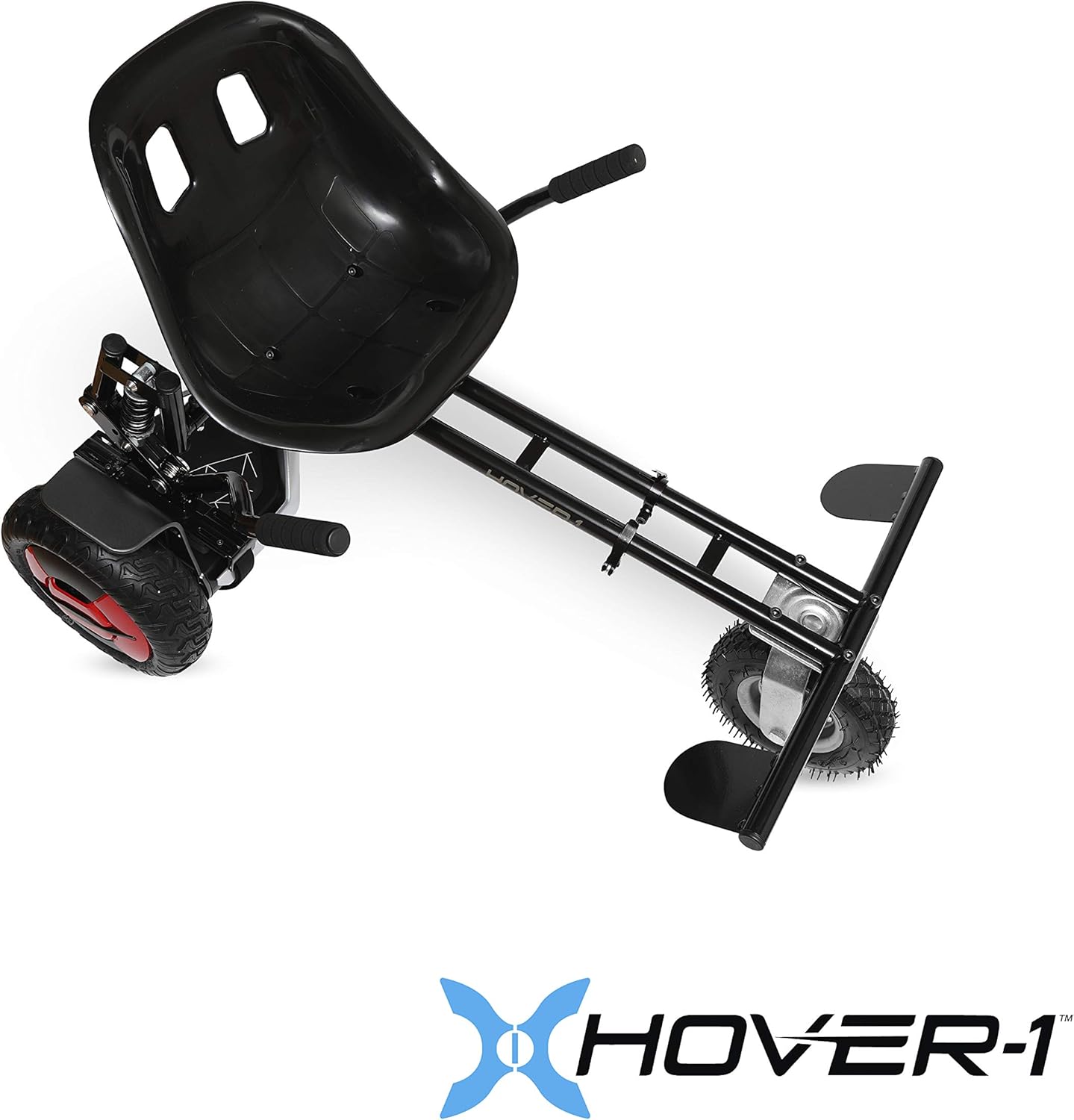
Image 2.2: A top-down view of the Hover-1 Go-Kart Attachment, showing its structure and adjustable frame.
2.3 Charging the Hoverboard
Before first use, fully charge the hoverboard's Lithium-Ion battery. Connect the charger to the charging port on the hoverboard and then to a standard wall outlet. The charging indicator light will change when charging is complete. A full charge typically takes approximately 5 hours.
3. Operating Instructions
3.1 Powering On/Off
To power on the hoverboard, press and hold the power button. The indicator lights will illuminate. To power off, press and hold the power button again until the lights turn off.
3.2 Riding the Hoverboard
The Hover-1 Charger is a self-balancing electric scooter. To ride, gently step onto the mat sensors with one foot, then quickly follow with the other. Lean slightly in the desired direction to move. The hoverboard responds to subtle shifts in your weight. Practice in a safe, open area until comfortable.
The hoverboard features 10-inch wheels for a smooth ride and can reach speeds up to 9 mph with an 8-mile range.
3.3 Rider Modes and App Features
The Hover-1 Charger offers three skill modes: Beginner, Intermediate, and Expert. These modes can be selected via the companion mobile application. The app also provides features such as:
- Real-time speed and mileage display.
- Battery level monitoring.
- Customizable LED lights.
- GPS tracking.

Image 3.1: Screenshot of the Hover-1 mobile application interface, showing rider modes, customizable LED lights, and GPS tracking features.
3.4 Using the Go-Kart Attachment
Once the go-kart attachment is securely installed, sit on the seat and place your feet on the footrests. Use the hand-operated levers to control the direction and movement. Pushing both levers forward moves the go-kart forward, pulling both back reverses it, and pushing one forward while pulling the other back allows for turns.
3.5 Bluetooth Speaker
To connect to the built-in Bluetooth speaker, ensure the hoverboard is powered on. Activate Bluetooth on your mobile device and search for "Hover-1 Charger" (or similar name). Pair with the device to play audio through the hoverboard's speaker.
3.6 Safety Guidelines
Always wear appropriate safety gear, including a helmet, knee pads, and elbow pads, when operating the hoverboard or go-kart. Ride in safe environments, away from traffic and pedestrians. Do not ride on wet or uneven surfaces. Adhere to local laws and regulations regarding personal electric vehicles.
4. Maintenance
4.1 Cleaning
Clean the hoverboard and go-kart with a damp cloth. Avoid using harsh chemicals or abrasive cleaners. Do not submerge the device in water or expose it to excessive moisture.
4.2 Battery Care and Storage
Store the hoverboard in a cool, dry place when not in use. For long-term storage, ensure the battery is charged to approximately 50-70% and recharge it every few months to maintain battery health. Avoid storing in extreme temperatures.
5. Troubleshooting
If you encounter issues with your Hover-1 Charger, consider the following general troubleshooting steps:
- Device not powering on: Ensure the battery is fully charged.
- Balancing issues: Recalibrate the hoverboard according to the instructions in the physical manual.
- Go-Kart attachment instability: Verify all mounting gear is securely fastened and adjusted correctly.
- Bluetooth connectivity problems: Ensure the hoverboard is powered on and your mobile device's Bluetooth is enabled and searching.
For persistent issues, refer to the comprehensive troubleshooting section in your physical user manual or contact customer support.
6. Specifications

Image 6.1: Exploded view of the Hover-1 Charger Hoverboard's 600W motor (300W x 2) and wheel assembly.
| Feature | Specification |
|---|---|
| Brand | Hover-1 |
| Model Name | Hoverboard Charger and Go Kart attachment |
| Model Number | H1-COL-CMB |
| Color | Black |
| Maximum Speed | 7 Miles per Hour (Note: Product description states 9 MPH, refer to product packaging for most accurate speed) |
| Range | 8 Miles |
| Full Charge Time | 5 Hours |
| Motor Power | 600W (300W x 2) |
| Battery Type | Lithium-Ion |
| Wheel Size | 10 Inches |
| Item Weight | 56.7 Pounds |
| Maximum Weight Recommendation | 120 Kilograms (approx. 265 lbs) |
| Material | Aluminum, Plastic |
| Special Features | LED Light, Built-in Bluetooth Speaker |
| Certifications | UL2272 certified, MSDS & UN 38.3 tested |
| UPC | 888255226372 |
7. Warranty and Support
7.1 Warranty Information
The Hover-1 Charger Electric Hoverboard and Go-Kart Combo comes with a 90-day warranty. Please retain your proof of purchase for warranty claims. The warranty covers manufacturing defects under normal use conditions.
7.2 Customer Support
For technical assistance, warranty inquiries, or replacement parts, please refer to the contact information provided in your physical user manual or visit the official Hover-1 website. Ensure you have your model number (H1-COL-CMB) and proof of purchase available when contacting support.


